
NEWS
Microsoft Office 2019 Loses Editing on Apple Devices July 13
Microsoft Office 2019 will lose editing on Mac, iPad, and iPhone on July 13, 2026, with no fix available. Here’s what the change means for users.

Microsoft will lock Office 2019 out of editing on Mac, iPad, and iPhone starting July 13, 2026, the company has confirmed. Office 2019 users cannot install the certificate refresh that will keep other versions of Office functional, and Microsoft will not ship a fix for them.
The change arrives through a license-validation certificate in Microsoft 365 and Office apps on Apple devices, and the certificate in use now expires on July 13. Apps that aren’t updated to a supported version by that date will be limited to opening, viewing, and printing files. Microsoft 365 subscribers and Office 2021 users can restore full editing with a normal app update; Office 2019 users cannot.
What Changes on July 13, 2026
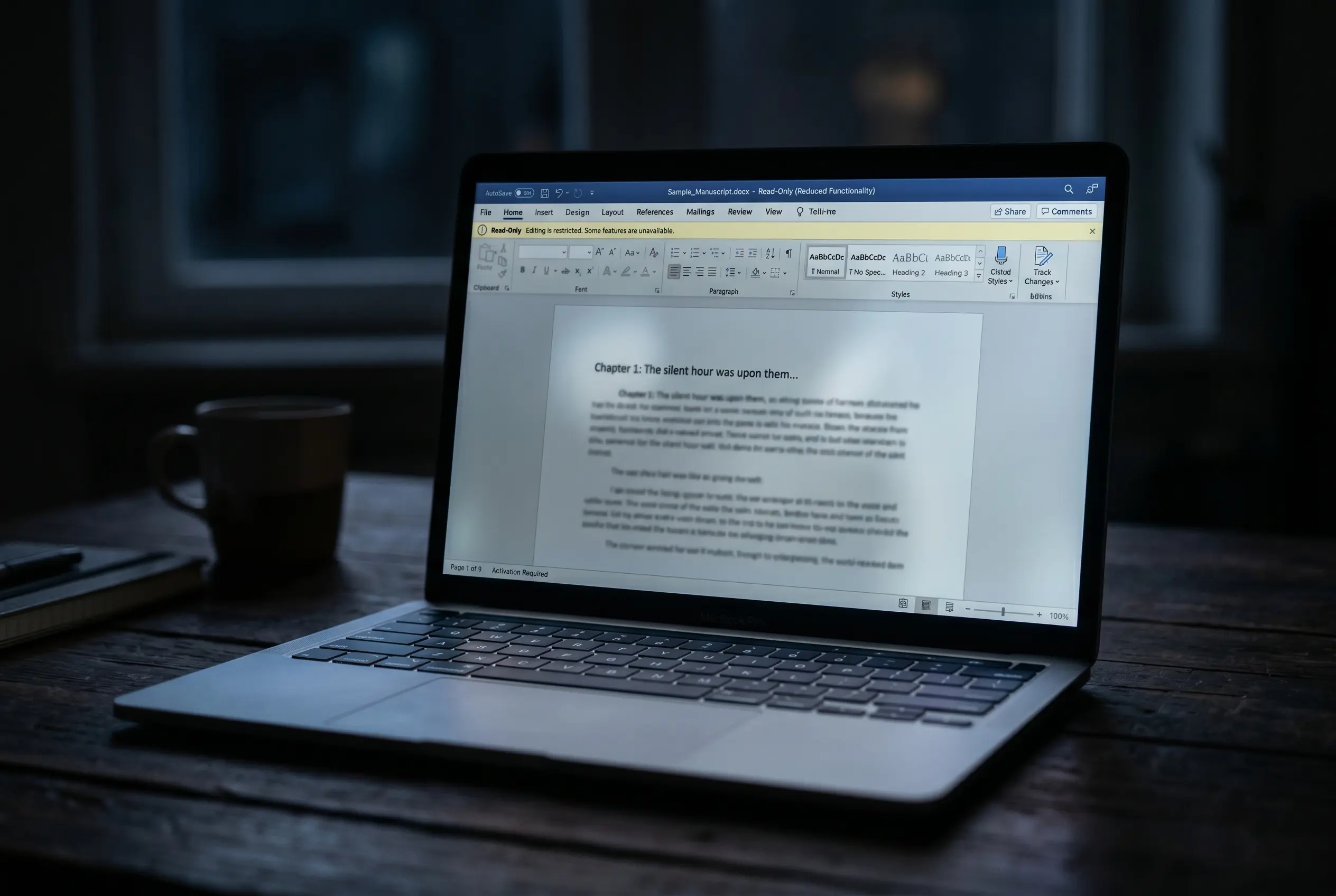
Microsoft 365 apps use a digital certificate to validate licensing on macOS and iOS, and the certificate currently in use expires on July 13, 2026. Apps that aren’t updated to a supported app version by that date will enter what Microsoft calls reduced functionality mode. In that mode, Word, Excel, PowerPoint, Outlook, and OneNote can open, view, and print files, but they cannot edit, save, save as, or create new ones.
The certificate applies to macOS and iOS only, according to the IT admin guidance for managed devices. Windows and Android handle license validation differently and aren’t affected, so an Office 2019 install on a Windows PC or an Android tablet keeps editing without action.
The minimum bar to stay fully functional sits at a specific combination of operating-system and app version.
| Platform | Minimum OS | Minimum app version |
|---|---|---|
| macOS | macOS 12 (Monterey) or later | 16.83 |
| iPhone / iPad | iOS 17.0 or later | 2.93 |
macOS 12 (Monterey) or later with Microsoft 365 apps at version 16.83 or above keeps editing on the Mac. iOS 17.0 or later with the apps at version 2.93 or above is the equivalent threshold for iPhone and iPad.
Why Office 2019 Has No Escape Hatch
The certificate refresh is delivered as part of a Microsoft 365 apps update, not as a stand-alone patch users can grab for older releases. Office 2019 for Mac reached end of support on October 10, 2023, which means it no longer receives updates of any kind from Microsoft. The macOS and iOS update guide for Office users is explicit: the problem cannot be resolved by updating or reinstalling Office 2019 for Mac. Anyone with Office 2019 on a Mac, an iPad, or an iPhone will see their software enter reduced functionality mode on July 13 and stay there.
Office 2019 for Mac reached end of support on October 10, 2023, and no longer receives updates. Because Office 2019 cannot be updated to the required version, this issue cannot be resolved by updating or reinstalling Office 2019 for Mac.
The wording above comes from Microsoft’s own support page titled “Update Microsoft 365 or Office on your macOS or iOS device.” Office 2021 for Mac is still receiving updates, so its users can complete the certificate refresh, but only until October 13, 2026. On that date Office 2021 reaches its own end of support, with no extension and no paid extended-security option for consumers, according to Microsoft’s lifecycle page. For Office 2019 users, the July 13 lockout is a final state, since the underlying app can never receive the fix.
Who Is Actually in the Firing Line
The group that loses editing on July 13 is narrow but not empty: people who paid for Office 2019 outright and never moved to Office 2021 or Microsoft 365. They sit on Mac, iPad, or iPhone, since the certificate change touches only Apple devices. The cross-section matters, and the same person on a Windows PC or an Android tablet keeps working.
A second, less visible group overlaps with the first: Microsoft 365 subscribers and Office 2021 users on Apple devices that cannot run macOS 12 (Monterey) or iOS 17. They face the same reduced-functionality lockout if their apps fall below the minimum versions. For them the fix is technically available, since the apps can still be updated, but the operating-system floor may block the path. Apple’s official support pages describe which models can run Monterey and iOS 17, and devices that fall below the cutoff are now facing a forced migration.
Microsoft 365 for Mac already required macOS 12 as a baseline in late 2023, and many older Intel Macs stopped at macOS 11 Big Sur. The same gap exists on the iPhone and iPad side, where iOS 17 dropped support for several older devices.
The user base that runs into this includes education, small business, and personal machines kept in service until they fail. Microsoft has not published a count of devices still running Office 2019 on Apple platforms, and the IT guidance simply directs administrators to “identify affected devices” through their own inventory tools. The user, not Microsoft, is the one who discovers on July 13 that their software has become a viewer.
What Microsoft 365 and Office 2021 Users Need to Do
Anyone on Microsoft 365 or Office 2021 for Mac has a working path through this, and the steps are short. Update the operating system first, then update the Office apps, in that order. On the Mac the Office update runs through Microsoft AutoUpdate, a helper app most users see only when a refresh is available.
The full sequence looks like this.
- Make sure your Mac is on macOS 12 Monterey or later, or your iPhone or iPad on iOS 17 or later.
- On the Mac, open any Office app and choose Help > Check for Updates. On iPhone or iPad, open the App Store, tap your profile, and tap Update next to the Microsoft 365 apps.
- In Microsoft AutoUpdate (Mac only), click Update or Update All.
- Restart each Office app after the update finishes.
- If editing is still blocked, quit the app completely and sign out and back in from Account settings.
Each step is a one-time action before the July 13 deadline, and nothing needs to be reset or reconfigured afterward. On iPhone and iPad the update happens through the App Store rather than AutoUpdate. The same update path applies across Word, Excel, PowerPoint, Outlook, and OneNote. If the app still refuses to edit after the update, Microsoft tells users to fully quit the app and sign out and back in from the Account settings.
Microsoft Quietly Edited Its End-of-Support Promise
TidBITS, which first surfaced the certificate change, noticed that Microsoft also quietly edited its end-of-support page for Office 2019 within the past several weeks. The earlier text on that page read: “Rest assured that all your Office 2019 apps will continue to function; they won’t disappear from your Mac, nor will you lose any data.” The current version drops the “continue to function” clause and tells users that their data can be accessed on any supported Microsoft 365 or Office product.
The edit is, in practice, a revised contract with paying customers who relied on the original wording. A user reading the page in 2023 had reason to believe the apps would still edit documents, even without security updates. The same user reading the page in 2026 will not get that assurance, because the certificate lockout makes it false.
The change tracks a broader pattern. Apple’s January and February updates extended certificates on older operating systems through January 2027 to keep iMessage, FaceTime, and device activation working, and Apple shipped that extension for devices as old as iOS 12. Microsoft has not announced a comparable license-certificate extension for Office 2019 on Apple hardware.
What Affected Users Can Actually Do
The hardware and software mismatch forces a decision, and the available paths are limited. Microsoft is steering users toward three directions, depending on what their machine can run.
A Microsoft 365 subscription gives the apps, the certificate fix, and access on up to six devices. Microsoft lists Personal at $99.99 per year and Family at $129.99 per year, per the company’s store page. The subscription also requires a supported macOS, which routes back to the original hardware problem for users on a Mac that cannot run Monterey.
A one-time purchase of Office 2024, at $149.99 for Home or $249.99 for Home & Business, avoids the subscription and keeps the apps local. The same macOS support rule applies, and it isn’t a path for users whose Mac cannot be updated. Microsoft 365 on the web, at m365.cloud.microsoft, is the path that works on any modern browser, regardless of how old the Mac is, and it is free in any modern browser with a Microsoft account. Free local apps including Apple Pages, Numbers, Keynote, and LibreOffice handle the .docx, .xlsx, and .pptx formats on older macOS versions.
| Option | Cost | Works on older macOS? |
|---|---|---|
| Microsoft 365 Personal subscription | $99.99 per year | No (needs a supported macOS) |
| Office 2024 one-time purchase | $149.99 Home / $249.99 Home & Business | No (needs a supported macOS) |
| Microsoft 365 on the web | Free with a Microsoft account | Yes (any modern browser) |
| Apple Pages, Numbers, Keynote; LibreOffice | Free | Yes (runs on older macOS) |
Office 2021 users get four more months of breathing room after the July 13 cutoff, until their own end-of-support date on October 13, 2026. The certificate lockout on July 13 is the first deadline; the Office 2021 EOL is the second, and it lands the same way without a further update.
Frequently Asked Questions
What is reduced functionality mode in Microsoft Office?
Reduced functionality mode is what Microsoft calls the read-only state Office apps fall into when their license-validation certificate expires before the app is updated. In that mode, Word, Excel, PowerPoint, Outlook, and OneNote lose the ability to edit, save, or create files, and they keep only the ability to open, view, and print existing ones. The restriction stays in place until the app is updated to a version that ships the renewed certificate.
Will my Office 2019 files be deleted after July 13, 2026?
No. Microsoft says the certificate is used only to validate the Office license, and the lockout does not delete any files from the device. Existing documents stay on disk, and users can keep reading them, copy the contents to another app, or upload them to OneDrive and keep working from a browser.
Can I keep editing Office 2019 documents on Windows after July 13?
Yes. The certificate change is specific to macOS and iOS, and Windows handles Office licensing through a different pipeline. An Office 2019 install on a Windows PC keeps full editing on July 13 and beyond, and the same applies to Android devices.
What if my Mac cannot run macOS 12 Monterey?
The desktop apps cannot be updated to receive the renewed certificate, so editing in Office 2019, Office 2021, and Microsoft 365 for Mac will all be blocked on hardware that cannot run macOS 12 Monterey. Your options on older Macs are Microsoft 365 on the web at m365.cloud.microsoft, or free local apps like Apple Pages, Numbers, Keynote, and LibreOffice, which all read and write the standard Office formats.
Is there a way to get a new certificate for Office 2019 on Mac?
Not from Microsoft. No stand-alone certificate refresh exists for Office 2019, because the certificate is bundled inside the Microsoft 365 app update, and Office 2019 for Mac is out of support and receives no updates. TidBITS has speculated that Microsoft could ship a small utility similar to its existing License Removal Tool, but no such tool has been announced.


South Korea Retail Investors Face Reckoning After KOSPI AI Rally Collapses

Surrey AI Maps Three Heart Attack Paths and Their Molecular Roots

Germany Locks Neutral Apple ATT Prompts Across Most of Europe

Apple’s 5% EU Fee Quietly Rewrites Alternative App Store Math

Apple’s EU Fee Truce Cuts Complexity but Leaves Rivals Fuming

Pixel 11 Pro Fold Trades Thinness for Durability and Seven-Year Stay

Mayo AI Flags HCM Obstruction From Everyday Ultrasound Videos

Indian Brands Quietly Scale Landmark Screens and Home Tech

Navin Vatsa Turns Grief Into a Lifetime of Quiet Seeing

Google Bets Pixel 11 Agentic AI Will Redefine Phones

Oracle Cuts 21,000 Jobs in a Year, Cites AI in 10-K Filing

Fable 5 and Mythos 5 Return as US Lifts Anthropic Export Controls

SpaceX’s Google Deal Turns a Rocket Company Into a Cloud Landlord

CD Projekt Red Co-CEO: Redemption Arc Isn’t Done, Witcher 4 in 2027

XPL Rallies 30% Ahead of Plasma One Card Tier Launch

Google Search Profiles Build a Follow Graph Inside Discover

DGO App Brings Rs 549 Mobile Pass for FIFA World Cup 2026 in Nepal

Moonshot AI Targets $30 Billion in China’s Fastest AI Funding Sprint

Oppo’s ColorOS 17 Eligibility List Leaves A-Series Buyers Behind

Microsoft Xbox Layoffs Start in July as Sharma Slams 3% Margin
-
 AI2 months ago
Oracle Cuts 21,000 Jobs in a Year, Cites AI in 10-K Filing
-
 AI2 months ago
Fable 5 and Mythos 5 Return as US Lifts Anthropic Export Controls
-
 AI2 months ago
SpaceX’s Google Deal Turns a Rocket Company Into a Cloud Landlord
-
 GAMING2 months ago
CD Projekt Red Co-CEO: Redemption Arc Isn’t Done, Witcher 4 in 2027
-
 CRYPTO2 months ago
XPL Rallies 30% Ahead of Plasma One Card Tier Launch
-
 NEWS2 months ago
Google Search Profiles Build a Follow Graph Inside Discover
-
 APPS2 months ago
DGO App Brings Rs 549 Mobile Pass for FIFA World Cup 2026 in Nepal
-
 AI2 months ago
Moonshot AI Targets $30 Billion in China’s Fastest AI Funding Sprint