
GADGETS
Elegoo Jupiter 2 Makes Large Resin Cheap, Then Taxes the Shop
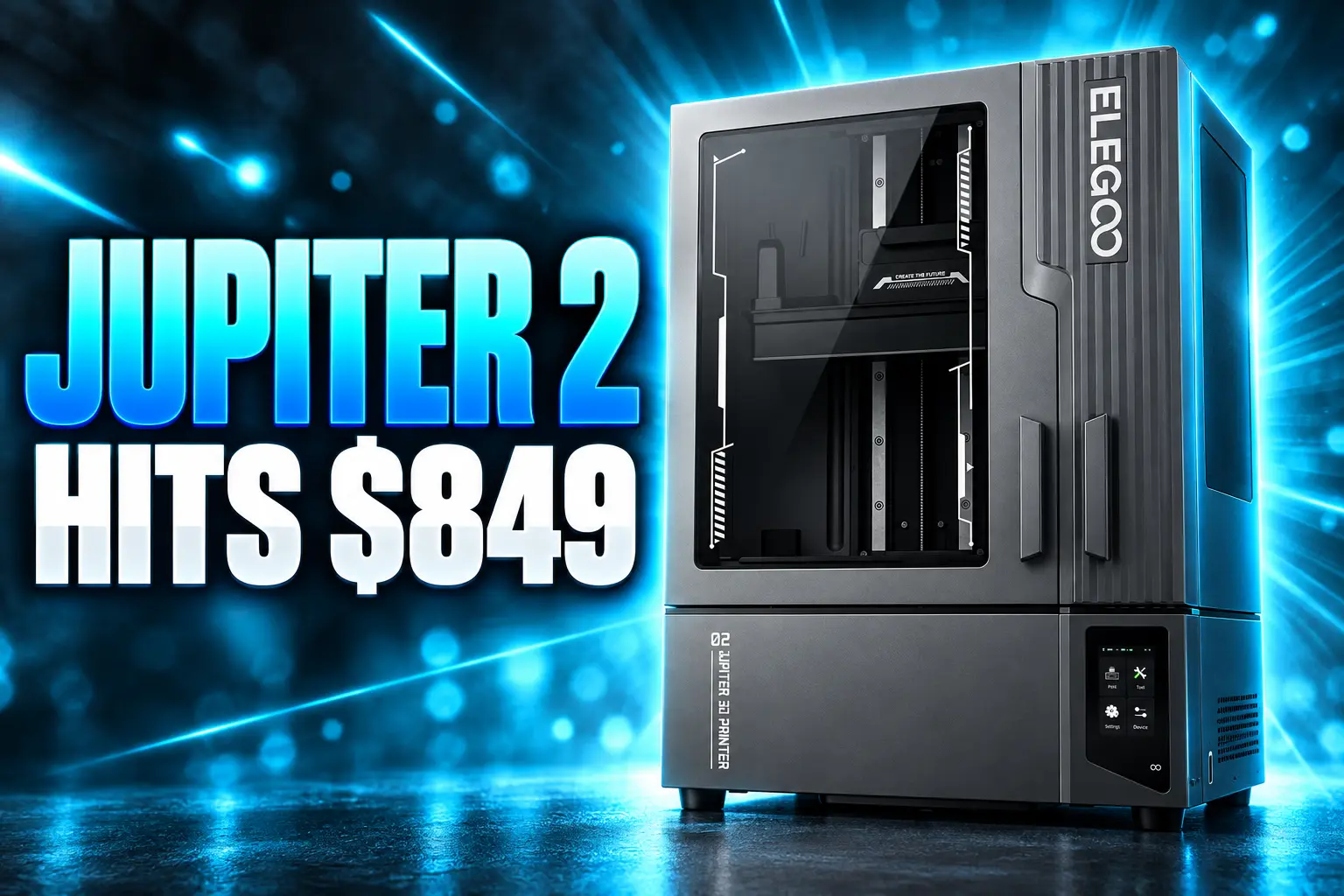
The Elegoo Jupiter 2 is $849 in the U.S., but SatelLite lock and 1150 mm doors tax a garage shop.

The Elegoo Jupiter 2 is $849 on Elegoo’s U.S. store, $100 under the $949 list. It pairs a 14-inch 16K screen with a 302 × 162 × 300 mm vat, plus tank heat and auto feed.
Official slicing still goes through SatelLite. The double doors need 1150 mm of open bench, and the pump is sized for a 2 kg bottle.
A 302 mm Plate Finally Fits a Garage Budget
Elegoo lists a 302 × 162 × 300 mm build volume on the Jupiter 2 page, on a 14-inch monochrome LCD at 15120 × 6230. Pixel pitch is 20 × 26 µm. That is a wide plate, not a square one, and it is the point of the machine.
The original Jupiter used a 12.8-inch 6K panel at 51 µm across 278 × 156 × 300 mm. Jupiter SE kept that box. Jupiter 2 adds 24 mm of width and 6 mm of depth, and Elegoo calls the result 2.5 times the Saturn 4 plate. Closed, the chassis is 465 × 508.1 × 648 mm. The extra size is in the swing, not the crate.
Launch day was April 15, 2026. A 4.0-inch touch panel, USB, dual-band Wi-Fi, 8 GB of ROM, and OTA firmware sit on the spec sheet. The light engine is COB with a Fresnel collimating lens. Normal exposure in testing was 2.5 seconds.
JUPITER 2 ON THE U.S. STORE
- Street price: $849 on Elegoo’s U.S. store, against a $949 list.
- Plate: 302 × 162 × 300 mm on a 14-inch 16K panel at 20 × 26 µm.
- Tank: Smart heat holds resin at 30 °C, with a preheat option for cold rooms.
- Feed: A two-way pump and a 2 kg bottle refill the vat and pull unused resin back.
Hands-on units needed the build plate and the rear feed box fitted, plus a hose and the power cord. The tray only seats 2 kg bottles safely. Elegoo packs an empty 2 kg bottle so leftover 1 kg stock can be combined. Mixed old and new resin, and even a splash of flex resin for impact, printed clean in testing.
Auto-leveling uses force sensors, and the printer will walk through a self-test on each power-up. One shipping unit still came in high on one side of the plate. Manual leveling is in the menu: home the plate with the vat out, and the screen names the side that needs a turn.
What Slicer Works With the Jupiter 2?
Elegoo’s own wiki, last edited June 9, 2026, still names one desktop path. Jupiter SE profiles can be a starting point for exposure. The.ctb format used across a huge Chitubox library is not accepted. Online slicing and remote send are listed as supported, through Elegoo’s own stack.
The ELEGOO Jupiter 2 currently supports only ELEGOO SatelLite. We plan to add compatibility with additional slicers, including Lychee Slicer, in a future update.
ELEGOO, Jupiter 2 FAQ, Elegoo Wiki
SatelLite is free, closed source, and tied to an Elegoo account if you want the cloud resin library. It imports.stl and.obj and writes.goo. Elegoo says a project can hold 16 plates, and it ships the EVO support generator. The recommended PC is an Intel Core i5-6600K or AMD Ryzen 5 1600 class machine with 16 GB of RAM. Intel GPUs are not recommended.
That is a heavy box for what used to be a USB stick workflow. SatelLite was slow in testing, and an elephant-footing glitch printed supports into the raft even after the model was raised 10 mm. The workaround was to prep the scene in Chitubox, export an STL, and let SatelLite only slice. Drag-and-drop can fail on the first Windows launch; Elegoo blames a UIC protection block and says a restart clears it. Owners still describe a one-file Open dialog that feels like 1999.
WHERE SLICING STANDS NOW
- Official path: SatelLite only, with no.ctb, per the June 9, 2026 FAQ.
- Lychee: Mango3D posted on August 18, 2026 that Jupiter 2 slicing is in Lychee Beta 8.0.0.9 on its Discord, not in Elegoo’s supported list.
- DragonFruit: The free DragonFruit slicer added GOO v5.1 on July 6, 2026 and confirmed prints with a tester; network send was still missing.
- Chitubox: Elegoo says a future update will add Chitubox Pro. That update is not the current printer.
Elegoo sells the machine as a SatelLite plus Matrix remote-control pair. Slice on the PC, push the job, watch the camera. Some owners then hit a loop: Matrix wants a firmware update that is not posted as a file, and over-the-air upgrade waits until the app already sees the printer.
Take full control of your Jupiter 2 workflow anytime, anywhere😎
With ELEGOO SatelLite and the Elegoo Matrix App, you can slice your model, send it to the printer, and monitor your prints in real time from anywhere, giving you the freedom to focus on creating while managing… pic.twitter.com/9GstpiCa1g
— ELEGOO (@Elegoo_Official) April 14, 2026
The louder objection is not pixel size. It is that a $849 printer still asks a shop to rebuild supports, hollows, and resin profiles inside Elegoo’s tool, or to gamble on a beta. Third-party.goo writers exist. They are not the path Elegoo will take a ticket on.
The Doors Need 1150 mm of Open Bench
Closed, the Jupiter 2 is a tall, deep box you can slide against a wall. Open, Elegoo’s FAQ asks for 1150 × 670 × 660 mm of clearance. That is 685 mm of extra width over the 465 mm closed footprint. The doors swing left and right, not up, so a shelf with low headroom can still work. A cluttered bench cannot.
Elegoo says you should open them fully to reach the plate and tank. Partial swing is not advised. You can still pull a plate without flinging both doors to the stops, which helps on a tight run. Full-size parts are another story. Elegoo’s own footnote says you must remove the resin tank to get a max-size model out.
The April 2025 RAPID+TCT show unit used plastic doors on metal hinges. By day three of people yanking them, one door sat lopsided. It still opened. It looked cheap. Production machines keep the same two-door idea, with rubberized corners and a UV-safe front window. There is no published hinge revision.
A 75 mm rear exhaust port will take a duct. There is no built-in drip hanger. Marsmate, Elegoo’s air purifier, is listed as compatible. Cluster control over Wi-Fi is on the box if you buy more than one. The shop still has to park a 1150 mm wing on the bench before any of that matters.
The Pump Is Built Around a 2 kg Bottle
The auto-feed is a small box that slots into the back and makes the printer deeper. A two-way pump fills the vat when the probes go dry and can empty a full vat in 5 minutes on reclaim, so you are not funneling a lake of resin back into a bottle. Bottle-level alerts fire when the 2 kg jug runs low. The fit is Elegoo’s 2 kg bottle. Other jugs are a gamble.
Elegoo’s own FAQ already reads like a field guide to that gamble. Feeding can refuse to start if auto-feed is off, if the power lead to the module is loose, or if the probes are shorted together. A full bottle can still throw “Resin Bottle Empty” when the level-sensor terminals are loose, the gap to the jug is too wide, or the resin is one the system does not like. The tank can keep pumping past the MAX line if the transfer nozzle is not seated. Reclaim can fail, or overfill the bottle, for the same sensor reasons. The last step in several of those notes is blunt: try a different resin.
AUTO-FEED FAULTS ELEGOO ALREADY LISTS
- No fill mid-print: Auto-feed disabled, loose module power, or probes touching.
- Empty alert on a full jug: Bad sensor plug, too much air gap, or unsupported resin.
- Tank overfill: Transfer nozzle not fully seated, or resin the probes cannot read.
- Reclaim stalls or overfills: Same sensor and gap checks, then swap resin.
Color changes mean cleaning the tank and the feed path. Elegoo points to IPA, or a rinse with the new resin. Water-washable clear resins are listed as compatible. Most 405 nm stock is too, with a test print first. Uncured resin still wants nitrile gloves at least 3 mil thick, sealed glasses, and a carbon-filtered respirator. Wash solvent does not go down the drain. Cloudy wash gets filtered or sun-cured in an open tray until the leftover resin hardens.
The heated vat is the feature owners keep. It holds 30 °C, and a preheat cycle is there for a cold garage. Residue detection is supposed to spare the LCD. A resin-shortage alarm and a leveling-failure alarm sit in the same sensor pack. If the LED stack goes past 80 °C, the printer pauses. Power-loss recovery is supposed to resume the layer after an outage. Those are the bits that make a long overnight job less stupid. They do not make a 1 kg bottle fit the tray.
Quick-Swap Film Meets a Camera Blind Spot
Elegoo’s pitch for the 16K panel and toolless FEP pitch is the part of the machine that is already easy to like. The company says the quick-lock film is a tool-free swap in seconds, with no screws. Testing timed that film change at 10 seconds. One teardown still found a row of small screws after the side clamps popped, and a hex key session that was not seconds. Elegoo has not shipped a standalone film pack. It is validating a cheaper non-metal frame. Until that lands, you buy the framed sheet Elegoo sells, or you live with the one that is on the vat.
Screen swaps are modular, with a seal meant to stop leaks. Typical LCD life is about 2,000 hours if you do not cook layers with extra exposure. The screen warranty on a new machine is 3 months. The printer itself is 12 months. Release film, the cover, tools, and the resin cartridge have no warranty. Tank and plate are 6 months, and scratches are on you. A directional blower is supposed to keep the LCD cool. That is the consumable math on a plate this large: the glass dies on a calendar, not on a vibe.
The laser-engraved plate uses a dual-grip quick release. It is not a flex plate. Scrapers still come out. A drip tray sits under the work. The built-in camera has an LED and will cut a clean time-lapse once the print grows. For the first 100 mm it mostly sees the back of the plate. Remote checks of a short job are guesswork. Past 100 mm, the view is fine.
Elegoo has logged demand for a wash and cure station that fits this plate. It has not shipped one. Cure times in testing ran 10 to 15 minutes after a 10 to 15 minute dry, longer on thick or hollow parts. The printer will fill a bench with wet models. The wash tank is your problem.
Photon Mono M7 Max Keeps Chitubox and Lychee
The other large vat in this price band is Anycubic’s Photon Mono M7 Max. Anycubic lists a 298 × 164 × 300 mm (14.7 L) volume, a 13.6-inch 7K mono LCD, and 46 × 46 µm pixels. That is a slightly deeper, slightly narrower box with much fatter pixels. It also lists Photon Workshop, Chitubox, and Lychee, plus vat heating, auto-fill, and a hinged UV lid on a 425 × 362 × 652 mm body in Anycubic’s own spec set.
JUPITER 2 VERSUS THE PHOTON MONO M7 MAX
| Feature | Elegoo Jupiter 2 | Anycubic Photon Mono M7 Max |
|---|---|---|
| Build volume | 302 × 162 × 300 mm | 298 × 164 × 300 mm (14.7 L) |
| XY pixel size | 20 × 26 µm | 46 × 46 µm |
| Screen | 14-inch 16K (15120 × 6230) | 13.6-inch 7K |
| Tank heat | 30 °C smart tank | Dynamic vat heating listed |
| Auto resin | Two-way pump, 2 kg bottle | Auto-fill unit listed |
| Slicers | SatelLite official | Photon Workshop, Chitubox, Lychee |
| Enclosure | Double doors, 1150 mm open | Hinged UV lid |
| Price cited | $849 U.S. store ($949 list) | About $699 |
If the job is a helmet, a mask, or a 300 mm bust, both plates will take it. If the job is a plate of minis with fine faces, 20 × 26 µm is the reason to pay Elegoo’s extra. If the job is a shop that already lives in Chitubox, the M7 Max is the printer that does not ask you to learn SatelLite first. Some buyers who preordered Jupiter 2 cancelled after looking at a squarer 4:3 plate elsewhere. The 302 × 162 mm layout is a cinema rectangle. Batch painters who pack rows of 32 mm troops feel that shape immediately.
Forty 50 mm Minis Fit One Plate
Testing packed about 40 copies of a 50 mm scanned mini, with a little room left for scraps, and also ran a full Gorillaz band pack of action figures. Both jobs were staged in Chitubox and sliced in SatelLite. They came off clean. That is the production case Elegoo is selling: one night of resin, one plate, a campaign’s worth of bodies, or a cosplay part you would otherwise cut and glue.
THE JUPITER LINE
- 2021: The first Jupiter ships as Elegoo’s large resin box, 278 × 156 × 300 mm, 12.8-inch 6K, 51 µm pixels.
- 2023: Jupiter SE keeps that volume, cuts weight, and spreads auto feed and reclaim.
- April 2025: A Jupiter 2 show unit appears at RAPID+TCT with plastic double doors that sag by day three.
- April 15, 2026: Jupiter 2 goes on sale at $949 list, 14-inch 16K, heated tank, two-way pump, quick-lock film, camera.
- June 9, 2026: Elegoo’s FAQ still lists SatelLite only and no.ctb.
- July 6, 2026: DragonFruit adds GOO v5.1 and confirms prints.
- August 18, 2026: Lychee posts Beta 8.0.0.9 support on Discord.
The giant is cheap enough now that a garage can own it. The plate will hold forty 50 mm minis or a part that used to be a weekend of glue. Getting that part off the machine still means swinging 1150 mm of door, feeding a 2 kg jug the pump will actually read, and slicing in a tool Elegoo has not opened. Full-size prints still need the tank pulled. The matching wash station is a note on a product-team list. That is the tax the $849 sticker does not print.

Instagram Plus Tests a Read-Only Mode That Cuts Stories

Altman Asks the Public to Accept Some AI Harm

Google Freezes OSS VRP Product Reports After AI Flood

AI Agents Make Payment Rails the Scarce Prize

Turkey’s Crypto Boom Now Runs Through Three Banks

Fable 5 Came Back Under a Commerce On-Off Switch

Google’s SpaceX GPU Lease Has a Sept. 30 Deadline

Plasma One’s XPL Locks Face a 1.81 Billion Cliff

DGO’s Rs 549 World Cup Pass Cost Fans Sleep and Data

Moonshot AI’s $30 Billion Ask Became a $35 Billion Close
-
 AI4 months ago
Fable 5 Came Back Under a Commerce On-Off Switch
-
 AI4 months ago
Google’s SpaceX GPU Lease Has a Sept. 30 Deadline
-
 CRYPTO4 months ago
Plasma One’s XPL Locks Face a 1.81 Billion Cliff
-
 APPS4 months ago
DGO’s Rs 549 World Cup Pass Cost Fans Sleep and Data
-
 AI4 months ago
Moonshot AI’s $30 Billion Ask Became a $35 Billion Close
-

 NEWS4 months ago
ColorOS 17 Device List Spans Oppo, OnePlus and Realme
-

 GAMING4 months ago
Xbox Cuts 3,200 Jobs After Five Years of Thin Returns
-

 GAMING4 months ago
The RTX 4050 Under Rs 70,000 Hides a Wattage Gap