
NEWS
WhatsApp Adds Adobe-Powered PDF Tools and Hands-Free Car Mode
WhatsApp’s new update hands PDF editing to Adobe Acrobat and brings hands-free CarPlay messaging, arriving as research still disputes hands-free driving safety.

Meta rolled out four WhatsApp updates on July 22, and the software doing the heaviest lifting on one of them belongs to Adobe. Users can now open a PDF straight inside a chat, highlight a line, mark up a contract and send it back, without ever tapping download. The same release redesigns how WhatsApp behaves inside a car, letting a driver hear messages read aloud and answer by voice through Apple CarPlay or Android Auto.
The wire version of the news described the PDF tool only as WhatsApp’s own and never named the company that actually built it. Adobe named itself, the same day, in its own newsroom.
One Post, Four Changes
Meta packaged the release as four separate changes spread across WhatsApp’s apps. The update introduces direct account sign-up on iPad, a redesigned interface for Android Auto and Apple CarPlay, built-in PDF viewing and annotation, and the ability to share music from Apple Music and Spotify to WhatsApp Status. The company said these features are already rolling out to users.
| Feature | Platforms | What Changed |
|---|---|---|
| PDF viewing and markup | WhatsApp Web, Windows, macOS | Adobe Acrobat renders the file in the chat window; users highlight, underline and strike through text without downloading |
| CarPlay and Android Auto | iOS and Android, connected to a vehicle | Messages read aloud, hands-free voice replies, calls, call history and favorite contacts shown on the dashboard |
| Status music sharing | iOS, Android | Apple Music and Spotify tracks post automatically to a user’s Status |
| iPad account setup | iPadOS | New accounts created directly on the tablet, no linked iPhone required |
The PDF tool, notably, only runs on desktop platforms for now. This feature is only rolling out to the desktop, macOS, and web-based versions of WhatsApp, but hopefully mobile support will come our way soon.
Adobe’s Acrobat Moves into Three Billion Chats
Adobe announced its side of the deal in its own newsroom the same day Meta did. Many of WhatsApp’s three billion users already use the platform to share files and move work forward. Adobe Acrobat has long delivered trusted PDF viewing, collaboration and AI-powered productivity in the places where people work with documents.
Acrobat is built to power document workflows wherever they happen.
Abhigyan Modi, Adobe’s senior vice president for Creativity and Productivity Business, said it in the companies’ joint announcement. He added that the tie-up extends that vision into one of the world’s most important communication platforms.
WhatsApp is not a special case. The integration reflects both the growing use of WhatsApp on larger screens for tasks such as reviewing contracts, invoices, forms, and assignments, and its broader strategy of bringing Acrobat’s PDF tools to platforms where people already work, “like Chrome, Microsoft360 and Copilot, ChatGPT, Workday and many more.” WhatsApp is simply the newest, and by user count, the largest.
Inside a chat, the markup toolkit stays simple:
- Highlight – mark a clause or figure that needs attention
- Underline – flag a line for a collaborator to review
- Strikethrough – cross out an outdated term or number
- Draw – add a freehand note directly on the page
That list comes straight from Adobe’s own description of the tools. Users can draw on documents, highlight text, underline passages and apply strikethrough formatting. Password-protected PDFs are also supported, helping ensure only authorized recipients can access them.
Mozilla took the opposite route weeks earlier. Firefox built its own tool to merge PDF files without a paid app, chipping at the same document-software market Adobe just bought its way deeper into through a licensing partnership.
The Car Dashboard Learns to Read Messages Aloud
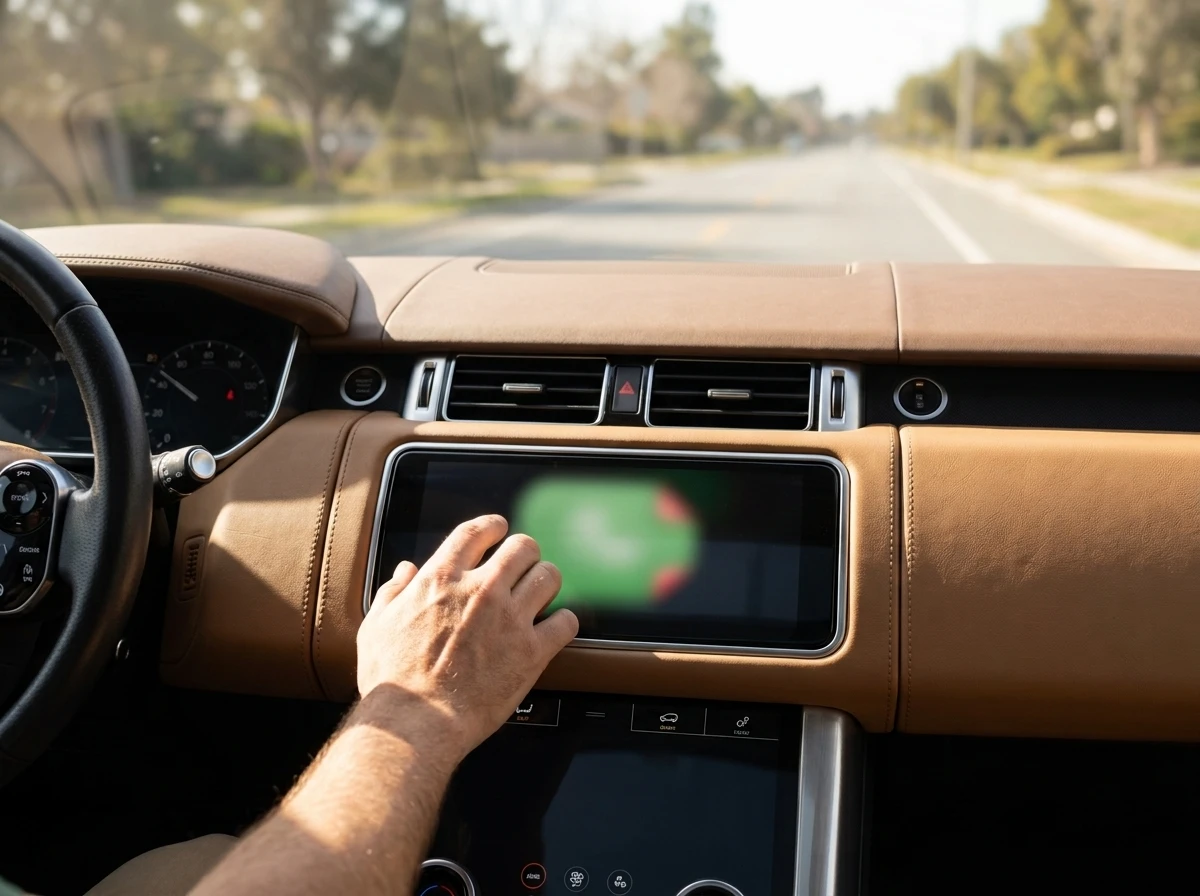
Until now, WhatsApp’s presence on CarPlay was limited to composing messages or placing a call, both of which still pulled a driver’s attention away from the road. The refreshed version adds hands-free playback and replies for incoming messages, a visible call history, and one-tap access to favorite contacts, all surfaced through the vehicle’s infotainment screen.
The updated experience now lets users listen to messages and reply by voice while connected to CarPlay or Android Auto. No screen tapping required to answer.
A messaging app already reads messages aloud and takes spoken replies from a car dashboard without asking permission from Apple’s or Google’s assistant teams. Getting comparable access for a rival AI assistant on a phone’s home screen has taken a regulatory order instead.
On July 16, the European Commission formally ordered Google to give third-party AI services the same access to Android device features that Gemini has. Apple chose a different path. DMA interoperability rules are why Siri AI won’t be available in the European Union when iOS 27 launches.
The European Commission’s own guidance says the order will let users activate their preferred AI assistant via voice commands. Today’s decision will ensure that users can activate their preferred AI assistant via voice commands, similar to the “Hey Google” command. Users will be able to use third-party AI assistants to perform actions in apps on their behalf.
The same fight over interoperability is why Brussels ordered Google and Apple to open their AI assistants to rivals, a decision Apple answered by pulling its new Siri AI from the region entirely. WhatsApp is not named in either order, but the dashboard access Meta just expanded already does quietly what regulators are now forcing Google and Apple to open up to everyone else.
Does Hands-Free Driving Actually Cut the Risk?
Not as much as most drivers assume. Researchers have studied hands-free calling for well over a decade, and they still don’t fully agree. Some large driving studies found no added crash risk from talking hands-free. Others found the mental distraction barely changes whether a hand is on the phone or not.
- NIH-published researchers – hands-free calling carries no safety benefit because it does not reduce cognitive distraction, according to a peer-reviewed commentary archived by the National Institutes of Health
- Virginia Tech Transportation Institute – a naturalistic study of thousands of drivers found hands-free conversation carried no higher crash risk than ordinary alert driving
- Association for the Advancement of Automotive Medicine – calls hands-free use “reasonably safer” than handheld, while maintaining that no phone use at all remains the safest option
Evidence suggests that hands-free phone use provides no safety benefit because it does not diminish cognitive distraction, when the driver’s attention remains diverted from the task of driving. That is the position in a commentary hosted on the dangers of distracted driving research record maintained by the National Institutes of Health.
A separate, larger dataset points the other way. Drivers who used a hand-held phone increased their crash risk by 2 to 3.5 times compared to model drivers, defined as being alert, attentive, and sober. In some cases, hands-free cell phone use was associated with a lower crash rate than the control group. That finding comes from a naturalistic study of thousands of drivers run by the Virginia Tech Transportation Institute.
The professional group that studies crash medicine splits the difference. Hands-free cellphone use is reasonably safer than handheld cellphone use. Even so, no cellphone use while driving, handheld or hands-free, would be the safest behavior.
Music Status and iPad Sign-Ups Round Out the Update
WhatsApp Status now doubles as a listening diary. The update brings the ability to share Apple Music and Spotify tracks directly to Status. Apple already primed the pipes for this earlier in the year, when Apple Music picked up direct WhatsApp sharing buttons on Android.
iPad users get the bigger structural change. With the latest update, users can register and set up a WhatsApp account directly through the iPad app without first pairing it with a phone, according to the company. That ends a tether requirement that had existed since the iPad app first launched.
The Rollout Has One Paid Catch
None of the four features arrived everywhere at once. Rollout usually happens in stages, so some accounts might see updates later. The features are already rolling out to users, although availability may vary depending on the device and platform.
Businesses that lean on WhatsApp for paperwork face a separate question. Companies operating in regulated industries may also need to determine whether WhatsApp meets their retention, auditing and compliance requirements. Important contracts and final approvals should be stored in an appropriate document management system rather than existing only within a chat history.
The viewing and basic markup tools work at no charge. The integration also extends to Acrobat AI Assistant, which can summarise documents, answer questions about their contents and surface key information. Advanced editing and AI Assistant features require an Acrobat subscription. Meta listed the update as free. Adobe’s fine print says otherwise for anyone who wants Acrobat to do more than just open the file.


Sony’s 10 Percent Disc Drop Leaves the 2028 Cutoff Intact

Chip Allocation Sidelines the Base iPhone 18 This Fall

Miami-Dade Fights the Vice City Brand It Already Wears

IFA 2026 Awards Put Tecno Ahead of Flagship Phones

USB-C Gadgets Made the Junk Drawer Rechargeable

Pixel 11 Pro Asks $1,099 for a Light Google Locked

The iPhone Ultra Sells Two Retired Minis as One Foldable

Google Opens Gmail to Voice and Gates Docs Live

Lenovo Prices the IdeaPad Vibe Against Apple’s $699 Neo

Xbox Caps Game Pass Cloud Gaming at 15 Hours

Oracle Cuts 21,000 Jobs in a Year, Cites AI in 10-K Filing

Fable 5 and Mythos 5 Return as US Lifts Anthropic Export Controls

SpaceX’s Google Deal Turns a Rocket Company Into a Cloud Landlord

CD Projekt Red Co-CEO: Redemption Arc Isn’t Done, Witcher 4 in 2027

XPL Rallies 30% Ahead of Plasma One Card Tier Launch

Google Search Profiles Build a Follow Graph Inside Discover

DGO App Brings Rs 549 Mobile Pass for FIFA World Cup 2026 in Nepal

Moonshot AI Targets $30 Billion in China’s Fastest AI Funding Sprint

Oppo’s ColorOS 17 Eligibility List Leaves A-Series Buyers Behind

Microsoft Xbox Layoffs Start in July as Sharma Slams 3% Margin
-
 AI2 months ago
Oracle Cuts 21,000 Jobs in a Year, Cites AI in 10-K Filing
-
 AI2 months ago
Fable 5 and Mythos 5 Return as US Lifts Anthropic Export Controls
-
 AI3 months ago
SpaceX’s Google Deal Turns a Rocket Company Into a Cloud Landlord
-
 GAMING3 months ago
CD Projekt Red Co-CEO: Redemption Arc Isn’t Done, Witcher 4 in 2027
-
 CRYPTO3 months ago
XPL Rallies 30% Ahead of Plasma One Card Tier Launch
-
 NEWS3 months ago
Google Search Profiles Build a Follow Graph Inside Discover
-
 APPS3 months ago
DGO App Brings Rs 549 Mobile Pass for FIFA World Cup 2026 in Nepal
-
 AI3 months ago
Moonshot AI Targets $30 Billion in China’s Fastest AI Funding Sprint