
NEWS
The Galaxy Z Fold 8 Still Defaults to a Full Charge
Galaxy Z Fold 8 battery settings still default to a 100% fill on a 1,200-cycle silicon-carbon pack, and the 45W adapter is sold separately.

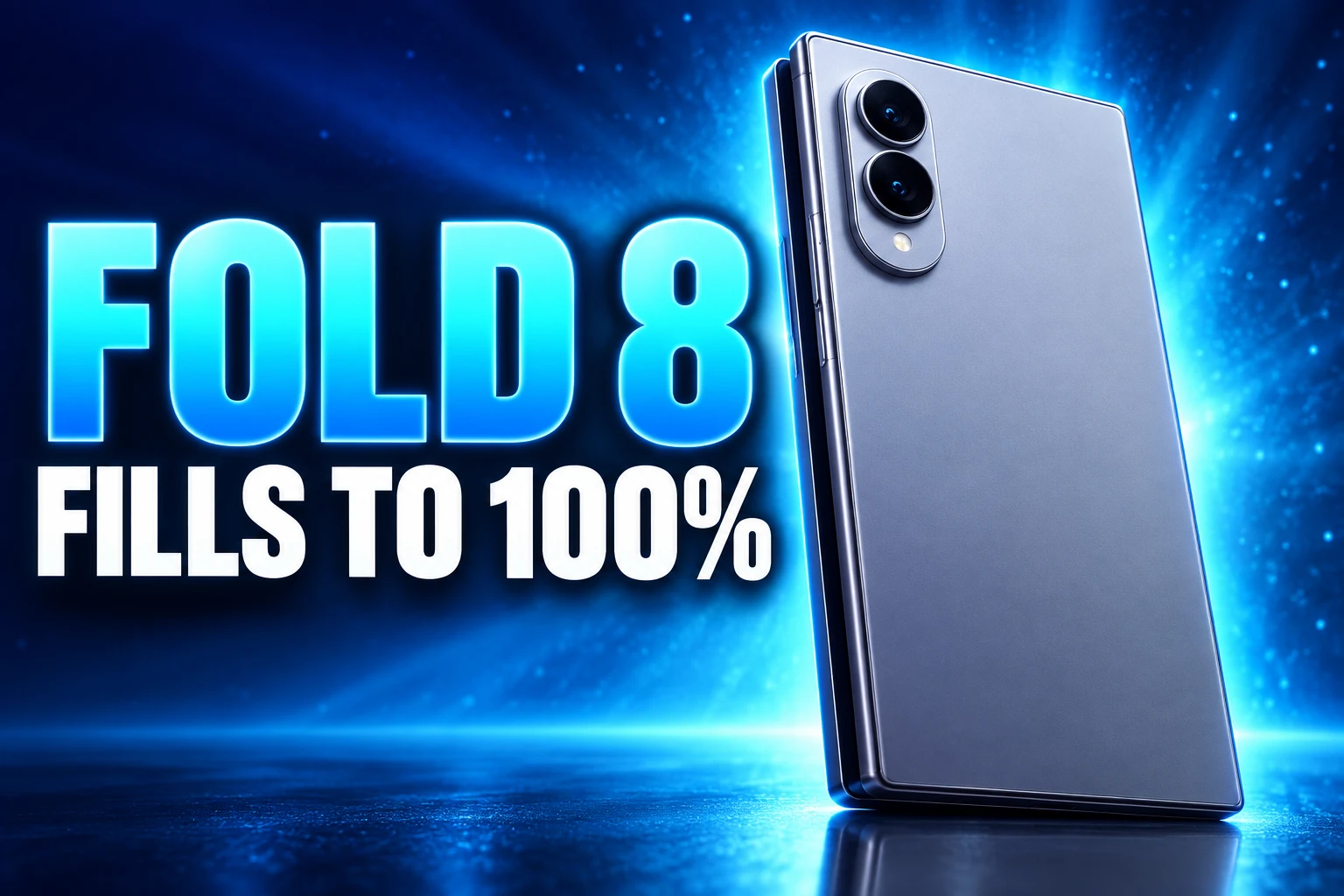
The Galaxy Z Fold 8 still fills to 100% on its default Battery protection mode, even at a $1,899.99 starting price. Samsung rates the new silicon-carbon pack for 1,200 charge cycles, and the 45W adapter that feeds Super Fast Charging 2.0 is sold separately.
Setup guides keep pointing new owners at an 85% cap, split wallpapers, and a three-way taskbar. Those menus matter because several factory choices still favor a first-day demo over the seven years of One UI 9 updates Samsung promised on July 22, 2026.
Samsung Still Ships Battery Protection on Basic
Battery protection is not hidden. It is a switch in Settings, then Battery, and Samsung documents three modes. Basic is the default. Maximum is the one that actually holds a lower ceiling.
Samsung’s own guide says Basic still charges the cell to 100% and only then holds the pack, with charging allowed to resume at 95%. That stops some overnight trickle. It does not keep the silicon-carbon cell off the top of the gauge, which is where wear stacks up.
BATTERY PROTECTION MODES ON ONE UI 9
| Mode | Charge ceiling | When charging restarts | Out of the box |
|---|---|---|---|
| Basic | 100% | 95% | Default |
| Maximum | 80%, 85%, 90%, or 95% | About 2% below the limit you set | Off unless you pick it |
| Sleep time protection | Holds about 80% overnight, then fills to 100% before you wake | Follows a learned sleep pattern | May become default if you accept Customisation Service |
Maximum is the mode the tips videos mean when they say cap at 85%. You choose 80, 85, 90, or 95, and the phone then runs on charger power once it hits that number. If you already walked through the settings that stretch Fold 8 battery life, this is the same switch, and it is still the one that changes the chemistry’s clock.
Sleep time protection is the compromise for people who want a full gauge at breakfast. It holds about 80% while you sleep and finishes the last 20 points before your alarm. Samsung says learning that pattern generally takes about two weeks, and it can fall back to Basic if Customisation Service is off or the sleep hours are a mess.
1,200 Cycles Versus Seven Years of Updates
The Fold 8 is the first Galaxy Z Fold with a silicon-carbon pack. Typical capacity is 4,800 mAh, up 400 mAh from the Fold 7’s 4,400 mAh, and wired charging jumps from 25W to 45W. EU energy labels still list the Fold 8 at energy class A. They also list a minimum endurance of 1,200 cycles, the point at which the pack is expected to sit at 80% of its original charge.
Last year’s Fold 7 carried 2,000 cycles on those labels, so the new chemistry is rated 800 cycles shorter. One full cycle a day puts 1,200 fills at about 3.3 years. Samsung’s software clock on the same phone runs seven years, with security cover listed through July 31, 2033.
THE FOLD BATTERY CLOCK
- August 2021: Samsung adds Protect battery on the Fold 3, with an 85% charge limit built to slow wear on a foldable cell.
- 2025: The Fold 7 ships a 4,400 mAh pack, 25W wired charging, and a 2,000-cycle EU endurance figure.
- July 22, 2026: Samsung unveils the Fold 8 with a 4,800 mAh silicon-carbon dual pack, 45W wired charging, One UI 9 on Android 17, and a 1,200-cycle minimum.
- August 7, 2026: The phone goes on sale in the United States from $1,899.99 for 256GB. The 45W adapter is still a separate SKU.
iFixit opened the pack and found two thin cells totaling 18.68 watt-hours, with pull jackets that make removal less ugly than older Folds. Getting to one cell still means going through the outer display, so a tired battery is not a cheap swap. That is why a software cap is doing work the repair path will not.
Leave Maximum off and the bigger, faster pack is also the one that is allowed to sit at 100% on a shorter published cycle life. Turn it on at 80 or 85 and you trade some of the 26-hour video-playback claim for a gauge that is likelier to still be useful when One UI is on year four or five.
The 45W Charger Lives in a Second Purchase
Super Fast Charging 2.0 is real on this phone. It is not in the carton. Samsung’s US accessory note lists what you actually get, then states that a travel adapter is sold separately and points owners at a 45W Super Fast Charger.
IN THE FOLD 8 BOX
- The phone: Galaxy Z Fold 8, 201 g, 4.5 mm unfolded and 9.7 mm folded.
- The cable: A USB Type-C cable, the only charging part in the box.
- The tray tool: A SIM ejector.
- The paper: A Quick Start Guide, not a 45W brick.
Samsung’s launch footnotes put Fold 8 wired charging at up to 63% charge in 30 minutes with a 45W adapter and a 3A USB-C cable, measured from 0% with the screen off. A leftover 25W Fold 7 block will not feed that peak. Owners who plug the new phone into last year’s brick are not seeing a defect. They are seeing the wattage math.
How Fast Does Super Fast Charging 2.0 Run?
Full 45W needs a charger that speaks USB Power Delivery 3.0 with PPS, plus a cable rated at least 3A. Samsung also sells 25W, 50W Duo, and 60W adapters as compatible accessories, but the 45W unit is the one the company names for best wired speed. Wireless charging is 20W, and the coil sits toward the bottom of this wider body, so a pad that only likes a centered slab will drop the rate or quit.
Heat is the other half of the 45W story. Fast fills raise cell temperature, and foldable packs already live next to a hinge. Maximum mode plus a proper 45W brick is the pairing that charges quickly without parking the cell at 100% for the rest of the evening.
What IP48 Lets Into the Hinge
No setting seals the Fold 8. The rating is IP48: protection against solid objects 1 mm and larger, and lab submersion in up to 1.5 meters of freshwater for up to 30 minutes. Samsung says that water resistance is not permanent, can fade with wear, and is not advised for beach or pool use. Rinse residue and dry the phone if it gets wet.
The 4 in IP48 is the number owners cannot toggle. Fine lint, powder, and sand sit well under 1 mm. iFixit, the repair lab, dusted a Fold 8 with UV powder around 0.04 mm and beach sand around 0.16 mm, then worked the hinge.
After working the Fold8 open and closed, the hinge started making truly awful crunching and grinding noises, and the phone stopped opening normally.
Elizabeth Chamberlain, iFixit teardown, August 13, 2026
The same teardown gave the phone a provisional 4 out of 10 for repair. Sealed boards stayed fairly clean. The hinge did not. iFixit wrote that the hinge started making grinding noises and treated inner display plus hinge as one painful assembly, the same pattern that has followed Galaxy Folds for years.
Samsung added Flex Titanium under the inner panel, Gorilla Glass Ceramic 3 on the cover, and Victus 2 on the rear. Those layers help the crease and the drops. They do not rewrite IP48. Pocket dust is the care rule that lives outside Settings: keep sand and lint off the spine, because One UI cannot sweep a hinge.
Cover Screen and Inner Screen Need Separate Habits
The Fold 8 is a 5.5-inch cover at about 10:16 and a 7.6-inch inner canvas at about 4:3, both 1-120Hz Dynamic AMOLED 2X, with the main panel listed up to 3,000 nits. That split is why dual wallpapers and cover-screen layouts are not decoration. They train you to do short work folded and long work open, which is also how you keep the inner panel from being the default for every notification glance.
One UI 9 on Android 17 can run two or three apps at once on the inner display, and the taskbar is the launcher for that. Three-way split is useful. It is also a bright, high-refresh load on a 4,800 mAh dual pack. If Maximum is on at 80 or 85, heavy inner-screen days will feel shorter. That is the trade, not a bug.
Side-button shortcuts, a Finder bar, and edge panels (compass, flashlight, ruler, tally) cut extra home-screen hunting. Navigation can be buttons or swipes. None of those options change cycle life. They do change how often you unfold, which is the other wear item besides the cell.
Cameras are dual 50 MP on the back, with 10 MP selfies on cover and inner. There is no dedicated telephoto on this model, so zoom is a software job. That is a buying fact, not a toggle, and it is why the Fold 8 is the lighter, cheaper sibling of the Fold 8 Ultra rather than a camera flagship in disguise.
Device Care Catches What Setup Misses
The rest of the usual Fold setup list is maintenance, not magic. Device care can sit as a widget and one-tap RAM and storage cleanup. Auto Blocker, which Samsung recommends keeping on, blocks sideloaded apps, USB command tricks, and suspect images in messaging. One UI 9 also adds Privacy Alerts and a phishing-app risk check that can stop a bad package from launching even if it somehow got installed.
SETTINGS WORTH FLIPPING AFTER THE CHARGE CAP
- Maximum mode: Set 80% or 85% if you can live with a shorter daily gauge and want the 1,200-cycle pack to age slower.
- Auto Blocker: Leave it on unless you sideload from outside Galaxy Store and Google Play on purpose.
- Taskbar and split view: Pin the apps you actually pair, then stay folded for the rest so the inner panel is not always on.
- Separate wallpapers: Give cover and inner different faces so the phone does not feel like one stretched slab.
- Dolby Atmos and the equalizer: Tune headphones once; it does not touch the battery clock the way 120Hz inner-screen video does.
- Side button: Map camera or flashlight if that saves you unfolding for a one-hand job.
Storage is 256GB, 512GB, or 1TB, with 12GB RAM on the lower trims and 16GB on 1TB, and no microSD slot. Colors are Graphite, Cream, and Lavender, plus Pistachio as a Samsung.com exclusive. Those SKUs do not change the defaults. The chip is Snapdragon 8 Elite Gen 5 for Galaxy in every region, which is plenty for three-app layouts if you accept the power draw.
Frequently Asked Questions
What Is the Rated Battery Capacity of the Galaxy Z Fold 8?
Samsung lists 4,800 mAh as the typical figure and 4,660 mAh as the rated capacity under IEC 61960 lab testing. After the 1,200-cycle mark, EU labels expect about 80% of original charge, which on the typical number is 3,840 mAh. Typical is the marketing headline; rated is the conservative lab average.
How Long Does Sleep Time Protection Take to Learn a Pattern?
Samsung says learning a sleep pattern generally takes about two weeks. If a pattern already existed on a previous Galaxy you copied settings from, it can apply in about three to four days. Irregular hours can keep the feature from kicking in, and turning off Customisation Service drops the phone back to Basic.
Where Is the Wireless Charging Coil on the Galaxy Z Fold 8?
Because this body is shorter and wider than older book-style Folds, Samsung placed the wireless coil closer to the bottom rather than the center. Align the lower half of the phone with the pad. Cases thicker than about 5 mm, or a card in the case, can interrupt the 20W wireless rate.
What Battery Level Does Wireless PowerShare Need?
Wireless PowerShare requires at least 30% remaining on the Fold 8 before it will share charge with a Qi device on the back. If no compatible device is detected, the feature turns itself off after 60 seconds. Thick cases should come off first, and the Fold 8’s own pack will drain faster while it is acting as a pad.
When Does Maximum Mode Start Charging Again?
After the phone hits your chosen limit, it waits until the level drops about 2% before topping up. Pick 80% and recharging starts around 78%. If you plug in while already above the limit, Samsung says the phone holds the current level instead of pushing higher.
Maximum mode is still a Battery toggle, and the 45W brick is still a second checkout. The hinge remains IP48, which no equalizer or taskbar will change.

Average People Feel AI First on the Power Bill

Suno Turns the Warner Settlement Into Licensed v6 Models

Lunit Turns Routine H&E Slides Into a Lung Pre-Screen

Meta’s Muse Agent Wants Your Inbox and Your Card

Police Chase Mules as AI Chatbots Run Romance Scams

Fable 5 Came Back Under a Commerce On-Off Switch

Google’s SpaceX GPU Lease Has a Sept. 30 Deadline

Plasma One’s XPL Locks Face a 1.81 Billion Cliff

DGO’s Rs 549 World Cup Pass Cost Fans Sleep and Data

Moonshot AI’s $30 Billion Ask Became a $35 Billion Close
-
 AI3 months ago
Fable 5 Came Back Under a Commerce On-Off Switch
-
 AI4 months ago
Google’s SpaceX GPU Lease Has a Sept. 30 Deadline
-
 CRYPTO4 months ago
Plasma One’s XPL Locks Face a 1.81 Billion Cliff
-
 APPS4 months ago
DGO’s Rs 549 World Cup Pass Cost Fans Sleep and Data
-
 AI4 months ago
Moonshot AI’s $30 Billion Ask Became a $35 Billion Close
-

 NEWS4 months ago
ColorOS 17 Device List Spans Oppo, OnePlus and Realme
-

 GAMING4 months ago
Xbox Cuts 3,200 Jobs After Five Years of Thin Returns
-

 GAMING3 months ago
The RTX 4050 Under Rs 70,000 Hides a Wattage Gap