
NEWS
September 2026 Android Drop Splits Features by Version
The September 2026 Android Drop puts Motion Assist on Android 17 and Find Hub Remembered on 16, while Messages Keep lists start today.

Google’s September 2026 Android Drop puts Motion Assist on Android 17 and Find Hub Remembered on Android 16, while Messages features start today. Erik Kay, VP of Engineering for Android Core Platform, posted five new Android features built around lost passports, car sickness, low vision, shared lists, and chat wallpaper.
Those five do not share a phone. The overlay that fights nausea needs the newest OS. The Gemini memory for untagged stuff needs the one before that. The camera helper is promised to Android 9. The chat tools are app updates, and they are the ones moving this week.
Four Version Floors Split One Drop
Kay’s post reads like one seasonal package. The floors underneath it are four different products. Google’s own Drop page even asks whether you need the newest OS for an Android Drop, and answers that you usually do not, because most of this arrives through Play services and app updates. Motion Assist is the exception that the same page writes into a footnote.
THE FIVE FEATURES BY ANDROID VERSION
| Feature | Floor Google named | Status on Sept. 1 |
|---|---|---|
| Motion Assist | Android 17 phones | Staged; some Pixels already had it in August |
| Find Hub Remembered | Android 16+ | Soon, where Gemini and Find Hub both run |
| Guided Vision in Gemini Live | Android 9+ | Coming soon, where Gemini runs |
| Google Keep in Messages | Messages app, RCS on, Keep installed | Rollout starts today |
| Chat theme in Messages | Messages app, RCS on | Available now |
Statcounter’s August 2026 tally of Android mobile and tablet pageviews puts Android 16 at 25.76% of pageviews. Android 15 is 16.91%, and versions 14 through 11 still add up to more than 46% combined. Android 17 does not appear in that top six. TelemetryDeck, which reads OS versions from apps that use its SDK, had SDK 37 (Android 17) at 2.63% at the end of July, against 54.36% on Android 16 in that same, newer-leaning sample.
So the Drop’s two lead demos, the nausea overlay and the passport memory, are built for a minority of the base. The lists and wallpapers are what a Messages install can actually pick up without an OS jump.
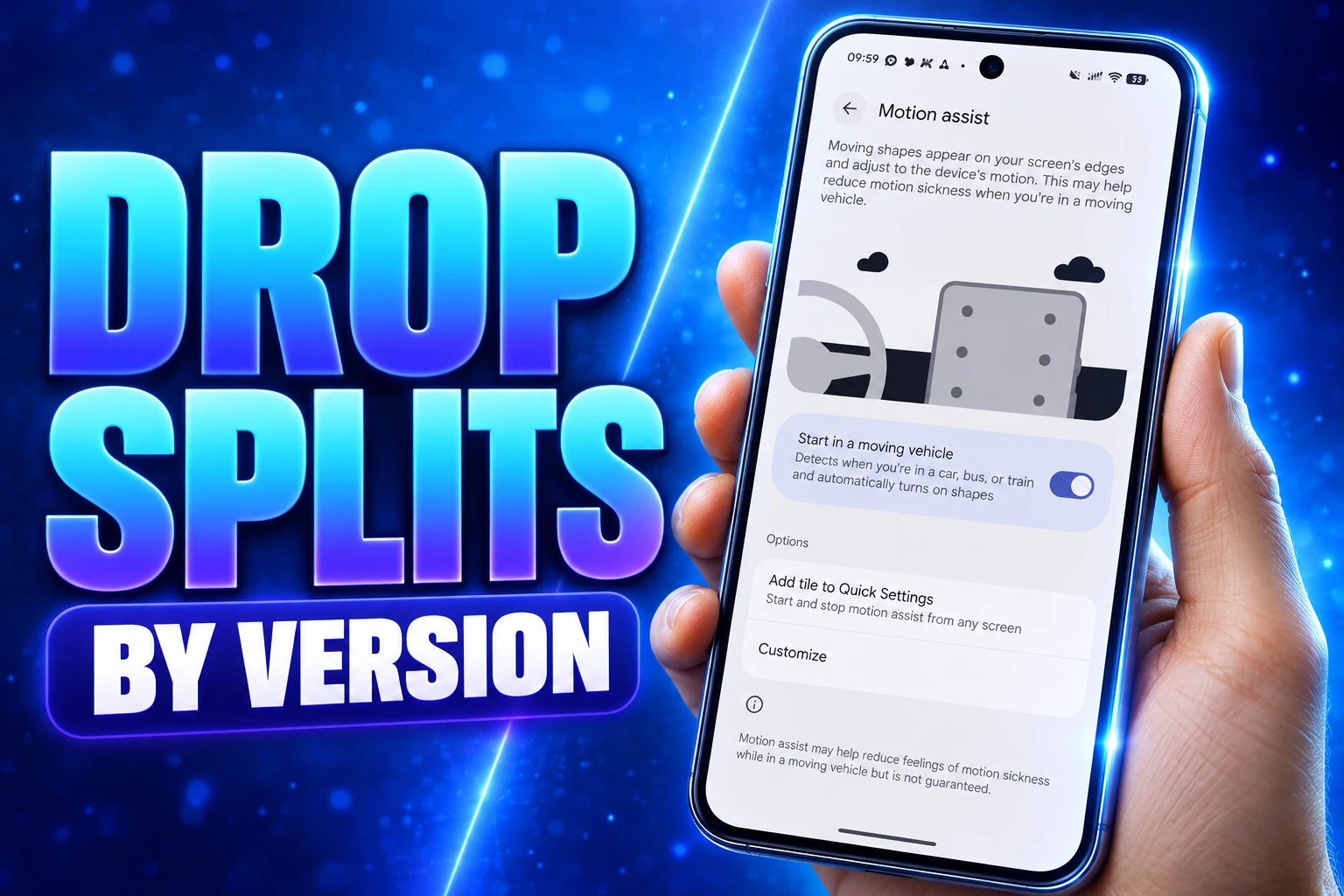
Motion Assist Is an Android 17 Feature
Motion Assist draws a faint bubble overlay on the screen that moves with the vehicle. Kay wrote that it is “designed to help bridge the gap between what your eyes see and the movement of your ride.” The pitch is the passenger seat: keep reading, browsing, or watching while the inner ear feels the bus, train, or car move.
Keep using your phone from the passenger seat while reducing motion sickness with Motion Assist, which adds a subtle bubble overlay to your screen that moves with the vehicle.
Erik Kay, VP, Engineering for Android Core Platform, Google Android blog
You can set it to turn on when the phone detects movement, pin a Quick Settings tile, and change the bubble’s shape, color, and opacity. There is also a mode that shifts color and shape every few seconds. The Android product page is blunter than the demo video. Motion Assist requires Android 17, results vary, a small share of people may feel worse, and you should stop if you feel discomfort. It is not for the driver.
@Android sold it with a joke aimed at the back seat: “What if being a passenger princess didn’t come with the passenger sickness?” That is the job the overlay is supposed to do. Interest in the Drop bunches there. People who already get sick reading in a moving car want to know if the bubbles work, not whether a latte wallpaper landed in Messages.
What if being a passenger princess 👑 didn’t come with the passenger sickness? 💅
Motion Assist is designed to help reduce motion sickness so you can finally catch up on texts and reading while in the car. pic.twitter.com/C6mK2DLzif
— Android (@Android) September 1, 2026
Apple Shipped Vehicle Motion Cues in 2024
iPhone passengers have had the same idea since iOS 18. Apple’s Vehicle Motion Cues on iPhone put animated dots on the edges of the screen that move with the vehicle, with an automatic mode when the phone detects a car and a Control Center toggle. Apple’s own note says not to use it while driving.
Google tested a version internally as far back as 2024, then held it until an OS-level drawing path could put the marks over Settings, notifications, and the lock screen, not just inside a regular overlay. That is why this one does not ride in a Play Store APK the way Chat theme does. Android 17 is the gate, and Android 17 is still a thin slice of the phones in the wild.
Samsung, OnePlus, OPPO, and vivo already shipped similar cues in their own skins on some flagships. Google’s version is the first one framed as a platform control with a Quick Settings tile and automatic vehicle detection across Android 17, once the staged Play services drip reaches the handset.
Who Gets Find Hub Remembered Items?
Find Hub Remembered is for objects you would never stick a tag on. Kay’s example is the one Google used everywhere: “Hey Google, remember in Find Hub that I put my passport in my bedroom drawer.” You can add a photo. The entry lands in a new Remembered tab. Later you ask Gemini, or you open the tab yourself.
The floor is Android 16+, in countries where Gemini and Find Hub both run, and you need to be signed into both. Google says “soon,” not today. Spare keys are the other example in the copy. The product page’s footnote is the line that matters for anyone comparing this to a Chipolo, Moto Tag, or AirTag: the remembered tab does not track the real-time location of items. Accuracy depends on what you typed.
That makes Remembered a dated diary inside the same app that already finds tagged gear and lost phones. It does not replace a tracker on a bag that leaves the house. It also does not fix Find Hub gaps that tag owners already know, such as the missing left-behind alert on most third-party tags. It is useful when the passport has been in a drawer for six months and you do not want another Bluetooth disc in the house.
@Android’s own post asked, “What if you actually remembered where you put that important item?” and then showed Gemini logging it. Seang Chau, VP and GM of the Android Platform, put the same passport-and-spare-key demo first in his snapshot of the Drop.
Guided Vision Opens to Android 9 Phones
Guided Vision is the feature with the oldest floor and the longest delay. Share the camera in Gemini Live and the model talks through what is in front of you. Kay wrote that it was designed for and with the blind and low-vision communities. If the camera is off target, voice feedback tells you to reframe, pan, or center the object. You can pin it as an Accessibility shortcut, start it from the TalkBack menu, or turn it on in Gemini app settings.
It is coming soon on phones running Android 9+, in countries where Gemini is available. That is a much wider net than Android 16 or 17, and it is the one piece of this Drop that can land on a phone from 2018 if Gemini already runs there. People already leaning on free Android Gemini apps for reading and study work are the obvious audience, along with TalkBack users who want the camera described instead of a still screenshot.
HOW GUIDED VISION IS MEANT TO BE USED
- Fine print: Read a food label when the type is too small or the lighting is poor.
- Low-light menus: Order in a dim restaurant by pointing the camera at the card.
- Household objects: Locate something in a room with spoken hints to pan and center.
- Limits Google wrote down: It can make mistakes, it is not a medical device or mobility aid, and it is not for navigation or obstacle detection.
That last bullet is a footnote on the blog and the product page, not fine print buried in a PDF. Guided Vision is the widest promise in the Drop and the one Google is slowest to date. “Coming soon” on Android 9 is a different clock from Keep lists that start today.
Grocery Lists Inside the Chat Thread
Google Messages is where the Drop actually ships this week. Tap the plus icon to pull Google Keep into a chat, or take the “Create list” suggestion, and the thread gets an inline note that everyone can view, edit, and add to. Kay’s examples are grocery lists and vacation notes. Rollout starts today. RCS has to be on, and the Keep app plus its extension have to be installed, because the data still lives in Keep.
Chat theme is already on. Pick a wallpaper from Google’s sets (Animals, Landscapes, Space, and others) or use your own photo, and the bubbles match, or you set the colors yourself. Kay’s copy offers a latte theme for a coffee buddy and a beach photo for a vacation group. The catch Google wrote into the footnote is smaller than it sounds: the theme is only visible to the person who created it. Your beach wallpaper does not appear on the other phones in the thread.
Those two Messages changes need no Android 17 build and no Find Hub login. They are the mass-market half of a Drop that was marketed with a passport and a car overlay. Chau’s snapshot also named a unified call history that lets you see, search, and return calls across apps, an item Kay’s numbered list of five did not include. Even Google’s own channels could not keep a single count. The official Android account called it four features. Kay counted five. Chau listed six.
Our latest Android Drop will help your device better adapt to your life. Here’s a snapshot of what’s rolling out:
🔑 Keep track of important items: Use Gemini to remember where you put items—like your passport or a spare key—and Find Hub to locate them.
🚗 Motion Assist:… pic.twitter.com/zDwuuUz3sp
— Seang Chau (@seangchau) September 1, 2026
August Left Some Pixel 10 Phones Waiting
Motion Assist did not wait for Kay’s blog. It began showing up in late August on some Android 17 Pixels through Play services, nested under the Google account profile, All services, then Personal & device safety. Device checks around August 25 found it on a Pixel 11 Pro XL and not on a Pixel 10 Pro XL that was also on Android 17. Other Pixel 11 and Pixel 11 Pro Fold units checked the same week still lacked the toggle. Having the OS was not enough. Google had to flip the feature on for that device.
That drip is the same pattern as Chat theme, which Google had already started rolling through Messages last week and then folded into the September Drop. The Drop is a press wrapper around staged app and services flags, some of which need a new OS API and some of which do not.
MOTION ASSIST FROM TEST TO PIXEL
- 2024: Google tests on-device motion cues; Apple ships Vehicle Motion Cues in iOS 18.
- December 2025: Android canary builds point to a system API so the marks can draw over system UI.
- August 25, 2026: The toggle appears on some Pixel phones running Android 17, Pixel 11 first, still missing on other 17 devices.
- September 1, 2026: Kay’s Drop post makes Motion Assist official for “phones using Android 17.”
Android 17 itself is still moving through OEM queues. Google’s Drop FAQ tells people to check Settings, System, System update, and to ask the phone maker about eligibility. Some of those phones are already bumping into Android 17 QPR1 hardware gates on beta builds. A Drop that needs 17 inherits every delay those gates create.
A Messages user on Android 15 can share a grocery list in the thread today and set a chat wallpaper that only they see. A passport memory in Find Hub waits on Android 16, Gemini, and a “soon” flag. The bubbles that follow the bus wait on Android 17, and on Google turning the flag on for that Pixel or that Galaxy. That is the Drop as it stood on September 1: one blog post, four floors, and a passenger overlay most of the installed base cannot open yet.

Instagram Plus Tests a Read-Only Mode That Cuts Stories

Altman Asks the Public to Accept Some AI Harm

Google Freezes OSS VRP Product Reports After AI Flood

AI Agents Make Payment Rails the Scarce Prize

Turkey’s Crypto Boom Now Runs Through Three Banks

Fable 5 Came Back Under a Commerce On-Off Switch

Google’s SpaceX GPU Lease Has a Sept. 30 Deadline

Plasma One’s XPL Locks Face a 1.81 Billion Cliff

DGO’s Rs 549 World Cup Pass Cost Fans Sleep and Data

Moonshot AI’s $30 Billion Ask Became a $35 Billion Close
-
 AI4 months ago
Fable 5 Came Back Under a Commerce On-Off Switch
-
 AI4 months ago
Google’s SpaceX GPU Lease Has a Sept. 30 Deadline
-
 CRYPTO4 months ago
Plasma One’s XPL Locks Face a 1.81 Billion Cliff
-
 APPS4 months ago
DGO’s Rs 549 World Cup Pass Cost Fans Sleep and Data
-
 AI4 months ago
Moonshot AI’s $30 Billion Ask Became a $35 Billion Close
-

 NEWS4 months ago
ColorOS 17 Device List Spans Oppo, OnePlus and Realme
-

 GAMING4 months ago
Xbox Cuts 3,200 Jobs After Five Years of Thin Returns
-

 GAMING4 months ago
The RTX 4050 Under Rs 70,000 Hides a Wattage Gap