
GADGETS
Turn a Smart TV Into a Linux Computer With Termux and Shizuku
Turn an Android TV into a Linux computer using Termux, Shizuku, and ADB over wireless debugging, then install Openbox on the panel for software freedom.

An Android TV running on aged hardware can be turned into a usable Linux box by routing through Termux, Shizuku, and ADB. The path runs through wireless debugging and a few quirks specific to living-room panels, not a full desktop Linux distribution. The result is a TV that boots back into a more conventional Linux session instead of a vendor home shell. The trade-off is real: an older 4.x kernel and a seat-of-your-pants setup make this closer to a freedom project than a trouble-free desktop replacement.
Why Bother Turning a Smart TV Into a Computer?
The smart TV is now a fixture in most homes, variously an entertainment portal, a corporate data gathering tool, and in some cases an outright spy. The vendor home screen is locked down, the app store is curated, and the underlying Linux is buried under several layers of UI. A write-up circulating now takes a different angle and peels those layers back to reclaim the box as a Linux computer.
The appeal is layered. First, the panel is already paid for, already mounted, and already calibrated, and it sits on the largest screen in the house. Second, the Android underneath is, in technical fact, a Linux distribution, so a usable shell session is closer than most owners assume. Third, defeating the vendor’s automatic content recognition and ambient telemetry is a real motivation for a privacy-conscious owner. Fourth, the resulting system can be pointed at media, retro games, kiosk duties, or just an honest desktop environment.
None of this is a normal everyday consumer task. It is closer to a hobby project that ends with the TV booting back into something the user actually controls.
The Four Pieces That Make It Work
The build chain has four pieces. Android Debug Bridge is Google’s command-line tool for talking to Android devices; the Shizuku setup guide describes it as a versatile command-line tool that lets you communicate with a device and notes it provides access to a Unix shell. Shizuku is the bridge that grants elevated API access to apps that did not get full root, running as an ADB shell with the user’s permissions. Termux is the Android terminal emulator that ships with more than 1,000 packages and runs programs natively rather than emulating a CPU, according to the official Termux FAQ.
Each layer depends on the one below it. Without ADB the TV and the user’s tools cannot talk at the privilege level needed. Without Shizuku the apps sitting on top cannot reach elevated APIs, and without Openbox the result is just a black screen with a shell prompt.
- Packages in Termux: 1,000+
- Termux minimum Android: 7.0
- Typical storage footprint: 500 MB to 5 GB
- X11 hardware acceleration: none
How the Conversion Actually Works
The walk-through that surfaces in this guide is short and explicit. Step one is to put the TV into developer mode and flip on wireless debugging from inside its settings. Step two is to install Shizuku on the TV, start it via the wireless debugging route that the project’s own guide documents as working on Android 11 or above, and confirm it stays running. Step three is to install Termux from F-Droid or its GitHub releases rather than the Google Play build, since the Play build has been broken by API restrictions for years. Step four is to use Termux to install Openbox plus the supporting pieces pypanel and xorg-xsetroot. Step five is to wire up the Openbox autostart so the panel actually shows up when the X session starts.
Two details are worth flagging up front. The Shizuku wireless debugging flow needs to be repeated every time the TV reboots. Termux itself targets Android 7.0 and up, so any panel running an older Android will not even install it.
- Enable wireless debugging on the TV from Developer options.
- Pair Shizuku over the wireless debugging notification, then start the service.
- Install Termux from F-Droid or GitHub, then run pkg install openbox pypanel xorg-xsetroot.
- Configure ~/.vnc/xstartup (or use Termux:X11) to launch openbox-session.
- Edit the Openbox autostart to add xsetroot and pypanel as preferred.
On the Openbox side, the official Termux wiki page on graphical environments spells out the package list directly. The window manager pulls in its own autostart script at ${PREFIX}/etc/xdg/openbox/autostart or at ~/.config/openbox/autostart, so anything extra such as setting a gray background or starting the panel belongs there rather than in xstartup. The wiki specifically warns against putting extra lines in xstartup because Openbox manages that lifecycle itself. Skipping that warning is one of the cleanest ways to end up staring at an empty screen wondering what went wrong.
The same wiki lists Fluxbox as a lighter fallback for users who want fewer moving parts. Other window managers from i3 to dwm to bspwm are installable the same way, and full desktop environments such as XFCE, LXQt, and MATE work too. the sabamdarif Termux desktop setup scripts bundle many of those choices behind a single script.
What Changes When the Target Is a TV
A few TV-specific wrinkles do not show up on a phone or tablet install. The big one is power handling, since a TV’s power button is often tied to a standby state rather than a full shutdown, and that standby can sever the Termux session abruptly. Wireless debugging settings also tend to reset on certain vendor builds after firmware updates, forcing the user to repeat the Shizuku pair step.
Some TV vendor skins further restrict background apps, which is the exact attack surface Shizuku normally needs to stay alive on. The input story is different too: most TVs ship with a basic IR remote rather than a keyboard and mouse, and the on-screen keyboard Termux offers is workable but slow. Touch input is absent on non-touch panels, so any desktop environment that assumes a pointer becomes a chore. Power users tend to bolt on a Bluetooth keyboard or a small wireless touchpad to compensate. The Termux FAQ itself recommends AOSP Android over vendor builds because of process management and power-saving quirks, a warning that applies even more strongly to a TV.
| Stage | Phone | Android TV |
|---|---|---|
| Wireless debugging | Easy to enable | Often behind vendor menus |
| Debugging persistence | Survives reboot on most AOSP | Vendor firmware can reset it |
| Input | Touch + keyboard | Remote + on-screen keyboard |
| Power model | Full shutdown | Standby cuts Termux session |
| Background apps | Standard treatment | Vendor skins can kill Shizuku |
What the Panel Actually Runs After
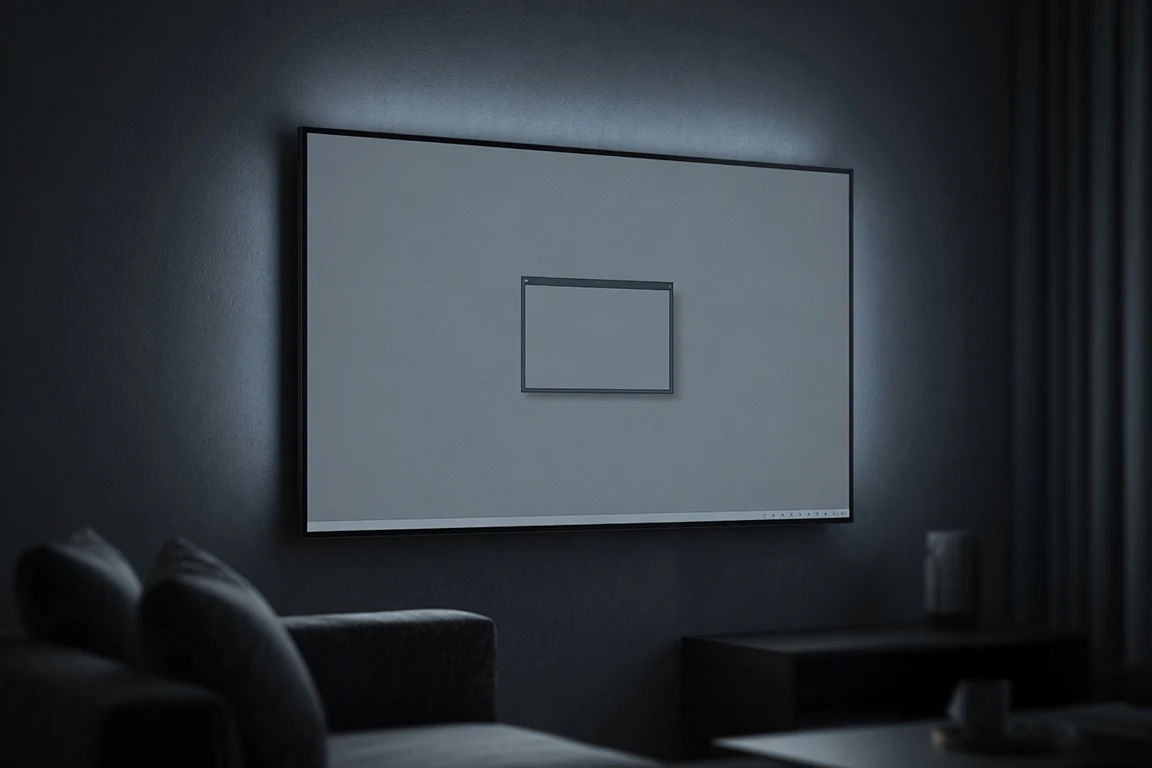
What lands on the panel is a real Linux desktop with Openbox, a panel, and the ability to run X applications straight from Termux. The screen, the sound, and the HDMI passthrough all still work because the underlying Linux is the same one the vendor shipped.
It’s always good to see someone retrieve the Linux underneath a locked-down device, but the system spec tells the real story.
Xen’on is the author of the recent write-up that walked this path on an Android-based TV. The write-up says this is not an easy route to a trouble-free desktop and calls the experience more seat-of-your-pants than a regular Linux distribution. The Termux wiki adds that there is no hardware acceleration for rendering in its X11 stack, which cuts out smooth video.
What you do get is honest software freedom: no curated app store, no vendor home shell forcing itself to the front, no automatic content recognition shipping telemetry in the background. The same Termux environment can be repurposed for media playback, retro gaming front ends, kiosks, signage, or a small development box. It is, in the write-up’s framing, the device doing what it was originally intended to be, just with the leash taken off. Power users can take the next step toward a fuller Linux distribution by stacking a proot-distro on top of Termux.
For users whose primary concern is privacy and software freedom, that trade reads as a clear win. For users looking for a polished desktop experience, it is closer to a starting point than a destination.
The Cost of Doing This on Older Hardware
The downsides are real and named in the original write-up. The Android version on a TV that takes this path well is often a few years old, which means the system spec also tends to be old. The Linux kernel version that ships with older Android sits in the 4.x range and is out of date by any modern measure. A kernel that old does not get current security backports, and any unprivileged local exploit targeting it becomes a real concern.
The setup itself is more seat-of-your-pants than a regular Linux distribution. A standard distro handles power, networking, audio, and display through tested configuration files. Termux on an Android TV pushes that work onto the user, and the TV-specific bits such as wakeup behavior and remote input integration are not abstracted away.
Xen’on’s framing is closer to freedom project than drop-in desktop replacement. Users who treat it as a way to reclaim an aging panel get the most out of it.
Frequently Asked Questions
Does this work on any Android TV?
The Termux FAQ states Android 7.0 as the minimum supported version, so most TVs from the last several years can run it. Older panels running the 4.x kernel the original guide targets are well within that range.
Do I need to root the TV?
No. The whole reason Shizuku sits in the chain is to skip traditional root. It runs as an ADB shell under the user’s permissions and hands those elevated API hooks to whatever app asks for them, including Termux.
What does Shizuku actually do here?
Shizuku is the layer that hands Termux elevated Android API access without the user having to root the TV. The wireless debugging route has to be repeated after every reboot, and Shizuku’s own documentation is explicit that this wireless flow only works on Android 11 or above.
Can I install Ubuntu or Fedora instead of just Openbox?
Not in the sense of replacing Android itself, but the same Termux environment can run a proot-distro such as Debian or Ubuntu and install a fuller desktop inside that. Openbox is the lightest pick; XFCE, LXQt, and MATE all install through Termux’s x11-repo with the wiki’s documented xstartup configuration.
Is the result practical or just a demo?
For media playback, kiosks, or learning projects, this is a usable outcome on a real panel. As a daily-driver desktop the older kernel and the lack of hardware-accelerated rendering both work against it, and the original write-up’s framing is closer to a freedom project than a drop-in replacement.

Instagram Plus Tests a Read-Only Mode That Cuts Stories

Altman Asks the Public to Accept Some AI Harm

Google Freezes OSS VRP Product Reports After AI Flood

AI Agents Make Payment Rails the Scarce Prize

Turkey’s Crypto Boom Now Runs Through Three Banks

Fable 5 Came Back Under a Commerce On-Off Switch

Google’s SpaceX GPU Lease Has a Sept. 30 Deadline

Plasma One’s XPL Locks Face a 1.81 Billion Cliff

DGO’s Rs 549 World Cup Pass Cost Fans Sleep and Data

Moonshot AI’s $30 Billion Ask Became a $35 Billion Close
-
 AI4 months ago
Fable 5 Came Back Under a Commerce On-Off Switch
-
 AI4 months ago
Google’s SpaceX GPU Lease Has a Sept. 30 Deadline
-
 CRYPTO4 months ago
Plasma One’s XPL Locks Face a 1.81 Billion Cliff
-
 APPS4 months ago
DGO’s Rs 549 World Cup Pass Cost Fans Sleep and Data
-
 AI4 months ago
Moonshot AI’s $30 Billion Ask Became a $35 Billion Close
-
 NEWS4 months ago
ColorOS 17 Device List Spans Oppo, OnePlus and Realme
-

 GAMING4 months ago
Xbox Cuts 3,200 Jobs After Five Years of Thin Returns
-
 GAMING4 months ago
The RTX 4050 Under Rs 70,000 Hides a Wattage Gap