
PHONES
Google Forces Adaptive Apps for Ultra-Wide Foldables Like Z Fold 8
Google’s new developer guidance demands fluid layouts and CameraX fixes for ultra-wide foldables, closing the software gap that once hurt Android tablets.

Google published fresh developer guidance on July 22, 2026, telling Android teams to drop fixed screen-size and portrait assumptions for ultra-wide foldables such as the Samsung Galaxy Z Fold 8. The post lands the same week as Samsung’s Unpacked hardware launch and centers on fluid layouts, real-time window tracking and camera fixes that finally treat these devices as more than stretched phones.
The move echoes a lesson Android learned the hard way with tablets: big glass without adaptive software leaves users with letterboxed or poorly scaled apps. This time Google is pushing the tools and the quality bar before the form factor fully matures.
What the New Guidance Demands
Posted by Senior Product Manager Fahd Imtiaz and Developer Relations Engineer Miguel Montemayor, the Android Developers Blog entry urges teams to optimize apps for next-generation Samsung Galaxy devices. The core request is simple on paper and demanding in practice: build fluid, adaptive layouts that respond to the actual space an app occupies rather than the physical panel size.
Key technical pillars include:
- Window Size Classes from the Jetpack Window Manager library to measure live app bounds during multi-window, split-screen or desktop modes
- Fold-aware layouts that treat hinges as natural separators and keep content out of fold creases
- Jetpack Compose April 2026 tools (BOM 2026.04.01) such as Grid, FlexBox and MediaQuery APIs for dynamic tracks, wrapping and posture detection
- State retention with ViewModel so folding or unfolding never resets scroll position, typed text or media playback
Google also published dedicated support for trifolds and landscape foldables that spells out orientation traps unique to these devices. On a landscape-first foldable the natural orientation of the inner display is landscape, so any code that still assumes rotation_0 equals portrait will break camera previews and layout calculations.
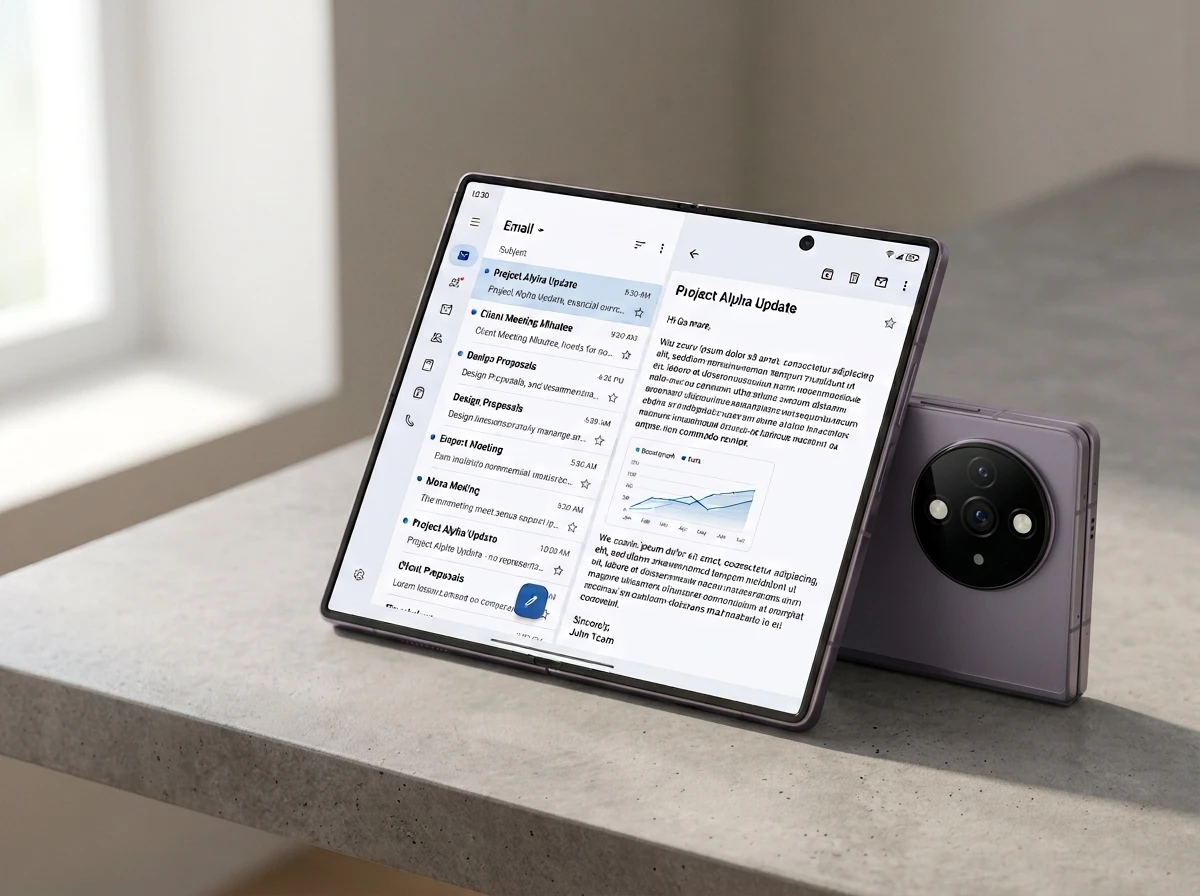
The Galaxy Z Fold 8 Makes the Old Rules Obsolete
Samsung’s July 22 Unpacked event in London introduced the wide Galaxy Z Fold 8 alongside an Ultra model. The standard wide version uses a 7.6-inch main display at 2448 × 1848 resolution, a roughly 4:3 book-style aspect ratio that feels more like a mini tablet when open and stays compact when folded. The Ultra sticks closer to prior square-ish proportions with an 8.0-inch 2504 × 2256 panel and stronger cameras.
| Model | Main Display | Resolution | Aspect Character | Cover Display |
|---|---|---|---|---|
| Galaxy Z Fold 8 (Wide) | 7.6-inch Dynamic AMOLED 2X | 2448 × 1848 | Near 4:3 book-style | 5.5-inch |
| Galaxy Z Fold 8 Ultra | 8.0-inch Dynamic AMOLED 2X | 2504 × 2256 | More square, taller feel | 6.5-inch |
Earlier wider chassis renders for the Fold 8 already hinted at the shape shift. Google now classifies these as ultra-wide foldables and notes that only a handful of earlier devices, including the original Pixel Fold, sat in the same category. Multi-window multitasking on such a panel means an app often runs in a fraction of the physical glass, sometimes in a different orientation from the device itself. Hard-coded phone layouts fail immediately.
Android Tablets Already Taught This Lesson
More than a decade of Android tablets showed what happens when developers treat a large screen as a big phone. Apps stayed portrait-first, stretched awkwardly or sat inside letterbox bars. Apple forced iPad-specific UIs early; many Android tablet owners never saw that investment. Foldables risked the same fate. Early Z Folds and Pixels suffered stretched camera previews, broken multi-window, and navigation that ignored the hinge.
Google’s adaptive app quality tiers and large-screen guidelines have existed for years, yet adoption lagged because most users still opened apps on ordinary phones. The Z Fold 8’s landscape-first ultra-wide canvas plus Android 16 behavior that ignores orientation and resizability locks on displays with smallest width ≥ 600 dp raise the stakes. Letterboxing is no longer a quiet fallback on these devices.
Drop hardcoded layouts and design fluidly for new landscape-first devices. The SamsungMobile Galaxy Z Fold8 adopts an ultra-wide screen that requires unique orientation rules.
That line from the official @AndroidDev account on X, posted the day of Unpacked and seen more than 16,000 times, captures the tone. Developers who already hit adaptive Tier 2 will mostly be fine. Everyone else faces visible breakage on a $1,800-plus device.
Camera Previews and Continuity Get Specific Fixes
Camera glitches are called out as a top complaint. Unfolding changes aspect ratio without changing device rotation. Apps that assume a fixed portrait relationship between sensor and UI produce sideways, stretched or cropped previews. Google’s preferred path is CameraX and its PreviewView, which handle sensor orientation, rotation and scaling automatically. Teams stuck on Camera2 can drop in CameraViewfinder for the same transforms without a full rewrite. Manual Camera2 paths must recalculate on every configuration change using window metrics rather than full screen size.
Density differences between cover and inner screens can restart activities and wipe state. Declaring density (plus screenSize, orientation and related) in the manifest and handling onConfigurationChanged keeps the experience continuous. Fold postures such as HALF_OPENED still apply on these landscape devices and can be read through Jetpack WindowManager FoldingFeature APIs.
The Jetpack WindowManager 1.5 stable release added Large and Extra-large width breakpoints (1200-1600 dp and ≥1600 dp) precisely for these bigger canvases and multi-window desktops.
Gemini Nano 4 and Wear OS Ride Along
The same post confirms the new ultra-wide foldables are the first devices shipping Gemini Nano 4. The on-device model brings support for over 140 languages, stronger multimodal understanding and hooks through ML Kit’s Prompt API, structured output and thinking mode. Developers can build local summarization, rewriting, image description and custom generative features without a network round-trip.
Wear OS 7 arrives with the matching Galaxy Watch hardware. Glance and RemoteCompose now let third-party widgets populate multi-widget tiles that were previously first-party only, tightening the phone-watch loop.
These extras give developers concrete reasons to invest beyond pure layout work. A Fold 8 owner who opens an app that both reflows cleanly and offers on-device AI actions feels the full premium pitch.
Owners and Adaptive-First Teams Stand to Gain
Galaxy Z Fold 8 buyers pay for a near-tablet experience in a pocketable chassis. If major apps remain phone-scaled, that purchase feels incomplete. Samsung benefits when software matches the hardware story told at the July 22 Unpacked event in London. Google strengthens the overall Android large-screen story against iPadOS and emerging rivals.
Developers who already treat Window Size Classes and Compose adaptive layouts as defaults win twice: their apps look intentional on the new Folds and also improve on ordinary tablets, Chromebooks and desktop windowing. Laggards risk Play Store quality flags and user complaints that surface quickly on high-visibility devices.
Crowd reaction on X mixed enthusiasm for the technical clarity with familiar skepticism. Some notes pointed out that Google and Samsung still lack a hard Play Store gate that rejects non-adaptive APKs, so many catalog apps will stay letterboxed for months. Others treated the guidance as overdue housekeeping that should have accompanied the first Pixel Fold.
Practical Steps Developers Can Take This Week
Start with the adaptive sample apps and dual-screen galleries Google links. Adopt the latest Compose BOM and WindowManager. Test folding and unfolding journeys with real multi-window splits rather than emulator defaults. Replace custom camera surfaces with CameraX PreviewView. Declare the necessary configChanges and keep ViewModel state. Review the large-screen and foldable quality guidelines for Tier 2 compliance before the next Play Console submission.
The hardware cycle will not slow. Trifolds and further landscape experiments are already in the guidance. Teams that treat every new panel as “just another phone” will keep shipping the same stretched experience users have complained about since the first generation of foldables. The ones that build fluid from the start will make the Z Fold 8 feel like the device Samsung and Google are selling.
Frequently Asked Questions
What makes the Galaxy Z Fold 8 an “ultra-wide foldable” in Google’s terms?
Google uses the label for devices whose main display has a landscape-first natural orientation and a wider aspect ratio than classic tall foldables. The Z Fold 8 wide model’s roughly 4:3 2448 × 1848 panel sits in that group alongside the original Pixel Fold; the Ultra model is closer to previous square proportions.
Do existing apps break completely on the new Fold 8?
Most will still launch, but many will letterbox, stretch camera previews or lose state on fold/unfold. Android 16 and higher ignore orientation and aspect-ratio locks on large displays (smallest width ≥ 600 dp), so the old compatibility modes no longer hide the problems.
Is CameraX required or just recommended?
CameraX with PreviewView is the strongly preferred path because it handles sensor orientation and scaling automatically. CameraViewfinder offers a lighter migration for Camera2 codebases. Fully manual Camera2 remains possible but requires careful per-configuration recalculation using window metrics.
How does Gemini Nano 4 change what developers can ship on these devices?
Nano 4 is the first generation on the new foldables and adds broader language support plus better multimodal understanding. Through ML Kit Prompt API, structured output and thinking mode, apps can run custom on-device generative tasks offline with lower latency and higher privacy than cloud calls.
Will Google enforce these guidelines in the Play Store?
The current posts are guidance and quality-tier documentation rather than a hard rejection gate. Large-screen and foldable quality checks already exist in Play Console; visible failures on flagship hardware increase the chance of user ratings and future policy pressure, but mass automatic rejection is not announced.
Does this guidance help regular tablets and foldable flips too?
Yes. Window Size Classes, adaptive Compose layouts and continuity practices improve any multi-window or large-screen experience. The landscape-foldable specifics are additive, not exclusive.


Workers Still Trust Judgment Over the AI Tools They Use

DigitalOcean’s $894 Million Backlog Rewrites the Old Cloud

Companies Froze Job Design and Called AI a People Problem

AI Capex Looks Unique Because the Chips Wear Out

Samsung Medison’s HERA Z10 Aims at the Sonographer Shortage

GPT-6 Astra Ships as OpenAI’s First Critical Cyber Model

Palms Sells Clean Air Without Ending Casino Smoking

OnlyFans Promo Bots on X Now Pass the Humanity Tests

Datamaran Drops the ESG Label After Winning the Argument

Xiaomi’s Own Chip Lands While Apple Argues Over Color

Oracle Cuts 21,000 Jobs in a Year, Cites AI in 10-K Filing

Fable 5 and Mythos 5 Return as US Lifts Anthropic Export Controls

SpaceX’s Google Deal Turns a Rocket Company Into a Cloud Landlord

CD Projekt Red Co-CEO: Redemption Arc Isn’t Done, Witcher 4 in 2027

XPL Rallies 30% Ahead of Plasma One Card Tier Launch

Google Search Profiles Build a Follow Graph Inside Discover

DGO App Brings Rs 549 Mobile Pass for FIFA World Cup 2026 in Nepal

Moonshot AI Targets $30 Billion in China’s Fastest AI Funding Sprint

Oppo’s ColorOS 17 Eligibility List Leaves A-Series Buyers Behind

Microsoft Xbox Layoffs Start in July as Sharma Slams 3% Margin
-
 AI3 months ago
Oracle Cuts 21,000 Jobs in a Year, Cites AI in 10-K Filing
-
 AI2 months ago
Fable 5 and Mythos 5 Return as US Lifts Anthropic Export Controls
-
 AI3 months ago
SpaceX’s Google Deal Turns a Rocket Company Into a Cloud Landlord
-
 GAMING3 months ago
CD Projekt Red Co-CEO: Redemption Arc Isn’t Done, Witcher 4 in 2027
-
 CRYPTO3 months ago
XPL Rallies 30% Ahead of Plasma One Card Tier Launch
-
 NEWS3 months ago
Google Search Profiles Build a Follow Graph Inside Discover
-
 APPS3 months ago
DGO App Brings Rs 549 Mobile Pass for FIFA World Cup 2026 in Nepal
-
 AI3 months ago
Moonshot AI Targets $30 Billion in China’s Fastest AI Funding Sprint