
NEWS
Microsoft Stops LG McAfee Pop-Up but Auto-Install Path Stays Open
Pavan Davuluri got LG to kill the McAfee pop-up on Windows 11 monitors, yet the silent device-metadata install pipeline and privacy questions remain.

Microsoft EVP Pavan Davuluri confirmed on July 22 that LG will disable the McAfee pop-up inside its Monitor App Installer after Windows 11 users flooded social media with complaints. The app had been landing silently when certain LG monitors connected. The fix is real and already rolling, yet the underlying Windows feature that delivered the software without a prompt remains fully active.
That gap between one killed ad and the still-open install path is the part most wire write-ups skip. One product decision can erase a single interrupt. It cannot, by itself, close a channel that every compatible device maker may still use under the same documented rules.
The story therefore splits cleanly. Users get relief from a recurring trial card. The mechanism that put the card-bearing app on the machine in the first place keeps working exactly as Microsoft’s own pages describe it.
How an LG Monitor Quietly Dropped Software
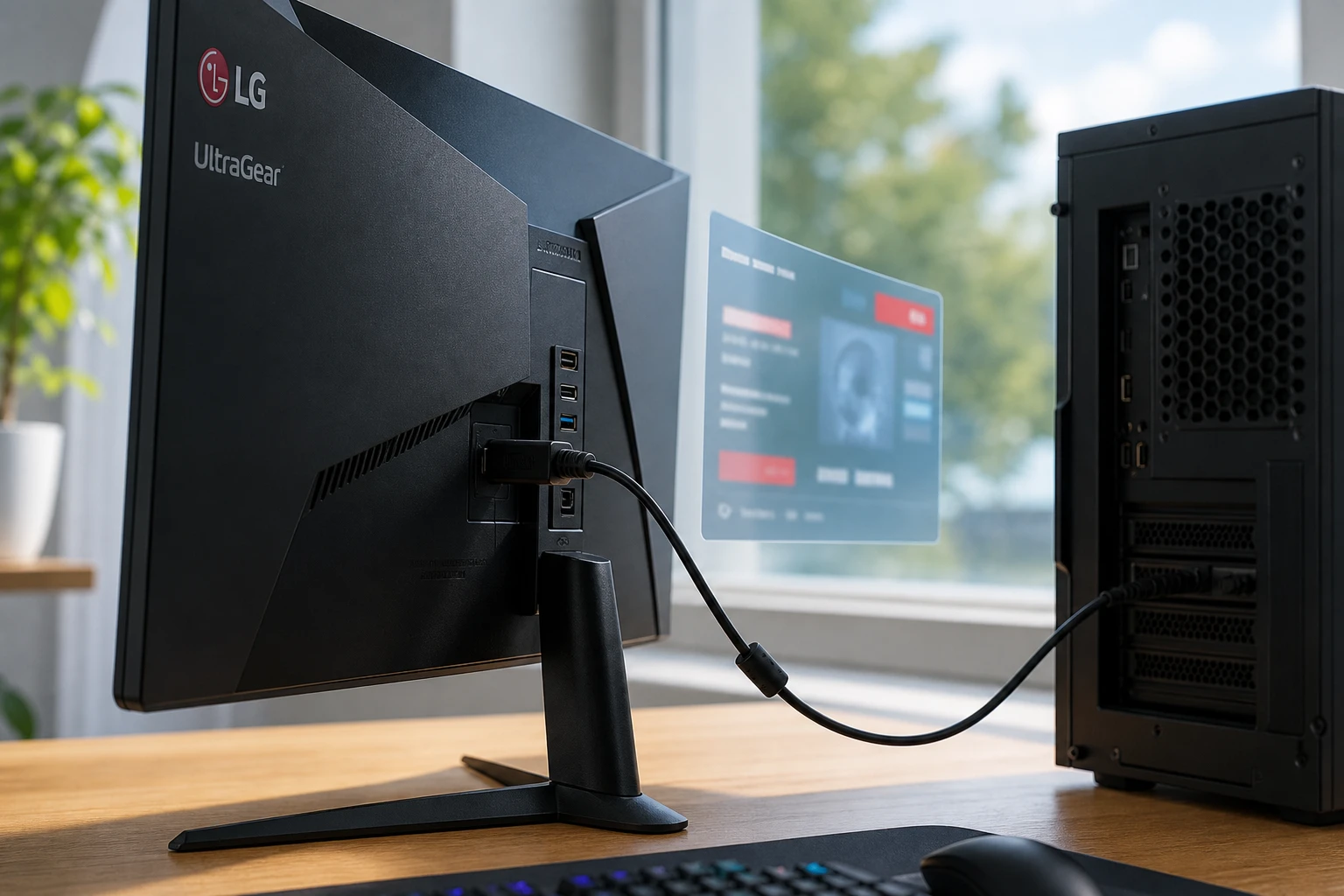
Plug in a compatible LG UltraGear and Windows can fetch device metadata, then pull the manufacturer’s UWP companion app. No toast. No permission dialog. The first sign is often a Start menu entry or a tray icon, followed in this case by McAfee trial ads.
Gamers Nexus documented the behavior after a wave of user reports. The channel called the experience “adware” after spending around $1,200 on the display. The app requests broad permissions once present, including all system resources and internet access according to its Store page.
That permission set matters because the install itself never paused for review. The user meets the capability list only after the package is already local. By then the Start menu entry and tray presence have already announced the app’s arrival in the quietest way possible.
LG later stated that McAfee itself never installs without explicit user consent and that the installer only offers it as an option. Users still saw recurring pop-ups they never asked for. Complaints had appeared on Microsoft’s own Tech Community and Reddit for years; the latest surge simply reached the right accounts.
- Requires the user opted into Recommended Settings at Windows setup
- Requires a Microsoft Store sign-in
- Requires an unrestricted internet connection
- Runs silently in the background with zero notification
Microsoft’s own documentation lists those exact conditions and still warns that some users will find the experience confusing and give the app a bad rating. The warning acknowledges friction without adding a prompt. Confusion is treated as a known side effect of a design that prioritizes automatic association between hardware and companion software.
Each condition is individually common. Recommended Settings is the default path for many first-time setups. Store sign-in unlocks a long list of ordinary features. Unmetered internet is the normal state of a home connection. Together they form a chain that rarely breaks in day-to-day use, which is why the silent path fires so reliably when a matching monitor appears.
The Public Fix From Windows Leadership
Epic Games CEO Tim Sweeney amplified an early complaint and tagged Davuluri. Two days later the Windows + Devices EVP posted the outcome.
Thanks again for bringing this to our attention. We’ve connected with the team at LG and as an immediate next step, they have agreed to disable the McAfee pop-up from their app. We appreciate LG working with us toward a shared goal of a better experience for our mutual customers. We will keep improving here with our ecosystem partners.
That text is from Davuluri’s July 22 confirmation post. References to McAfee later disappeared from the LG Monitor App Installer Store listing. At peak backlash the listing sat near 1.3 stars.
The pop-up is the only concrete change announced. The auto-install path itself received no policy rewrite. Davuluri’s language stays on partnership and experience. It does not describe a new consent step, a notification requirement, or a change to how device metadata binds a hardware ID to a Store package.
The speed still stands out. A public tag from a high-profile CEO, a widely viewed hardware channel video, and a competitor’s trial offer landing inside an auto-installed tray app produced an executive reply inside two days. That combination of pressure is rare. Most companion-app friction never reaches the same altitude.
Why This Particular Ad Disappeared Fast
McAfee competes directly with Microsoft Defender. Removing a rival’s trial pitch from a high-visibility companion app carries obvious upside for Redmond. Other OEM tray tools that push their own utilities or less-threatening partners have drawn quieter responses for years.
Crowd reaction on X zeroed in on exactly that selectivity. Several posts noted that LG Switch, Calibration Studio and other companion prompts continue; only the McAfee card got the executive attention. The speed of the fix tracks the visibility of the Gamers Nexus video and the Defender angle more closely than a sudden broad anti-bloat conversion.
Microsoft still benefits from a cleaner story. Users gain one fewer interrupt. The incentive structure that lets partners ship companion software through the same channel stays intact. A single high-cost ad can be retired without rewriting the rules that delivered the host app. Partners keep a distribution path. Microsoft keeps an ecosystem story that still includes automatic device experiences.
The rating collapse to near 1.3 stars supplied an extra signal. Store sentiment became impossible to ignore once the listing itself reflected the backlash. Even so, the remedy stayed narrow: strip the McAfee references and disable the pop-up. The package, the permissions, and the delivery method remained in place.
What the Auto-Install Rules Still Permit
Microsoft documents the entire flow under automatic installation for UWP device apps. Device metadata associates the hardware ID with a Store package. Windows downloads metadata from WMIS, then the app, all without notifying the user.
The same docs carry an Important note: device metadata is deprecated and will be removed in a future Windows release. The replacement is Driver Package Container Metadata. No removal date sits on the public page. Until that ship date, every external device maker can still target the same silent path that LG used.
| Condition | Required for silent install | User control |
|---|---|---|
| Recommended Settings opt-in | Yes | Set at first setup; hard to reverse later |
| Microsoft account / Store sign-in | Yes | Can sign out, but many features push it |
| Unmetered internet | Yes | Waits and retries later if offline |
| Notification to user | None | None provided by design |
| App permissions review before install | None on auto path | Only if user installs manually from Store |
That table is the second-order reality. Killing one pop-up does not rewrite any row. A fresh connect on a machine that still meets every condition can still pull the package. Uninstalling after the fact does not erase the metadata association that made the first pull possible.
The deprecation note is real and public, yet it functions today as a future promise rather than a present brake. Partners reading the same page still see a supported path. Users reading it see a warning without a calendar. That asymmetry keeps the boundary soft until the replacement container metadata fully takes over.
Workarounds Already in Users’ Hands
Power users never waited for Davuluri. Community scripts have blocked OEM companion packages for months. One recent update specifically added LG Monitor App removal and prevention of future silent installs of similar device apps.
The same toolkit that powers Win11Debloat block for OEM companion apps now treats the LG package as a first-class target. Users can also uninstall the app after the fact through Settings, though the metadata can re-trigger on a fresh connect if the conditions still match.
Enterprise admins have Group Policy and MDM controls that disable Store auto-downloads more aggressively. Home users mostly rely on the scripts or manual cleanup. The split is practical rather than theoretical. Managed environments can shut the channel at policy level. Consumer machines inherit the defaults that make the silent path succeed, then depend on after-the-fact tools when something unwanted appears.
Manual cleanup remains fragile for exactly that reason. Remove the app, leave the conditions intact, reconnect the display, and the same association can fire again. Scripts that block the package name and related device-app patterns close the loop more tightly than a one-time uninstall.
Privacy Questions the Pop-Up Fix Never Touched
Separate from McAfee, the LG companion software and similar OEM tools have long raised Automatic Content Recognition concerns. ACR technology can identify on-screen content for analytics or ad targeting. TV makers including LG faced lawsuits over related practices. Monitor apps with broad system-resource access sit in the same trust gap.
Microsoft’s own Recall feature drew parallel fire for capturing screen activity. That history makes any deeper probe of partner ACR capabilities politically expensive inside Redmond right now. Davuluri’s statement stayed strictly on the McAfee pop-up and “better experience.” It did not mention content recognition, permission scopes, or consent UI for auto-installed packages.
So the spyware-adjacent worry that many X posts raised remains open. The app can still install. It can still request the same capabilities. Only the specific McAfee card is gone. Broad system-resource access and internet permission still appear on the Store page for the package that arrives without a prompt. Users who never saw a consent dialog before install still confront that scope only after the fact, if they look at all.
The parallel with Recall is instructive in one narrow sense. Screen-adjacent capability draws intense scrutiny when Microsoft ships it under its own brand. Partner apps that land through the device-metadata path and then request wide access have historically drawn less centralized attention, unless a rival security vendor’s branding appears on a pop-up.
The Install Channel Still Serves Every Partner
LG was the vendor in the spotlight, yet the channel is not LG-specific. Any hardware maker that registers device metadata against a Store package can ride the same automatic flow. Monitors, docks, peripherals, and other external devices all qualify when the hardware ID matches and the user’s machine meets the listed conditions.
That generality is why a one-off pop-up kill leaves the larger pattern untouched. Tomorrow’s complaint may name a different OEM and a different tray utility. The delivery steps will look familiar: metadata fetch, silent package pull, Start menu or tray presence, then whatever offer or upsell the companion app contains.
Microsoft’s public framing still treats the arrangement as an ecosystem feature. Partners gain a way to surface support tools at the moment of first connect. Users gain software that may help configure the device. The cost of that design is the absence of a notification and the absence of a pre-install permission review on the automatic path. Davuluri’s note about improving with ecosystem partners leaves room for future changes without committing to a consent step before the deprecation lands.
Until policy or platform code adds friction, the rational partner move remains clear. Ship the companion app through the supported silent path. Keep offers inside the app rather than inside the initial install. When a particular offer draws executive heat, retire that offer and keep the app. The McAfee episode demonstrates that sequence in public.
Deprecation Leaves Users Waiting On A Date
The Learn documentation already tells partners and users that device metadata is deprecated. Replacement by Driver Package Container Metadata is stated as the destination. What remains missing is the ship date that would turn a warning into a deadline.
Without that date, planning splits in two directions. Partners can continue to rely on the old association model while it still functions. Users and admins must assume the silent path stays live and defend against it with scripts, sign-out habits, or enterprise policy. The “future release” language creates no interim obligation to notify, to prompt, or to narrow permissions on auto-installed packages.
A clean cut-over would eventually force every device maker onto the new container model. Until then, the old model and the new warning coexist on the same page. That coexistence is why the LG case can be closed at the pop-up layer while the underlying install story stays open for the next compatible device that lands on a machine with Recommended Settings, a Store sign-in, and an unmetered connection.
What we know
- LG agreed to disable the McAfee pop-up after Microsoft contact
- Silent install uses documented, still-supported device metadata
- Device metadata is officially deprecated with a future removal planned
What’s unconfirmed
- Exact timeline for metadata removal or replacement enforcement
- Whether Microsoft will add any notification requirement before then
- Scope of any internal review of other OEM companion apps
The next 90 days will show whether Davuluri’s “keep improving with our ecosystem partners” line produces more than one-off pop-up kills. Until the auto-install channel itself gains a consent step or the deprecation ships, every new monitor, dock or peripheral can still test the same boundary LG just hit.
Frequently Asked Questions
Does the LG Monitor App Installer still install automatically after the McAfee change?
Yes. Only the McAfee pop-up inside the already-installed app was disabled. The Windows device-metadata path that downloads the package on first connect continues to function under the same conditions listed in Microsoft’s documentation.
How can I stop OEM companion apps from installing on Windows 11?
Community tools such as Win11Debloat now include explicit blocks for the LG package and similar device apps. Signing out of the Store, avoiding Recommended Settings, or using enterprise policies that restrict Store auto-downloads also reduce the chance of silent installs.
Did LG install McAfee without any user action?
LG’s statement insists McAfee never installs automatically and requires the user to accept the offer. The Monitor App Installer itself arrives without a prompt, then surfaces the McAfee trial card repeatedly. That distinction is why Microsoft targeted the pop-up rather than the entire package.
Is device metadata going away completely?
Microsoft’s Learn pages mark device metadata as deprecated and state it will be removed in a future Windows release, replaced by Driver Package Container Metadata. No public calendar date has been attached to the cut-over.
Why did Microsoft act faster on McAfee than on other bloat?
McAfee is a direct competitor to Microsoft Defender. High-profile coverage from Gamers Nexus and a public tag from Tim Sweeney also raised the cost of inaction. Other companion apps that push less-competitive software have historically drawn slower or quieter responses.


Workers Still Trust Judgment Over the AI Tools They Use

DigitalOcean’s $894 Million Backlog Rewrites the Old Cloud

Companies Froze Job Design and Called AI a People Problem

AI Capex Looks Unique Because the Chips Wear Out

Samsung Medison’s HERA Z10 Aims at the Sonographer Shortage

GPT-6 Astra Ships as OpenAI’s First Critical Cyber Model

Palms Sells Clean Air Without Ending Casino Smoking

OnlyFans Promo Bots on X Now Pass the Humanity Tests

Datamaran Drops the ESG Label After Winning the Argument

Xiaomi’s Own Chip Lands While Apple Argues Over Color

Oracle Cuts 21,000 Jobs in a Year, Cites AI in 10-K Filing

Fable 5 and Mythos 5 Return as US Lifts Anthropic Export Controls

SpaceX’s Google Deal Turns a Rocket Company Into a Cloud Landlord

CD Projekt Red Co-CEO: Redemption Arc Isn’t Done, Witcher 4 in 2027

XPL Rallies 30% Ahead of Plasma One Card Tier Launch

Google Search Profiles Build a Follow Graph Inside Discover

DGO App Brings Rs 549 Mobile Pass for FIFA World Cup 2026 in Nepal

Moonshot AI Targets $30 Billion in China’s Fastest AI Funding Sprint

Oppo’s ColorOS 17 Eligibility List Leaves A-Series Buyers Behind

Microsoft Xbox Layoffs Start in July as Sharma Slams 3% Margin
-
 AI3 months ago
Oracle Cuts 21,000 Jobs in a Year, Cites AI in 10-K Filing
-
 AI2 months ago
Fable 5 and Mythos 5 Return as US Lifts Anthropic Export Controls
-
 AI3 months ago
SpaceX’s Google Deal Turns a Rocket Company Into a Cloud Landlord
-
 GAMING3 months ago
CD Projekt Red Co-CEO: Redemption Arc Isn’t Done, Witcher 4 in 2027
-
 CRYPTO3 months ago
XPL Rallies 30% Ahead of Plasma One Card Tier Launch
-
 NEWS3 months ago
Google Search Profiles Build a Follow Graph Inside Discover
-
 APPS3 months ago
DGO App Brings Rs 549 Mobile Pass for FIFA World Cup 2026 in Nepal
-
 AI3 months ago
Moonshot AI Targets $30 Billion in China’s Fastest AI Funding Sprint