
AI
Codex Now Runs Your Mac Apps and Remembers Across Days
OpenAI’s April Codex update adds background computer use, memory and 90-plus plugins, turning a code agent into a full desktop collaborator with lasting.

OpenAI released a major Codex update announced in April 2026 that lets the agent operate Mac apps with its own cursor, remember preferences across sessions, schedule work over days, and tap more than 90 new plugins. More than 3 million developers already used Codex every week at the time of the drop. The changes push the tool past writing and reviewing code into running the full software lifecycle on the user’s machine.
The same release added an in-app browser, image generation with gpt-image-1.5, multi-terminal support, GitHub review handling, and alpha SSH to remote devboxes. Later months brought Windows computer use and user counts above 5 million weekly. The second-order shift is already visible: teams now treat Codex less like a code helper and more like a persistent desktop collaborator.
Features That Reach Past Pure Coding
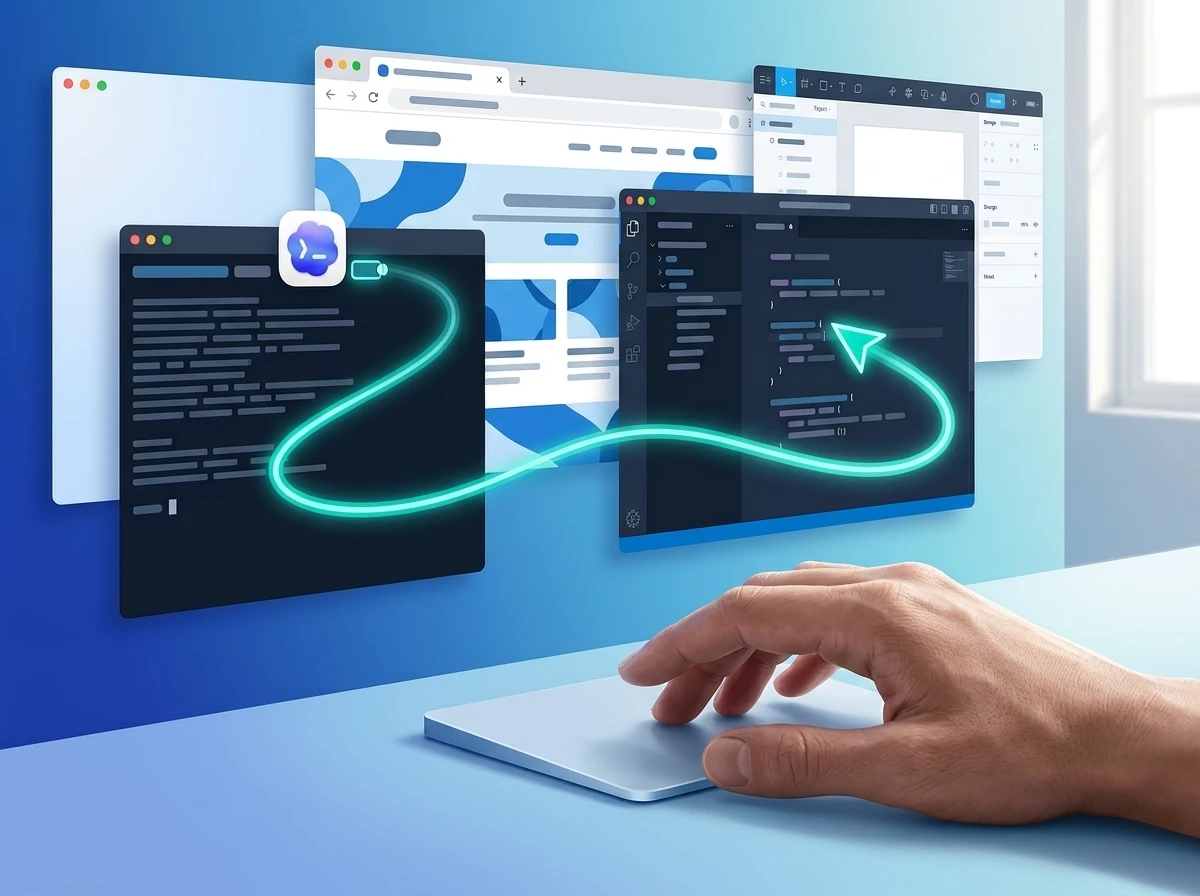
Codex started as a focused software-engineering agent. The April package expands that scope deliberately. Background computer use lets it see, click, and type inside any app on a Mac without an API. Multiple agents run in parallel and stay out of the user’s active windows.
An in-app browser lets developers drop comments straight onto pages for precise frontend or game iteration. Image generation now sits inside the same thread as code and screenshots, useful for mockups and concept visuals. A summary pane tracks agent plans, sources, and artifacts. Sidebar previews open PDFs, spreadsheets, slides, and docs without leaving the workspace.
- Computer use: own cursor, parallel agents, Mac first
- In-app browser: direct page comments for local web work
- Image tools: gpt-image-1.5 plus screenshots and code
- Workflow chrome: multi-terminal, PR comment replies, SSH alpha, file previews
These pieces sit together so a single conversation can move from design sketch to code change to visual check without tool-hopping.
Background Computer Use Changes the Loop
On macOS the agent works while the user stays in other apps. It requests Screen Recording and Accessibility permissions, then asks before touching each new application. Users can mark apps always-allowed. Windows support arrived later in version 26.527; there the agent takes the foreground desktop for the duration of the task.
OpenAI’s own guidance stresses scoped tasks and human presence for anything involving accounts, payments, or credentials. The docs spell out Computer Use setup and safety rules that include kill switches, permission prompts, and advice to keep sensitive apps closed unless required. Locked-use mode on Mac can temporarily unlock a machine for an active trusted turn while blocking local input.
Developers immediately put the capability on non-API tools: frontend visual tests, design apps, local simulators, and legacy desktop software. Crowd reaction on X treated the background mode as the difference that made daily “talk while it works” flows practical. Resource use and occasional sluggish cursor paths still draw complaints months later.
Ninety Plugins Plus the Full Lifecycle Workspace
More than 90 additional plugins shipped with the update. They bundle skills, app integrations, and MCP servers so Codex can pull context and take action outside the repo. Named examples include Atlassian Rovo for Jira, CircleCI, CodeRabbit, GitLab Issues, Microsoft Suite, Neon by Databricks, Remotion, Render, and Superpowers.
| Capability | What it unlocks | Status at launch |
|---|---|---|
| GitHub review comments | Address PR feedback inside the app | Shipped |
| Multi-terminal tabs | Parallel shell work in one view | Shipped |
| Remote SSH | Connect to devboxes | Alpha |
| Plugin catalog | Jira, CI, design, data tools | 90+ added |
| Summary pane | Plans, sources, artifacts at a glance | Shipped |
The result is a single surface that covers writing code, checking outputs, reviewing changes, and coordinating with the agent. That collapses steps that used to require separate browser tabs, IDE panels, and chat windows.
Memory That Survives the Session
A preview of memory lets Codex keep useful context from earlier work: personal preferences, corrections, and hard-won project details. Future tasks start faster and need fewer custom instructions. The system also proposes next actions by combining project state, connected plugins, and memory. One example OpenAI gave: surface open Google Docs comments, pull Slack and Notion context, then hand back a prioritized list.
Local Codex memories live under the user’s Codex home directory (default ~/.codex/memories). Generation skips short or active chats, redacts secrets, and can be throttled by remaining rate-limit headroom. Users control the feature per chat with /memories and globally in settings. Full details on local memories storage and controls sit in the official docs. Chronicle on desktop helps recover recent screen context to seed memory.
Automations grew at the same time. Threads can be reused, work can be scheduled into the future, and the agent can wake itself to continue multi-day tasks. Teams already point the system at open PRs, follow-ups, and noisy Slack or Gmail threads.
Rollout Timing and the Climb Past Three Million
The package began rolling out immediately to Codex desktop users signed in with ChatGPT. Computer use launched on macOS; EU and UK users faced a delay. Personalization features including memory and context-aware suggestions trailed for Enterprise, Edu, and EU/UK accounts.
- May 16, 2025: Codex research preview from May 2025 launches as a cloud software-engineering agent.
- April 16, 2026: Computer use, 90+ plugins, memory preview, and lifecycle tools ship for the desktop app.
- Late May 2026: Computer use reaches Windows (foreground only).
- June 2026: OpenAI reports more than 5 million weekly users; non-developers make up roughly 20 percent and grow faster than the core developer base.
The original 2021 Codex model powered early code completion. The 2025 agent re-used the name for a far more autonomous system. The April 2026 step simply made that autonomy concrete on the user’s own desktop.
Security Tradeoffs That Arrive With the Power
Giving an agent eyes and hands on the full machine expands the blast radius. Screenshots, clipboard state, and signed-in browser sessions become part of the context window. Permission prompts and always-allow lists help, yet many users report eventually approving everything to reduce friction.
What we know
- Per-app approval prompts and always-allow lists are built in.
- macOS requires explicit Screen Recording and Accessibility grants.
- Windows computer use occupies the active desktop; a VM or second machine is the practical isolation path.
- Memories redact secrets on generation but users should still audit the files.
What’s still evolving
- How enterprises will lock down computer use at scale via requirements.toml and admin policy.
- Whether false-positive antivirus hits and crash reports will ease with later builds.
- Long-term audit trails for every click and keystroke the agent makes outside the sandbox.
The same class of risk already produced the first real agentic ransomware incident. Desktop-level agents raise the stakes further. OpenAI’s safety text tells users to stay present for sensitive flows and to cancel if the agent drifts to the wrong window. That advice is sound; it also assumes continuous human attention that multi-day automations partly remove.
Pressure on Every Competing Toolchain
Claude’s computer-use capability arrived earlier via API and partner paths. Codex’s version is first-party inside a desktop app that already owns the coding loop, with parallel agents and a growing plugin marketplace. Browser-centric agents and pure IDE copilots now face a system that can leave the editor, drive a design tool, open a spreadsheet, and come back with a PR.
The GitHub Copilot usage surge last year showed how quickly developers adopt agents that sit close to their daily tools. Codex is pushing that adoption one layer deeper: the operating system itself. Non-developer uptake (sales, analytics, design, investing plugins later in the year) widens the surface still further.
Resource cost remains the practical limiter. Users note high CPU and memory draw, slower model responses under load, and the need for powerful machines. The product still feels unfinished in places. Yet the direction is fixed: longer-running agents that remember, propose, and act across days.
Frequently Asked Questions
What exactly can Codex computer use control?
It can see the screen, move a dedicated cursor, click interface elements, and type into any approved desktop application on macOS (background) or Windows (foreground). It is meant for GUI-only flows, visual testing, and apps without clean APIs; structured plugins remain preferred when they exist.
How many new plugins shipped with the April update?
OpenAI released more than 90 additional plugins that combine skills, app integrations, and MCP servers. Highlighted ones cover Jira via Atlassian Rovo, CircleCI, CodeRabbit, GitLab Issues, Microsoft Suite tools, Neon, Remotion, Render, and Superpowers.
Does memory work the same in the cloud and on the desktop?
No. ChatGPT web uses its own memory system. Local Codex clients keep a separate store under the Codex home directory with per-chat /memories controls, secret redaction, and config flags that can disable generation after MCP or web-search use.
When did Windows get computer use?
OpenAI added it in Codex app version 26.527 around May 29 2026. Unlike the Mac background mode, Windows computer use takes over the active desktop session for the length of the task.
Is computer use available in the EU and UK?
At the April launch it was not; OpenAI said it would roll out to those regions later. Personalization features including memory followed a similar staggered path for EU, UK, Enterprise, and Edu accounts.
The April package did not invent agentic coding. It simply removed the remaining walls between the agent, the desktop, and the calendar. Teams that treat the new powers as optional extras will feel the gap first.


Coreum Bridge Multisig Signed Off on Its Own 200k XRP Drain

AI Shrinks Solar Inspection Crews While Paying Hybrid Skills Far More

Intel Graphics Driver Fixes Still Fight Windows and OEMs

Codex Now Runs Your Mac Apps and Remembers Across Days

Mercado Takes DOH as Dual Leadership Faces Health Funding Test

Gmail Keeps Breaking in iPhone Mail for a Deeper Reason

Golaman Ties Tourist Tee Times to Filipino Junior Golf Funding

Gemini App Hits 1 Billion Users on Google’s Distribution Edge

Binge with AI Turns Noida Food Hub into Free Family Tech Lab

Claude’s Invisible Marks Now Tag Light AI Help Worldwide

Fable 5 and Mythos 5 Return as US Lifts Anthropic Export Controls

Oracle Cuts 21,000 Jobs in a Year, Cites AI in 10-K Filing

SpaceX’s Google Deal Turns a Rocket Company Into a Cloud Landlord

CD Projekt Red Co-CEO: Redemption Arc Isn’t Done, Witcher 4 in 2027

XPL Rallies 30% Ahead of Plasma One Card Tier Launch

Google Search Profiles Build a Follow Graph Inside Discover

DGO App Brings Rs 549 Mobile Pass for FIFA World Cup 2026 in Nepal

Moonshot AI Targets $30 Billion in China’s Fastest AI Funding Sprint

Microsoft Xbox Layoffs Start in July as Sharma Slams 3% Margin

Oppo’s ColorOS 17 Eligibility List Leaves A-Series Buyers Behind
-
 AI1 month ago
Fable 5 and Mythos 5 Return as US Lifts Anthropic Export Controls
-
 AI2 months ago
Oracle Cuts 21,000 Jobs in a Year, Cites AI in 10-K Filing
-
 AI2 months ago
SpaceX’s Google Deal Turns a Rocket Company Into a Cloud Landlord
-
 GAMING2 months ago
CD Projekt Red Co-CEO: Redemption Arc Isn’t Done, Witcher 4 in 2027
-
 CRYPTO2 months ago
XPL Rallies 30% Ahead of Plasma One Card Tier Launch
-
 NEWS2 months ago
Google Search Profiles Build a Follow Graph Inside Discover
-
 APPS2 months ago
DGO App Brings Rs 549 Mobile Pass for FIFA World Cup 2026 in Nepal
-
 AI2 months ago
Moonshot AI Targets $30 Billion in China’s Fastest AI Funding Sprint