
NEWS
Samsung Smart Switch Now Lets iPhones Jump Without the App Tax
One UI 9 Smart Switch uses QR codes for wireless iPhone transfers of photos, eSIM and passwords with no extra app, lowering the cost of leaving iOS.

Samsung’s Smart Switch on Galaxy devices running One UI 9 now lets recent iPhone owners move contacts, photos, messages, apps, passwords, passkeys and eSIM data with a QR code scan and a wireless link. No separate app needs installing on the iPhone in the main setup path.
The change lands as part of Android 17-based One UI 9, which began rolling out with the Galaxy Z Fold 8 series after its July 22, 2026 launch. It directly targets the friction that has long kept people inside one ecosystem even when hardware elsewhere looked better.
What Changed in the Transfer Flow
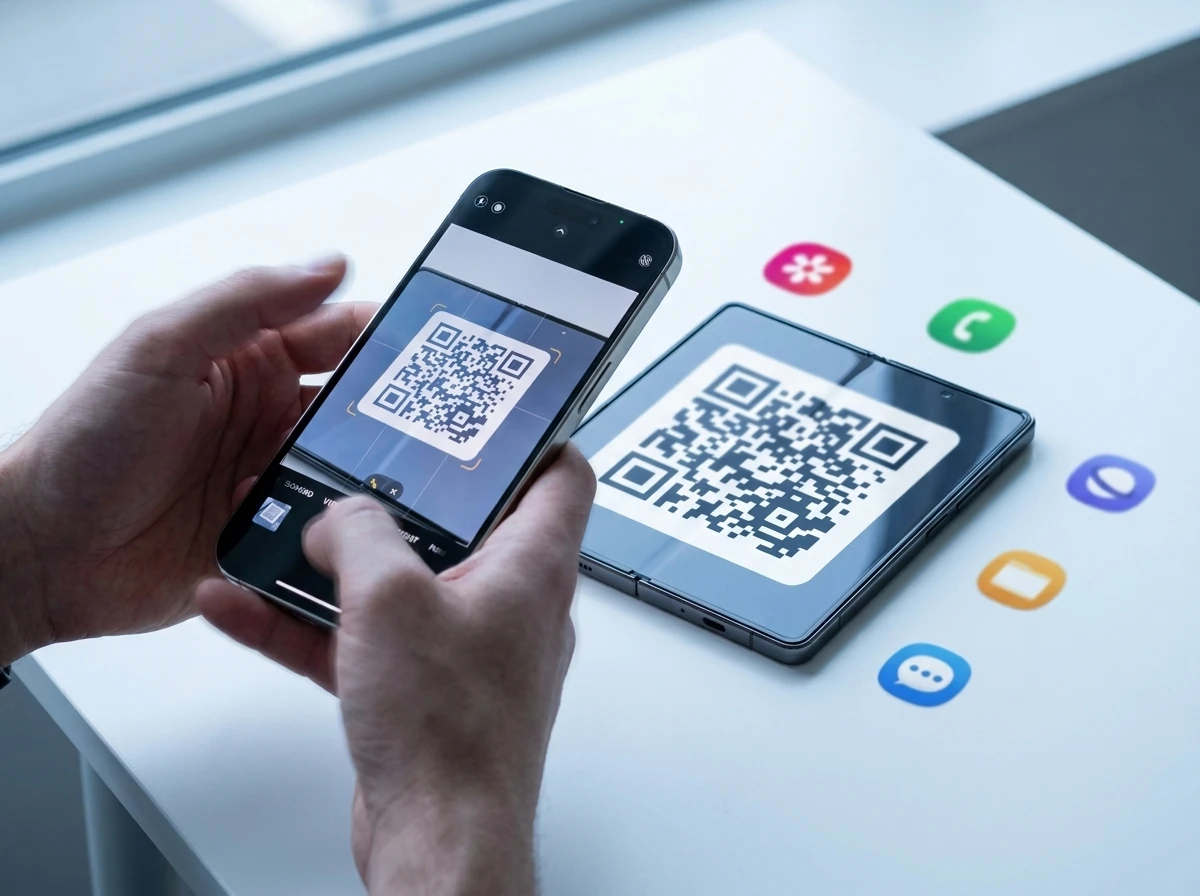
Previous Smart Switch versions often required iPhone users to download Samsung’s companion app from the App Store for wireless moves. That extra step is gone for the upgraded path. During Galaxy setup, the new phone shows a QR code. The iPhone camera scans it, the devices pair, and the user picks what to send.
Samsung splits the work into three clear stages: data transfer, app setup and account configuration. Progress bars and time estimates appear on the Galaxy screen. Most people finish the core hand-off inside an hour, the company says, though big photo libraries and app downloads can stretch longer.
Wireless transfers now carry the same supported data types as wired ones. Large libraries may still prefer a cable for speed, and devices should be charged because charging is unavailable during the move. After the main transfer, Quick Share handles ongoing file hand-offs with AirDrop-style ease.
- Core data: contacts, photos, videos, messages, calendars, call history
- Accounts and security: passwords, passkeys, authentication credentials, eSIM profiles where carriers allow
- Settings and more: accessibility options, basic device preferences, recommended Android app matches for missing iOS titles
Jack Miller, Product Manager for Flagship Mobile at Samsung New Zealand, put the goal plainly: “Everyone should be free to upgrade their phone without worrying if they will lose their personal data.”
Choosing the right phone is a big decision, and historically, changing ecosystem has been a big part of this decision. We’ve worked hard on removing the barriers that have made switching feel like a hassle. Now, you can bring everything from contacts, photos, messages and even your eSIM to Samsung from iOS without the need to install a separate app.
Miller’s comments match the product pages. Users simply scan a QR code and experience a Galaxy device without starting over.
How the QR Path Works Step by Step
On a fresh Galaxy running One UI 9 or later, the setup wizard offers an easy path from another device. Select iPhone or iPad. A QR code appears. Open the Camera app on the iPhone (or use Settings > General > Transfer or Reset iPhone > Transfer to Android) and scan.
- Pair and verify: Devices sit next to each other, Bluetooth and Wi-Fi handle the link, and both screens confirm connection.
- Choose content: The iPhone shows a checklist of apps and data. Select what moves, including iCloud photos if desired, then continue.
- Transfer and match: Progress shows on the Galaxy. Matching Android apps are suggested for install. eSIM transfer follows the data step on supported carriers, confirmed with a double-click of the iPhone side button.
- Finish accounts: Sign into Google, Samsung and other services. Restore remaining preferences.
The same QR method works later from the Smart Switch app if the user skips it at first boot. Older Galaxy phones below Android 17 still use the classic path that can require the iOS Smart Switch app.
Version Gates Limit Immediate Reach
The polished experience needs a Galaxy on upgraded method on Android 17 or later (One UI 9 or newer) and an Apple device on iOS 26.6 or later. China Mainland is excluded from the upgraded flow. Wired iOS transfers share the same OS floors.
That targets relatively recent hardware. One UI 9 launched stable on the Z Fold 8, Fold 8 Ultra and Z Flip 8 and is rolling to the S26 series next, then older flagships back to the S23 generation and select A-series and Tab models under Samsung’s multi-year update promises. Users on older Galaxy or iOS builds fall back to prior Smart Switch methods or iCloud/PC routes.
Supported data types have expanded to include passwords, passkeys, call history, accessibility settings and eSIM information alongside the long-standing media and contacts list. Samsung’s switch pages emphasize that wirelessly migrate photos, contacts, passwords, eSIMs and more happens with just the QR code.
| Requirement | Galaxy side | iPhone side |
|---|---|---|
| OS version for upgraded QR/wireless | Android 17 / One UI 9+ | iOS 26.6+ |
| Extra app on source | None for main path | None for upgraded path |
| eSIM transfer | Supported where carrier allows | Confirmed via side button |
| Large data preference | Cable still faster | Same |
Apple itself documented the reverse path. In iOS 26.3 and later, users can start Apple’s own Transfer to Android flow from Settings or by scanning an Android QR code, moving photos, contacts, calendars, call history, messages and eSIM on supported carriers. Samsung’s One UI 9 polish rides that opening.
Why the Timing Matters for Switchers
Smartphone markets in places like New Zealand are mature. People replace phones less often. Hardware specs alone rarely justify a platform jump when photos, chats, two-factor codes and the phone number itself feel locked away. eSIM growth made the carrier step another point of friction; a clean transfer removes a store visit or support call for many.
Global mobile OS shares sit near global mobile OS shares near 68% Android and 32% iOS in recent tallies. Loyalty numbers remain high for iPhone owners, with many surveys still showing well over 90% intending to stay. Yet even small drops in perceived switching cost can move volume when upgrade cycles stretch to three or four years.
Samsung pairs the tool with trade-in offers and the broader Galaxy ecosystem pitch: watches, buds, tablets and AI features that now include deeper Gemini integration on capable models. The company also keeps expanding Samsung’s broader push on Galaxy software features from its R&D centers, so the software side of the argument strengthens at the same time the door opens wider.
Who Feels the Change First
New Galaxy buyers on the latest foldables and upcoming S26 units get the smoothest ride. Anyone testing a Galaxy in-store or via Try Galaxy can now treat the data move as reversible enough to try. Carriers that support eSIM hand-off win fewer support tickets. Midrange shoppers looking at longer update windows, such as the longer software support on midrange Galaxy models, gain another reason to consider a jump when their current phone’s support clock runs down.
People with huge media libraries or older devices still face practical limits. Wireless is convenient but slower. Some third-party app data never moves cleanly because of platform rules. DRM-protected media and certain account-synced calendars stay behind. The process reduces the worst pain points without claiming perfection.
On X, early reaction focused on the practical wins. One user called the QR no-app path and the addition of passwords, passkeys and eSIM “genuinely one of the most practical features in this entire update,” noting those two items used to make switching a nightmare. That matches the crowd sense that the nightmare steps, not the camera megapixels, decided many past stick-or-switch moments.
The Longer Arc of Platform Friction
Device makers have spent years chipping at lock-in. Apple’s Move to iOS app, Google’s own tools, cable adapters, cloud restores and trade-in credits all tried to lower the wall. Smart Switch itself has existed for more than a decade, improving with each major One UI release. The difference now is symmetry: Apple published a clean Transfer to Android path, and Samsung answered with a no-app, full-data wireless experience that surfaces early in setup.
Quick Share’s AirDrop compatibility adds a daily habit layer after the big move. Once the main library is over, continuing to share files across the old and new phone (or with friends still on iOS) feels less like a one-way bridge burning.
In competitive terms the update is less about any single feature and more about changing the default assumption. When data risk drops, buyers weigh cameras, battery life, AI tools, price and repairability more freely. Samsung’s message in New Zealand and elsewhere is that the perfect phone no longer requires starting over.
Large transfers may still favor cables. Carrier eSIM support varies by country and plan. Older phones stay on the previous flow. Yet for anyone already on recent iOS and ready for a Galaxy running One UI 9, the path is the cleanest it has been.
Frequently Asked Questions
What data can Smart Switch move from iPhone to Galaxy on One UI 9?
Contacts with photos, SMS/MMS, photos and videos, calendars, call logs, passwords and passkeys, accessibility settings, basic preferences, eSIM profiles on supported carriers, and a list of installed apps with Android equivalents suggested for download. Some third-party app data and DRM media stay behind by design.
Do I still need to install an app on my iPhone?
No for the upgraded wireless QR path on One UI 9 / Android 17 Galaxy devices paired with iOS 26.6 or later. The iPhone Camera or the built-in Transfer to Android setting handles pairing. Older OS combinations can still require the Smart Switch iOS app.
Is a cable required or is wireless enough?
Wireless now supports the same data types as wired. Samsung still recommends a cable for very large libraries because it is faster, and notes that devices cannot charge during the transfer so both phones should start with solid battery.
Which Galaxy phones get the new Smart Switch experience?
Any compatible Galaxy phone or tablet updated to One UI 9 or later based on Android 17. The feature launched with the Z Fold 8 series and is rolling to S26 and older supported models that receive the One UI 9 update under Samsung’s multi-year software policy.
Can eSIM move automatically?
Yes on supported carriers. After the main data transfer the flow offers eSIM migration; the iPhone user confirms with a double-click of the side button. Availability depends on the carrier and region, matching Apple’s documented list for the reverse direction.
How long does a typical transfer take?
Samsung states most people complete basic setup within an hour. Actual time scales with photo and video volume, Wi-Fi quality and the number of apps re-downloaded. Progress estimates appear on screen so users can plan around it.


South Korea Retail Investors Face Reckoning After KOSPI AI Rally Collapses

Surrey AI Maps Three Heart Attack Paths and Their Molecular Roots

Germany Locks Neutral Apple ATT Prompts Across Most of Europe

Apple’s 5% EU Fee Quietly Rewrites Alternative App Store Math

Apple’s EU Fee Truce Cuts Complexity but Leaves Rivals Fuming

Pixel 11 Pro Fold Trades Thinness for Durability and Seven-Year Stay

Mayo AI Flags HCM Obstruction From Everyday Ultrasound Videos

Indian Brands Quietly Scale Landmark Screens and Home Tech

Navin Vatsa Turns Grief Into a Lifetime of Quiet Seeing

Google Bets Pixel 11 Agentic AI Will Redefine Phones

Oracle Cuts 21,000 Jobs in a Year, Cites AI in 10-K Filing

Fable 5 and Mythos 5 Return as US Lifts Anthropic Export Controls

SpaceX’s Google Deal Turns a Rocket Company Into a Cloud Landlord

CD Projekt Red Co-CEO: Redemption Arc Isn’t Done, Witcher 4 in 2027

XPL Rallies 30% Ahead of Plasma One Card Tier Launch

Google Search Profiles Build a Follow Graph Inside Discover

DGO App Brings Rs 549 Mobile Pass for FIFA World Cup 2026 in Nepal

Moonshot AI Targets $30 Billion in China’s Fastest AI Funding Sprint

Oppo’s ColorOS 17 Eligibility List Leaves A-Series Buyers Behind

Microsoft Xbox Layoffs Start in July as Sharma Slams 3% Margin
-
 AI2 months ago
Oracle Cuts 21,000 Jobs in a Year, Cites AI in 10-K Filing
-
 AI2 months ago
Fable 5 and Mythos 5 Return as US Lifts Anthropic Export Controls
-
 AI3 months ago
SpaceX’s Google Deal Turns a Rocket Company Into a Cloud Landlord
-
 GAMING2 months ago
CD Projekt Red Co-CEO: Redemption Arc Isn’t Done, Witcher 4 in 2027
-
 CRYPTO3 months ago
XPL Rallies 30% Ahead of Plasma One Card Tier Launch
-
 NEWS3 months ago
Google Search Profiles Build a Follow Graph Inside Discover
-
 APPS3 months ago
DGO App Brings Rs 549 Mobile Pass for FIFA World Cup 2026 in Nepal
-
 AI3 months ago
Moonshot AI Targets $30 Billion in China’s Fastest AI Funding Sprint