
NEWS
iOS 26.5 Brings Encrypted RCS and Maps Ads to iPhone

iOS 26.5 is now available for iPhone 11 and newer models, and the update is more than a routine May patch. It brings beta end-to-end encryption for supported RCS chats, prepares Apple Maps for local ads, adds Suggested Places, makes USB-C accessory pairing easier, gives switchers more control over message attachments, and adds the Pride Luminance wallpaper.
The feature list is uneven by design. The biggest privacy change depends on carrier support. The most visible Maps change is part discovery tool, part advertising door. That makes this update less about one flashy iPhone trick and more about Apple tightening the pipes between Messages, Maps, accessories, and device switching.
How To Install iOS 26.5
Start with the basics: Apple says the security release is available for iPhone 11 and later, with the matching iPadOS build available for supported iPads. The iOS 26.5 security content page lists the release date as May 11, 2026, and names fixes across system components including Accelerate, Accounts, APFS, and App Intents.
To install it, open Settings, tap General, then tap Software Update. If the update is available for your device, choose Download and Install. Keep the phone charged or plugged in, and make sure you have enough storage before the download starts.
- Back up your iPhone to iCloud or a computer before installing.
- Use Wi-Fi if your mobile plan has a data cap.
- Leave time for the restart, because the install can take longer than the download.
- Check Settings again after the reboot if the update appears to stall.
If your iPhone is older than iPhone 11, this release is not for you. That cutoff matters because the security fixes are tied to supported hardware, not just the visible features in Messages or Maps.
The Messaging Change Depends on Both Carriers
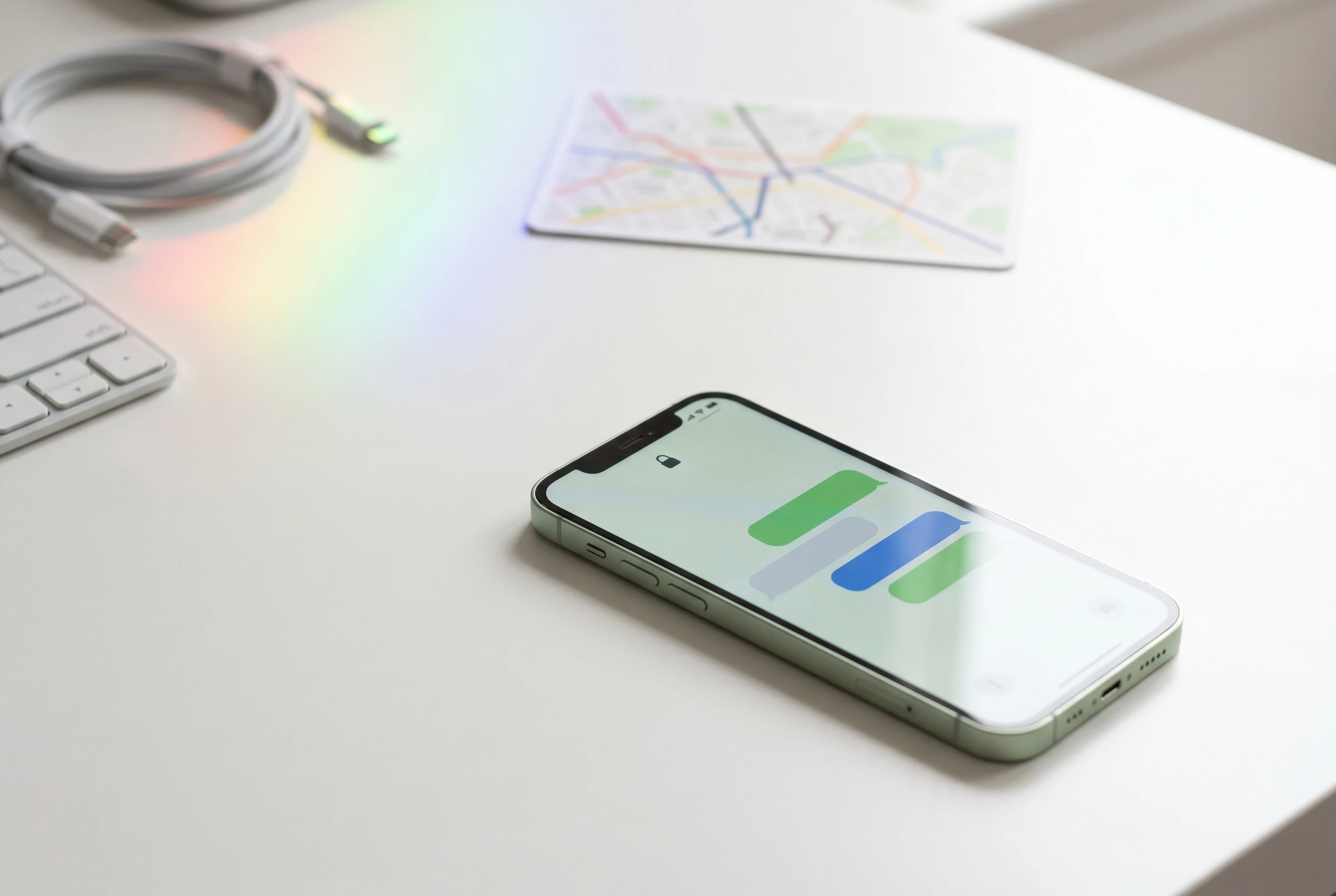
The headline feature is Rich Communication Services (RCS, the carrier-backed texting standard that adds higher quality media, read receipts, typing indicators, and other modern chat features outside iMessage). Apple says encrypted RCS messaging begins rolling out in beta for iPhone users on iOS 26.5 with supported carriers and Android users on the latest version of Google Messages.
That wording carries the catch. The new lock icon does not appear just because one person updated. Apple Support says encrypted RCS conversations require iOS 26.5, a carrier that supports end-to-end encryption, and support from the other participant’s carrier too. If the indicator is missing, Apple says those RCS messages are not protected from a third party reading them while they move between devices.
| Message Type | Bubble Color | Encryption Status | What You Need |
|---|---|---|---|
| iMessage | Blue | End-to-end encrypted between Apple devices | Apple devices using iMessage |
| Encrypted RCS | Green | End-to-end encrypted when the lock indicator appears | iOS 26.5, supported carriers, and compatible Android setup |
| Standard RCS | Green | Not end-to-end encrypted by default | iOS 18 or later and a carrier plan that supports RCS |
| SMS/MMS | Green | Not end-to-end encrypted | A text messaging plan |
The practical advice is simple: look for the lock icon. The Apple Support comparison of iMessage, RCS, and SMS says encrypted RCS chats show both an “Encrypted” label and a lock icon at the top of the conversation.
Apple Maps Adds Discovery With Ads Waiting Nearby
Maps gets a more complicated change. Suggested Places is designed to surface nearby locations based on what is trending and what you have searched for recently. For people who use Apple Maps as a lightweight city guide, that could be useful. For people who prized Maps because it felt cleaner than ad-heavy rivals, the same update marks a shift.
Apple Ads now has a dedicated Maps page telling businesses to get ready to run local campaigns. The Apple Maps advertising page says local businesses will be able to run ads in Apple Maps in the United States and Canada, and that advertisers must have businesses in those countries to be eligible.
- 2 countries: Apple lists the United States and Canada for Maps ad availability.
- Under 13: Apple says on-device logic prevents ads from showing for accounts registered to minors under that age.
- Multiple times per hour: Apple says the random identifier tied to ad views or taps rotates repeatedly.
The privacy claims are specific. Apple says Maps ads will not use precise location or Maps history, and that age and gender are not used for targeting. Still, the reader-facing result is clear: Apple Maps is becoming a place where discovery and paid placement sit side by side.
USB-C Pairing Makes the iPhone Feel More Like a Tiny Computer
The quietest update may be the one some desk users notice first. With iOS 26.5, connecting a compatible USB-C Magic Keyboard, Magic Mouse, or Magic Trackpad can automatically establish the Bluetooth pairing that keeps working after the cable is unplugged.
That sounds minor until you consider where the iPhone has been heading. External keyboards, pointing devices, file workflows, and cross-device continuity have been pulling the phone closer to a pocket computer. Easier accessory setup removes one bit of friction from that path.
For more on where Apple may take iPhone system choices next, Oton Technology recently covered Apple’s planned third-party AI model setting for iOS 27. That reported move would put model selection into the same bucket as this update’s accessory work: smaller switches that change who controls the experience.
Do not oversell it. This is not a desktop mode, and it does not turn an iPhone into a Mac. But it does make pairing a keyboard or mouse feel less like a hidden Bluetooth chore, especially for users who move accessories between a Mac, iPad, and iPhone.
Switching to Android Gets a Narrower Data Choice
Apple also added a small but meaningful control for people leaving iPhone. When transferring data to Android, users can choose which message attachments move with them. That matters because message archives can be huge, messy, and emotionally loaded.
Photos, videos, voice notes, files, and old attachments are not all equal. A user may want the text history but not years of oversized media. Another may want family photos but not every group chat meme. Giving people a narrower choice makes the switch less blunt.
There is a broader market angle here. Regulators and rivals have spent years pressing Apple over lock-in, default apps, payments, and messaging. A cleaner transfer path does not end that fight, but it helps Apple argue that leaving iPhone is not a trapdoor. In hardware, that argument matters too, as Apple continues to tune the supply chain around future devices such as the iPhone 18 Pro display shift reported by Oton Technology.
For users, the feature is less philosophical. If you are moving to Android, check the transfer options carefully before you start. The best time to trim attachments is before the migration begins, not after your new phone is already full.
Pride Luminance Is the Update’s Most Visible Personal Touch
The Pride Luminance wallpaper is the release’s most consumer-facing feature. Apple introduced it alongside a matching Apple Watch face and Pride Edition Sport Loop, saying the design celebrates LGBTQ+ communities worldwide during Pride Month and beyond.
The Apple Pride Collection announcement says the watch face comes in radial and vertical geometric patterns, while the matching iPhone and iPad wallpaper uses a similar dynamic design with customizable colors. The band uses 11 colors of nylon yarn and sells for $49 in the United States.
That makes Pride Luminance different from a static seasonal wallpaper. It is animated and customizable, which fits the direction Apple has been taking with lock screens, watch faces, and personalization across devices.
There is no setup trick here. After installing the update, open the wallpaper gallery and look for the Pride option. If you also use Apple Watch with watchOS 26.5, the matching face gives the set a cleaner cross-device look.
Frequently Asked Questions
Which iPhones Can Install iOS 26.5?
iOS 26.5 is available for iPhone 11 and later, according to Apple’s security documentation. Older iPhones do not receive this release, so they also miss the new RCS encryption beta, Maps changes, and other listed features.
How Do I Know If RCS Encryption Is Working?
You will see an “Encrypted” label with a lock icon at the top of the RCS conversation when end-to-end encryption is active. If that indicator is missing, treat the chat as standard RCS rather than encrypted RCS.
Do Green Bubbles Go Away in iOS 26.5?
No. RCS messages still appear in green bubbles on iPhone. The update changes the security status of supported RCS conversations, not the visual split between iMessage and non-iMessage chats.
Are Apple Maps Ads Live Everywhere?
No. Apple says Maps ads will be available in the United States and Canada, and only advertisers with businesses in those countries will be eligible to run them. Availability may still depend on Apple’s rollout timing.
Should I Install iOS 26.5 Just for Security?
Yes, if your iPhone supports it and you do not have a specific reason to wait. Apple’s security notes list fixes across multiple system areas, and those patches matter even if you do not use RCS or Apple Maps often.
Does iOS 26.5 Make iPhone Easier To Use With a Mouse?
Yes, for compatible USB-C Apple accessories. The update can pair a Magic Mouse, Magic Keyboard, or Magic Trackpad after a wired connection, then keep it paired over Bluetooth after the cable is removed.
If the lock icon appears where the green bubble used to feel second class, iOS 26.5 has done its most important job.


Nintendo Already Tested These NES Remakes, With Mixed Results

South Korea’s Crypto Framework Bill Hinges on a Bank Standoff

Court of Appeal Restores Imo APP Ahead of 2027 Polls

Vivo’s X300 Costs $647, but No US Carrier Sells It

Super Micro’s Bargain Stock Price Rests on One Hidden Customer

Resident Evil’s Remake Profits Just Vindicated Capcom’s Pragmata Bet

XRP Stalls Near $1 While Ripple’s Own Stablecoin Surges

WhatsApp Web’s Free Calling Update Takes Aim at Zoom

Hiya Toys’ Fox Figure Ships the Same Year as Persona 6

ARRI Hands Honor Its First-Ever Smartphone Camera Deal

Fable 5 and Mythos 5 Return as US Lifts Anthropic Export Controls

SpaceX’s Google Deal Turns a Rocket Company Into a Cloud Landlord

CD Projekt Red Co-CEO: Redemption Arc Isn’t Done, Witcher 4 in 2027

Oracle Cuts 21,000 Jobs in a Year, Cites AI in 10-K Filing

XPL Rallies 30% Ahead of Plasma One Card Tier Launch

DGO App Brings Rs 549 Mobile Pass for FIFA World Cup 2026 in Nepal

Google Search Profiles Build a Follow Graph Inside Discover

Moonshot AI Targets $30 Billion in China’s Fastest AI Funding Sprint

Microsoft Xbox Layoffs Start in July as Sharma Slams 3% Margin

Oppo’s ColorOS 17 Eligibility List Leaves A-Series Buyers Behind
-
 AI4 weeks ago
Fable 5 and Mythos 5 Return as US Lifts Anthropic Export Controls
-
 AI2 months ago
SpaceX’s Google Deal Turns a Rocket Company Into a Cloud Landlord
-
 GAMING1 month ago
CD Projekt Red Co-CEO: Redemption Arc Isn’t Done, Witcher 4 in 2027
-
 AI1 month ago
Oracle Cuts 21,000 Jobs in a Year, Cites AI in 10-K Filing
-
 CRYPTO2 months ago
XPL Rallies 30% Ahead of Plasma One Card Tier Launch
-
 APPS2 months ago
DGO App Brings Rs 549 Mobile Pass for FIFA World Cup 2026 in Nepal
-
 NEWS2 months ago
Google Search Profiles Build a Follow Graph Inside Discover
-
 AI2 months ago
Moonshot AI Targets $30 Billion in China’s Fastest AI Funding Sprint