
APPS
UAE Child Safety Body Warns Parents on Delivery App Risks
On April 21, 2026, the Los Angeles Unified School District board voted 6 to 0 to impose screen time limits across its system of roughly 600,000 students, making LAUSD (the Los Angeles Unified School District, the country’s second-largest school system) the first major American district to formally cap how long students can use school-issued devices in class. The resolution bans devices for kindergarten and first-grade students entirely, sets grade-level daily and weekly screen time limits for older students, blocks YouTube across the district network, and prohibits device use during lunch and recess in elementary and middle schools.
That vote sits at the intersection of three converging forces: parents who moved from phone bans to device bans after the distraction simply shifted sideways onto the school Chromebook, districts counting annual laptop repair bills that now run into millions, and legislatures in 16 states that introduced edtech restriction bills this spring.
The LAUSD Resolution, Item by Item
Nick Melvoin, the LAUSD board member who drafted the resolution, framed the move as recalibration rather than rejection. His estimate: few Los Angeles classrooms are using screens in ways that demonstrably benefit learning. “We have responsibility as one of the largest districts to draw a line in the sand when it comes to this recalibration and start the conversation,” he said before the April vote.
District staff must deliver a complete screen time policy to the board by June, ready for the 2026-27 school year. Schools Beyond Screens, a parent advocacy group with roughly 2,000 members in Los Angeles, spent months pressing the district at board meetings, through social media campaigns, and in private talks with administrators. Anya Meksin, deputy director of Schools Beyond Screens, called the outcome “an historic reform that we hope will trickle down to the rest of the country very, very quickly.”
Six specific requirements the resolution establishes:
- Ban all district-issued devices for students in early education through first grade
- Set maximum daily and weekly screen time limits by grade level for students in grades two and above
- Block YouTube on all school-issued devices across the district network
- Prohibit device use during lunch and recess in elementary and middle schools
- Create a clearer process for parents to opt children out of device use at school
- Audit all edtech (education technology, meaning the software platforms and learning apps districts pay vendors to provide) contracts, which the district’s teachers union estimates total $1.6 billion
That audit provision carries the most long-term weight. Most edtech purchases have never been evaluated against measurable student outcomes. Auditing a $1.6 billion portfolio would require the district to justify each platform against results, a standard the industry has largely never been held to.
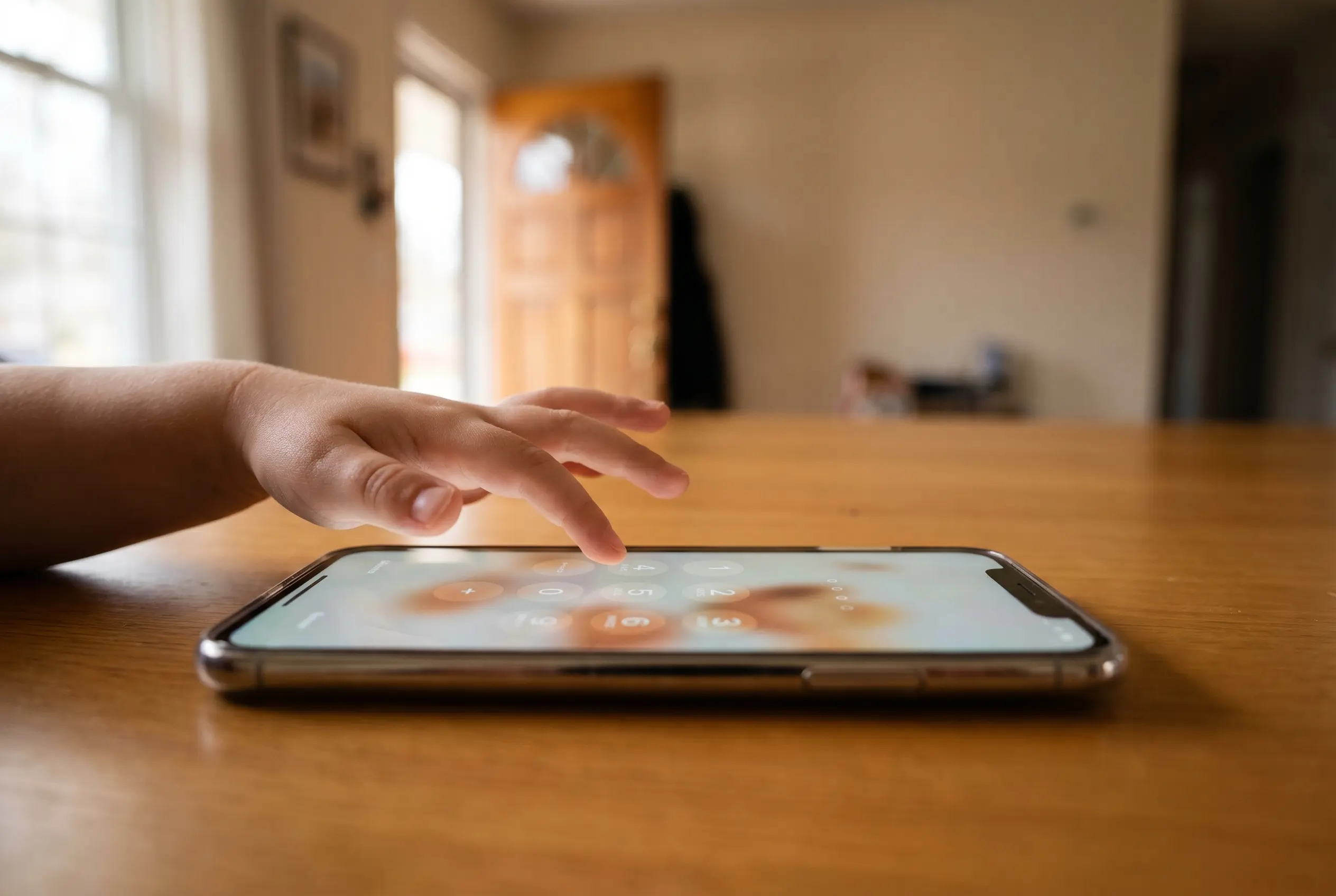
How 96 Percent of Schools Got Devices Overnight
The speed of the original transformation is the context most coverage underweights. Consider the numbers that frame the current reversal:
- 96% of U.S. public schools had provided digital devices to students who needed them by the start of the 2021-22 school year, per National Center for Education Statistics data
- 88% of public schools maintained some school-issued computing program in the 2024-25 school year, according to Institute of Education Sciences figures
- $4 million: what Fresno Unified School District spends annually just to repair and replace student laptops
- $1.6 billion: the LAUSD edtech contract value the district’s teachers union has flagged for audit
Education shifted online overnight in March 2020. Schools poured pandemic relief funds, state reserves, and federal grants into closing the digital divide, the gap between households with devices and those without. What had been a multi-decade equity goal compressed into roughly two school years. By the 2021-22 start, the mission looked complete.
The recurring costs arrived later, and so did the behavioral effects nobody had budgeted for. Schools bought devices under emergency timelines, often without integration plans for teachers or protocols for managing what students could access. Many edtech vendors sold products as educational tools while relying on their own data to make the case. Critics of the current vetting process note that in most districts, school boards, IT departments, and administrators choose vendors based on what those same vendors present to them, with no independent body to confirm safety or efficacy.
The Costs Schools Are Now Counting
Hardware Repair Bills
Fresno Unified, California’s third-largest school district, is spending $4 million annually to repair and replace student laptops. Its solution this fall: the roughly 40,000 elementary students with take-home devices will return them, and computer access will shift to in-class only. AJ Kato, a Fresno Unified spokesperson, confirmed the decision is partly about cutting costs.
Simi Valley Unified, near Los Angeles, made the same call for its younger students, partly because of repair costs and partly because devices were being used for what the district described in a parent memo as “inappropriate Google searches” and video games. The devices now sit in classroom carts at school.
| District | Action | Student Scope | Primary Driver |
|---|---|---|---|
| Los Angeles Unified | Banned devices through 1st grade; grade-level screen caps; YouTube block | ~600,000 total enrollment | Distraction, parent campaigns, $1.6B contract audit |
| Fresno Unified | Recalled take-home laptops; in-class access only this fall | ~40,000 elementary students | $4M annual repair and replacement bill |
| Simi Valley Unified | Stopped sending devices home for younger students; carts stored at school | Elementary grades | Repair costs; devices used for games and inappropriate searches |
| Arlington, Virginia | Stopped issuing iPads before 1st grade; new elementary limits | Pre-K through grade 1 | Behavior concerns, parent pressure |
| Lower Merion, Pennsylvania | No device policy change; parent opt-out request denied | Full district | District says opt-out is not structurally possible |
Attention, Filters, and the Browser That Stays Open
Spending on devices was never the core problem. Spending without managing how the devices would be used is where the original decision broke down. Internal documents, as reported by NBC News, show that Google pursued school adoption partly to build a “pipeline of future users,” students who develop habits around its products before reaching adulthood. That disclosure hardened the position of parent groups who believed they were consenting to educational tools, not to brand formation.
Joe Clement, a Virginia social studies teacher who has spent roughly three decades in classrooms, has watched students’ ability to focus deteriorate alongside device adoption. He told Education Week that placing a device with an open browser next to an algebra problem is an “unfair burden” on students trying to concentrate. Filters exist, he noted, but students find routes around them without much difficulty.
One Arlington parent reviewing her sixth-grader’s device history found him visiting a game site in nearly every class period. Another said her fourth-grade son was capitalizing random letters with no correction from teachers because so little work was done on paper anymore. A third watched her son write algebra answers with his finger on a touch screen, a substitution for pencil-and-paper work that teachers say delays the handwriting and number-formation skills that show up on assessments years later.
From Phone Bans to Laptop Bans: A Parent-Led Escalation
The campaign started with personal smartphones, and it largely worked. California passed legislation restricting phone use in schools. Dozens of districts nationwide enacted outright bans. Phones went into pouches, carts, and front-desk lockboxes.
Then parents reviewed their children’s browsing histories again. The phone was gone, but the distraction had moved sideways onto the school Chromebook. Students were messaging friends through Google Docs, watching YouTube between assignments, and playing browser games that content filters did not catch. Kim Whitman, co-lead for Smartphone Free Childhood US, described the pattern plainly: “A lot of the issues with personal devices can move to the district-issued devices.”
Schools Beyond Screens formed in Los Angeles when parents recognized that phone bans, while useful, had not solved the underlying problem. Members showed up at board meetings, documented screen-saturated school days, and brought personal accounts to administrators. Katie Pace, a member of the group, tracked her eighth-grade daughter’s school Chromebook history and found hours of Spotify playlist-building, makeup tutorials, and YouTube videos. Her daughter uses the device on the bus before school even begins.
“My daughter went to middle school and was sent home with a screen addiction in her backpack,” Pace said.
Sixteen Legislatures and a Federal Warning
The legislative push is moving faster than any single district can demonstrate results. Lawmakers in 16 states introduced bills targeting education technology in public schools this year, ranging from daily screen time caps to new software vendor vetting requirements. Iowa, Missouri, Kansas, Oklahoma, Tennessee, and Utah all proposed capping or restricting daily screen time for students in kindergarten through fifth grade on school-issued laptops.
Missouri’s initial bill set a 45-minute daily cap for elementary students, drawing pushback from teachers who argued it would eliminate photography and three-dimensional printing courses. Dozens of Missouri teachers submitted opposing testimony. Rhode Island’s proposed Safe School Technology Act would ban software providers from activating audio or video functions on devices outside school activities and prohibit collection of student location data. Vermont moved a bill through its state House requiring all edtech providers to register annually with the state, submit their privacy policies for independent review, and obtain certification before schools can deploy their products.
The federal government added its own marker last week. The Surgeon General’s office issued an advisory warning that excessive screen use among young people has become a growing public health concern. The advisory does not mandate specific classroom policies, but the signal is clear: the conversation has moved beyond local school boards.
Peer-reviewed research is beginning to align with what parent groups have argued on the basis of observed behavior. A JAMA Network Open cohort study tracking more than 3,300 elementary school children in Ontario, published in late 2025, found that higher total screen time was associated with lower reading and math achievement on standardized tests in grades three and six. The findings stop short of establishing direct classroom causation, but they give legislators something beyond anecdote to cite.
This is an historic reform that we hope will trickle down to the rest of the country very, very quickly.
Anya Meksin, deputy director of Schools Beyond Screens, said that at the LAUSD board meeting after the April vote. The speed she wants may be the part educators most fear.
What Edtech’s Defenders Don’t Want Rolled Back
The edtech industry is lobbying against the strictest state proposals, arguing that limits on classroom technology could set public schools back decades, and the counter-argument carries some weight. Adaptive learning software adjusts problem difficulty based on a student’s real-time performance data. Text-to-speech tools help students with dyslexia access written material without waiting for a teacher’s individual attention. Early-warning platforms tell a teacher which students are falling behind before a grading period ends. None of those tools is equivalent to an unsupervised browser pointed at a YouTube recommendation feed.
What the backlash risks is treating every screen minute as identical. A 45-minute daily cap does not distinguish between a second-grader watching videos and a second-grader using adaptive math software. Alex Bird Becker, one of the founders of parent group PA Unplugged in suburban Philadelphia, framed the situation this way: “If there’s really no evidence that it helps, and in fact there’s evidence that it’s harmful, what are we doing? Test scores are at their lowest point.” That argument wins in a school board meeting. Whether it accurately describes every edtech product in a district’s portfolio is a different question.
The district must present its full screen time policy to the school board by June. If that policy takes effect in the 2026-27 school year and produces measurable improvements in attention, behavior, or academic scores, it gives the 16 state legislatures a test case that goes beyond parent testimony. If the $1.6 billion contract audit reveals agreements the district cannot cleanly exit, the cost of the correction will arrive on the same invoice as the original purchase.
APPS
cTrader Mobile 5.9 Puts Account Management and Social Tools in One Hub
On April 21, 2026, the Los Angeles Unified School District board voted 6 to 0 to impose screen time limits across its system of roughly 600,000 students, making LAUSD (the Los Angeles Unified School District, the country’s second-largest school system) the first major American district to formally cap how long students can use school-issued devices in class. The resolution bans devices for kindergarten and first-grade students entirely, sets grade-level daily and weekly screen time limits for older students, blocks YouTube across the district network, and prohibits device use during lunch and recess in elementary and middle schools.
That vote sits at the intersection of three converging forces: parents who moved from phone bans to device bans after the distraction simply shifted sideways onto the school Chromebook, districts counting annual laptop repair bills that now run into millions, and legislatures in 16 states that introduced edtech restriction bills this spring.
The LAUSD Resolution, Item by Item
Nick Melvoin, the LAUSD board member who drafted the resolution, framed the move as recalibration rather than rejection. His estimate: few Los Angeles classrooms are using screens in ways that demonstrably benefit learning. “We have responsibility as one of the largest districts to draw a line in the sand when it comes to this recalibration and start the conversation,” he said before the April vote.
District staff must deliver a complete screen time policy to the board by June, ready for the 2026-27 school year. Schools Beyond Screens, a parent advocacy group with roughly 2,000 members in Los Angeles, spent months pressing the district at board meetings, through social media campaigns, and in private talks with administrators. Anya Meksin, deputy director of Schools Beyond Screens, called the outcome “an historic reform that we hope will trickle down to the rest of the country very, very quickly.”
Six specific requirements the resolution establishes:
- Ban all district-issued devices for students in early education through first grade
- Set maximum daily and weekly screen time limits by grade level for students in grades two and above
- Block YouTube on all school-issued devices across the district network
- Prohibit device use during lunch and recess in elementary and middle schools
- Create a clearer process for parents to opt children out of device use at school
- Audit all edtech (education technology, meaning the software platforms and learning apps districts pay vendors to provide) contracts, which the district’s teachers union estimates total $1.6 billion
That audit provision carries the most long-term weight. Most edtech purchases have never been evaluated against measurable student outcomes. Auditing a $1.6 billion portfolio would require the district to justify each platform against results, a standard the industry has largely never been held to.
How 96 Percent of Schools Got Devices Overnight
The speed of the original transformation is the context most coverage underweights. Consider the numbers that frame the current reversal:
- 96% of U.S. public schools had provided digital devices to students who needed them by the start of the 2021-22 school year, per National Center for Education Statistics data
- 88% of public schools maintained some school-issued computing program in the 2024-25 school year, according to Institute of Education Sciences figures
- $4 million: what Fresno Unified School District spends annually just to repair and replace student laptops
- $1.6 billion: the LAUSD edtech contract value the district’s teachers union has flagged for audit
Education shifted online overnight in March 2020. Schools poured pandemic relief funds, state reserves, and federal grants into closing the digital divide, the gap between households with devices and those without. What had been a multi-decade equity goal compressed into roughly two school years. By the 2021-22 start, the mission looked complete.
The recurring costs arrived later, and so did the behavioral effects nobody had budgeted for. Schools bought devices under emergency timelines, often without integration plans for teachers or protocols for managing what students could access. Many edtech vendors sold products as educational tools while relying on their own data to make the case. Critics of the current vetting process note that in most districts, school boards, IT departments, and administrators choose vendors based on what those same vendors present to them, with no independent body to confirm safety or efficacy.
The Costs Schools Are Now Counting
Hardware Repair Bills
Fresno Unified, California’s third-largest school district, is spending $4 million annually to repair and replace student laptops. Its solution this fall: the roughly 40,000 elementary students with take-home devices will return them, and computer access will shift to in-class only. AJ Kato, a Fresno Unified spokesperson, confirmed the decision is partly about cutting costs.
Simi Valley Unified, near Los Angeles, made the same call for its younger students, partly because of repair costs and partly because devices were being used for what the district described in a parent memo as “inappropriate Google searches” and video games. The devices now sit in classroom carts at school.
| District | Action | Student Scope | Primary Driver |
|---|---|---|---|
| Los Angeles Unified | Banned devices through 1st grade; grade-level screen caps; YouTube block | ~600,000 total enrollment | Distraction, parent campaigns, $1.6B contract audit |
| Fresno Unified | Recalled take-home laptops; in-class access only this fall | ~40,000 elementary students | $4M annual repair and replacement bill |
| Simi Valley Unified | Stopped sending devices home for younger students; carts stored at school | Elementary grades | Repair costs; devices used for games and inappropriate searches |
| Arlington, Virginia | Stopped issuing iPads before 1st grade; new elementary limits | Pre-K through grade 1 | Behavior concerns, parent pressure |
| Lower Merion, Pennsylvania | No device policy change; parent opt-out request denied | Full district | District says opt-out is not structurally possible |
Attention, Filters, and the Browser That Stays Open
Spending on devices was never the core problem. Spending without managing how the devices would be used is where the original decision broke down. Internal documents, as reported by NBC News, show that Google pursued school adoption partly to build a “pipeline of future users,” students who develop habits around its products before reaching adulthood. That disclosure hardened the position of parent groups who believed they were consenting to educational tools, not to brand formation.
Joe Clement, a Virginia social studies teacher who has spent roughly three decades in classrooms, has watched students’ ability to focus deteriorate alongside device adoption. He told Education Week that placing a device with an open browser next to an algebra problem is an “unfair burden” on students trying to concentrate. Filters exist, he noted, but students find routes around them without much difficulty.
One Arlington parent reviewing her sixth-grader’s device history found him visiting a game site in nearly every class period. Another said her fourth-grade son was capitalizing random letters with no correction from teachers because so little work was done on paper anymore. A third watched her son write algebra answers with his finger on a touch screen, a substitution for pencil-and-paper work that teachers say delays the handwriting and number-formation skills that show up on assessments years later.
From Phone Bans to Laptop Bans: A Parent-Led Escalation
The campaign started with personal smartphones, and it largely worked. California passed legislation restricting phone use in schools. Dozens of districts nationwide enacted outright bans. Phones went into pouches, carts, and front-desk lockboxes.
Then parents reviewed their children’s browsing histories again. The phone was gone, but the distraction had moved sideways onto the school Chromebook. Students were messaging friends through Google Docs, watching YouTube between assignments, and playing browser games that content filters did not catch. Kim Whitman, co-lead for Smartphone Free Childhood US, described the pattern plainly: “A lot of the issues with personal devices can move to the district-issued devices.”
Schools Beyond Screens formed in Los Angeles when parents recognized that phone bans, while useful, had not solved the underlying problem. Members showed up at board meetings, documented screen-saturated school days, and brought personal accounts to administrators. Katie Pace, a member of the group, tracked her eighth-grade daughter’s school Chromebook history and found hours of Spotify playlist-building, makeup tutorials, and YouTube videos. Her daughter uses the device on the bus before school even begins.
“My daughter went to middle school and was sent home with a screen addiction in her backpack,” Pace said.
Sixteen Legislatures and a Federal Warning
The legislative push is moving faster than any single district can demonstrate results. Lawmakers in 16 states introduced bills targeting education technology in public schools this year, ranging from daily screen time caps to new software vendor vetting requirements. Iowa, Missouri, Kansas, Oklahoma, Tennessee, and Utah all proposed capping or restricting daily screen time for students in kindergarten through fifth grade on school-issued laptops.
Missouri’s initial bill set a 45-minute daily cap for elementary students, drawing pushback from teachers who argued it would eliminate photography and three-dimensional printing courses. Dozens of Missouri teachers submitted opposing testimony. Rhode Island’s proposed Safe School Technology Act would ban software providers from activating audio or video functions on devices outside school activities and prohibit collection of student location data. Vermont moved a bill through its state House requiring all edtech providers to register annually with the state, submit their privacy policies for independent review, and obtain certification before schools can deploy their products.
The federal government added its own marker last week. The Surgeon General’s office issued an advisory warning that excessive screen use among young people has become a growing public health concern. The advisory does not mandate specific classroom policies, but the signal is clear: the conversation has moved beyond local school boards.
Peer-reviewed research is beginning to align with what parent groups have argued on the basis of observed behavior. A JAMA Network Open cohort study tracking more than 3,300 elementary school children in Ontario, published in late 2025, found that higher total screen time was associated with lower reading and math achievement on standardized tests in grades three and six. The findings stop short of establishing direct classroom causation, but they give legislators something beyond anecdote to cite.
This is an historic reform that we hope will trickle down to the rest of the country very, very quickly.
Anya Meksin, deputy director of Schools Beyond Screens, said that at the LAUSD board meeting after the April vote. The speed she wants may be the part educators most fear.
What Edtech’s Defenders Don’t Want Rolled Back
The edtech industry is lobbying against the strictest state proposals, arguing that limits on classroom technology could set public schools back decades, and the counter-argument carries some weight. Adaptive learning software adjusts problem difficulty based on a student’s real-time performance data. Text-to-speech tools help students with dyslexia access written material without waiting for a teacher’s individual attention. Early-warning platforms tell a teacher which students are falling behind before a grading period ends. None of those tools is equivalent to an unsupervised browser pointed at a YouTube recommendation feed.
What the backlash risks is treating every screen minute as identical. A 45-minute daily cap does not distinguish between a second-grader watching videos and a second-grader using adaptive math software. Alex Bird Becker, one of the founders of parent group PA Unplugged in suburban Philadelphia, framed the situation this way: “If there’s really no evidence that it helps, and in fact there’s evidence that it’s harmful, what are we doing? Test scores are at their lowest point.” That argument wins in a school board meeting. Whether it accurately describes every edtech product in a district’s portfolio is a different question.
The district must present its full screen time policy to the school board by June. If that policy takes effect in the 2026-27 school year and produces measurable improvements in attention, behavior, or academic scores, it gives the 16 state legislatures a test case that goes beyond parent testimony. If the $1.6 billion contract audit reveals agreements the district cannot cleanly exit, the cost of the correction will arrive on the same invoice as the original purchase.
APPS
Google Wallet Turns Boarding Passes Into Airport Automation
Google Wallet airport updates announced around Google I/O 2026 make the app a travel layer that can receive boarding passes from a saved loyalty card, surface linked items, and push the right ticket at the airport. Airlines still decide what appears, and Google says automatic delivery is best-effort.
Timing is the travel pitch. At a crowded gate, the best pass manager is the one that opens after your phone has already found the boarding pass, not the one that sends you back through email, an airline app, and a search box.
The Boarding Pass Moves Before You Search
The announcement landed during a developer session around Google I/O 2026, a conference dominated by Gemini and Android chatter. Wallet’s travel push was easy to miss. The session focused on a calmer airport path for people who already live on Android.
The feature set has three pieces: airline loyalty enrollment from a boarding pass, Auto Linked Passes that can place related passes into Wallet, and existing pass notifications that try to surface a saved item at the moment it matters. Put together, they move Wallet closer to an airport assistant than a digital drawer.
That was easy to lose in a week when Google’s AI work took the stage, including Oton Technology’s look at Gemini Omni Flash’s video editing push. Travel, though, is where a small Wallet change becomes visible in seconds.
We want to make travel feel less stressful and less disconnected and be with travelers throughout their journey.
Gokmen Goksel, Google Wallet tech lead, said that during the I/O developer session. The line is plain, but the product shift is sharper: the app is trying to handle the pass hunt before the passenger starts one.
Auto Linked Passes Change the Handoff
The core mechanic sits in Google’s Google Wallet Auto Linked Passes developer guide. An airline can link a boarding pass to a loyalty pass already saved in Wallet. After check-in through the web, an app, or an airport kiosk, the airline can use the loyalty account number to match the traveler and push the boarding pass into Wallet.
Google’s limits make the feature useful but not magic. The primary and linked pass need the same issuer ID, a primary pass can have up to 50 linked objects, and automatic pushing is best-effort, not guaranteed. If a boarding pass is mission-critical, Google’s own guidance tells issuers to use another channel too.
| Wallet Path | Trigger | Best Use | Main Limit |
|---|---|---|---|
| Manual Add to Google Wallet | User taps the airline’s button | Normal check-in from an app, email, or site | Traveler has to find the button |
| Pixel Screenshot | User captures a QR code or barcode | Backup when the airline flow is clumsy | Pixel 3 or newer flow, with fewer live updates |
| Auto Linked Passes | Issuer links a pass to a saved loyalty card | Repeat travelers and loyalty members | Issuer support and best-effort delivery |
Loyalty Cards Become Airport Keys
Google’s design choice is subtle. The frequent flyer card becomes the standing relationship, while the boarding pass becomes the temporary object that rides on top of it. That is why the developer guide recommends Sign Up or Sign In with Google and one-click enrollment for airline loyalty programs.
For airlines, that changes the moment of enrollment. A traveler staring at a boarding pass has a live reason to join a program, not an abstract promise of miles. For Google, the loyalty card becomes the anchor that lets Wallet recognize a traveler across future trips without asking the passenger to repeat the same add-to-wallet step.
Google’s Google Wallet linked passes support page draws the boundary. Users cannot link passes themselves today. The issuer does it. Related passes can include boarding passes, event tickets, loyalty cards, gift cards, offers, and other non-private passes, while payment cards, private IDs, health insurance cards, physical access passes, and digital car keys sit outside that linking model.
That boundary matters. The new travel flow depends on issuer plumbing, not user neatness. If your airline has not done the work, Wallet cannot organize the trip out of thin air.
The Setup Still Belongs to You
Travelers will have some control, but the most useful settings are easy to miss. Google says the Automatically add linked passes setting is on by default and can be turned off in Wallet settings. Nearby pass alerts add another layer: Google’s Google Wallet nearby notification developer guide says those alerts require notifications plus precise, always-on location access.
For airports, that can be helpful. A gate notification that jumps straight to the right pass beats digging through a list with one hand on a suitcase. The same guide says Google controls how close a user must be and how long they must stay in the area before a nearby notification appears, so this is not a setting that airlines can tune down to the inch.
- Save your airline loyalty card in Wallet before check-in if your carrier supports it.
- Open Wallet settings and check whether Automatically add linked passes is on.
- Turn on pass notifications if you want boarding reminders and linked-pass alerts.
- Grant location access only if airport or venue pass alerts are worth that trade for you.
- Keep the airline app installed until after boarding because automatic delivery can fail.
The practical rule is simple: Wallet can be the faster lane, while the airline app remains your backup.
The Data Trade Sits in the Terminal
The convenience has a data side. Google’s Google Wallet passes data support page says Wallet activity is saved to the user’s Google Account, including items saved to Wallet and how they are used. It also says payment methods and digital receipts are managed separately, and private passes such as IDs and insurance cards follow different rules.
For travel, that distinction matters because a boarding pass carries time, route, airline, and identity signals. A linked-pass model can reduce taps at the gate, but it also makes the Google Account a stronger organizing point for trip objects. That is useful when the phone surfaces the pass. The same setup deserves review when you grant settings that run in the background.
Location-based alerts raise the bar further. If the airport prompt is worth it, enable it. If the trade feels too broad, standard Wallet storage still leaves you with a QR code or barcode you can open manually.
Airlines Decide How Useful This Gets
Airline support remains the bottleneck. Google can provide the pass format, the linking rule, the notification surface, and the settings switch. The boarding pass still starts with the carrier. That means the same Android phone can feel smart on one trip and oddly manual on the next.
There is also a platform race under the boarding pass. Apple’s Apple Wallet boarding pass support page says an iPhone boarding pass automatically appears on a paired Apple Watch, and eligible passes can share a Live Activity and flight status with another iPhone user. Google is answering with Android-native hooks around Wallet, pass linking, and airport timing.
The comparison stretches beyond Apple and Google. Airlines have long used apps to keep travelers close to seat upgrades, bag fees, lounge offers, and service alerts. A Wallet-centered trip flow gives users fewer reasons to open the airline app at the airport. That is convenient for passengers and a little uncomfortable for carriers that depend on app traffic.
Wallet Is Becoming Google’s Travel Surface
Wallet’s airport move matches a broader product direction: the phone should anticipate a stored credential when a place and time make the need obvious. Payment cards, loyalty IDs, receipts, passes, and tickets are different objects, but the strongest Wallet use cases all share the same question: can the phone put the right item in front of you at the moment of use?
That same pressure is showing up outside airports. Oton Technology recently examined AI shopping agents rebuilding the digital wallet, where the payment moment starts before the human reaches checkout. Boarding passes are a cleaner example because the user need is obvious. You have a flight. You need a scannable pass. You probably need it fast.
The travel update matters because a boarding pass is the rare digital item that becomes urgent at a known place and time. If Wallet can handle that well, the same pattern can extend to trains, stadiums, parking, hotel keys, and store offers. Those are exactly the kinds of objects that already sit near Wallet’s pass model.
If airlines adopt the new linking flow broadly, Google Wallet becomes the place Android travelers check because the pass is already there. If adoption stays patchy, the feature will feel like a pleasant surprise on some trips and a reminder to keep the carrier app close on others.
Frequently Asked Questions
How Do Google Wallet Airport Updates Work?
Google Wallet airport updates work when an airline or pass issuer creates Wallet passes and links them to a saved pass, usually a frequent flyer card; Wallet can then group or deliver the related boarding pass if the issuer supports the feature and the user’s settings allow it.
Do I Need an Airline App to Use Auto Linked Passes?
Sometimes, yes. Auto Linked Passes can send a boarding pass after check-in through the web, app, or kiosk, but Google’s developer guide calls delivery best-effort, so travelers should keep the airline app or confirmation email until the trip is over.
Can I Turn Off Automatically Added Linked Passes?
Yes. Google says Automatically add linked passes is turned on by default and can be disabled in Google Wallet settings under the account profile.
Will Google Wallet Work Without an Internet Connection at the Gate?
Yes, if the pass is already stored and the barcode is visible. Google’s Google Wallet flight ticket support guide says boarding passes added by screenshot are saved in the Wallet app and do not need an internet connection to be retrieved.
Does Google Wallet Support Apple Wallet PKPASS Files?
No. Google’s flight ticket help says Google Wallet does not support PKPASS files, so travelers should use an airline Add to Google Wallet button, a supported screenshot flow, or the airline app instead.
APPS
YouTube Google TV Sidebar Puts Subscriptions First
The YouTube Google TV sidebar update now showing for select users moves Subscriptions and Library directly below Search and Home, adds two channel shortcuts, and sends topic shortcuts such as News, Live, Podcasts, Music, Gaming and Sports lower down the rail. The limited rollout points to a server-side test rather than a normal app-store release.
The small menu change matters because YouTube is treating the TV remote like prime shelf space. A viewer who opens the app from a couch is less likely to type, browse deeply, or search with patience; the left rail decides whether that session begins with a known channel, a saved video, or whatever the home feed serves first.
The Sidebar Moves the Habit Loops Up
For regular viewers, the old problem was simple: the most personal parts of YouTube sat too low in the TV app’s left rail. YouTube’s official TV app guide describes the TV app as a place to sign in, view subscribed channels, search for content, and use a mobile device as a remote, and it treats Subscriptions and Library as core ways to find videos. The reported layout brings those two places closer to the first click, which means fewer remote presses before a viewer reaches followed channels or saved items.
| Area | Older TV Rail | New Sidebar Seen by Some Users | Viewer Effect |
|---|---|---|---|
| Top of rail | Search, then Home | Search, then Home | No change to the main discovery entry point |
| Personal sections | Subscriptions and Library below several content categories | Subscriptions and Library grouped directly under Home | Faster return to followed channels and saved items |
| Channel shortcuts | No persistent channel tiles in the main rail | Two direct channel shortcuts visible even when the rail is collapsed | Recent or suggested channels can become one-click return paths |
| Topic shortcuts | Music, Movies and TV, Podcasts and other tabs higher in the rail | News, Live, Podcasts, Music, Gaming and Sports sit below the personal group, with variation by TV | Categories stay present but lose the best shelf space |
| Settings | Button at the bottom | Button remains at the bottom | The control area stays familiar |
The update changes the default path from broad browsing to returning. That matters on a television, where the best interface is often the one that asks for the fewest button presses.
A Remote Control Changes the Math
On a phone, moving Library one row higher hardly registers. On a TV, a few clicks can be the difference between opening a saved video and giving up to the recommendation grid. The device in the hand is usually a remote with directional buttons, not a keyboard and cursor.
The remote also changes who wins a design debate. A feature buried five rows down may be found by power users, but a guest, child, or tired subscriber will choose from what appears first. That makes the left rail a product ranking as much as a menu.
The new group fits that constraint. Search and Home remain the fixed entry points, while Subscriptions and Library move into the first decision window. The user does not need to know any of Google’s product plan to feel the change; the path to a creator they already watch is shorter.
The Rollout Looks Like a Switch, Not a Store Update
The update has not landed evenly. Reports have placed it on Google TV and Samsung TV hardware, while other users with the same app family still see the older rail. That pattern usually means YouTube is testing an interface from its servers, not waiting for every device owner to install a new package.
- Confirm the app is current, then stop there; a fresh version may still show the old rail.
- Restart the TV or streaming box once, because cached TV apps can hold an old shell longer than mobile apps.
- Check another profile in the same household, since account-level tests can land unevenly.
- Use the feedback path inside the TV app if channel shortcuts feel wrong, because public help pages do not yet describe a disable switch.
That distinction matters for expectations. A normal update can bring fixes and code to a device, but a server flag can decide who sees a layout. Android TV and Google TV owners should still keep the app current, yet no viewer should expect a manual update button to force the new rail immediately.
The Numbers Behind the Living-Room Bet
There is a reason a sidebar test deserves attention. YouTube’s TV app has moved far beyond a side door for people who dislike casting from a phone, becoming a high-volume surface where entertainment, shopping and subscribed viewing can meet in the same session. That is the living-room bet behind a menu that looks modest at first glance.
- TV Watch Time
- YouTube’s big-screen design post said TV watch time had grown to more than 1 billion hours per day while the company was adding richer TV features.
- Android TV Distribution
- The Google Play listing for YouTube for Android TV showed more than 500 million downloads and an update date of May 19, 2026, as of publication.
- Paid TV Intent
- Neal Mohan, YouTube chief executive, said in the annual YouTube priorities note that YouTube TV would add more than 10 specialized plans spanning sports, entertainment and news. That is the paid live-TV service, but it shows the same push toward TV sessions with clearer intent.
- Connected-TV Commerce
- YouTube’s Brandcast update on connected-TV checkout said Buy with Google Pay would let viewers complete purchases directly on internet-connected televisions with just two clicks.
Those facts make the sidebar a small piece of a larger shift. The left rail is where YouTube can turn a passive TV session into a known-channel session, a saved-video session, or a shopping session without asking the viewer to type.
Google TV Is Pulling Shorts Toward the Home Page
The sidebar shift also arrives while Google TV is preparing to surface more YouTube before the app even opens. Google’s TV team said a Google TV short-video home-page plan will bring a row called Short videos for you to U.S. Google TV devices this summer, starting with YouTube Shorts.
That row changes the handoff. A viewer can be nudged toward vertical clips from the home screen, then land in the YouTube app where the left rail is better tuned for subscriptions, saved videos and known channels. The app and platform start to feel less separate.
The result is more YouTube before the app opens. For Google, that is tidy product logic. For viewers, it may feel like another layer of video in a place that already had plenty. The sidebar redesign can soften that by making the first in-app action more personal, but only if the shortcuts feel useful instead of noisy.
Creators Gain a Faster Path Back to Regular Viewers
The hidden beneficiary is the creator with a loyal TV audience. If the two channel shortcuts are based on recent viewing, a creator who earns a couch habit gets a small but valuable slot in the rail. If the shortcuts are algorithmic, the slot becomes a recommendation surface with very little room for explanation.
That advantage comes with a trade-off for viewers. Direct channel shortcuts take space from stable menu labels, and people who prize a clean rail may see the same feature as clutter, especially if the channels change without a setting to pin or hide them. The design will be judged by whether those shortcuts save time more often than they surprise people.
Viewer Control Remains the Test
The most important missing detail is viewer control. As of May 21, 2026, YouTube’s public Help Center pages did not describe a toggle to remove channel shortcuts, reorder the rail, or choose which categories appear. For a living-room app shared by a family, that matters more than it would on a personal phone.
Google already lets the TV app handle multiple accounts and kid profiles, and the same logic should apply to the rail. A parent may want Library and kid controls closer. A sports viewer may want Live higher. A music viewer may resent losing quick access to Music. One layout has to serve a room, not only an individual.
If the rollout widens without controls, the first complaint will be clutter. If it arrives with stable shortcuts, reliable profile behavior and a clear way to send feedback, the new rail will have done its basic job: make the couch session start faster.
-
CRYPTO3 weeks agoAndreessen Horowitz Bets $2.2B on Crypto’s Quiet Cycle
-
CRYPTO2 weeks agoCathie Wood Calls SpaceX IPO Demand ‘Voracious’ Ahead Of $1.75T Debut
-
NEWS3 weeks agoGhana CSA Plants Office In Ho As Volta Cybercrime Climbs
-
APPS3 weeks agoGoogle’s Buried Page Reveals 500 Niche Websites Still Making Cash
-
NEWS3 weeks agoHormuud Bets $19 Down Will Finally Pull Somalia Online
-
NEWS3 weeks agoApple Strikes Preliminary Deal For Intel To Make iPhone And Mac Chips
-
NEWS3 weeks agoMetalenz Polar ID Hides Face Unlock Under OLED Smartphone Screens
-
AI3 weeks agoGoogle AI Overviews Adds Subscribed Label, Reddit Quotes Inline





