
GAMING
The ₱559,995 Zephyrus Duo Loses the GPU Fight
ASUS lists the 2026 ROG Zephyrus Duo at ₱559,995 in the Philippines, ₱130,000 above a G16 5090 that feeds the GPU 10 more watts.

ASUS Philippines prices the 2026 ROG Zephyrus Duo at ₱559,995, a dual-16-inch OLED laptop that gives up GPU watts to cheaper Zephyrus models. Authorized retailers began selling the GX651AX-SR071WSM on June 24, 2026, on the same day as the G14 and G16. The G16 with an RTX 5090 is ₱429,995.
That ₱130,000 gap is the whole argument. You are not paying for a faster 5090. You are paying for a second 16-inch panel, a 320-degree hinge, and a keyboard that unclips.
₱130,000 Separates Two RTX 5090 Zephyrus Laptops
ASUS Republic of Gamers in Pasig posted an introductory SRP of PHP 559,995 for the Duo, with 64GB of LPDDR5X memory, a 2TB SSD, and the RTX 5090 Laptop GPU. The G16 GU606AX-TB084WSM uses the same GPU family at ₱429,995, with 32GB of RAM and a 2TB drive. The cheaper machine is the one ASUS Philippines rates at 160W TGP.
ROG still calls the Duo the world’s first 16-inch dual-screen gaming laptop. Both panels are 16:10 touch OLEDs running at 120Hz. The main 3K ROG Nebula HDR screen is rated at 1,100 nits peak, 100% DCI-P3, and Dolby Vision. The G16 across the same price list uses one 16-inch 2.5K panel at 240Hz. If the job is frame rate on a single screen, the G16 is the spec sheet winner before anyone opens a game.
THE PH FLAGSHIP SPLIT
- Duo SRP: ₱559,995 for GX651AX-SR071WSM with RTX 5090, 64GB, and 2TB.
- G16 5090 SRP: ₱429,995, which is ₱130,000 less for the same GPU name at 160W.
- Duo mass: 2.82 kg, almost a kilogram above the 1.85 kg G16 ASUS Philippines lists.
- Shared battery: both machines use a 90Wh pack and a 250W brick.
The G14 opens the ladder at ₱224,995, so the Duo costs ₱335,000 more than the cheapest 2026 Zephyrus on the local list. That is a second laptop, or a desktop 5090 build, sitting in the delta.
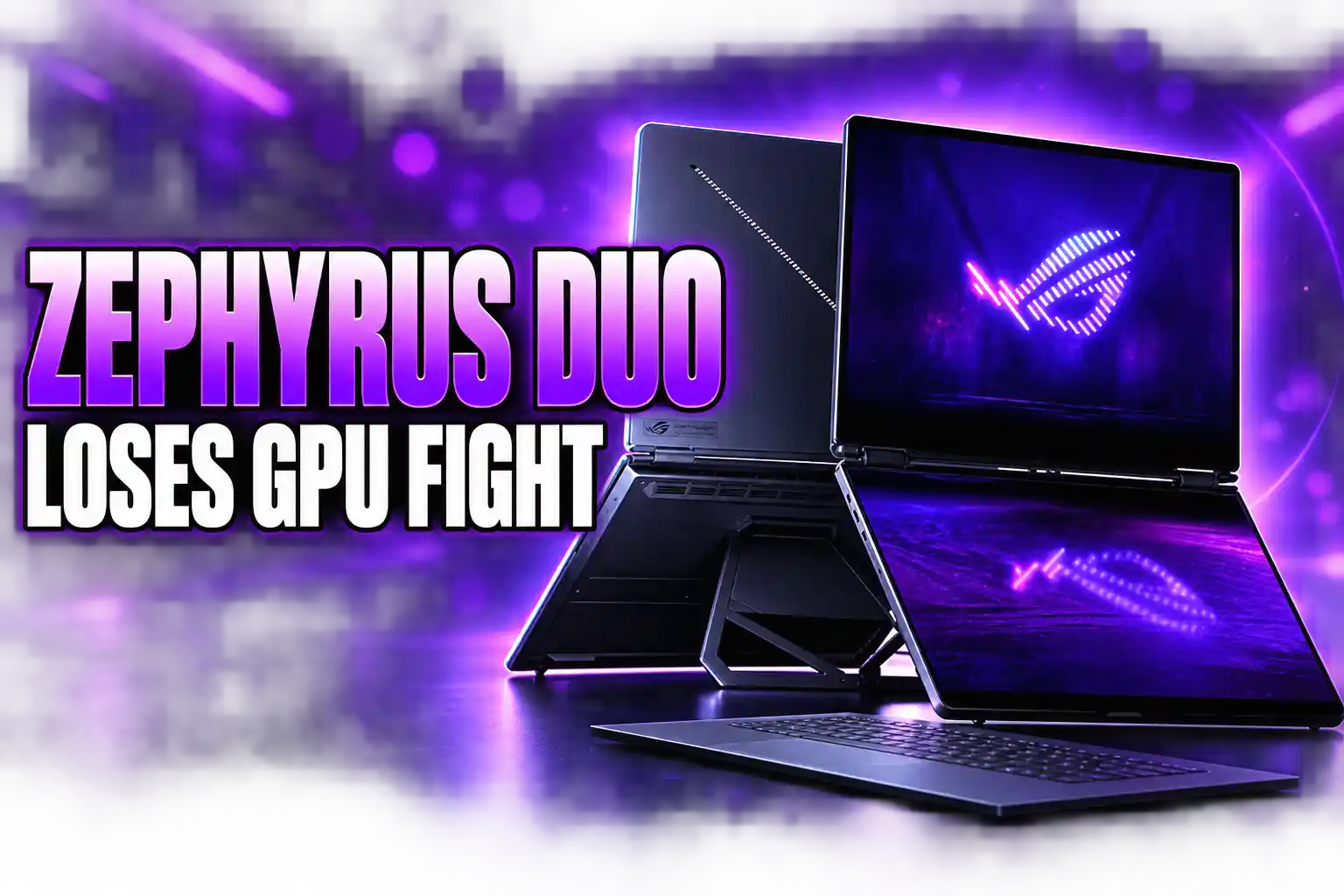
Two Full OLEDs and a Keyboard That Unclips
Older Zephyrus Duo models hid a short ScreenPad under the keyboard. This GX651 uses two full 16-inch 3K OLEDs at 2880 x 1800, 0.2ms, and 120Hz, with stylus support and an anti-reflection coating. Dual-Screen Mode, with the keyboard off, is what ASUS describes as more than a 21-inch workspace. G-SYNC is on the main panel.
A 90-degree kickstand and a 320-degree hinge are what make the chassis a convertible rather than a thick clamshell. ASUS ScreenXpert handles the layouts. The January 6, 2026 press release listed five dedicated operation modes, and the shipping machine still uses that set.
THE FIVE WAYS THE HINGE FOLDS
- Laptop Mode: keyboard on the lower panel, a normal 16-inch notebook that charges the deck in place.
- Dual-Screen Mode: keyboard off, kickstand out, two landscape OLEDs stacked with no dongle.
- Book Mode: both panels in portrait for long pages of code or a browser.
- Sharing Mode: the chassis laid flat at 180 degrees so each face can point at a different person.
- Tent Mode: an A-frame for two people on opposite sides, including mirrored play.
The keyboard is a 5.1mm magnetic deck with 1.7mm travel, one-zone RGB, and a larger touchpad than the old split layout. Pull it off and it talks over Bluetooth. Leave it docked and it charges from the lower glass. Aura Sync on that deck only runs through the pogo pins, so the light show is a docked trick, not a wireless one.
Featuring a patented hinge design, the ROG Zephyrus Duo is built to seamlessly adapt to every scenario and workflow 👇
✅ Dual-Screen Mode
✅ Laptop Mode
✅ Sharing Mode
✅ Book Mode
✅ Tent Mode pic.twitter.com/jCB9Yk2g6h— ROG Global (@ASUS_ROG) May 12, 2026
ROG Global’s own product copy now sells this as a portable workstation, which is the honest read of two 16-inch OLEDs. The Slash Lighting bar on the Stellar Grey CNC aluminum lid has 35 zones and 15 stock animations. It looks like a halo gaming box. The hinge is doing creator work.
ASUS Caps the Duo’s 5090 at 150 Watts
Inside is an Intel Core Ultra 9 386H, a 16-core, 16-thread Panther Lake chip at 2.1 GHz, boosting to 4.9 GHz, with 18MB of cache and an NPU rated up to 50 TOPS. The discrete GPU is an NVIDIA GeForce RTX 5090 Laptop with 24GB of GDDR7. ROG’s current product page lists a max TGP of 150W in Manual mode with Dynamic Boost, plus DLSS 4 and fourth-gen ray tracing.
Harness the raw power of up to an NVIDIA GeForce RTX 5090 Laptop GPU with a max TGP of 150W.
ASUS Republic of Gamers, Zephyrus Duo product page
The G16 on the same Philippine list is the 160W machine. Ten watts is not a rounding error on a 50-series laptop chip; it is why thinner 5090 notebooks keep beating this one in straight GPU runs. The Duo also weighs 2.82 kg on the spec sheet and stands 1.99 to 2.49 cm thick. The G16 is 1.49 cm and 1.85 kg in the Philippine write-up. Same battery capacity, two extra OLEDs, and a heavier vapor-chamber chassis.
Cooling is a custom vapor chamber, liquid metal on the CPU, dual fans, and a graphite film between the board and the lower panel, because this body has no keyboard intake once the deck is off. A 250W brick feeds the wall port. USB-C power delivery is there for lighter work. Memory is 64GB of LPDDR5X-8533 soldered on the board. Storage is a 2TB PCIe 5.0 SSD, with a second M.2 bay behind a magnetic door.
Battery life and fan noise with both OLEDs lit and the 5090 loaded are still the practical tax. Two 3K panels draw power even when the GPU is asleep, and the 90Wh pack is the same size as the single-screen G16. This is a desk convertible that happens to close like a laptop.
What the G16 and G14 Cost in the Philippines
The June 24, 2026 list is a five-SKU stack, all on the Intel Core Ultra 9 386H, all with Slash Lighting, all sold through authorized retailers. The Duo is the only dual-screen SKU. Everything under it is a conventional clamshell with a better travel pitch.
2026 ZEPHYRUS PHILIPPINE SRPS
| Model | Display | GPU, RAM, SSD | Introductory SRP |
|---|---|---|---|
| Zephyrus Duo GX651AX-SR071WSM | Dual 16-inch 3K 120Hz OLED | RTX 5090, 64GB, 2TB | ₱559,995 |
| Zephyrus G16 GU606AX-TB084WSM | 16-inch 2.5K 240Hz OLED | RTX 5090, 32GB, 2TB | ₱429,995 |
| Zephyrus G16 GU606AR-TB061WSM | 16-inch 2.5K 240Hz OLED | RTX 5070 Ti, 32GB, 1TB | ₱289,995 |
| Zephyrus G14 GU405AW-SY069WSM | 14-inch 3K 120Hz OLED | RTX 5080, 32GB, 1TB | ₱324,995 |
| Zephyrus G14 GU405AP-SY057WSM | 14-inch 3K 120Hz OLED | RTX 5070, 16GB, 1TB | ₱224,995 |
The G16 5090 is the value flagship on that table. It keeps a 240Hz 2.5K OLED, NVIDIA G-SYNC, and VESA DisplayHDR True Black, with Tri-Fan cooling, liquid metal, and what ASUS Philippines calls a 50% increase in ventilation area. The company quotes 22 hours of video playback and 14.7 hours of web browsing on the 90Wh cell, with a 0 to 50% charge in 30 minutes. Those are ASUS test numbers, not a third-party rundown, and they still beat the math of two 16-inch OLEDs on the same cell.
The G14 is the travel machine. ASUS Philippines lists it at 1.5 kg and 1.59 cm, with a 14-inch 3K 120Hz Nebula HDR OLED, True Black 1000, and up to an RTX 5080 at 130W TGP. The ₱324,995 5080 model has 32GB and 1TB. The ₱224,995 5070 model has 16GB and 1TB, both in Platinum White. Thicker heat pipes, 137 copper fins at 0.1mm, and a 26% ventilation bump are the cooling story on that chassis. AMD Ryzen G14 units, the GA403GM and GA403UH, remain on the local roster beside these Intel SKUs.
The Second Screen Earns Its Keep on Streams
A ₱559,995 gaming laptop that loses GPU watts only makes sense if the second OLED is the product. For a LAN bag, it is a poor trade: 2.82 kg, a 250W brick, and a 150W 5090 against a 1.85 kg G16 that is allowed 160W. For a streamer, editor, or coder who already lives on two monitors, the Duo is a dual-screen desk that folds.
The lower panel is where chat, OBS, Discord, and a DAW sit while the game or timeline stays on the 3K main screen. Tent Mode is a two-person review surface. Book Mode is a tall code column. Sharing Mode is a 180-degree standup for a client on the other side of a table. None of that needs a second 240Hz panel. It needs two accurate OLEDs, Delta E under 1, and a keyboard you can park out of the glass.
ROG’s own social copy has already slid from “gaming halo” toward “portable workstation built for the way you actually work.” That line fits the hardware. The 64GB ceiling, soldered, is tight for heavy local models, and the 386H is a 16-thread H-class chip, not an HX part. Creators who need more than 64GB still buy a desktop. Creators who need two 16-inch OLEDs in a backpack do not have another 5090 option on this list.
A Pen, a Backpack, and Three Years of Cover
The Philippine Duo carton is heavier on accessories than the G16 and G14 boxes. ASUS bundles the ASUS Pen 3.0, an ROG Universal Backpack, and an ROG Gladius III mouse. The G16 and G14 get an ROG sleeve and a Strix Impact mouse. Every 2026 Zephyrus on the June list also carries three months of PC Game Pass, a year of Microsoft 365 Basic with 100GB of cloud storage, an Office 2024 lifetime license, and up to 700GB of ASUS cloud storage.
The service stack is the ASUS No. 1 Quality and Service Program: a three-year international and local warranty, one year of local accidental damage protection, and up to six claims under Premium Care. At ₱559,995, that three-year window is part of the product. The ROG Slash Backpack 4.0 and Slash Sling Bag 4.0 reached select ROG Stores in July 2026 as a separate buy, not an in-box extra for the G16 and G14.
Ports on the Duo are two Thunderbolt 4 jacks with DisplayPort and power delivery, two USB-A 3.2 Gen 2 ports, HDMI 2.1, an SD UHS-II reader, a 3.5mm combo jack, and an XG Mobile GC34 connector. Wi-Fi 7 and Bluetooth 6.0 handle the wireless side. Audio is four woofers and two tweeters with Dolby Atmos. The webcam is 1080p with IR for Windows Hello. It is a full desktop I/O set on a convertible that still needs a desk when both screens are open.
The G16 at ₱429,995 remains the 5090 you buy to play games in the Philippines. The Duo at ₱559,995 is the 5090 you buy when the second 16-inch OLED is the reason for the invoice.
Frequently Asked Questions
Can You Upgrade the 64GB Memory on the Zephyrus Duo 2026?
No. ROG solders 64GB of LPDDR5X-8533 onto the board and lists no memory slot, so 64GB is the ceiling. Storage is the part you can still grow: a second M.2 bay sits behind a magnetic door, and that extra slot is limited to PCIe Gen 4 x4 because of lane count, while the factory 2TB drive is PCIe 5.0.
Does G-SYNC Work on Both OLED Panels?
G-SYNC is supported on the main panel only. Both 16-inch OLEDs share the 3K 120Hz touch spec, 0.2ms response, and 1,100-nit HDR peak, and both take a stylus, but variable refresh is tied to the primary screen. The lower panel still runs as a full desktop display for chat, timelines, and tools.
Which Zephyrus Duo Configuration Is Sold in the Philippines?
Authorized Philippine retailers list one SKU, GX651AX-SR071WSM, with the RTX 5090, 64GB, 2TB, and Stellar Grey at ₱559,995. Other regions also catalog an RTX 5070 Ti Duo with 12GB of GDDR7. That cheaper GPU option is not on the June 24, 2026 ASUS Philippines price table.
Are the AMD Zephyrus G14 Models Still on Sale Locally?
Yes. ASUS Philippines says the Zephyrus G14 GA403GM and GA403UH with AMD Ryzen processors remain available beside the new Intel GU405 units. The Intel G14 prices on the 2026 list start at ₱224,995 for the RTX 5070 and ₱324,995 for the RTX 5080, both in Platinum White with an ROG sleeve in the box.

Instagram Plus Tests a Read-Only Mode That Cuts Stories

Altman Asks the Public to Accept Some AI Harm

Google Freezes OSS VRP Product Reports After AI Flood

AI Agents Make Payment Rails the Scarce Prize

Turkey’s Crypto Boom Now Runs Through Three Banks

Fable 5 Came Back Under a Commerce On-Off Switch

Google’s SpaceX GPU Lease Has a Sept. 30 Deadline

Plasma One’s XPL Locks Face a 1.81 Billion Cliff

DGO’s Rs 549 World Cup Pass Cost Fans Sleep and Data

Moonshot AI’s $30 Billion Ask Became a $35 Billion Close
-
 AI4 months ago
Fable 5 Came Back Under a Commerce On-Off Switch
-
 AI4 months ago
Google’s SpaceX GPU Lease Has a Sept. 30 Deadline
-
 CRYPTO4 months ago
Plasma One’s XPL Locks Face a 1.81 Billion Cliff
-
 APPS4 months ago
DGO’s Rs 549 World Cup Pass Cost Fans Sleep and Data
-
 AI4 months ago
Moonshot AI’s $30 Billion Ask Became a $35 Billion Close
-

 NEWS4 months ago
ColorOS 17 Device List Spans Oppo, OnePlus and Realme
-

 GAMING4 months ago
Xbox Cuts 3,200 Jobs After Five Years of Thin Returns
-

 GAMING4 months ago
The RTX 4050 Under Rs 70,000 Hides a Wattage Gap