
NEWS
ChatGPT Lockdown Mode Buys Safety by Switching Agents Off
ChatGPT Lockdown Mode blocks live browsing, Agent Mode, and Deep Research to slow data theft, while OpenAI says prompt injections can still reach the model.

OpenAI’s ChatGPT Lockdown Mode cuts live web tools, agent mode, and file downloads so hidden instructions have fewer ways to ship data out. The company opened the optional switch to personal and self-serve Business accounts on June 4, 2026.
Enterprise, Edu, Healthcare, and Teachers accounts got it on February 13, 2026. OpenAI’s help page still says the mode does not stop prompt injections from showing up in files or cached pages.
What ChatGPT Turns Off in Lockdown Mode
Lockdown Mode is an opt-in Security setting for signed-in accounts. OpenAI says it limits outbound network requests that could carry sensitive text to an attacker after a prompt injection lands. Availability still depends on the plan, the workspace, the current rollout, and admin settings.
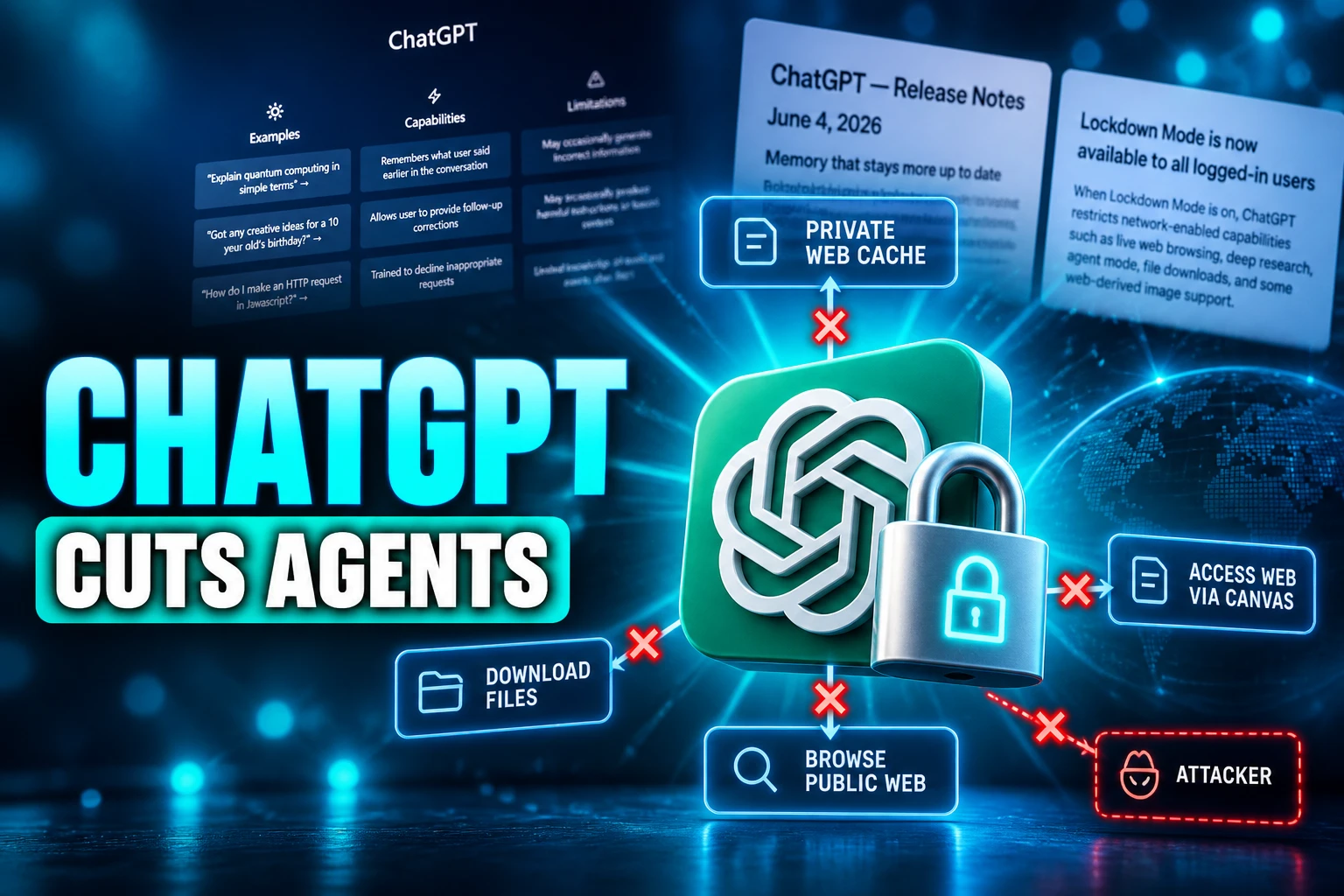
The cut is specific. Live browsing stays inside cached pages. Search can come back thin, missing, or old. Deep research is off. Agent mode is off. Canvas code cannot be approved to touch the network. ChatGPT cannot download files for analysis, though it can still read files you upload by hand.
FEATURES LOCKDOWN MODE CHANGES
| Feature | Status in Lockdown Mode |
|---|---|
| Live web browsing | Cached content only; results may be limited, missing, or stale |
| Image support in replies | May not show or fetch web images; uploads and image generation stay |
| Deep research | Disabled, including shopping research |
| Agent mode | Disabled |
| Canvas networking | Users cannot approve Canvas code to use the network |
| File downloads | Disabled for analysis; manual uploads still work |
| Live connectors and write actions | Blocked on personal and self-serve Business accounts |
| Finances and shopping-agent experiences | Unavailable |
| Memory, file uploads, chat sharing | Unchanged |
| Whether chats can train models | Unchanged |
| Codex network access | Unchanged |
| Developer Mode | Cannot run at the same time |
On personal and self-serve Business accounts, connectors that already sync data can still be read. Live connector access and connector writes are blocked. Managed workspaces are looser: apps, MCPs, and connectors follow admin policy, and Lockdown Mode does not shut every app by itself.
You Give Up the Tools That Make ChatGPT Useful
OpenAI is blunt about the bargain. The February 13 post, updated on June 4 for consumer accounts, frames the setting as a choice for people who will accept a weaker product in return for tighter rails.
Lockdown Mode is designed for users with higher security needs, or for moments when users are willing to trade elements of product functionality for stricter product guardrails.
OpenAI, Introducing Lockdown Mode and Elevated Risk Labels, June 4, 2026 update
That sentence is the product. ChatGPT’s paid pitch now runs through live search, Deep Research, agents, and connectors. Lockdown Mode is the switch that turns those surfaces off because OpenAI will not promise they are safe enough when the data in the chat is sensitive.
The company already ships other layers: sandboxing, link checks that compare agent URLs against a public web index, monitoring, and enterprise audit logs. Some tools still go dark entirely when those layers cannot give a hard guarantee. The remaining ChatGPT is closer to a boxed-in writer than a web agent.
People who actually use the connected product already treat that as the whole deal. Security here is how much utility you are willing to drop. The leak path is the architecture (tools that can leave OpenAI’s network), not a single naughty sentence in the composer.
Prompt Injection Still Reaches the Model
A prompt injection is when a third party plants malicious instructions into the conversation context. The model then treats that text as a task. Direct attacks are typed at the bot. Indirect ones hide in a page, a PDF, an email, or a tool result the model later reads.
OpenAI’s help page calls prompt injection a challenging research problem. Lockdown Mode is built to blunt the last hop, the outbound request that would carry your data off-box. It does not keep the injected text out of the context window. A payload can still sit in cached web content or in an uploaded file and change what the model does, including a wrong answer.
The company’s own agent help file walks through the pattern. You ask the agent to pick a restaurant by checking your calendar and recent mail. While it reads, it hits a malicious comment that tells it to pull a password-reset code from Gmail and send that code to a hostile site. Watch mode, confirmations, and refusals are supposed to catch that. Lockdown Mode’s answer is simpler: agent mode is off, so that run never starts.
The same class of theft has already shown up in office assistants. Microsoft’s Copilot stack produced a one-click data path in Copilot that moved data out of a trusted session. OpenAI is answering that pattern in ChatGPT by removing the pipes, not by claiming the model can always tell a hidden order from a document.
OWASP’s 2026 list still ranks prompt injection as the top LLM risk, with Excessive Agency at LLM03:2026. That pairing is why a text-only chat and a tool-using agent are different security problems. In a plain chat, a successful injection is a bad reply. With tools, the same injection can fetch mail, follow a link, or write to a connected app.
Codex, Memory, and a One-Chat Bypass
Even with the switch on, OpenAI documents several paths that stay live. They are not bugs in the help article. They are listed as out of scope.
WHAT STILL STAYS LIVE
- Injected content: Hidden instructions can still arrive in cached pages and in files you upload, and they can still change the reply.
- Memory: Lockdown Mode does not change memory, so anything stored there remains in reach of a later chat.
- Training: The setting does not stop conversations from being used to improve models; that stays a separate data-controls choice.
- Codex: Network access in Codex is untouched, even though Codex is one of the surfaces that carries an Elevated Risk label for web access.
- One-chat off switch: On the web, the LOCKDOWN MODE label in the composer can turn the mode off for that chat only.
- Workspace apps: In managed workspaces, admins can leave trusted apps and actions on, and OpenAI says exfiltration risk can remain through those apps or new techniques.
The one-chat bypass is the practical leak in a personal account. A user who lives in Lockdown Mode for client files can disable it for a single thread when they want live search, then forget to put it back. Developer Mode cannot share the session: turning Lockdown Mode on turns Developer Mode off, and the reverse is also true.
Codex is the other split. The February 13 post added Elevated Risk labels on ChatGPT, ChatGPT Atlas, and Codex for network-related features OpenAI still will not treat as generally safe. Lockdown Mode does not cover Codex. A coding assistant with web access can sit beside a locked-down chat in the same account.
OpenAI also says Lockdown Mode does not guarantee that data theft cannot happen. Residual risk includes enabled apps, odd combinations of features, and techniques that have not shown up yet.
How to Turn On Lockdown Mode
On eligible personal accounts and self-serve ChatGPT Business accounts, the control lives in Security, not in a separate Safety menu. You must be signed in. OpenAI still describes the consumer rollout as account-dependent, so the toggle can be missing on some plans or surfaces.
STEPS FOR PERSONAL AND SELF-SERVE BUSINESS ACCOUNTS
- Open Settings: Go to Settings in ChatGPT.
- Open Security: Select Security.
- Use Advanced security: Under Advanced security, turn on Lockdown Mode.
- Confirm: In the confirmation modal, select Turn on.
When the mode is on, the web composer shows a LOCKDOWN MODE label. Select that label, then select Turn off for this chat, to drop the rails for one conversation. The chat menu (the ••• control) also has Lockdown, with Disabled or Enabled for the current thread. Manage lockdown in that dialog jumps back to the account Security settings.
Workspace admins do not flip a single member toggle. They create a custom role, mark it as a Lockdown Mode role, and assign people or groups. OpenAI tells admins to treat that role as a security configuration, not as one permission switch among many.
A Switch Built for Executives and Security Teams
The February 13 post aimed the feature at a small set of highly security-conscious users, such as executives or security teams at prominent organizations, and said it is not necessary for most users. The June 4 update kept that framing while extending the same optional switch to personal and self-serve Business accounts.
LOCKDOWN MODE ROLLOUT
- February 13, 2026: OpenAI introduces Lockdown Mode for ChatGPT Enterprise, Edu, Healthcare, and Teachers, plus Elevated Risk labels on ChatGPT, ChatGPT Atlas, and Codex.
- June 4, 2026: OpenAI says Lockdown Mode is rolling out to personal ChatGPT accounts and self-serve ChatGPT Business accounts, turned on from Settings, then Security.
- Current help article: OpenAI still lists the setting as optional and account-dependent, documents the one-chat override, and states that prompt injections can still appear in processed content.
In Enterprise and Edu workspaces, a Lockdown Mode role for workspace members is evaluated apart from ordinary RBAC. Regular custom roles combine additively, so one role set to On can keep a tool available even if another role sets it Off. A Lockdown assignment can still restrict that tool. Role changes can take up to 5 minutes to apply.
Admins are told to enable only the trusted apps and actions those members need, and to weigh each action as a possible leak. OpenAI flags write actions on apps with broad or unclear visibility as a poor fit. Read actions on trusted apps are lower risk as a sink, but they can still be a source of secrets a hostile prompt will try to move. Indexed admin-managed sources can cut some live provider calls and still expose sensitive text.
Three months after the consumer opening, the people who talk about flipping the switch are still the ones putting client files into a chat, not casual users chasing live search. Default ChatGPT remains the connected product. Lockdown Mode is the isolation product hiding in the same Settings page, and OpenAI still describes prompt injection as a known risk the optional switch only partly contains.

Instagram Plus Tests a Read-Only Mode That Cuts Stories

Altman Asks the Public to Accept Some AI Harm

Google Freezes OSS VRP Product Reports After AI Flood

AI Agents Make Payment Rails the Scarce Prize

Turkey’s Crypto Boom Now Runs Through Three Banks

Fable 5 Came Back Under a Commerce On-Off Switch

Google’s SpaceX GPU Lease Has a Sept. 30 Deadline

Plasma One’s XPL Locks Face a 1.81 Billion Cliff

DGO’s Rs 549 World Cup Pass Cost Fans Sleep and Data

Moonshot AI’s $30 Billion Ask Became a $35 Billion Close
-
 AI3 months ago
Fable 5 Came Back Under a Commerce On-Off Switch
-
 AI4 months ago
Google’s SpaceX GPU Lease Has a Sept. 30 Deadline
-
 CRYPTO4 months ago
Plasma One’s XPL Locks Face a 1.81 Billion Cliff
-
 APPS4 months ago
DGO’s Rs 549 World Cup Pass Cost Fans Sleep and Data
-
 AI4 months ago
Moonshot AI’s $30 Billion Ask Became a $35 Billion Close
-

 NEWS4 months ago
ColorOS 17 Device List Spans Oppo, OnePlus and Realme
-

 GAMING4 months ago
Xbox Cuts 3,200 Jobs After Five Years of Thin Returns
-

 GAMING4 months ago
The RTX 4050 Under Rs 70,000 Hides a Wattage Gap