
AI
Gemma 4 12B Reaches the Mac With a 16GB Catch
Gemma 4 12B runs locally on macOS, but Google’s own 16GB Air benchmark is 15 tokens per second, and Gallery still lists only Google models.

Google’s Gemma 4 12B now runs on macOS through AI Edge Gallery, Eloquent, and LiteRT-LM, on machines Google pegs at 16GB of unified memory.
On a MacBook Air M4 with that 16GB floor, Google’s own LiteRT card lists 15 tokens per second and 9.13 seconds to the first token.
Google Parked Gemma 4 12B on Apple Silicon
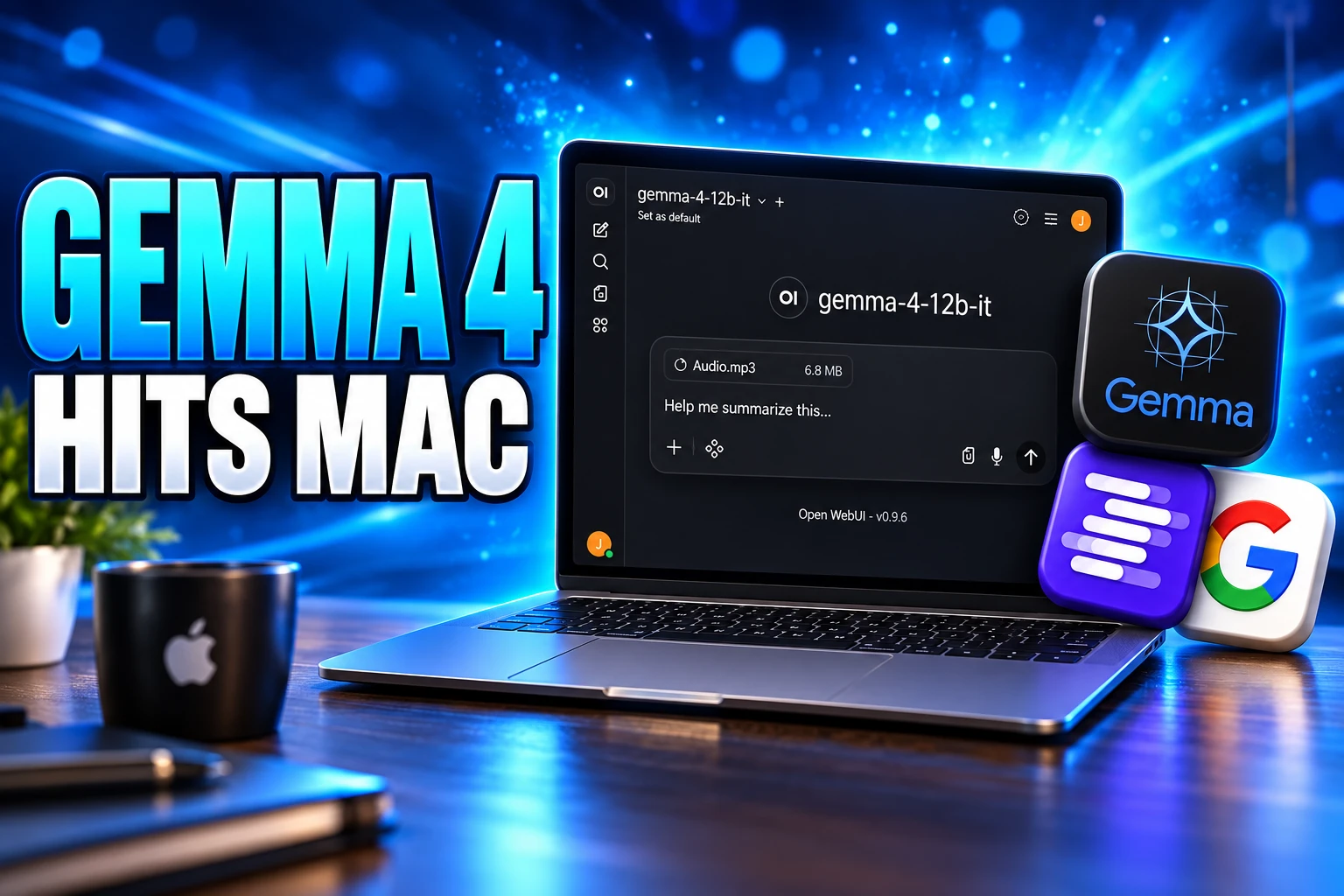
On June 3, 2026, Google DeepMind released Gemma 4 12B as a dense, encoder-free multimodal model and, on the same day, put a macOS build of Google AI Edge Gallery next to it. Olivier Lacombe, director of product management at Google DeepMind, and Gus Martins, a product manager there, wrote that the model is meant to bring agentic multimodal intelligence to laptops, sitting between the edge-friendly E4B and the larger 26B mixture-of-experts model.
The Gallery, Eloquent, and LiteRT-LM on Mac drop was the consumer face of that bet. Gallery, already on Android and iOS, gained a Mac app that can generate and run Python for local data work. Google AI Edge Eloquent, the dictation app that first showed up on iPhone on April 6, 2026, arrived on the desktop with Voice Edit. LiteRT-LM, the runtime behind Gallery, added a serve command that exposes an OpenAI-compatible local endpoint.
Google also pointed builders at LM Studio, Ollama, llama.cpp, MLX, Hugging Face, and Kaggle. The company is selling on-device Gemma while handing the same weights to the Mac tools people already use to avoid Google’s servers.
Laptop ready: Small enough to run locally with just 16GB of VRAM or unified memory.
Olivier Lacombe and Gus Martins, Google DeepMind, Introducing Gemma 4 12B
The official Gemma account posted the same floor the day of the launch.
Meet Gemma 4 12B!
A unified, encoder-free multimodal model designed to bring high-performance intelligence directly to your laptop, and released under an Apache 2.0 license.
Bridging the gap between edge efficiency and advanced reasoning. Here is what’s new with Gemma 4 12B: 👇 pic.twitter.com/gf4FZv0WZb
— Google Gemma (@googlegemma) June 3, 2026
The weights are Apache 2.0. Lacombe and Martins said Gemma 4 models had crossed 150 million downloads, a family tally, not a 12B count. Prince Canuma, who maintains mlx-vlm, said his team had already optimized the dense unified model for Apple silicon the same afternoon, which is the path a lot of Mac owners will actually take.
The 16GB Laptop Claim Has a Speed Limit
The 16GB line is doing two jobs at once. Full 16-bit weights for the 12B need 26.7 GB, per Google’s own planning table, so a 16GB machine is running a quantized build, not the fat checkpoint. That still fits. It does not mean the Air Google is aiming at feels fast.
The LiteRT Community card for gemma-4-12B-it.litertlm, which needs LiteRT-LM v0.17 or later, benches 1,024 prefill tokens and 256 decode tokens at a 4,096-token context. The packaged file is 6,883 MB on disk. Time to first token excludes load time.
GEMMA 4 12B ON LITE-RT GPU
| Machine | Prefill (tok/s) | Decode (tok/s) | Time to first token | GPU memory |
|---|---|---|---|---|
| MacBook Air M4, 16GB | 114 | 15 | 9.13 sec | ~7,900 MB |
| MacBook M4 Pro, 48GB | 297 | 29 | 3.48 sec | ~7,870 MB |
| GeForce RTX 4090, 24GB | 3,548 | 69 | 0.3 sec | ~7,790 MB |
The MacBook Air M4 16GB benchmark is the honest reading of Google’s laptop pitch. Decode on that Air is 15 tokens per second, versus 29 on the M4 Pro 48GB and 69 on a 24GB RTX 4090. First token takes 9.13 seconds on the Air and 3.48 seconds on the Pro. GPU memory sits near 7,900 MB on the 16GB machine, so the model fits and the rest of macOS has to share what is left.
That matches what shows up when people load the same 12B in LM Studio on an M4 Air with 16GB: generation that technically runs, and feels stuck. Informal RAM charts that put Gemma 4 12B at 24GB and up are describing comfort, not the minimum Google printed. Google’s blog still calls the model small enough for 16GB of VRAM or unified memory.
A Windows RTX 5080 with 16GB, on the same card, hits 50 decode tokens per second and 2.5 seconds to first token, which is the other way the 16GB floor can look when the GPU is discrete and fat. Apple’s unified pool is the harder case, and it is the case Google chose for the Mac launch.
Five Google Models Inside the Mac Gallery
Gallery on Mac is a showcase, not a model manager. At launch it listed five Google instruct builds, tagged it for instruction following:
MODELS IN THE MACOS GALLERY AT LAUNCH
- Gemma-4-12B-it: The new laptop-class multimodal model, the reason the Mac app exists.
- Gemma-4-E2B-it: The small effective-2B edge build, also used in Google’s mobile LiteRT benches.
- Gemma-4-E4B-it: The effective-4B sibling, aimed at phones and lighter laptops.
- Gemma-3n-E2B-it: A previous-generation edge instruct checkpoint kept in the catalog.
- Gemma-3n-E4B-it: The larger 3n instruct build, still offered beside the Gemma 4 pair.
Ollama and LM Studio will load whatever fits the machine. Gallery will not. Google’s own launch post still sends you to those apps, plus llama.cpp and MLX, which is an odd way to launch a first-party Mac client: ship a walled demo, then admit the open stack is where work happens.
The useful Mac feature inside Gallery is the sandboxed Python loop. The Edge team’s demo asked the 12B to write a program that charts the top 10 girls’ names for 2024 versus 2025 from two local text files, then run the script and draw the PNG on the machine. That is a local agent in an app folder, and it is still a Gemma-only folder.
Eloquent’s Offline Dictation Meets Gemini on the Desktop
Eloquent is the piece a non-developer will open twice. The Google AI Edge team says the macOS build runs 100% on-device across the whole feature set, with a customizable hotkey that dumps cleaned speech into any Mac app, plus local transcription of audio and video files. It strips filler, patches mid-sentence self-corrections, and lets you pick a writing style and a custom dictionary for names and jargon.
Voice Edit is the 12B-specific add. You highlight text and speak a rewrite.
For example, you can highlight a paragraph and say, “restructure these notes into an executive summary”, or “translate this into Hindi”. With Gemma 4 12B, we see a huge step up to prior models with superior instruction following, stricter scope adherence, and a 60%+ jump in overall quality.
Google AI Edge Team, Bringing Gemma 4 12B to your Laptop
That Voice Edit on the Mac desktop pitch is the cleanest privacy story Google has on Apple hardware, because the audio never needs a Gemini round trip. The iOS app, months earlier, still offered an optional cloud Gemini cleanup toggle. The Mac writeup does not.
On July 29, 2026, Google’s Gemini app for macOS shipped its own system-wide dictation, stripping “umm” and “ah,” fixing mid-sentence corrections, and pasting polished text at the cursor, with an optional screen-aware mode that needs Gemini reasoning turned on. Two Google Mac products now sell the same cleaned-speech trick: one that boasts it never leaves the device, and one that lives next to the cloud assistant. Eloquent remains the local one. It is also still an Apple-platform app, with no Windows build from Google.
Why the 12B Skips Separate Vision Encoders
Gemma 4 12B is the unified member of the family. The model card lists 11.95 billion parameters across 48 layers. Other Gemma 4 sizes keep separate vision and audio towers; this one projects raw image patches and audio into the same token space as text through light linear layers, which is how Google keeps multimodal work inside a laptop memory budget.
12B ARCHITECTURE SNAPSHOT
- Vision path: A 35 million parameter embedding module, one matrix multiply plus positional data, in place of a full vision encoder.
- Audio path: Native on E2B, E4B, and 12B only; 31B stays text and image.
- Context: 256K in the architecture; LiteRT-LM caps the packaged 12B at 128k on machines with enough memory, and the public benches use 4,096.
- License: Apache 2.0, so the same weights that power Gallery also power GGUF forks Google does not ship.
The Gemma 4 inference memory table is the other half of the 16GB story. Approximate GPU or TPU load for the 12B is 26.7 GB at BF16, 13.4 GB at SFP8, and 6.7 GB at Q4_0, with about 20% extra for runtime overhead, and none of that includes the KV cache as the context grows. The 6,883 MB LiteRT file is a packaged runtime artifact, not a second measurement of that 6.7 GB Q4_0 line.
Google says 12B benchmark scores near the 26B MoE at less than half the memory. That “less than half” holds on the table: 26.7 GB versus 57.7 GB at BF16. Multi-token prediction drafters ship with the 12B. LiteRT’s Gemma 4 page, updated in early September, cites up to 2.2x decode on mobile GPUs and 1.5x on mobile CPUs, with extra lift on SME hardware such as M4 MacBooks. Those multipliers are not the Air’s 15 tokens per second.
How to Run Gemma 4 12B on a Mac
Gallery is the no-terminal tour of five Google instruct models. LM Studio and Ollama are how most local users will actually load a 12B quant. MLX is the Apple-silicon native stack Canuma wired up on launch day. LiteRT-LM serve is Google’s answer for people who want Continue, Aider, or Open WebUI pointed at a local endpoint instead of an API key.
FROM THE JUNE LAUNCH TO THE AIR CARD
- June 3, 2026: Gemma 4 12B ships with Gallery for macOS, Eloquent for Mac, and the LiteRT-LM serve command.
- July 5, 2026: A LiteRT-LM issue describes the 12B instruct build emitting long runs of a single token on the macOS GPU path, while E2B on the same machine stays coherent.
- July 29, 2026: Gemini for macOS adds system-wide dictation that overlaps Eloquent’s cleaned-speech pitch.
The July 5 filing is a bug report, not a verdict on every Mac. It is specific to the 12B LiteRT build on that GPU backend, and it is the kind of seam you get when the headline model is also the new conversion. Smaller Gemma 4 edge builds are the ones Google still prints fat speed tables for, including E2B at 160 GPU decode tokens per second on a MacBook Pro M4.
The LiteRT-LM 12B card listed 13,580 downloads in the prior month, which is a community runtime, not Gallery’s App Store rank. Apache 2.0 is why those files multiply. A week after launch, independent weights advertised a 0% refusal fine-tune of the same 12B, which is the predictable cost of the license Google chose when it said the model should live on your laptop.
So the Mac kit is real, and the 16GB Air will load it. Google’s own numbers say that load comes back at 15 tokens per second and 9.13 seconds to the first token, while the app in the Applications folder still only speaks Gemma.
Frequently Asked Questions
How much RAM does Gemma 4 12B need on a Mac?
Google’s planning table is for weights only: 6.7 GB at Q4_0, 13.4 GB at 8-bit, 26.7 GB at 16-bit, plus about 20% runtime overhead, and then more for the KV cache as prompts get long. The LiteRT-LM 12B file is 6,883 MB, and the Air 16GB GPU run sits near 7,900 MB, which is why 16GB is a floor that fits a quantized chat loop and starts to hurt once you open a long document beside it.
Is Google AI Edge Eloquent free, and does it work offline?
Yes. Google publishes Eloquent at no charge. The iOS listing has been a 137.2 MB Google LLC download that then pulls a Gemma speech model on first launch; the Mac app is the desktop sibling of that product. Google’s June 3 Mac writeup says the desktop feature set, including Voice Edit and file transcription, stays on-device after those models are present.
Can I use Gemma 4 12B in a commercial product?
The release is Apache 2.0, and Google’s Gemma docs say the open weights permit responsible commercial use, including tuning and deploying the model in your own apps. That is a wider door than a research-only license, and it is also why third-party GGUF and MLX builds do not need a Google API key.
What does the LiteRT-LM serve command do?
It turns the CLI into a local server with an industry-style chat endpoint, so tools that already speak OpenAI’s HTTP shape can point at the Mac instead of a cloud URL. The Edge team named Continue and Aider, plus Open WebUI-style front ends, as the drop-in targets when the backend is Gemma 4 12B.
Does Gemma 4 12B take audio input on a Mac?
Native audio is part of the 12B, E2B, and E4B cores. The developer guide describes raw 16 kHz audio sliced into 40 ms frames and projected into the same input space as text, with no separate audio encoder. The 31B dense model in the same family stays on text and image, so if you want on-device speech in this generation, you stay on 12B or smaller.

Instagram Plus Tests a Read-Only Mode That Cuts Stories

Altman Asks the Public to Accept Some AI Harm

Google Freezes OSS VRP Product Reports After AI Flood

AI Agents Make Payment Rails the Scarce Prize

Turkey’s Crypto Boom Now Runs Through Three Banks

Fable 5 Came Back Under a Commerce On-Off Switch

Google’s SpaceX GPU Lease Has a Sept. 30 Deadline

Plasma One’s XPL Locks Face a 1.81 Billion Cliff

DGO’s Rs 549 World Cup Pass Cost Fans Sleep and Data

Moonshot AI’s $30 Billion Ask Became a $35 Billion Close
-
 AI4 months ago
Fable 5 Came Back Under a Commerce On-Off Switch
-
 AI4 months ago
Google’s SpaceX GPU Lease Has a Sept. 30 Deadline
-
 CRYPTO4 months ago
Plasma One’s XPL Locks Face a 1.81 Billion Cliff
-
 APPS4 months ago
DGO’s Rs 549 World Cup Pass Cost Fans Sleep and Data
-
 AI4 months ago
Moonshot AI’s $30 Billion Ask Became a $35 Billion Close
-
 NEWS4 months ago
ColorOS 17 Device List Spans Oppo, OnePlus and Realme
-

 GAMING4 months ago
Xbox Cuts 3,200 Jobs After Five Years of Thin Returns
-
 GAMING4 months ago
The RTX 4050 Under Rs 70,000 Hides a Wattage Gap