
GADGETS
USB-C Unification Put 240 Watts on a Phone Plug
USB-C left 15W phone cables looking like 240W laptop cords, so an e-marker chip, not the plug, is the safety check.

USB-C now puts a 15W phone cable and a 240W laptop cable on the same plug, and only a hidden chip tells them apart. The oval connector on your earbuds, your phone, and a workstation is the same part, so the old visual cue is gone.
A compliant charger should refuse to push past 60W if that chip is missing. Cheap copper, a crushed plug, or a spoofed chip can still heat a port long before anyone talks about malware.
15 Watts or 240, Same USB-C Plug
The European Commission sold USB-C as one charger for everything. From December 28, 2024, new EU devices must support USB-C on phones, tablets, cameras, headphones, consoles, speakers, e-readers, keyboards, mice, sat-navs, and earbuds. Laptops joined on April 28, 2026.
The pitch was less junk in drawers. Discarded chargers account for about 11,000 tonnes of e-waste a year, and the Commission said shoppers could save about €250 million a year by skipping a new brick with every gadget. The Council had approved the common charger rules in October 2022.
The plug got simpler. The power did not. USB Power Delivery 3.1 added an Extended Power Range on top of the older 100W ceiling, with new fixed rails at 28 volts, 36 volts, and 48 volts. Texas Instruments tells engineers they can send 240W of power and 80Gbps of data down that one interface at the same time.
USB-C POWER LADDER
| Range | Voltage | Current | Max power | Cable the spec wants |
|---|---|---|---|---|
| SPR | 5V | 3A | 15W | Any USB-C cable |
| SPR | 20V | 3A | 60W | Any USB-C cable |
| SPR | 20V | 5A | 100W | 5A e-marked cable |
| EPR | 28V | 5A | 140W | 240W EPR cable |
| EPR | 36V | 5A | 180W | 240W EPR cable |
| EPR | 48V | 5A | 240W | 240W EPR cable |
A phone that sips 15W and a laptop that asks for 140W now share a receptacle. The cable in your pocket no longer announces which job it was built for, because both jobs use the same oval metal shell.
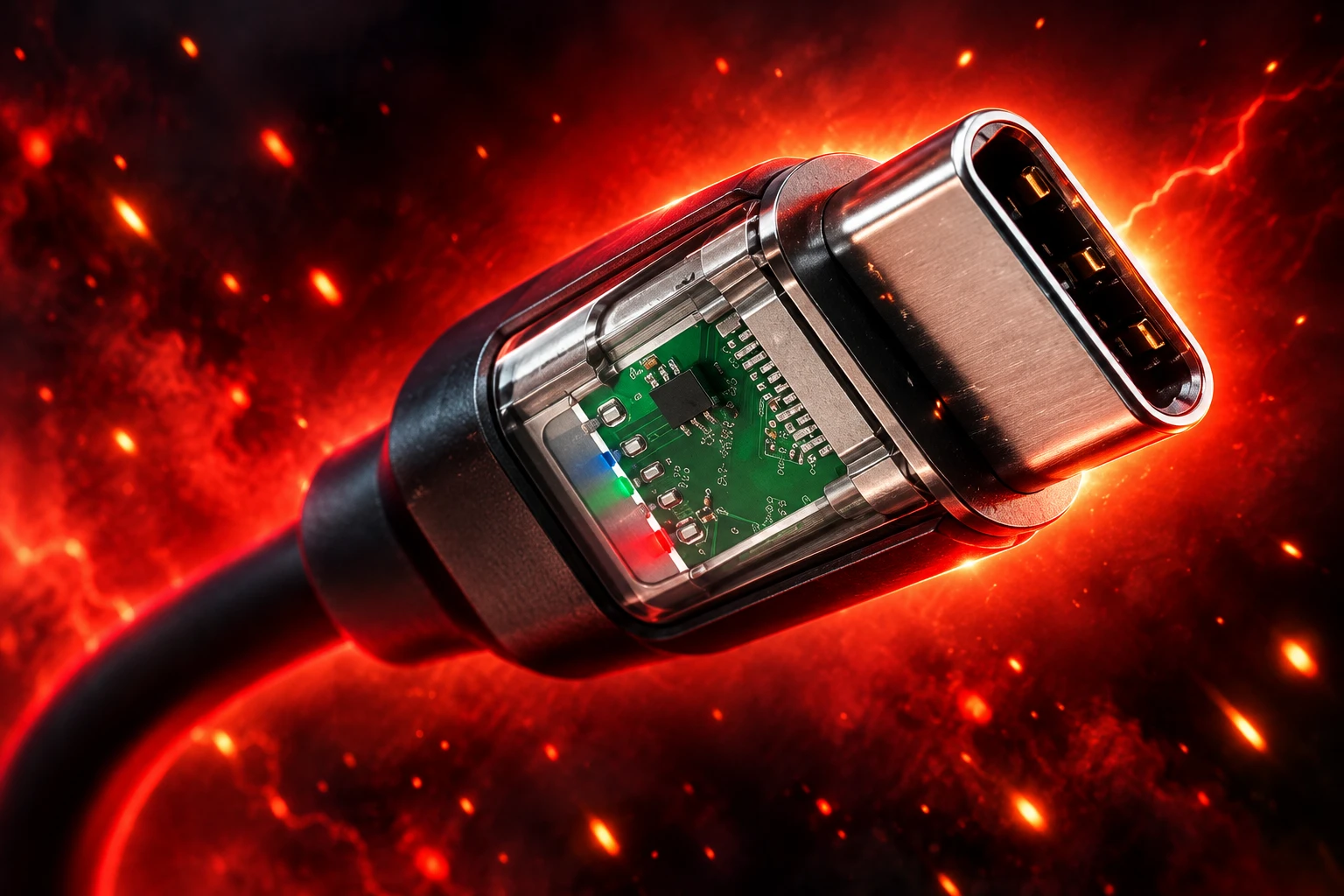
The E-Marker Chip Caps Unmarked Cables at 60W
The safety net is a controller the size of a rice grain, buried in the plug. People in the trade call it an e-marker. It talks to the charger and the phone on the Configuration Channel pin before any serious voltage moves, and it publishes what current, voltage, and data rate the cable can actually take.
E-MARKER, IN PLAIN TERMS
- Where it lives: Inside the USB-C overmold, powered from the VCONN pin at about a watt, so a passive-looking cord can still answer questions.
- When the spec requires it: Any cable meant for more than 3A, which is the 60W line at 20 volts, or for data faster than USB 2.0.
- What a missing chip does: Both ends assume the worst case and should stay at 60W and 480 Mbps, even if the brick and the laptop could do more.
- What a 240W chip adds: It declares 5A at the EPR voltages up to 48 volts. A 100W e-marker will not let the link climb past 100W.
That handshake is why a random USB-C to USB-C cord usually will not dump 48 volts into a phone. The cheap-cable problem at phone power is different. A cable with no chip is still allowed to run at 60W, and 60W through thin copper, a loose strain relief, or a bent pin is plenty of heat for a pocket gadget.
The chip also created a hiding place. Charging ability and data speed are separate fields, so a genuine 240W cord can still crawl at 480 Mbps, the same data rate as a cable from 2001. If a plug can hold a controller, it can hold other silicon. Security researcher Mike Grover built the O.MG cable as a red-team tool with a web server, a keylogger, and keystroke injection inside the connector. In December 2024, Lumafield published an industrial CT scan of an implant cable that showed an antenna and a second die packed under the main chip, with bond wires about as thick as a human hair.
Weight and feel will not tell you that is in there. Provenance will.
Only 60W and 240W Logos Pass USB-IF Tests
The USB Implementers Forum, which writes the USB specs and runs the paid compliance program, stopped asking shoppers to decode SuperSpeed squiggles. Certified USB-C to USB-C cables now have to wear a power mark of 60W or 240W, and that mark has to be on the cable, not only on the box.
USB-IF says every such cable must be labelled 60W or 240W before testing so the lab can check the icon on the overmold. Cables above USB 2.0 also need a data-rate mark. A 20 Gbps cord that supports 20 volts at 3A, for example, must carry the combined 20 Gbps/60W logo. A company needs a USB-IF trademark licence to print those marks. If the sample fails, it is not allowed to wear them in stores.
A 5A e-marked cable can still carry 100W at 20 volts. That 100W figure is a Power Delivery profile, not a logo class. New certified retail cords are stamped 60W or 240W, which is how the Forum tried to kill the middle pile of mystery cables that all looked the same.
WHAT THE STAMP IS SUPPOSED TO TELL YOU
- 60W mark: 20 volts at 3A. No 5A e-marker required. Fine for almost every phone.
- 240W mark: EPR cable, 5A, voltages up to 48 volts. Needed only when the charger and the device both speak EPR above 100W.
- Data mark: 10 Gbps, 20 Gbps, 40 Gbps, or 80 Gbps on cables that are not plain USB 2.0.
- Thunderbolt bolt: A separate Intel mark. Those cords are USB-C shaped, always e-marked, and built for displays and docks as well as charge.
Most marketplace listings still shout “120W fast charge” or “PD 3.1” with no Forum mark on the plug. The stamp you can read with a thumbnail is the check the program actually designed.
Public USB Ports Still Lack a Confirmed Victim
The other half of the usual warning is that an unknown cable, or a free airport USB port, will steal passwords. Federal offices have been recycling that advisory for years.
Avoid using free charging stations in airports, hotels, or shopping centers. Bad actors have figured out how to use public USB ports to install malware and monitoring software on devices. Carry your own charger and USB cord and use an electrical outlet instead.
FBI Denver field office, public advisory, April 6, 2023
The lab risk is real. The street record is empty. Security writers and researchers have not produced a confirmed juice-jacking victim in the wild on a modern phone. Phones already ask before they open a data session, and many public posts are power-only, which stops the classic attack before it starts.
Graz University of Technology researchers still moved the goalposts at USENIX Security 2025 with ChoiceJacking, a family of USB tricks that inject input while a data link is coming up. On eleven Android and iOS test devices, a hostile charger could spoof a tap and turn data on without a real person agreeing. Apple and Google shipped fixes in iOS 18.4 and Android 15. Current iPhones also want a passcode or Face ID before a new USB device is trusted.
USB-IF already has an answer that almost nobody ships. Its Type-C Authentication Program uses 128-bit cryptographic checks, run with DigiCert, so a charger, a cable, or a brick can prove it is the part it claims to be. The program is optional. Until brands turn it on, you are stuck with whose name is on the sleeve.
WHAT WE KNOW
- In the wild: No publicly documented case of a traveller’s phone being hit through a public USB port.
- In the lab: ChoiceJacking showed a charger can fake the “Allow” tap on older software.
- On the device: Lock-screen USB prompts and power-only cords close the easy path.
WHAT IS UNCONFIRMED
- Airport implants: No agency has published a seized kiosk with working steal-your-bank-app malware.
- Random cables as implants: O.MG-style tools exist for testers. There is no evidence they are a common street product in phone-charger bins.
A power-only USB-C cable, the kind with no data wires, is still the practical move if you must use a public port and you will not wait for a wall outlet. Bring your own brick either way.
What Melts a Charging Port?
Viral clips keep blaming “an Android cable” or “a Chromebook cord” when an iPhone port turns into plastic soup. Replies on those posts usually land in a duller place: a damaged plug, lint packed into the receptacle, or a bent pin that shorts VBUS to ground. Brand-to-brand USB-C charging is the spec. A crushed connector is not.
Owners still post melted ports. One Motorola user in August 2026 shared photos of a USB-C socket and cable with burn damage after a charge session. That is not a lab report, and it is not a recall. It is what a bad mechanical joint looks like when current keeps flowing.
The everyday failure is heat at the port, the same problem behind cheap cables frying phones, not hacking them. A no-chip cable will still try 60W if the phone asks. If the conductors are undersized, the jacket is light as thread, or the plug wobbles in the socket, that 60W shows up as a hot shell, a brown receptacle, and a phone that charges slowly, then not at all.
Worn cords do the same job as cheap new ones. Broken strain relief at the overmold lets the solder joints flex until a conductor opens or shorts. Third-party magnetic tips add another mechanical insult: extra contacts in the path, and a habit of yanking the cable sideways.
High-wattage EPR is the newer twist. A spoofed e-marker that claims 5A at 48 volts, paired with a charger that believes it, is how a $6 cord gets near laptop power. Compliant sources are supposed to fall back to the Standard Power Range if the cable is not EPR-marked. A non-compliant brick, or a chip that lies, punches through that net.
Read the Watt Stamp on the Plug
You do not need a protocol analyser to buy a safer cord. You need a mark you can see, a seller you can find again, and a cable whose jacket does not feel like dental floss.
BEFORE YOU PAY FOR ANOTHER CORD
- Match the job: Phones and earbuds are a 60W cable. A 140W laptop needs a 240W EPR cord, plus a brick and a machine that both speak EPR.
- Read the overmold: Look for 60W or 240W on the plug, not only in a marketplace title. USB 2.0 charge cords should still carry the power icon.
- Stay USB-C to USB-C: If the phone, the laptop, and the brick all take USB-C, skip the old A-to-C lead that cannot carry the full PD conversation as cleanly.
- Skip mystery magnets: Third-party magnetic adapters sit between two spring contacts and a port that was not designed for daily snap-off loads.
- Retire frayed jackets: A cord that kinks at the plug, runs hot, or charges only at a certain angle is already a short waiting for a pocket.
- Buy a name you can return: Authorised retail and the device maker’s own spare beat a no-brand two-pack with a 240W claim and no Forum mark.
USB-C to USB-C is the right default in a house where every new gadget takes the same plug. Thunderbolt or USB4 cords are worth the extra money when the other end is a dock or a display, because those jobs need the data path as much as the watts. For a phone on a nightstand, a certified 60W cable is the whole requirement.
USB-IF still checks the logo on the cable itself. If the sample fails, that cable is not allowed to wear the mark in stores. Until authentication chips are mandatory, that stamp, and who sold it to you, is the test you can actually perform.
Frequently Asked Questions
Will a 240W USB-C Cable Overcharge a Phone?
No. The phone is the sink, and it picks a power profile the charger advertised. A 240W EPR cable will not force 48 volts into a 25W handset; it only permits that rail if both ends ask for it. Using a 240W cord on a phone is wasteful for your wallet, not a way to boil the battery.
Does a High-Watt Cable Also Mean Fast Data?
No. Power and data sit in separate fields inside the e-marker, and makers set them independently. A 240W charging cable can legally declare 480 Mbps, so a laptop that needs 40 Gbps for a display still needs a cord whose data mark matches the dock. Thunderbolt cables add a lightning-bolt icon and always include an e-marker.
Can a 60W Phone Cable Charge a Laptop?
It can trickle-charge some thin laptops at 20 volts and 3A, and many machines will show a slow-charge warning or lose charge under load. It will not negotiate 28 volts or 140W, because those rails need an EPR e-marker. If you work on battery all afternoon, that 60W lead is a backup, not a power supply.
Do Magnetic USB-C Tips Damage a Port?
Third-party magnetic adapters add an extra pair of contacts and a lever that invites sideways yanks, which can spread the receptacle’s spring fingers so later cables sit loose and arc. Phone-maker MagSafe-style rings are a different, purpose-built interface. If you want breakaway charge on USB-C, use a short certified pigtail you can replace, not a no-name tip that stays in the port all year.

Instagram Plus Tests a Read-Only Mode That Cuts Stories

Altman Asks the Public to Accept Some AI Harm

Google Freezes OSS VRP Product Reports After AI Flood

AI Agents Make Payment Rails the Scarce Prize

Turkey’s Crypto Boom Now Runs Through Three Banks

Fable 5 Came Back Under a Commerce On-Off Switch

Google’s SpaceX GPU Lease Has a Sept. 30 Deadline

Plasma One’s XPL Locks Face a 1.81 Billion Cliff

DGO’s Rs 549 World Cup Pass Cost Fans Sleep and Data

Moonshot AI’s $30 Billion Ask Became a $35 Billion Close
-
 AI4 months ago
Fable 5 Came Back Under a Commerce On-Off Switch
-
 AI5 months ago
Google’s SpaceX GPU Lease Has a Sept. 30 Deadline
-
 CRYPTO5 months ago
Plasma One’s XPL Locks Face a 1.81 Billion Cliff
-
 APPS5 months ago
DGO’s Rs 549 World Cup Pass Cost Fans Sleep and Data
-
 AI5 months ago
Moonshot AI’s $30 Billion Ask Became a $35 Billion Close
-
 NEWS5 months ago
ColorOS 17 Device List Spans Oppo, OnePlus and Realme
-
 GAMING4 months ago
The RTX 4050 Under Rs 70,000 Hides a Wattage Gap
-

 AI4 months ago
Boris Cherny’s Loops Still Demand a Higher Production Bar