
APPS
Paris Hilton’s Pink App Hands Creation to Gemini
Hilton’s Iconic Ideas app is a Gemini Canvas share from three prompts, while Google’s native Android builder still ends at USB install and Play testing.

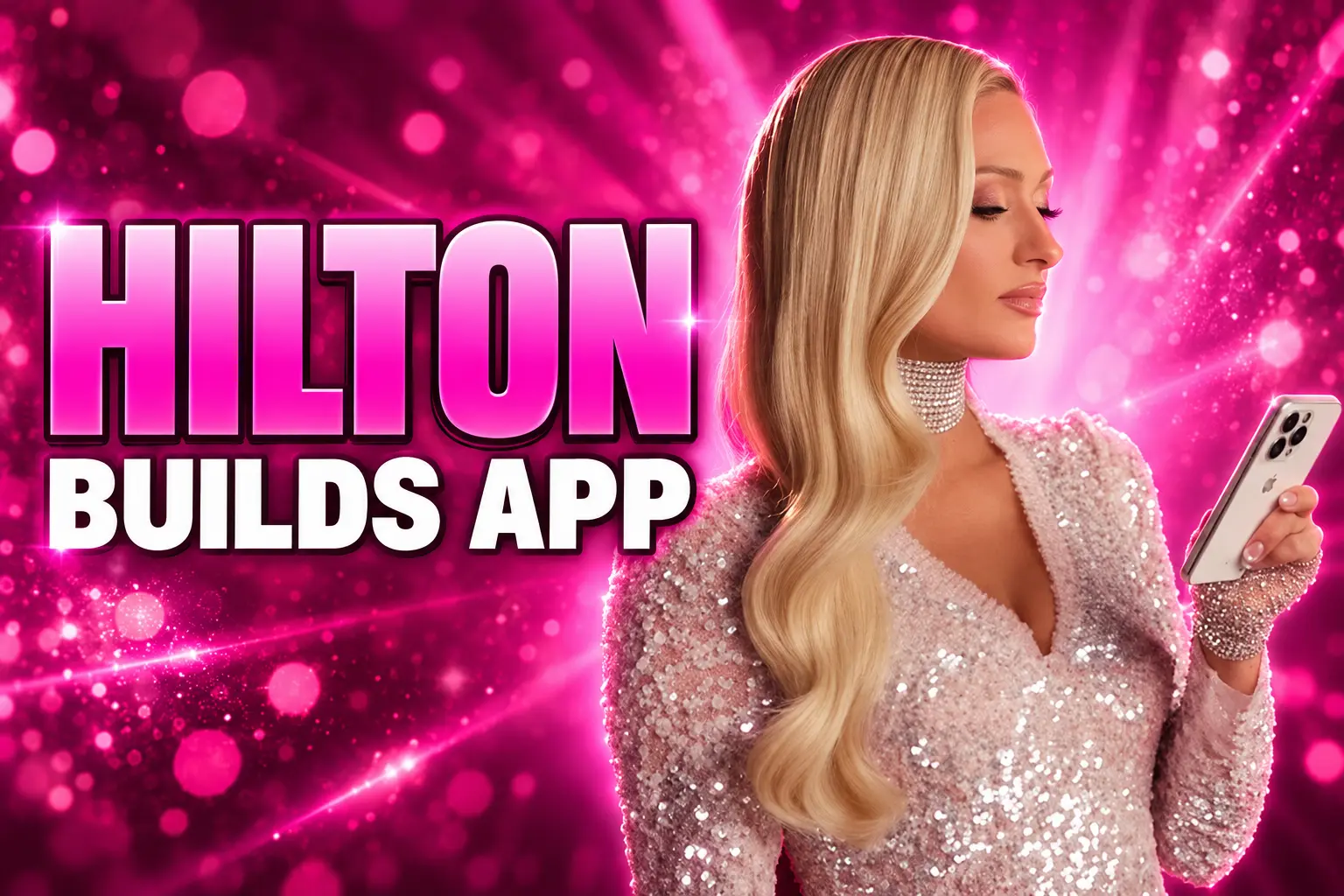
Paris Hilton used three Gemini Canvas prompts to get a pink task app on screen, then Google named her Android’s first icon in residence. The public object is Iconic Ideas, a remixable Gemini share with sparkle points, not a Play Store listing.
Twenty-one days earlier, on May 19, 2026, Google opened a separate factory in AI Studio that prints native Kotlin apps. That path still wants a USB cable, and it still stops at Play’s internal testing track.
The Pink Template Lives on a Gemini Share Link
On June 9, 2026, Hilton wrote that Google had made her Android’s first icon in residence. She called herself an undercover nerd and a longtime Android user whose ADHD sends a constant stream of business ideas, products, and half-formed plans. The job, as she framed it, was to show that people who were never taught to code can still start a build.
Google put her in a custom “Sliv Lab” on campus, with creative technologists on hand, and pointed her at Canvas in Gemini. After three prompts, she said, she could already see the app taking shape. She did not write code. She described a vision. Gemini filled the gap.
I described a vision, and Gemini bridged the gap between the idea in my head and an app I could actually use.
Paris Hilton, Android Icon in Residence
Iconic Ideas is a capture tool wrapped in her brand. Android’s campaign page says you organize ideas, inspo, and tasks, then earn sparkle points when you cross items off. In the film she cut for the launch, she walks through a voice note (“Call this cake designer for my next party”) and a photo that the app files for her. The interface is pink and sparkly, which she treats as non-negotiable.
Anyone can try the Iconic Ideas template from that page. The live object is a Gemini share, which you remix rather than install from Play. Hilton asked people to post what they make with #IconicAndroid. That is the consumer product: a themed Canvas app you open in Gemini, not a package that had to clear a store review.
Two Youth Groups Built Four Apps in an Afternoon
The campus piece that Google wants next to the celebrity clip is an Android Innovation Challenge for “future female leaders.” Hilton invited young women from the YMCA and Altadena Girls. They used Canvas, Circle to Search, Nano Banana, and Gemini Omni, and they finished in a single afternoon.
Hilton said she watched a social app that puts well-being first and a tool that lets you try hairstyles on a selfie. The winner, she wrote, built something that helps girls walk home from school, share a location with parents, and report hazards on the way. Android’s Paris page names the set.
APPS FROM THE CAMPUS AFTERNOON
| App | What it does |
|---|---|
| Bound (winner) | Chart a walk to school, then share live location with trusted contacts |
| Sync | A social network with suggested screen limits and no likes |
| FitCheck | Digitize a wardrobe and match outfits with friends |
| Hair-A | Upload a selfie and try bangs, a bob, or another cut before you commit |
Those four tools are closer to the “personal utility” bucket Google already carved out for AI Studio than Hilton’s sparkle-point list is. They also never had to survive Play as public listings for this campaign. They are proof shots from a supervised afternoon, sitting under the same pink landing page as her template.
Is Iconic Ideas Even on Android?
In the ads, yes. In the software stack, it is a Gemini Canvas project. Canvas is the consumer surface that turns a description into a working, shareable app, game, or site. Hilton used that path, the same Gemini Canvas no-code creation flow Google is pushing at people who will never open Android Studio.
Google’s own Canvas page sells the move in one line: describe the idea and watch it become a shareable app or game. That is Canvas inside the Gemini app, not a trip through the Android SDK. You iterate in chat. You ship a link. You do not hand Play a signed app bundle.
The native track is a different product with a different date. On May 19, 2026, the Android Developers Blog said Google AI Studio could now emit native Kotlin apps from a prompt, using Jetpack Compose, with a cloud emulator in the browser. Group product manager Emma-Louise Leavey and product manager Mike Taylor-Cai put their names on that post. Hilton’s June film does not walk through that pipeline.
TWO WAYS GOOGLE SAYS YOU BUILD
| Track | Where you work | What you get | How it reaches a phone |
|---|---|---|---|
| Gemini Canvas | Gemini app | Shareable app, game, or site | Open or remix a Gemini link |
| AI Studio Build | AI Studio in a browser | Kotlin and Jetpack Compose project | USB install via adb, then Play internal testing |
Iconic Ideas sits on the first row. Calling it an Android app is a branding choice. Calling it a Play app would be false.
Kotlin, a USB Cable, and Play’s Internal Track
The May 19 post is the quieter half of the same season. Google said you need no local SDK and no library setup. You prompt. The cloud emulator shows a Pixel-like device. When you want the build on glass in your hand, you plug in a phone.
THE NATIVE BUILD CLOCK
- February 2, 2025: Andrej Karpathy, who helped found OpenAI and later ran AI at Tesla, names “vibe coding” and says you forget that the code even exists.
- March 18, 2025: Google ships Canvas in Gemini as a space to write, code, and preview in one thread.
- May 19, 2026: AI Studio starts building native Android apps in the browser and installing them over a USB cable with adb.
- June 9, 2026: Hilton’s icon-in-residence campaign puts a Canvas template on android.com/paris.
- July 31, 2026: Google AI Studio kills its planned mobile app and says new apps should appear inside Gemini chats.
Karpathy coined the slogan Google is now spending celebrity budget on. He also boxed the method: it was amusing, and “not too bad for throwaway weekend projects.” A pink idea pad and a one-afternoon safety prototype fit that box. A Play-quality product with login, payments, and a year of patches is the thing AI Studio still hands off as a ZIP or a GitHub repo into Android Studio.
Google narrowed the first native release on purpose. Leavey and Taylor-Cai listed three lanes, then parked several developer needs in “coming soon.”
WHAT THE FIRST NATIVE RELEASE WILL BUILD
- Personal utilities: Single or multi-screen tools such as habit trackers, study quizzes, and event itineraries.
- Hardware-enabled apps: Camera, GPS, accelerometer, and Bluetooth through native Android APIs.
- Gemini-powered features: Apps that call the Gemini API inside the mobile UI.
- Not in the first cut: Inviting testers from AI Studio, plus Firestore, Firebase Auth, and App Check, all marked coming soon.
Install “instantly” still means USB and adb. Publish “directly” still means a Google Play developer account and an internal testing track. AI Studio will create the app record, package the bundle, and upload it for testing. Public store search is a later problem, and Google said tester invites from inside AI Studio had not shipped yet on May 19.
Google Shelved the Builder App After 800,000 Pre-Orders
At I/O 2026, Google teased a dedicated AI Studio app for Android and iOS, a way to catch an idea on a phone and have a prototype waiting at a desk. On July 31, 52 days after Hilton’s campaign post, the official Google AI Studio account killed that app. The team thanked about 800,000 people who had pre-ordered it on both stores, then said it would not ask them to download another icon.
thank you to the ~800,000 of you that pre-ordered our mobile app on iOS and Android — it’s clear that people are interested in building software on the go
instead of asking you to download yet another app we’ve decided to take an entirely different approach: one where apps…
— Google AI Studio (@GoogleAIStudio) July 31, 2026
The replacement line is the second-order move the June film was already pointing at: apps should “emerge naturally, in the course of your everyday conversations with Gemini.” The AI Studio site stays up for people who want to go from an idea to a prompt to a business. The mobile listings came down. No date was given for when Gemini chat would actually mint those apps.
Read that next to Iconic Ideas and the split gets simple. The celebrity template already lives in Gemini. The serious native builder still lives on the web. The standalone mobile studio, which would have sat between those two, is gone. Google is betting the next Hilton-style toy never needs its own icon, because Gemini is the icon.
Play Still Wants Hardware, Utilities, and a Review
None of this deletes Google Play. The May 19 blog opened the native lane with a quality hedge: the first release is scoped so the store does not drown in junk on day one. Personal utilities, hardware tricks, and Gemini features are in. A thin wrapper that is only a chat box is the kind of listing Play has been policing for years under Play’s AI-generated content policy.
That policy puts the burden on the developer. Chatbots, image generators, and apps that clone a real person’s voice or face are in scope. A productivity tool that only uses AI to improve a feature it already has is called out as outside that generative-AI net, for now. Iconic Ideas never had to test the distinction. It never entered review.
So the June campaign and the May factory are doing different jobs. Hilton proves that a famous Android user can talk a branded tool into existence and hand the public a remix link the same day. AI Studio proves that the same company can emit Kotlin, drive an emulator, and drop a build onto a phone that is in developer mode. Play still sits after that second path, with disclosure rules, data-safety forms, and a ban on the worst generative-AI abuse.
The film on android.com/paris will keep circulating as the version of vibe coding you can explain at a dinner table. The version that puts an icon next to Gmail still runs through a cable, a developer account, and a track that is not the public store. Google spent the summer trying to make those two facts feel like one product. They are not.
Frequently Asked Questions
What did Andrej Karpathy originally mean by vibe coding?
On February 2, 2025, he described talking to Cursor’s Composer with voice software called SuperWhisper, hitting Accept All without reading diffs, and pasting error messages back into the model until the build ran. He said the code grew past his usual comprehension and that he would work around bugs or ask for random changes until they vanished, which he called fine for throwaway weekend projects.
Who can use Gemini Canvas, and what do paid plans add?
Google says Canvas is available to all Gemini users from the prompt bar. Google AI Pro and Google AI Ultra subscribers get Canvas on Gemini 3, which the company calls its most capable model for that surface, plus a 1 million token context window aimed at larger projects.
How do you get an AI Studio Android app onto a physical phone?
After the in-browser emulator looks right, you connect the handset with a USB cable and install through integrated adb. If you need device coverage or tools the browser does not have, AI Studio lets you download a ZIP or export the project to GitHub and open it in Android Studio, including Gemini in Android Studio or Google’s Antigravity agent setup.
Did the Android Innovation Challenge publish those student apps on Play?
Google did not put Bound, Sync, FitCheck, or Hair-A in the public store as part of the campaign. They are named and described on android.com/paris as afternoon prototypes from YMCA and Altadena Girls participants, shown to illustrate Canvas, Nano Banana, and Gemini Omni rather than as reviewed Play listings.
Does Play ban apps whose code was written by AI?
Play’s published AI-generated content rules target what an app emits (chat, images, cloned voices, scams, child sexual abuse material, election lies), not the fact that a model wrote the Kotlin. Developers still have to meet the rest of the Developer Policy Center, and Google’s own AI Studio post said apps from that tool still have to clear Play’s quality bar if they leave the internal testing track.
Google AI Studio’s July 31 note ended with “more to share on this later.” Until that ships, the working demo of “anyone can build” is still Hilton’s share link, and the working demo of a native Android binary is still a browser tab, a cable, and an internal test track.

Instagram Plus Tests a Read-Only Mode That Cuts Stories

Altman Asks the Public to Accept Some AI Harm

Google Freezes OSS VRP Product Reports After AI Flood

AI Agents Make Payment Rails the Scarce Prize

Turkey’s Crypto Boom Now Runs Through Three Banks

Fable 5 Came Back Under a Commerce On-Off Switch

Google’s SpaceX GPU Lease Has a Sept. 30 Deadline

Plasma One’s XPL Locks Face a 1.81 Billion Cliff

DGO’s Rs 549 World Cup Pass Cost Fans Sleep and Data

Moonshot AI’s $30 Billion Ask Became a $35 Billion Close
-
 AI4 months ago
Fable 5 Came Back Under a Commerce On-Off Switch
-
 AI4 months ago
Google’s SpaceX GPU Lease Has a Sept. 30 Deadline
-
 CRYPTO4 months ago
Plasma One’s XPL Locks Face a 1.81 Billion Cliff
-
 APPS4 months ago
DGO’s Rs 549 World Cup Pass Cost Fans Sleep and Data
-
 AI4 months ago
Moonshot AI’s $30 Billion Ask Became a $35 Billion Close
-
 NEWS4 months ago
ColorOS 17 Device List Spans Oppo, OnePlus and Realme
-

 GAMING4 months ago
Xbox Cuts 3,200 Jobs After Five Years of Thin Returns
-

 GAMING4 months ago
The RTX 4050 Under Rs 70,000 Hides a Wattage Gap