
GADGETS
Summer Tech Prep: The Real Checklist Behind the Hype
Summer travel tech prep that works: phantom power savings are smaller than people think, but Digital ID, eSIMs, and border search prep do matter.

Summer travel tech prep has its own ritual: a checklist of power strips to pull, phones to back up, eSIMs to install, apps to delete. Most guides spend half their words on phantom power, the small trickle of electricity household electronics keep drawing when they’re switched off but still plugged in. The savings are smaller than people expect.
British consumer group Which? tested the standby cost of nine common UK gadgets at the current Ofgem price cap of 22.36p per kWh, and turning off every device on the list saves £20.40 a year in total. The tech prep with real consequences this summer is elsewhere: Apple’s Digital ID rollout, the eSIM settings that quietly eat roaming fees, and the security moves travelers skip until they’re already standing in a border control line.
What Phantom Power Actually Costs at Home (and Why It Isn’t Much)
The phantom power debate dominates most summer tech checklists. British consumer group Which? tested the standby cost of nine common UK gadgets at the current Ofgem price cap of 22.36p per kWh, with the full standby cost breakdown for each device assuming each sat unused for 20 hours a day. The grand total to switch every one of them off at the wall comes out to £20.40 a year. That is the whole prize for unplugging everything before you leave for vacation.
Standby power, also called phantom load or vampire power, accounts for up to 10% of household electricity bills and 1% of greenhouse gas emissions, per the U.S. Department of Energy and Lawrence Berkeley National Laboratory. The phantom power share of the bill is real; the share that switching things off actually claws back is much smaller than the headlines suggest. Which?’s lab tests, scaled to the current Ofgem price cap, put the all-in annual savings at less than the cost of a takeaway coffee. Natalie Hitchins, head of the group’s home products and services team, said unplugging most modern gadgets saves less than people expect and that bigger gains come from buying efficient products and using built-in energy-saving modes. The Which? table below shows the per-device standby cost that adds up to that £20.40 total.
| Tech device | Annual standby cost |
|---|---|
| TV | 51p |
| Blu-ray player | 75p |
| Smart plug | 97p |
| DAB radio | £1.48 |
| Turntable | £1.50 |
| TV streamer | £2.21 |
| Set-top box/PVR | £2.56 |
| Soundbar | £4.43 |
| Wireless speaker | £5.99 |
| Total to switch all off | £20.40 |
When to Unplug, and When to Leave Plugged In
The decision gets sharper when the house is about to sit empty for a week or two. A few devices are worth unplugging, a few are worth leaving on, and the rest is judgment. The split depends on what else the home is running while nobody is in it.
A single device on standby may only draw a small phantom load, but many chargers, screens, speakers, adapters and small appliances left plugged in across a home can create unnecessary background consumption. Before going away, I would unplug anything that does not need to perform a useful function, while leaving essential appliances such as fridges, freezers, security systems and monitoring devices running.
The honest version of the rule, in Lifu Tan’s framing, is to unplug anything that does not need to perform a useful function. Tan, a research associate at the University of Cambridge’s department of biochemistry whose research focus includes power management electronics, called the small loads “unnecessary background consumption” once you stack them across a home. The practical list to pull before a trip covers devices like video game consoles, air fryers, and Wi-Fi routers, alongside other small appliances that do nothing when idle. The fridge, freezer, security system, and any monitoring devices stay on through an empty week.
- Wireless router
- Printer
- Smart home devices
The router is the most important leave-it-on device: an eight-hour nightly drop can look like an unstable connection to the internet service provider, and the line can be throttled in response. The printer should also stay connected, since it needs to clean the heads and a long power-down can leave them clogged with ink. Smart thermostats, doorbells, and security cameras all fail when the router goes dark, which is why the pre-trip pass treats them as one connected thing.
Apple Digital ID Is Real and Live, but It Stops at the Border
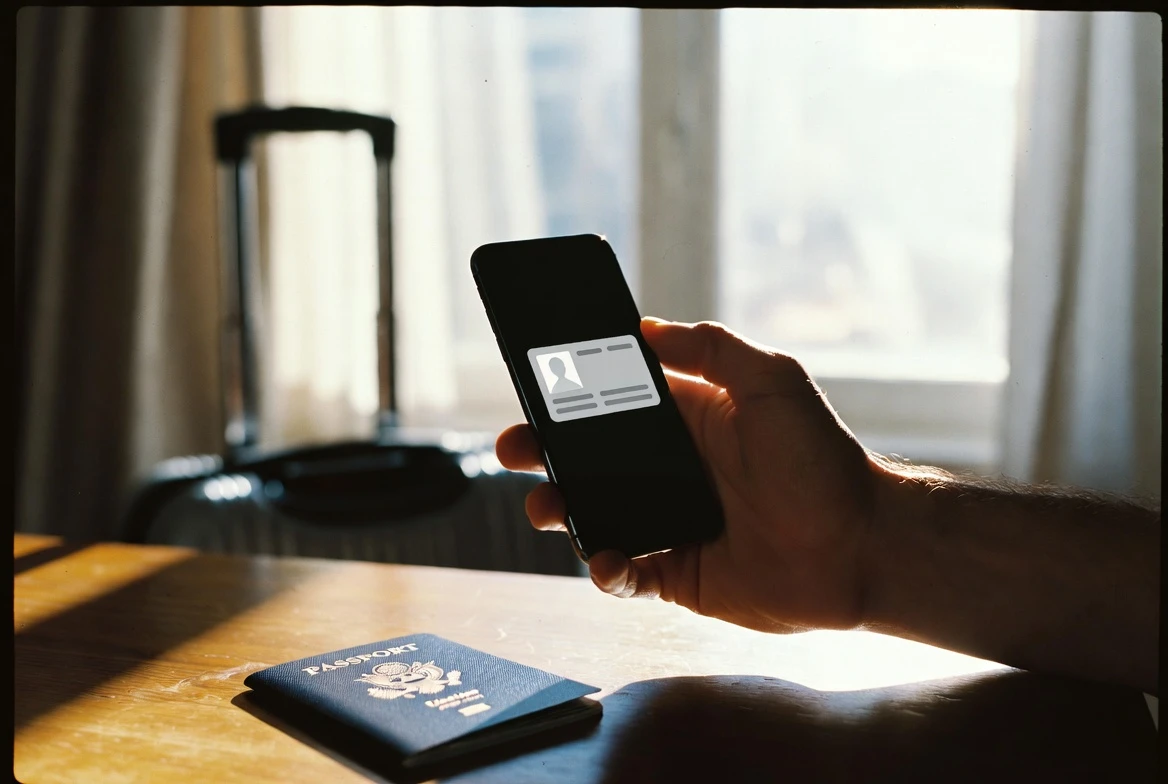
The most consequential summer travel tech change of the past year has been easy to miss. Apple launched Digital ID on November 12, 2025, with the November 2025 Digital ID launch announcement letting U.S. iPhone users add passport information to Apple Wallet and present it at TSA checkpoints with their iPhone or Apple Watch. The launch was framed as a way for travelers without a Real ID to clear airport security with their phone. Digital ID also gives any U.S. passport holder a way to add an ID to Wallet, even without a Real ID-compliant driver’s license or state ID.
Digital ID is accepted at more than 250 U.S. airports for domestic TSA identity checks, per the federal Digital ID acceptance map. The catch that does not make the headlines: Digital ID is not a replacement for a physical passport, and it cannot be used for international travel or crossing borders in lieu of a U.S. passport. The setup reads the chip on the back of the passport, runs facial and head-movement verification, and stores the data locally on the device.
Apple says the rollout expands the same Wallet ID system the company launched for driver’s licenses in 2022. Jennifer Bailey, Apple’s vice president of Apple Pay and Apple Wallet, framed the launch as an expansion of identity storage on the device. She pointed to the 12 states and Puerto Rico where driver’s licenses already work in Apple Wallet as the foundation. As of the launch, Apple said Digital ID acceptance will roll out first in beta at TSA checkpoints, with additional use cases to come in the future. The current use case list stops at the TSA reader.
For summer travel, the practical read is narrow. Digital ID clears the TSA checkpoint with a phone, which is a real convenience for travelers without Real ID-compliant licenses. It does not cover boarding an international flight, clearing customs on the way home, or sailing through a land border post.
The eSIM Trick That Cuts Roaming Without You Noticing
For international trips, the quietest money-saver is the line that handles mobile data. Many newer iPhones and Android devices support adding a second eSIM, the digital SIM that has replaced the physical card in most flagship phones. Travel eSIM providers sell region- and country-specific data plans that typically undercut carrier roaming by a wide margin. The home line and the travel eSIM can sit on the same phone at the same time.
The setup is the part most travelers get wrong, and it determines whether the trip ends with a roaming bill or a prepaid one. The travel eSIM needs to be set as the line for mobile data, while the home line needs to have data roaming turned off so the phone does not fall back to it the moment signal drops. The same sequence works on both iOS and Android: set the travel line as data, leave the home line active for calls and texts if desired, and verify the data roaming toggle is on for the travel line only. Dozens of eSIM providers sell regional plans for specific global regions or individual countries, which is the cheaper option for trips that hop borders. The trip is cheaper when the routing is correct before the plane touches down.
The same dual-line setup handles the smaller paper cuts of travel roaming. Phone calls and SMS routed over the home line are usually cheaper on most carrier plans than on a travel eSIM, so leaving the home line active for voice and texts while routing data to the travel eSIM tends to land the lowest total bill. Travelers who do not need their home number active abroad can save further by suspending the home line entirely through the carrier’s app before takeoff.
Security Tasks Most Travelers Forget Until It’s Too Late
Three security tasks deserve their own place on the pre-trip list, and most travelers skip at least one. The list is short, the order matters, and the cost of getting any of them wrong is hard to reverse. Public Wi-Fi is the first habit to fix: airport lounges, hotel lobbies, and cafés run unsecured networks that look legitimate, and attackers can sit between the user and the connection, view traffic, slip malware onto the device, or stand up a rogue hotspot with a familiar name. The cheapest fix is to install a VPN before leaving home and leave it on by default, which encrypts traffic between the phone and a private server.
Border searches are the second task and the one most people forget until they’re standing in a customs hall. U.S. border guards can search phones at primary inspection, and other countries have similar practices. Travelers should set a strong device passcode, enable the strongest biometric unlock the phone supports, and know how to power the phone fully off, since some operating systems re-encrypt local data only on a full shutdown. Sensitive accounts and synced data should be reviewed before the trip so the phone reflects what the traveler is prepared to hand over.
Cloud-synced photo libraries, password managers, and messaging apps that auto-attach cloud attachments should all be checked for what they expose when the device is unlocked. Signing out of high-value accounts before the trip and signing back in only on a trusted network is the conservative path. The pre-trip pass should also cover which apps automatically reconnect to cloud services when the device powers on at the border. Travelers should also disable any auto-attach behavior in messaging apps before the trip.
Tracking is the third task and the cheapest insurance on the list. Enabling Apple’s Find My or Google’s Find My Device before departure means a stolen or misplaced phone can be located, locked, or remotely wiped from any browser. The same features also help recover a phone left behind at hotels, taxis, and security checkpoints.
Three Last-Mile Tech Tasks Before You Fly
Heat is the silent killer on a summer trip. iPhones and Android devices both post temperature warnings when the internal sensors cross a threshold. Phones, tablets, and other electronics are vulnerable to extreme heat, which is worth keeping in mind as parts of Europe bake in increasingly frequent heat waves. A device left on a car dashboard in a July sun can cross the cutoff in minutes.
Built-in tools help with the screen habit: most phones have features that can stop you from getting distracted, including daily limits and scheduled downtime. Deleting high-temptation apps before the trip, even temporarily, removes the friction of opening them when the Wi-Fi is fast and the line is long. You can always reinstall the apps after the trip.
Photos are the easier fix to set up before the trip and to clean up after. Create a dedicated album in the photo library the day the trip starts, and save every shot there during the trip. Star or heart the standout snaps that you actually want to keep, which keeps the curation list short on return. Free apps exist to cull near-duplicates in bulk, saving the hours of scrolling that usually push the cleanup into “never.”
Frequently Asked Questions
What is phantom power, and how much does it actually cost?
Phantom power is the small amount of electricity devices keep drawing when switched off but still plugged in. Standby power can account for up to 10% of household electric bills and 1% of greenhouse gas emissions. Which? testing of nine common UK gadgets put the total annual savings of unplugging everything at £20.40.
Does Apple Digital ID replace my passport?
No. Apple’s Digital ID, launched November 12, 2025, is accepted at more than 250 U.S. airports for domestic TSA identity checks and works on iPhone and Apple Watch. It cannot be used for international travel or border crossing in lieu of a U.S. passport, per Apple’s announcement.
Should I get an eSIM for international travel?
For most travelers, yes. Many newer iPhones and Android devices support adding a second eSIM alongside the home line. Region- and country-specific travel eSIMs typically undercut carrier roaming, and the trip is cheaper when the travel line is set as the data line and the home line has data roaming turned off.
How do I prepare my phone for a border search?
Set a strong passcode, enable the strongest biometric unlock the phone supports, and know how to power the phone fully off. U.S. border guards can search phones at primary inspection. Travelers should also enable any tracking features the manufacturer offers so a lost or stolen phone can be located or wiped remotely.
When does my phone overheat, and what should I do?
iPhones and Android devices both post temperature warnings when internal heat crosses a threshold. Phones and tablets are vulnerable to extreme heat, which is worth keeping in mind for hot summer destinations. A device left in a hot car can hit the warning threshold within minutes, well before the cabin feels hot to a person.


Sony’s 10 Percent Disc Drop Leaves the 2028 Cutoff Intact

Chip Allocation Sidelines the Base iPhone 18 This Fall

Miami-Dade Fights the Vice City Brand It Already Wears

IFA 2026 Awards Put Tecno Ahead of Flagship Phones

USB-C Gadgets Made the Junk Drawer Rechargeable

Pixel 11 Pro Asks $1,099 for a Light Google Locked

The iPhone Ultra Sells Two Retired Minis as One Foldable

Google Opens Gmail to Voice and Gates Docs Live

Lenovo Prices the IdeaPad Vibe Against Apple’s $699 Neo

Xbox Caps Game Pass Cloud Gaming at 15 Hours

Oracle Cuts 21,000 Jobs in a Year, Cites AI in 10-K Filing

Fable 5 and Mythos 5 Return as US Lifts Anthropic Export Controls

SpaceX’s Google Deal Turns a Rocket Company Into a Cloud Landlord

CD Projekt Red Co-CEO: Redemption Arc Isn’t Done, Witcher 4 in 2027

XPL Rallies 30% Ahead of Plasma One Card Tier Launch

Google Search Profiles Build a Follow Graph Inside Discover

DGO App Brings Rs 549 Mobile Pass for FIFA World Cup 2026 in Nepal

Moonshot AI Targets $30 Billion in China’s Fastest AI Funding Sprint

Oppo’s ColorOS 17 Eligibility List Leaves A-Series Buyers Behind

Microsoft Xbox Layoffs Start in July as Sharma Slams 3% Margin
-
 AI3 months ago
Oracle Cuts 21,000 Jobs in a Year, Cites AI in 10-K Filing
-
 AI2 months ago
Fable 5 and Mythos 5 Return as US Lifts Anthropic Export Controls
-
 AI3 months ago
SpaceX’s Google Deal Turns a Rocket Company Into a Cloud Landlord
-
 GAMING3 months ago
CD Projekt Red Co-CEO: Redemption Arc Isn’t Done, Witcher 4 in 2027
-
 CRYPTO3 months ago
XPL Rallies 30% Ahead of Plasma One Card Tier Launch
-
 NEWS3 months ago
Google Search Profiles Build a Follow Graph Inside Discover
-
 APPS3 months ago
DGO App Brings Rs 549 Mobile Pass for FIFA World Cup 2026 in Nepal
-
 AI3 months ago
Moonshot AI Targets $30 Billion in China’s Fastest AI Funding Sprint