
NEWS
WhatsApp’s New Username Feature Hides Your Phone Number
WhatsApp opened username reservations on June 29, 2026. The feature rolls out this year and lets three billion users chat without sharing a phone number.

WhatsApp opened reservations for usernames on June 29, 2026, the first stage of a long-promised privacy feature aimed at the company’s three billion users. The username feature will roll out gradually in the coming months, and once it is live, a person’s phone number will no longer appear in chats with new contacts who do not have that number saved. Existing conversations and shared group chats are not affected, WhatsApp said.
WhatsApp’s vice president and head of product, Alice Newton-Rex, framed the move as a response to users who treat the phone number as more sensitive than a chat handle. Holding a handle early matters because WhatsApp is also reserving certain names for celebrities, public figures, governments, and businesses. People who already use a name on Instagram or Facebook can claim the same handle on WhatsApp through Meta’s Accounts Center, if it has not already been taken. The reservation window runs in the mobile app, not on WhatsApp Web or Desktop.
Why WhatsApp Is Adding Usernames Now
WhatsApp’s bigger rivals on privacy have shipped usernames for years. Telegram, Signal, and Wire all let users start conversations without handing over a phone number, and Signal rolled out the feature in 2024. Asked for a comparison, Newton-Rex told Wired that ‘Signal usernames are probably a good comparison. This will work in a very similar way.’ WhatsApp remained the odd one out for users who treat their phone number as a sensitive identifier.
WhatsApp’s product team framed the launch as a privacy response, not a product rethink. The clearest summary from Alice Newton-Rex, the company’s vice president and head of product:
Usernames are designed to give you control over who gets to see your phone number in the first place.
The same framing carried into a TechCrunch briefing, where Newton-Rex said people see the phone number as ‘tied to so many other parts of your life.’ WhatsApp changed its leadership in the week the reservation window opened, TechCrunch also reported. The company did not name the change as a reason for the launch timing, and Newton-Rex did not link the two in her briefings. WhatsApp says it has more than three billion users, a base size that turned usernames into a long, careful build, and the reservation window is meant to stop name collisions once the feature goes live globally.
The reservation window opened to the full base at launch. The same in-app path is used to claim a username after the feature ships in any given country. Names that are reserved include those of public figures, celebrities, governments, and businesses, mirroring TechCrunch’s note that WhatsApp is ‘reserving usernames for top celebrities, VIPs, and organizations.’ Anyone can reserve a handle ahead of the feature reaching their country, even while the feature is still rolling out globally.
How to Reserve a Username This Week
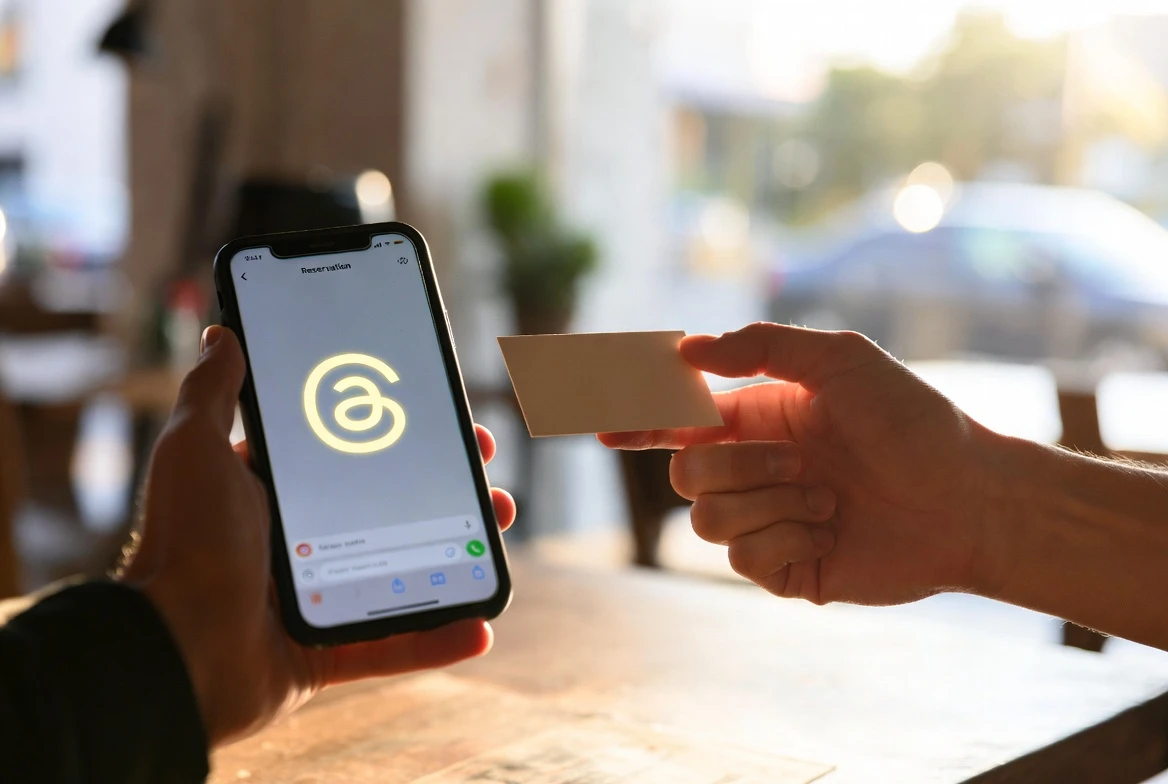
WhatsApp opened reservations to its full base on June 29, 2026, and the process lives in the mobile app, not on the web or desktop clients. Users get an in-app notification once reservations are available in their country, and the same in-app path is used to claim a username after launch. Anyone who wants the same handle they use on Instagram or Facebook can claim it through Meta’s Accounts Center, if it has not already been taken. The reservation window is open even in countries where the feature itself has not yet shipped. Existing contacts and shared group chats continue to see the phone number exactly as before, no matter what the user does with the username setting.
Reservation runs through the main app. On Android the path is Settings > Account > Username, and on iOS users tap You, open their profile, and choose Create Username, per WhatsApp’s step-by-step username setup walkthrough.
- Update WhatsApp to the latest version on your phone.
- Open Settings, then Account, then Username on Android (or tap You, open your profile, then Create Username on iOS).
- Type the handle you want (3 to 35 characters, starting with @).
- If you already use the same handle on Instagram or Facebook, link WhatsApp in the Accounts Center to claim it.
- Wait for the in-app notification that says your reservation is live in your country.
WhatsApp Web and Desktop cannot reserve a username. The help center says reserving requires the primary mobile device, and the reservation will not appear anywhere else until the feature ships in the country. Anyone who changes their mind can edit or delete a reserved username at any time, the help center says, which may release the handle back to other users. The username itself starts with the @ symbol and runs from 3 to 35 characters.
What Changes When the Feature Goes Live
Once the feature rolls out in a country, the privacy boundary shifts at the moment of first contact. If a user messages someone whose number they do not already have saved, and that someone has a username set, the recipient sees the handle, not the digits. Existing contacts and members of shared group chats continue to see the phone number exactly as before, no matter what the user does with the username setting.
WhatsApp built the system to keep handles from becoming a discovery surface. There is no public directory of usernames, and the app does not suggest names as the user types, so a stranger still has to learn the exact handle to reach the user. ‘People will need to know your exact username to contact you for the first time,’ Newton-Rex told reporters. The same rule, WhatsApp’s help center says, is what makes usernames function more like a private inbox than a profile.
| Setting | What it does |
|---|---|
| Username | A unique handle starting with @, 3 to 35 characters, separate from the display name on your profile |
| Reserved username | Held in your account and hidden from others until the feature is live where you live |
| Username key | An optional code WhatsApp generates, required before a brand-new contact can message you |
| Held names | Reserved for businesses, governments, and public figures and cannot be claimed by anyone else |
| Display name | The name on your profile, separate from your username and allowed to repeat across users |
Each setting in the system can be turned on or off independently of the others. Users can change or remove a username at any point, the help center adds.
Reserved usernames stay hidden until the feature ships locally. WhatsApp says each user gets an in-app notification at that moment, when the handle they are holding finally becomes visible to others. The default settings lean toward privacy for accounts tied in the Accounts Center to a Meta profile that identifies the user as under 18. The notification also marks the official moment a reserved handle can be shared.
The Optional Username Key
The username key is the layer WhatsApp built for people who want their handle to behave less like an email address. WhatsApp generates the key itself; users cannot pick their own code, and they can replace it by tapping Get a different key. The key is required only for new contacts reaching the user for the first time by username, per the official username key help page.
People who already have the phone number saved, who previously chatted with the user, who share a group, who scanned the user’s QR code, or who were messaged first by the user can write without the key. WhatsApp turns the key on by default for any account linked in the Accounts Center to a Meta profile that says the user is under 18, the help center says. The default is meant to make the username feature safer for teens without requiring them to discover the toggle. The help center adds a quiet detail: the user is not notified if someone fails to reach them because they did not have the key. Users can add, change, or remove the key at any time, and adding one does not affect conversations already underway.
Setting up a key happens in the same Account menu on the main mobile device. WhatsApp Web and Desktop do not currently support creating one.
The Cross-Platform Play Most Readers Will Miss
The privacy story is what most coverage of the new feature has led with, but a quieter change sits underneath it. WhatsApp lets anyone who already uses a handle on Instagram or Facebook claim that same handle on WhatsApp by linking the app in Meta’s Accounts Center. TechCrunch reported that ‘if businesses and creators want to maintain uniformity, they can claim their Facebook or Instagram username as their WhatsApp username.’ Creators and small businesses get the cross-platform consistency they have asked for without forcing their followers to learn a second handle.
For Meta, the alignment matters as much as the privacy gain, because the privacy gain does not change who can be reached on WhatsApp. Anyone who already has the phone number stored still sees the phone number, so opting into a username does not push Meta’s advertising layer any closer to a user. What usernames do is standardize how a person is identified across three of Meta’s largest apps, with one handle covering WhatsApp chats, Instagram DMs, and Facebook messages. WhatsApp’s reservation window also doubles as a name grab across the rest of Meta’s properties, since the same handle follows users wherever they sign in. The privacy framing and the identity move can both be true at once, and the second one is the part that lasts.
Where the Privacy Boundary Still Stops
A username on WhatsApp does not replace a phone number inside WhatsApp’s own system. A phone number is still required to create an account, the company has confirmed.
The privacy boundary applies only to new conversations. Users who already shared their number with contacts or added it to group chats continue to see it, and turning the username feature on later does not roll that history back. The same number still appears in any group the user joined before the feature was enabled, even after the user’s account shows a handle to brand-new contacts. The Verge spelled out this asymmetry when reporting the rollout, and the WhatsApp help center confirms it in plain language, as does how WhatsApp reservations opened to three billion users at launch.
- 3 to 35 characters: the legal length range for a WhatsApp username
- 3 billion users: WhatsApp’s stated global base at launch
- 2024: the year Signal rolled out the feature WhatsApp is now matching
- 1 device: reservations require the primary mobile phone, not Web or Desktop
- 0 directories: no public list of WhatsApp usernames exists at launch
Frequently Asked Questions
When will WhatsApp usernames launch?
WhatsApp opened username reservations on June 29, 2026, with the full feature rolling out ‘later this year,’ according to TechCrunch. The Verge reported the rollout will be ‘gradual over the coming months,’ with users notified inside the app once it reaches their country. The reservation path works even in countries where the feature itself has not yet shipped.
How long can a WhatsApp username be?
Usernames must be 3 to 35 characters, TechCrunch reported, citing the company. The handle starts with the @ symbol, the WhatsApp help center adds, and is separate from the display name on a user’s profile. The display name does not need to be unique, but the username does, and certain names are held back for celebrities, governments, and businesses.
Will my existing contacts still see my phone number?
Yes. The Verge confirmed that the privacy protection only applies ‘to new conversations going forward.’ Existing contacts and members of shared group chats will still see the phone number. Once a user’s number is in someone else’s contacts, the username does not replace what that contact sees, even after the new feature is enabled.
Can anyone message me with just my username?
Only if they type the exact username. There is no public directory of usernames, and the app does not suggest names as the user types. If the user sets an optional username key, the other person also has to enter that key before the first message goes through. People who already have the number saved, share a group, or scanned the user’s QR code can message without the key.
What is the WhatsApp username key?
The username key is an optional code WhatsApp generates that a new contact must enter alongside the username before sending a first message, the help center says. Users cannot type their own key but can replace the generated one by tapping Get a different key. WhatsApp turns the key on by default for accounts linked in the Accounts Center to a Meta profile that says the user is under 18.


Workers Still Trust Judgment Over the AI Tools They Use

DigitalOcean’s $894 Million Backlog Rewrites the Old Cloud

Companies Froze Job Design and Called AI a People Problem

AI Capex Looks Unique Because the Chips Wear Out

Samsung Medison’s HERA Z10 Aims at the Sonographer Shortage

GPT-6 Astra Ships as OpenAI’s First Critical Cyber Model

Palms Sells Clean Air Without Ending Casino Smoking

OnlyFans Promo Bots on X Now Pass the Humanity Tests

Datamaran Drops the ESG Label After Winning the Argument

Xiaomi’s Own Chip Lands While Apple Argues Over Color

Oracle Cuts 21,000 Jobs in a Year, Cites AI in 10-K Filing

Fable 5 and Mythos 5 Return as US Lifts Anthropic Export Controls

SpaceX’s Google Deal Turns a Rocket Company Into a Cloud Landlord

CD Projekt Red Co-CEO: Redemption Arc Isn’t Done, Witcher 4 in 2027

XPL Rallies 30% Ahead of Plasma One Card Tier Launch

Google Search Profiles Build a Follow Graph Inside Discover

DGO App Brings Rs 549 Mobile Pass for FIFA World Cup 2026 in Nepal

Moonshot AI Targets $30 Billion in China’s Fastest AI Funding Sprint

Oppo’s ColorOS 17 Eligibility List Leaves A-Series Buyers Behind

Microsoft Xbox Layoffs Start in July as Sharma Slams 3% Margin
-
 AI3 months ago
Oracle Cuts 21,000 Jobs in a Year, Cites AI in 10-K Filing
-
 AI2 months ago
Fable 5 and Mythos 5 Return as US Lifts Anthropic Export Controls
-
 AI3 months ago
SpaceX’s Google Deal Turns a Rocket Company Into a Cloud Landlord
-
 GAMING3 months ago
CD Projekt Red Co-CEO: Redemption Arc Isn’t Done, Witcher 4 in 2027
-
 CRYPTO3 months ago
XPL Rallies 30% Ahead of Plasma One Card Tier Launch
-
 NEWS3 months ago
Google Search Profiles Build a Follow Graph Inside Discover
-
 APPS3 months ago
DGO App Brings Rs 549 Mobile Pass for FIFA World Cup 2026 in Nepal
-
 AI3 months ago
Moonshot AI Targets $30 Billion in China’s Fastest AI Funding Sprint