
PHONES
The Summer Travel Tech Checklist That Quietly Costs You Money
From phantom-load TVs and a 40°C car to roaming fees and rogue Wi-Fi, the gadgets that promise a smoother summer trip can quietly cost the trip itself.

In an early-July One Tech Tip column, Associated Press business writer Kelvin Chan laid out a summer travel tech checklist that doubles as a warning. The list treats every device that promises a smoother trip as a candidate to quietly cost it. The original One Tech Tip column on summer travel tech runs through seven areas, from standby TVs at home to a phone baked in a 40°C rental car.
Standby power is the silent opener. It is estimated to account for up to 10% of a household electric bill and 1% of greenhouse gas emissions, a small but constant draw that adds up while no one is home. Then there is the phone in the rental car, the airport Wi-Fi with no password, and the international roaming bill that lands after the trip is over. The seven areas below are where the costs show up, and where a small habit change before departure prevents each one.
What the Pre-Trip Checklist Forgets
The column’s premise is small but stubborn: most travelers pack a charger and assume that is enough. Modern life is dominated by devices and online services, Chan wrote, summarizing the case for a few minutes of work before the taxi arrives.
Three costs land after takeoff: a phone bill from data overages, a fried battery from a hot car, or a stranger’s eyes on the inbox. Each one is preventable with a habit that takes under five minutes. None requires new gear, and none requires a new app. The column nudges the same attention travelers give to passports and tickets toward the gear they actually use.
The seven items Chan’s column covers break into three buckets: the devices left behind at home, the devices carried abroad, and the devices used the moment the plane lands. The first bucket is dominated by phantom load, the small constant electricity draw of anything left plugged into a wall socket. The second bucket is dominated by phone roaming fees and eSIM choices. The third bucket is dominated by the public Wi-Fi at the airport gate, the customs booth at the border, and the rental car in midsummer sun.
Vampire Power and the Real Cost of Standby
Standby power is the energy a device keeps drawing when it is technically off but still plugged in. It has earned the nicknames phantom power and vampire power because the draw is invisible, and the bill it produces is rarely itemized. It is also, per Chan’s column, estimated to account for up to 10% of a household electric bill and 1% of greenhouse gas emissions.
Lifu Tan, a research associate at the University of Cambridge’s department of biochemistry, said a single device on standby may only draw a small phantom load, but many chargers, screens, speakers, adapters and small appliances left plugged in across a home can create unnecessary background consumption; before going away, he would unplug anything that does not need to perform a useful function. Which?, the British consumer group, tested the actual cost and found that turning off the nine devices it measured saves £20.40 a year, a far cry from some media reports claiming a single unplugged TV could save £15. The standby power cost breakdown ranked televisions cheapest to leave on, at 51p a year. A few items should stay plugged in, including the Wi-Fi router if smart thermostats or doorbells need to stay online, and the fridge, freezer, and any security system.
The savings from unplugging most modern gadgets are often smaller than people expect. The bigger long-term gains tend to come from choosing energy-efficient products in the first place and using built-in energy-saving settings.
Natalie Hitchins, head of Which?’s home products and services team, told Chan’s column.
| Tech device | Annual standby cost |
|---|---|
| TV | 51p |
| Blu-ray player | 75p |
| Smart plug | 97p |
| DAB radio | £1.48 |
| Turntable | £1.50 |
| TV streamer | £2.21 |
| Set-top box/PVR | £2.56 |
| Soundbar | £4.43 |
| Wireless speaker | £5.99 |
Source: Which? standby power testing, based on 22.36p per kWh and 7,300 hours of standby use per year. Updated September 2023.
How Apple Built a Passport Into Your Wallet
On November 12, 2025, Apple launched a new Digital ID feature in Apple Wallet. The feature lets users add information from their U.S. passport to the Wallet app and present it at airport readers in place of a physical ID. Apple’s announcement of Digital ID in November 2025 said acceptance would roll out first in beta at Transportation Security Administration (TSA) checkpoints at more than 250 U.S. airports for domestic travel.
The feature gives more people a way to create and present an ID in Apple Wallet even if they do not have a Real ID-compliant driver’s license or state ID, per Apple. The company was clear on the boundary: Digital ID is not a replacement for a physical passport and cannot be used for international travel or border crossing in lieu of a U.S. passport. Chan flagged the same limit in his July 2 column: Digital IDs are accepted at more than 250 U.S. airports, but cannot be used for international travel or crossing borders. The setup mirrors adding a payment card: tap the plus button, scan the passport photo page, read the embedded chip, take a verification selfie, and complete a series of facial and head movements.
Apple framed the launch as a privacy story. The passport data is stored on the device; Apple cannot see when or where the ID is presented, or what data was shared; only the information requested is released, after a Face ID or Touch ID confirmation. The company has been adding state driver’s licenses to Wallet since 2022 and now supports them in 12 states and Puerto Rico.
Since introducing the ability to add a driver’s license or state ID to Apple Wallet in 2022, we’ve seen how much users love having their ID right on their devices.
Jennifer Bailey, Apple’s vice president of Apple Pay and Apple Wallet, said in the launch statement.
Bailey tied Digital ID to that track record in her launch statement. Apple’s Wallet today also accepts driver’s licenses in 12 states and Puerto Rico, with Montana, North Dakota, and West Virginia added in the six months before the Digital ID announcement, and Japan added internationally with My Number Card on iPhone. For a domestic flight, Digital ID is enough. For any trip that crosses a border, the physical passport is required.
The eSIM Switch That Stops Roaming Bill Shock
The second cost category lives inside the phone. Some apps gobble up data, which risks racking up hefty roaming fees, Chan wrote, especially for travelers who plan to use their phone for maps, translation, and photo uploads. Modern phones make it easier to dodge those fees without giving up connectivity, and the fix is small.
The cheapest fix is to ask the carrier. Many carriers sell international roaming packages that bundle a few gigabytes abroad for a flat daily fee, and turning one on before departure is a one-tap change in most carrier apps. If the carrier’s package is poor, the second move is to buy an international travel eSIM from one of dozens of providers that sell data plans by region or country, often cheaper than the carrier’s own offering. Many newer iPhones and Android devices support adding a second eSIM, which has replaced physical SIM cards, so the home line and the travel plan can sit on the same phone without swapping anything out at the gate.
- Ask your carrier about an international roaming package before departure, and check what the daily data cap actually is.
- Buy an international eSIM from a region or country specialist if the carrier’s plan is poor or pricey.
- Use a phone with a second eSIM so the home line and the travel plan share one device without a physical SIM swap.
The carrier-versus-eSIM decision is the only one that matters for most trips. For longer stays or multi-country itineraries, the eSIM usually wins on price. For short trips inside one carrier’s footprint, the carrier’s roaming add-on usually wins on convenience.
Why Airport Wi-Fi Is the Risk You’re Already Taking
The third cost category is invisible until it isn’t. Airport, hotel, and café Wi-Fi networks are convenient, and Chan’s column is blunt about why: hackers can put themselves between a user and the internet, see everything the user does, slip malware onto the device, or set up a rogue hotspot that looks authentic. The cheapest defense is a virtual private network, or VPN, software that creates an encrypted connection to private servers so the network can’t see the user’s data. Built-in VPNs ship on most modern phones, and standalone apps run a few dollars a month.
Crossing a border adds a different risk. U.S. border agents can search a traveler’s phone, so the habit is to lock the device down before any trip that involves a border crossing. Losing the phone at a tourist site or on a plane is a different problem with a different set of features, including remote wipe, activation lock, and Find My, all worth turning on before departure.
The Heat Problem Nobody Packs For
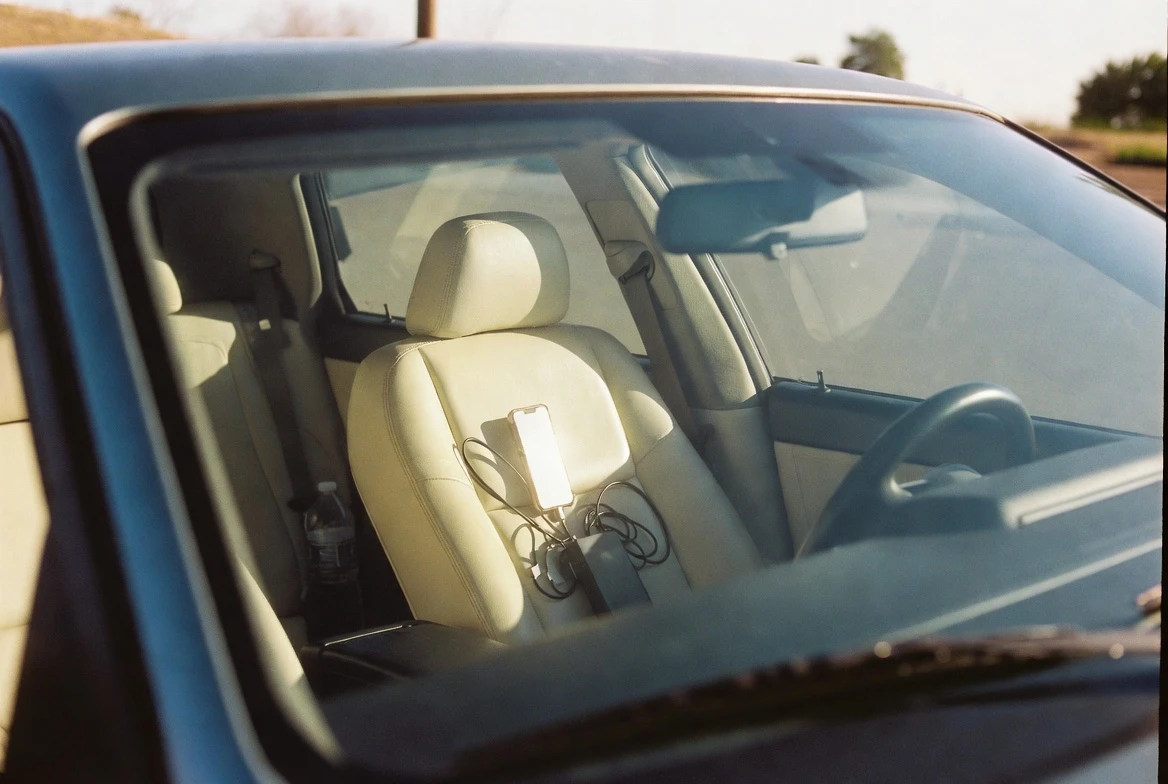
Parts of Europe baked through June 2026, with Paris pushing above 40°C on June 22, per an AP photograph that ran alongside Chan’s column. Phones, tablets, and other electronics are vulnerable to extreme heat, and Apple is specific about the limits: iPhone and iPad devices are designed for use where the ambient temperature is between 0° and 35°C. Apple’s iPhone operating-temperature guide sets the storage range between -20°C and 45°C and adds a flat warning: do not leave the device in a car, because temperatures in parked cars can exceed this range.
The warning triggers screen dimming, charging slowdown, and in extreme cases a shutdown. The same advice shows up for Android devices. The practical rule is to leave the phone out of the car and in the shade whenever the trip pauses.
The same trip also produces a quieter cost: the camera roll. Practice some photo discipline, Chan wrote, and start an album on day one so the pictures land in one place. Star or heart the standout snaps during the trip; the rest can be culled at home with a free app. The same advice applies to apps that pull attention away from the trip itself, since the phone has built-in screen-time tools that can be turned on for a week. Deleting the apps that aren’t needed before a vacation, and reinstalling them later, is a low-effort way to make the trip feel more like a trip.
Frequently Asked Questions
Should I unplug everything before vacation?
No. Standby power is real, but the savings from unplugging every device is small. British consumer group Which? tested the cost and found that turning off the kit at the wall saves £20.40 a year; a single unplugged TV saves just 51p. Unplug anything that does not need to perform a useful function, Tan told Chan’s column, but leave essentials such as the fridge, freezer, security system, and Wi-Fi router running if smart home devices depend on them.
Can Apple’s Digital ID replace my passport?
No. Apple’s Digital ID, launched November 12, 2025, is accepted at TSA checkpoints in more than 250 U.S. airports for domestic travel, but it cannot be used for international travel or border crossing in lieu of a U.S. passport. It works as a Real ID alternative for travelers without a compliant driver’s license. For any flight that lands in another country, the physical passport is required.
Is a second eSIM worth it for short trips?
It depends on the carrier. Carriers that sell a flat-rate international roaming package often undercut regional eSIMs for a one-week trip. For multi-country itineraries or stays longer than a week, an international eSIM from one of dozens of region-specific providers usually wins on price. Many newer iPhones and Android devices support a second eSIM that sits alongside the home line without a physical swap.
Is airport Wi-Fi ever safe to use?
Free public Wi-Fi can route traffic through a stranger’s server or a rogue hotspot. The safest habit is to skip it and use mobile data, or route through a VPN that encrypts the connection. Locking the device down with a strong passcode and turning on Find My before any trip is the cheapest insurance against losing it at a tourist site or at the border.
How hot is too hot for a phone?
Apple designs iPhones for use in ambient temperatures between 0° and 35°C and for storage between -20°C and 45°C; the company warns specifically against leaving a device in a parked car. Above that range, the phone will dim the screen, slow or stop charging, and may shut down with a temperature warning. The same applies to most Android devices, and the rule is to leave the phone out of the car and in the shade.


Sony’s 10 Percent Disc Drop Leaves the 2028 Cutoff Intact

Chip Allocation Sidelines the Base iPhone 18 This Fall

Miami-Dade Fights the Vice City Brand It Already Wears

IFA 2026 Awards Put Tecno Ahead of Flagship Phones

USB-C Gadgets Made the Junk Drawer Rechargeable

Pixel 11 Pro Asks $1,099 for a Light Google Locked

The iPhone Ultra Sells Two Retired Minis as One Foldable

Google Opens Gmail to Voice and Gates Docs Live

Lenovo Prices the IdeaPad Vibe Against Apple’s $699 Neo

Xbox Caps Game Pass Cloud Gaming at 15 Hours

Oracle Cuts 21,000 Jobs in a Year, Cites AI in 10-K Filing

Fable 5 and Mythos 5 Return as US Lifts Anthropic Export Controls

SpaceX’s Google Deal Turns a Rocket Company Into a Cloud Landlord

CD Projekt Red Co-CEO: Redemption Arc Isn’t Done, Witcher 4 in 2027

XPL Rallies 30% Ahead of Plasma One Card Tier Launch

Google Search Profiles Build a Follow Graph Inside Discover

DGO App Brings Rs 549 Mobile Pass for FIFA World Cup 2026 in Nepal

Moonshot AI Targets $30 Billion in China’s Fastest AI Funding Sprint

Oppo’s ColorOS 17 Eligibility List Leaves A-Series Buyers Behind

Microsoft Xbox Layoffs Start in July as Sharma Slams 3% Margin
-
 AI3 months ago
Oracle Cuts 21,000 Jobs in a Year, Cites AI in 10-K Filing
-
 AI2 months ago
Fable 5 and Mythos 5 Return as US Lifts Anthropic Export Controls
-
 AI3 months ago
SpaceX’s Google Deal Turns a Rocket Company Into a Cloud Landlord
-
 GAMING3 months ago
CD Projekt Red Co-CEO: Redemption Arc Isn’t Done, Witcher 4 in 2027
-
 CRYPTO3 months ago
XPL Rallies 30% Ahead of Plasma One Card Tier Launch
-
 NEWS3 months ago
Google Search Profiles Build a Follow Graph Inside Discover
-
 APPS3 months ago
DGO App Brings Rs 549 Mobile Pass for FIFA World Cup 2026 in Nepal
-
 AI3 months ago
Moonshot AI Targets $30 Billion in China’s Fastest AI Funding Sprint