
NEWS
GentleOS Gives Decades-Old PCs a New Desktop by Stripping Away the Rest
Developer luke8086’s GentleOS boots a retro graphical desktop on 1980s-era 386 and 8086 PCs with as little as 192 KB of RAM, no internet required.

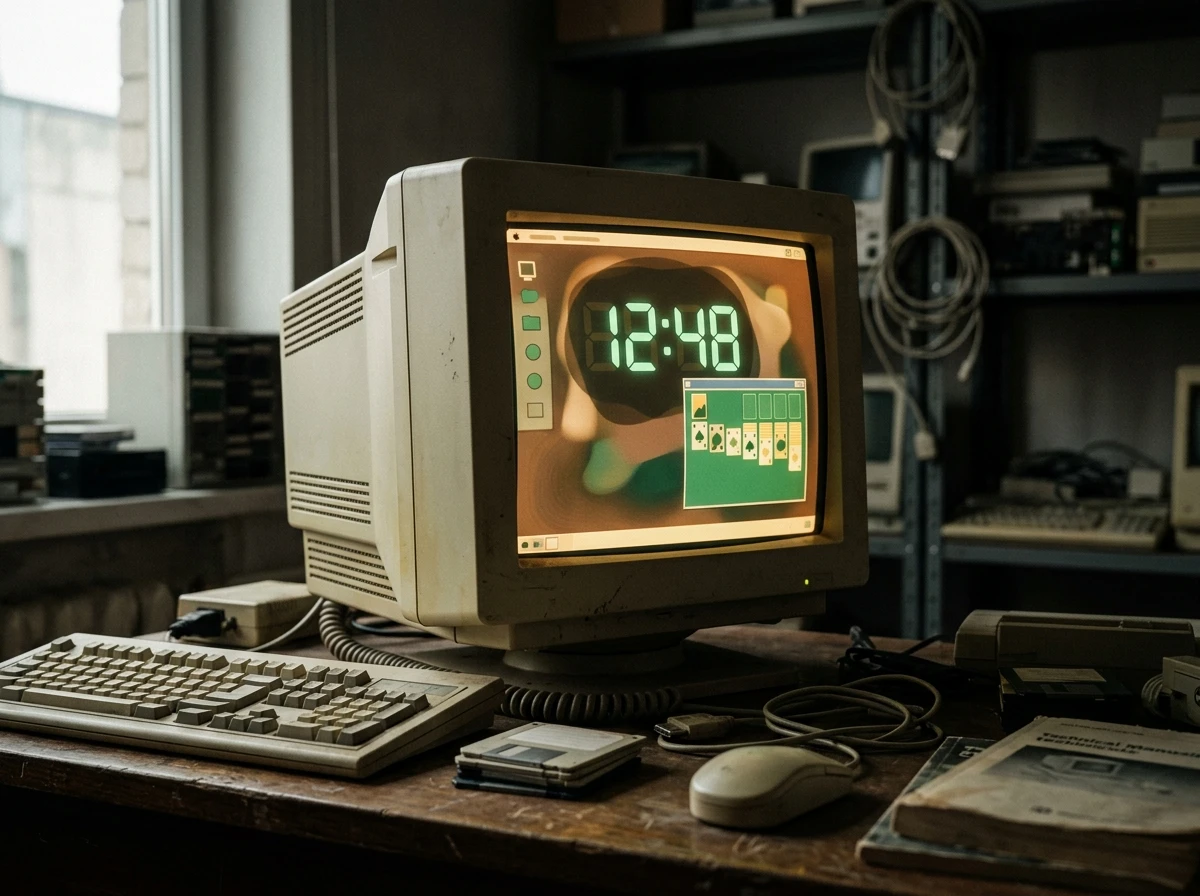
Developer luke8086 released a graphical desktop operating system in June built to run on computer chips nearly half a century old. GentleOS boots a full retro desktop, complete with movable windows and a giant digital clock. It runs on as little as 192 KB of RAM, no hard drive and no internet connection required.
Every feature GentleOS leaves out, virtual memory, preemptive multitasking, networking, is also the reason it starts almost instantly on hardware modern software abandoned decades ago. That trade-off defines the whole project, and it also caps what GentleOS can become next.
A Single Binary Boots Like Microcontroller Firmware
Both versions of GentleOS share one design: everything compiles down into a single binary that runs directly on the hardware, closer to microcontroller firmware than to a conventional operating system. The project’s own documentation describes the build as compiled straight to bare metal, with no installer and no separate kernel layer to load first.
The code is written in plain C with a small amount of assembly, a choice that lets other programmers follow the logic without wading through layers of abstraction. There is no virtual memory, no split between user space and kernel space, and no preemptive multitasking. A single-threaded main event loop handles graphics and dispatches actions to whichever built-in program is running.
Modern operating systems provide file storage and networking as a baseline. GentleOS provides neither. The entire system runs in memory each session, so nothing more complex than what fits in RAM at boot time ever happens on screen.
Two Versions, One Minimalist Philosophy
GentleOS ships as two separate builds that share a visual language but target very different eras of hardware. GentleOS/32 covers 386-class machines and newer. GentleOS/16 reaches back further, to the 8086 and 80186 chips that powered PCs before the 386 existed. The developer’s own project page spells out exactly what each build expects from a host machine, down to the mouse port.
| Version | Minimum CPU | Minimum RAM | Display |
|---|---|---|---|
| GentleOS/32 | Intel 386 (i386) or later | 2 to 4 MB, depending on boot image | VGA (Video Graphics Array), 640×480 in 16 colors, or higher-res 256-color modes |
| GentleOS/16 | 8086 or 80186-class CPU | Under 192 KB | CGA (Color Graphics Adapter), 320×200 in 4 colors |
A mouse is required on both versions, connected through a PS/2 or serial port. Support extends only to standard PC hardware beyond that: no sound cards past the PC speaker, no exotic graphics chipsets, no printers. Nothing here is meant to be flexible.
Why Did luke8086 Build an OS With No Internet?
luke8086 built GentleOS as a hobby project, aiming to give retrocomputing enthusiasts a clean platform for working with vintage x86 hardware or running graphical programs as close to the metal as possible. There is no browser and no app store by design. The idea is to focus attention on what the machine sitting in front of you can do on its own, with nothing fetched from anywhere else.
That puts GentleOS in different territory than most retrocomputing projects, which tend to emulate old software inside modern browsers. A separate project, a browser-based collection of 600 historical operating systems, lets anyone boot decades-old software without touching real silicon. GentleOS insists on the opposite. It wants actual period-correct chips running actual period-correct code, or a virtual machine standing in for one.
The Missing Pieces Are the Feature
What GentleOS does include is a surprisingly complete little desktop. Both versions share the same interface: movable windows, an icon sidebar for quick access, and a simple, consistent color scheme. A handful of built-in programs come compiled directly into the binary rather than installed separately:
- A retro clock with oversized, segmented digits that update in real time
- A full game of Klondike solitaire
- A color palette tool for quick creative work
- A calendar and a basic mathematics program
- A simple art program and a handful of light games
- An about box that shows what is running behind the scenes
GentleOS/32’s source carries a GPLv2 (GNU General Public License version 2) license, and the repository is open for anyone to read or modify. That openness fits naturally with a community that calls itself permacomputing.
- Permacomputing – a small movement of programmers who build software meant to keep running for decades on minimal, low-power hardware instead of chasing each new generation of chips.
GentleOS was not built by that movement, but it fits its instincts closely. Nothing here is optimized for a future upgrade path. It is optimized to keep working on hardware nobody upgrades anymore.
Word Spread Fast Through Retrocomputing Circles
GentleOS went up on GitHub in early June and found an audience almost immediately. Hackaday, OSnews, XDA Developers and Adafruit all wrote it up within days of each other, several of them noting that GentleOS/16 runs on a chip design that is now 48 years old. The reaction inside Hacker News’s own comment section ran warmer than most Show HN threads get.
This is great, thanks for releasing your work.
That was one commenter’s reaction on the original Show HN thread, where others pitched a Uxn emulator port as a way to pull in the retrocomputing and permacomputing crowds at once. Elsewhere, a hobbyist on Threads posted a clip of GentleOS/16 running on a handheld LilyGo board, hardware nobody involved in the project had originally targeted.
luke8086 also fielded technical questions in the thread, clarifying that the 80186 requirement referred to an instruction set rather than one specific chip, since several older clones and compatible processors implement the same instructions without being a genuine Intel 80186.
Why GentleOS Will Probably Stay Small
Ask what comes next and the answer is deliberately narrow. luke8086 has listed future plans for both versions as bugfixes, optimizations and a handful of additional built-in apps, nothing more ambitious. There is no roadmap toward networking, multitasking or file storage, because adding any of those would break the constraint that makes GentleOS what it is.
The project’s writeup climbed back onto Hacker News’s front page a second time weeks after its first appearance, evidence that the audience for deliberately small software is bigger than it looks from outside the retrocomputing world. That audience is not asking GentleOS to grow up. It is asking GentleOS to stay exactly this small, on exactly this old hardware, for as long as that hardware keeps booting.
Frequently Asked Questions
What Computers Can Run GentleOS?
GentleOS/32 needs an Intel 386 (i386) chip or newer, 2 to 4 MB of RAM depending on the boot image, and a VGA display. GentleOS/16 runs on much older 8086 or 80186-class chips with under 192 KB of RAM and a CGA display. Both versions also boot inside a standard PC virtual machine, so a real vintage box is not strictly required to try one.
How Much RAM Does GentleOS Need?
GentleOS/16 runs in under 192 KB of RAM, and GentleOS/32 needs 2 to 4 MB depending on the boot image. For comparison, many modern webpages alone use more memory than that just to render a single banner ad, which is part of why GentleOS boots almost instantly even on decades-old silicon.
Is GentleOS Free to Download?
Yes. Both versions are hosted on GitHub at no cost, with the GentleOS/32 source released under the GPLv2 open-source license. There is no signup, no email address and no app store account required, just a boot image to download and write to a disk or virtual machine.
Can I Run GentleOS Without Real Vintage Hardware?
Yes. Downloading the boot image and starting it inside a standard PC virtual machine works fine, and early reviewers noted it boots almost instantly on modern computers, since a machine built in the last few years has no trouble emulating a 386 or an 8086.
Does GentleOS Save Files or Connect to the Internet?
No. There is no networking stack and no persistent storage, so nothing done inside GentleOS survives a restart. Every session starts fresh from the same built-in set of programs, which is also part of why the system needs so little memory to run.
Will GentleOS Ever Add Multitasking or Networking?
Unlikely, based on the project’s own stated plans. luke8086 has described future work as bugfixes, optimizations and more built-in apps, not new subsystems. Adding a networking stack or preemptive multitasking would also push RAM requirements well past what 8086 and 80186-class machines can physically hold, undercutting the reason the project exists.


Sony’s 10 Percent Disc Drop Leaves the 2028 Cutoff Intact

Chip Allocation Sidelines the Base iPhone 18 This Fall

Miami-Dade Fights the Vice City Brand It Already Wears

IFA 2026 Awards Put Tecno Ahead of Flagship Phones

USB-C Gadgets Made the Junk Drawer Rechargeable

Pixel 11 Pro Asks $1,099 for a Light Google Locked

The iPhone Ultra Sells Two Retired Minis as One Foldable

Google Opens Gmail to Voice and Gates Docs Live

Lenovo Prices the IdeaPad Vibe Against Apple’s $699 Neo

Xbox Caps Game Pass Cloud Gaming at 15 Hours

Oracle Cuts 21,000 Jobs in a Year, Cites AI in 10-K Filing

Fable 5 and Mythos 5 Return as US Lifts Anthropic Export Controls

SpaceX’s Google Deal Turns a Rocket Company Into a Cloud Landlord

CD Projekt Red Co-CEO: Redemption Arc Isn’t Done, Witcher 4 in 2027

XPL Rallies 30% Ahead of Plasma One Card Tier Launch

Google Search Profiles Build a Follow Graph Inside Discover

DGO App Brings Rs 549 Mobile Pass for FIFA World Cup 2026 in Nepal

Moonshot AI Targets $30 Billion in China’s Fastest AI Funding Sprint

Oppo’s ColorOS 17 Eligibility List Leaves A-Series Buyers Behind

Microsoft Xbox Layoffs Start in July as Sharma Slams 3% Margin
-
 AI2 months ago
Oracle Cuts 21,000 Jobs in a Year, Cites AI in 10-K Filing
-
 AI2 months ago
Fable 5 and Mythos 5 Return as US Lifts Anthropic Export Controls
-
 AI3 months ago
SpaceX’s Google Deal Turns a Rocket Company Into a Cloud Landlord
-
 GAMING3 months ago
CD Projekt Red Co-CEO: Redemption Arc Isn’t Done, Witcher 4 in 2027
-
 CRYPTO3 months ago
XPL Rallies 30% Ahead of Plasma One Card Tier Launch
-
 NEWS3 months ago
Google Search Profiles Build a Follow Graph Inside Discover
-
 APPS3 months ago
DGO App Brings Rs 549 Mobile Pass for FIFA World Cup 2026 in Nepal
-
 AI3 months ago
Moonshot AI Targets $30 Billion in China’s Fastest AI Funding Sprint