
GADGETS
Five Android Camera Tricks That Sharpen Landscape Photos
These five Android camera features sit in the camera app you already have, and any one of them can sharpen a landscape photo without buying new hardware.

Most Android phones ship with a dedicated ultrawide lens, an HDR mode, and a Pro or Manual mode that can lift landscape photos well past what the average point-and-shoot produces. The five features that consistently sharpen a landscape shot have been sitting in the camera app all along, and most users barely touch them. What separates a sharp Android landscape from a soft one is rarely the price tag on the box.
Why the Spec Sheet Has Been Misleading the Conversation
Phone launches keep leaning on sensor sizes, megapixel counts, and pixel dimensions, so the natural assumption is that a sharper landscape requires a sharper piece of hardware. Google’s research blog on Night Sight makes the underlying point more bluntly: the Pixel cameras since 2014 have leaned on HDR+, a process that captures a burst of frames, aligns them in software, and merges them into a single image, so the computing power is at least as important as the lens and the sensor. The same idea shows up across Samsung, Xiaomi, vivo, and others, where computational photography is doing more of the heavy lifting than the spec sheet suggests. Most users leave these features on automatic, and for landscape work that default usually delivers acceptable results.
For landscape work, that swap of focus matters: if the question is which phone takes the sharpest scenery, the practical answer is often which phone the user knows how to drive. The Android camera on the back of any recent flagship is essentially a small computer attached to a lens, and software features now do most of the work the spec sheet used to claim, especially in landscape conditions.
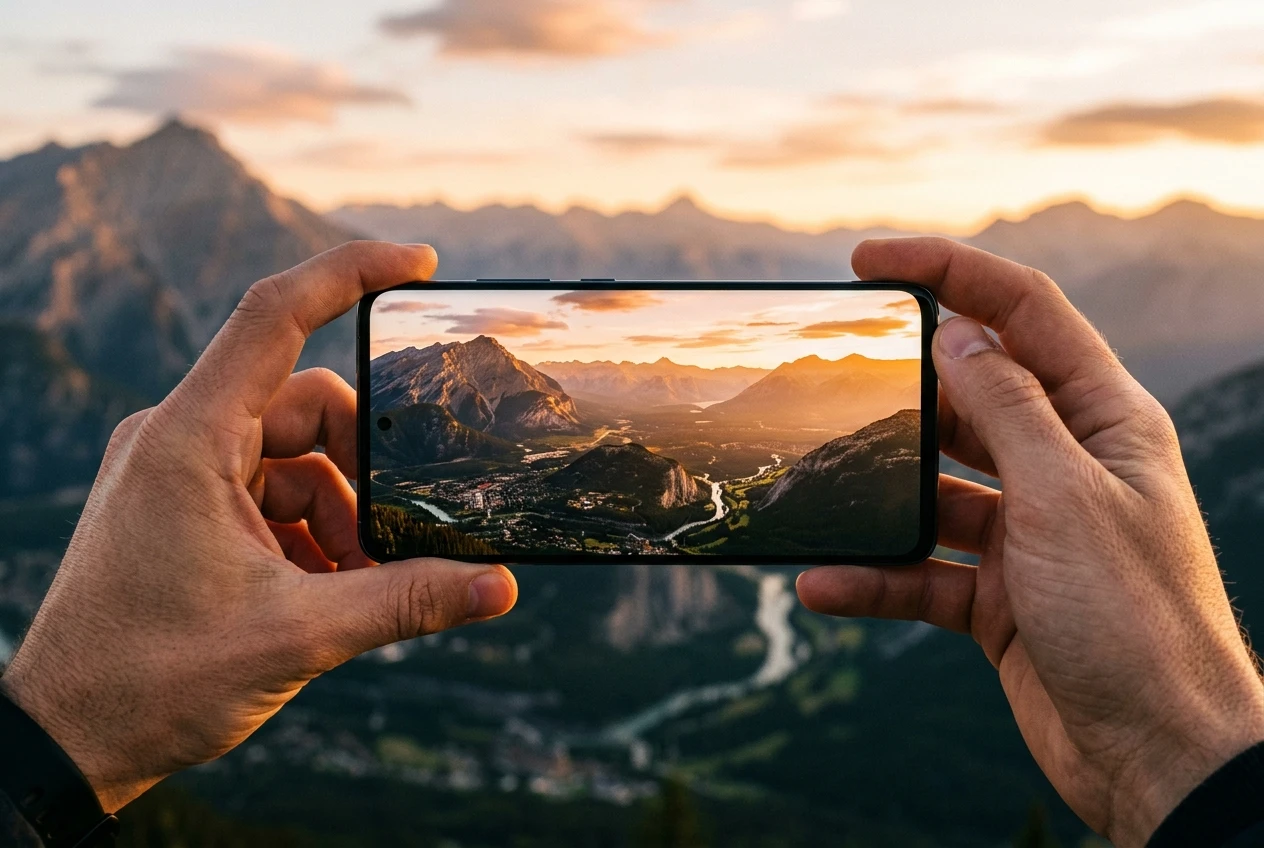
Ultrawide: The Lens That Reshaped the Frame
Modern Android flagships treat ultrawide as a first-class citizen rather than a throwaway secondary camera, and the field-of-view numbers explain why. According to Android Authority’s ultrawide camera phone guide, the Samsung Galaxy S24’s primary camera sits at roughly 85 degrees, while the ultrawide sensor on the same phone stretches to 120 degrees, a gap wide enough to pull in a mountain range or a stretch of coastline that would otherwise fall outside the frame. Phones like the Pixel 8 Pro push further, with Android Authority listing its 48MP ultrawide at 126 degrees, which is also why that camera doubles as a macro shooter through the same sensor.
The wider reach comes with a tradeoff worth knowing. Ultrawide sensors at or above 120 degrees tend to introduce visible fish-eye distortion along the edges, where straight lines curve and subjects on the periphery can look warped. Some manufacturers including Google, Huawei, and OPPO have settled on narrower ultrawides around 110 degrees to soften that distortion, while Samsung and vivo prefer the wider frame and apply software correction on top. For landscape work the wider version usually wins, because the foreground scenery is forgiving and the dramatic reach is the whole point.
The same logic is why most phones now expose the ultrawide as a one-tap toggle in the camera app rather than a buried secondary mode. A quick comparison of three flagships Android Authority measured shows how much the choice varies across the same generation.
| Phone | Ultrawide resolution | Ultrawide field of view | Autofocus |
|---|---|---|---|
| Google Pixel 8 Pro | 48 MP | 126 degrees | Yes |
| Samsung Galaxy S24 Ultra | 12 MP | 120 degrees | Yes |
| OnePlus 12 | 48 MP | 114 degrees | Yes |
HDR and the Sky That Stops Blowing Out
Landscape scenes put more dynamic range on the camera than almost any other kind of shot: a bright sky overhead, deep shadow under trees, midtones on the hillside, and a foreground that often runs darker than any of them. The default camera mode tends to expose for one of those zones and let the others burn out or sink into black. That tradeoff is the reason so many point-and-shoot landscapes look fine in the middle but unusable at the edges.
HDR is a staple in modern smartphones, and it’s especially useful for landscape photography. What HDR does is simple yet effective: it takes multiple photos at varying exposure levels and blends them into a single, well-exposed image, capturing the bright sky, the darker terrain, and everything in between without losing detail.
That passage comes from Digital Photography School’s smartphone landscape guide, which walks through thirteen tips and treats HDR as the single most useful automatic tool for outdoor scenes. The HDR pipeline runs across most modern Android phones, and the same tradeoffs apply on the iPhone side.
The main quirk is that HDR usually activates as an automatic toggle the first time a scene needs it, which is why most Android users already get it without naming it. Where HDR mode adds value beyond the auto setting is when the scene’s contrast is unusual: a backlit subject with sky behind, a sun dropping through trees, or a foreground much darker than the background. In those cases HDR pulls the sky back from white and recovers shadow detail that the default mode would otherwise lose.
It is also the single most useful feature when the light changes faster than the camera’s meter can react, which is most of the time at sunrise or sunset. The HDR sweep runs in a fraction of a second, so the cost of leaving it on is essentially nothing. Some Android phones let you lock HDR on manually through a top-bar toggle, while others bury the option inside the camera settings menu. If a single HDR pass does not produce the result the scene calls for, repeating the shot with manual exposure compensation shifts the tone in either direction. The alternative for shooters who want full control is to bracket exposures manually with a third-party app and merge them later, which is closer to the way desktop HDR workflows run.
Pro Mode for the Times You Need to Take the Wheel
The default camera mode handles most situations well, but the controls it hides are useful in landscape work for a few specific reasons. Pro mode exposes the same controls a DSLR shooter would expect, and Samsung’s Pro Mode support page lists the exact set: ISO to manage noise, shutter speed for motion and low light, white balance for the color temperature the scene actually carries, exposure compensation for fine-tuning brightness, and manual focus for situations where the autofocus hunts or locks on the wrong subject. Most modern Android phones follow the same template even if the menu names differ. The extras landscape shooters tend to reach for are the few that change how the sensor reads light, not the ones that change how the image looks after the fact.
The two settings landscape shooters tend to care about most are ISO and shutter speed. According to DPReview’s guide to phone camera settings, keeping ISO low when the light allows produces a cleaner image with less noise, so dropping ISO is the first move in good light. White balance is a quieter setting that matters more than it looks, because the camera’s automatic version often reinterprets warm sunset light as either too orange or too blue and shifts the colors away from what the eye saw; locking the white balance to the daylight preset under direct sun tends to keep the result honest.
Night Mode’s Multi-Frame Trick for Soft Light
Night mode is the feature most users associate with handheld shots in dim restaurants or city streets, but its mechanism makes it equally useful when dusk settles over a landscape. Modern Android night modes are a form of multi-frame photography: the phone snaps several exposures in a row, aligns them by software, and merges them into a single image with less noise than any single frame would carry, per Android Central’s explainer on computational photography.
Google’s research blog on Night Sight spells out how the frame counts and exposure times shift with conditions, the clearest public description of the system I could find. Handheld, the camera collects up to 15 frames and picks per-frame exposures short enough to keep motion blur reasonable, around one-fifteenth of a second or less. When the camera detects motion in the frame, it drops per-frame exposure further, with Google’s published example at around 48 to 73 milliseconds for a moving dog, so the moving subject stays sharp. Held against a wall or set on a tripod, the camera stretches each frame to as long as one second and drops to roughly 6 frames.
| Shooting condition | Per-frame exposure | Number of frames |
|---|---|---|
| Handheld, dim scene | Up to ~1/15 s | Up to 15 |
| Handheld, motion detected | ~48-73 ms | Up to 15 |
| Tripod or stabilized | Up to ~1 s | ~6 |
These frame counts shift automatically based on what the sensor detects, which is why the same mode behaves differently at a city crosswalk than on a quiet ridge. For landscape work the takeaway is that night mode extends the same multi-frame benefit into low-light outdoor scenes, useful for twilight coastlines, mountain horizons after sundown, or any wide subject where the eye still sees color but the sensor otherwise would not. A flat surface against a tree trunk or rock stretches the same effect further by giving the camera the stable base the longer per-frame exposures assume. Stabilization matters because each per-frame exposure compounds any handshake, and the merge step in software amplifies motion blur if even one frame drifts. The night mode toggle on most Android phones lives in the camera’s More menu or the mode strip, and engages without the manual controls Pro mode requires.
Light, Composition, and the Habits That Travel With Them
Software can recover a lot, but it cannot manufacture good light where none exists, so the time of day still decides more than any mode in the camera app. Digital Photography School’s smartphone landscape guide recommends early morning and late evening, the magic hours, for the simplest reason: when the sun is low, the sky carries color and the shadow side of the landscape stays detailed instead of going to mud.
Composition matters more than the spec sheet suggests for similar reasons. The rule of thirds and a careful pass along the edges of the frame are standard landscape advice that travels fine onto a phone screen, and the ultrawide lens gives those rules more room to land because a wider frame contains more sky and more foreground. Filling roughly a third of the frame with a foreground texture such as rocks, grass, or water ripple usually pays off, and ultrawide sensors at 120 degrees or wider handle that without forcing the photographer to back up. Horizon placement matters too: the horizon on the top third often makes a landscape feel taller, while a horizon close to the middle tends to flatten the depth.
Night mode becomes the natural complement to HDR once the sun drops, and on most Android phones both engage automatically without a separate tap. The manual setting worth remembering is white balance, since the camera’s automatic version tends to push sunset colors away from what the eye saw; locking the white balance preset under Pro mode keeps the warmth intact. The rest of the toolkit is small: a flat surface for steadiness, a lens-cleaning cloth for the moments condensation or fingerprints land on the ultrawide, and the patience to wait for the light.
What changes between a phone that produces strong landscapes and one that produces flat ones is usually not the hardware. It is whether the user knows the ultrawide lens is sitting on the back, that HDR handles backlit skies on its own, that Pro mode opens ISO and white balance when default mode drifts, and that Night mode stitches frames when the light slips away. Most of those features sit a tap or two inside the camera app. Five features, one camera app, and a short wait for the right light together cover most of what separates a sharp Android landscape from a soft one.
Frequently Asked Questions
Does every Android phone include a Pro or Manual mode?
Most modern flagships and many mid-range Android phones ship with a Pro, Manual, or Expert mode in the stock camera app, including the Samsung Galaxy S series per Samsung’s Pro Mode support page and the Pixel line. On Samsung phones the toggle typically sits in the camera’s More menu, and Google’s Pixel app opens Pro mode from the main mode strip. Older or entry-level Android phones may not include a true manual mode, in which case a third-party app such as Open Camera or ProCam X can supply ISO, shutter, and white balance control when the default app omits them.
How is HDR different from Night mode?
HDR targets the gap between bright and dark areas in a single scene by combining multiple exposures into one well-exposed image, and Digital Photography School flags landscape photography as its main use case. Night mode targets scenes too dark for a single exposure and stitches together a longer burst of frames; Google’s research blog notes Pixel night modes can stretch to roughly 6 one-second frames on a tripod or up to 15 shorter frames handheld. For shooters who want full control, some Android third-party apps also let you bracket exposures manually and merge them later, which is the closest analog to a desktop HDR workflow.
Should I use the ultrawide lens for landscape shots on Android?
For most landscape scenes, yes. Android Authority’s guide places flagship ultrawide field-of-view figures between roughly 114 degrees on the OnePlus 12 and 126 degrees on the Pixel 8 Pro, both well wider than the primary camera, which is why ultrawide pulls in scenery the main lens would crop out. The tradeoff is visible edge distortion at 120 degrees and above, which is why some manufacturers including Google, Huawei, and OPPO have stayed closer to 110 degrees on certain phones to keep the geometry tighter.
Is Night mode the same as long exposure on a DSLR?
No. A traditional long exposure captures one frame for seconds or minutes, while smartphone night mode captures a burst of shorter exposures and merges them in software to clean up the noise. Google’s research blog on Night Sight explains the tradeoff: handheld night mode may use up to 15 frames at one-fifteenth of a second each, while a stabilized or tripod-mounted shot uses about 6 frames at roughly one second each. The stabilized configuration produces cleaner shadow detail than a single long exposure because each frame is short enough that hand shake does not blur it.
Do megapixels matter for Android landscape photography?
To a point, yes, but Android Authority’s ultrawide guide argues megapixels are not the top factor for image quality, with 12MP ultrawide sensors producing solid results in good light. The Samsung Galaxy S24 Ultra’s 12MP ultrawide carries 1.4-micron pixels per Android Authority, which is the kind of sensor-size choice that prioritizes low-light quality over resolution. For most landscape use, a well-tuned 12MP ultrawide beats a poorly tuned 50MP ultrawide shot in low light.
What settings should I use for sunrise and sunset on Android?
For most sunrise and sunset scenes, leave the default mode engaged with HDR on and let the camera merge exposures on its own, since the contrast between sky and terrain is exactly the case HDR handles best. If the colors drift warmer or cooler than they looked in person, switch to Pro mode and lock white balance on the daylight or cloudy preset, which keeps the camera from reinterpreting the warm light. Once the sun has fully set, Night mode on a flat surface recovers most of the twilight color a default shot would render as flat black.

Instagram Plus Tests a Read-Only Mode That Cuts Stories

Altman Asks the Public to Accept Some AI Harm

Google Freezes OSS VRP Product Reports After AI Flood

AI Agents Make Payment Rails the Scarce Prize

Turkey’s Crypto Boom Now Runs Through Three Banks

Fable 5 Came Back Under a Commerce On-Off Switch

Google’s SpaceX GPU Lease Has a Sept. 30 Deadline

Plasma One’s XPL Locks Face a 1.81 Billion Cliff

DGO’s Rs 549 World Cup Pass Cost Fans Sleep and Data

Moonshot AI’s $30 Billion Ask Became a $35 Billion Close
-
 AI4 months ago
Fable 5 Came Back Under a Commerce On-Off Switch
-
 AI4 months ago
Google’s SpaceX GPU Lease Has a Sept. 30 Deadline
-
 CRYPTO4 months ago
Plasma One’s XPL Locks Face a 1.81 Billion Cliff
-
 APPS4 months ago
DGO’s Rs 549 World Cup Pass Cost Fans Sleep and Data
-
 AI4 months ago
Moonshot AI’s $30 Billion Ask Became a $35 Billion Close
-

 NEWS4 months ago
ColorOS 17 Device List Spans Oppo, OnePlus and Realme
-

 GAMING4 months ago
Xbox Cuts 3,200 Jobs After Five Years of Thin Returns
-

 GAMING4 months ago
The RTX 4050 Under Rs 70,000 Hides a Wattage Gap