
COMPUTERS
Every PC Maker’s Secure Boot Fix After Microsoft’s June Deadline
Microsoft’s 2011 Secure Boot certificates expired in June 2026. See which OEMs ship the 2023 fix, how to check your status, and what to do if your device is stuck.

Two of Microsoft’s three original Secure Boot certificates expired this week, and the third arrives on October 19, 2026. Major PC makers including Dell, HP, Lenovo, ASUS, MSI, and Microsoft Surface have now published specific guidance on how to receive the 2023 replacement, and most users do not need to do anything beyond keeping Windows Update current. A specific class of older devices, plus a small fleet of premium HP machines, sit outside that smooth path.
The certificates in question have anchored Windows hardware security since Secure Boot’s launch with Windows 8. They verify that only trusted software runs before the operating system loads, blocking boot-level malware that antivirus software cannot see. Their expiration does not break Windows, but it does cut affected PCs off from the steady stream of firmware updates and revocation lists Microsoft relies on to keep that chain trusted. The transition runs through October 19, 2026, when the final certificate, Microsoft Windows Production PCA 2011, expires.
Two of Three Secure Boot Deadlines Just Passed
Microsoft published the official certificate schedule on its Secure Boot certificate expiration table and OEM guidance page. The first certificate to expire was Microsoft Corporation KEK CA 2011 on June 24, 2026. Three days later, on June 27, the Microsoft UEFI CA 2011 expired, with two distinct replacements now separating the trust granted to third-party boot loaders from that granted to third-party Option ROMs.
- Microsoft Corporation KEK CA 2011 replaced by Microsoft Corporation KEK 2K CA 2023, stored in KEK. Expired June 24, 2026.
- Microsoft UEFI CA 2011 replaced by Microsoft UEFI CA 2023, stored in DB, signs third-party boot loaders. Expired June 27, 2026.
- Microsoft UEFI CA 2011 replaced by Microsoft Option ROM UEFI CA 2023, stored in DB, signs third-party Option ROMs. Expired June 27, 2026.
- Microsoft Windows Production PCA 2011 replaced by Windows UEFI CA 2023, stored in DB, signs the Windows boot loader. Expires October 19, 2026.
The DB slot for the Windows boot loader itself, currently held by Windows Production PCA 2011, will move to Windows UEFI CA 2023 in October. Each replacement is valid for 15 years, running through 2038. Dell’s Secure Boot transition FAQ lists the same schedule and confirms the same end date. Microsoft pushed the 2023 certificates to a significant portion of Windows devices through its standard update channels ahead of the first deadline, which is why most users will see no change at all.
The transition is not optional. Microsoft is replacing the 2011 certificates to ensure Windows devices continue to verify trusted boot software, and the new chain defines the trust boundary for the next 15 years. Devices that miss the update keep booting, but lose their seat at the table for future firmware protections. The remaining question is whether your specific PC made the cut, and what to do if it did not.
What Happens When the 2011 Certificates Expire
Microsoft’s support page is explicit. Devices that have not received the newer 2023 certificates will continue to start and operate normally, and standard Windows updates will continue to install. What they lose is the steady stream of new security protections for the early boot process, including updates to Windows Boot Manager, the Secure Boot databases, the revocation lists, and mitigations for newly discovered boot-level vulnerabilities. Over time, that gap widens as new boot-level attacks are discovered and the revocation list stops reaching affected PCs.
Microsoft’s documentation also flags scenarios that depend on Secure Boot trust, such as BitLocker hardening and third-party bootloaders, as the next things to degrade. None of that happens overnight, but the gap is now structural rather than theoretical. Dell’s Secure Boot transition FAQ with OEM cutoff policy puts the same point differently. The computer is still able to boot, but with an expired certificate it cannot get future updates to the bootloader or Secure Boot, leaving it in what Dell calls a compromised security state. Microsoft’s own March 2026 Ask Microsoft Anything session with the engineering team confirmed the same: skip the rollout, and your Windows 11 PC keeps running, but stops receiving the boot-critical updates and malware blacklists that are the whole reason Secure Boot exists.
The 30-Second Check That Tells You Where You Stand
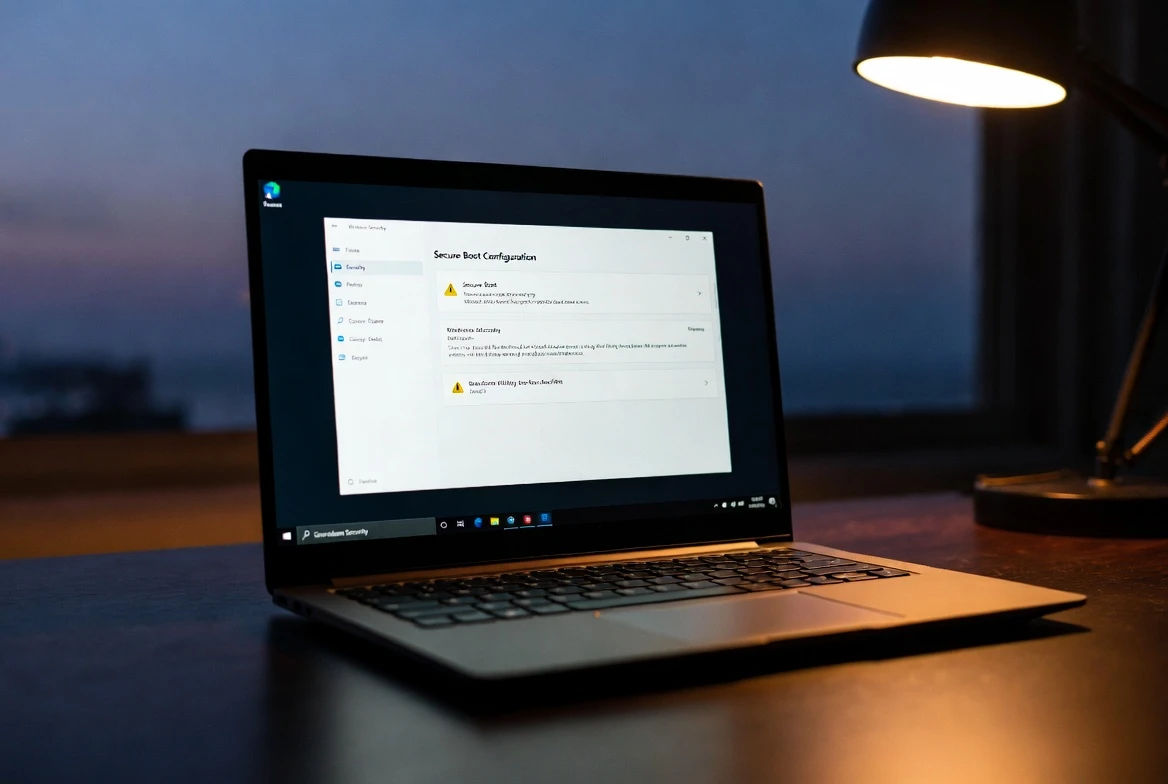
The fastest way to check is in the Windows Security app. Open Settings, click Privacy and Security, then Windows Security, then Device Security. Scroll to the Secure Boot section. A green checkmark means the 2023 certificates have been applied and no action is needed. A yellow warning means the update is still pending, either because Windows Update has not yet pushed it to your specific firmware variant or because your OEM needs to release a BIOS update first.
A red stop icon signals a specific firmware incompatibility that Microsoft cannot push through automatically. If the Secure Boot section is missing from Device Security entirely, your PC either has Secure Boot disabled or was installed using the bypass method on unsupported hardware.
For a deeper read, Microsoft’s IT Pro playbook for 2026 recommends checking the UEFICA2023Status registry key under HKLM:\SYSTEM\CurrentControlSet\Control\SecureBoot\Servicing. The text value moves through Not Started, In Progress, and finally Updated as the deployment completes. A successful deployment also writes Event ID 1808 to the Windows System log under the TPM-WMI source, while Event ID 1801 means the new certificates have been downloaded but not yet handed off to firmware. Microsoft’s playbook also warns IT teams against blanket-enabling the certificate policy across a fleet without first piloting on a representative sample of devices, because Microsoft cannot physically test the millions of unique motherboard variations in the field.
Windows 10 users gained the same Windows Security badge through the June 9, 2026 KB5094127 update, which added Secure Boot status reporting alongside File Explorer search fixes for Chinese and UTF-8 text, as detailed in the Windows 10 KB5094127 release notes. For a manual nudge, Microsoft’s IT Pro guidance points administrators at the AvailableUpdates registry key under HKLM:\SYSTEM\CurrentControlSet\Control\SecureBoot, where setting the value to 0x5944 triggers the certificate and Boot Manager deployment across the supported 2023 chain.
How the Big-Six OEMs Are Rolling Out the 2023 Certificate
The OEM playbook varies by manufacturer, by product line, and by the date each platform reached end of service. Dell, HP, Lenovo, ASUS, MSI, and Microsoft Surface have each published dedicated guidance, and the differences matter for whether your machine quietly receives the new certificate or sits on the wrong side of the cutoff line.
| OEM | Eligible Hardware | Update Path |
|---|---|---|
| Dell | Platforms with End of Service Life after January 1, 2026 | Windows Update; BIOS flash for select models |
| HP Commercial | PCs on the supported list with minimum BIOS version | Windows Update after BIOS prep |
| HP Consumer | Consumer PCs on the supported list | Windows Update |
| Lenovo | ThinkPad, ThinkCentre, IdeaPad, Legion, Yoga lines | Windows Update or direct BIOS download |
| ASUS | Consumer and commercial lines; 2024 and later models pre-integrated | Windows Update, with manual registry fix |
| MSI | Intel 12th Gen and Ryzen 5000H and newer: BIOS flash; older platforms: OS-level | BIOS flash or Windows Update |
| Microsoft Surface | Surface Pro, Laptop, Book, Studio in active support | Windows and Surface firmware pipeline |
Dell’s cutoff policy is the clearest among the major OEMs. Platforms with an End of Service Life before January 1, 2026 will not receive a BIOS update for the Secure Boot transition, Dell’s FAQ states, even if Microsoft makes the new certificates available. Newer Dell platforms have shipped with both 2011 and 2023 certificates since late 2024, and every sustaining Dell platform shipping from the factory now carries both. Dell has not announced an end date for the dual-certificate approach, a choice that gives enterprise customers running older Windows images more flexibility.
HP splits consumer and commercial tracks. Commercial HP PCs require a minimum BIOS version installed before Windows Update will push the 2023 certificates. Consumer HP PCs follow the standard Windows Update path once the device has the required BIOS. Lenovo offers per-model BIOS download links for ThinkPad, ThinkCentre, IdeaPad, Legion, and Yoga lines, with a clear statement that products past their End of Service Life will not be updated. Microsoft’s IT Pro playbook for 2026 adds that many Windows PCs manufactured since 2024 already carry the updated 2023 certificates out of the factory, which is why the rollout has been quieter for buyers of recent hardware.
ASUS splits its documentation between consumer and commercial pages and lists the models that already ship with the 2023 certificates pre-integrated, mostly 2024 and later. MSI takes a processor-generation approach. Intel 12th Gen and AMD Ryzen 5000H and newer get new BIOS firmware, while older MSI platforms handle the transition at the OS level through Windows Update. For both, the published guidance begins with the same recommendation: back up the BitLocker recovery key before flashing any BIOS, because the recovery screen can fire on the next restart.
HP’s BitLocker Loop Exposes a Wider Firmware Risk
HP’s rollout has not gone smoothly across the board. In early April 2026, HP pushed BIOS updates to commercial notebooks, desktops, and workstations running Windows 11 23H2, 24H2, and 25H2. The updates were meant to prepare those devices for the certificate transition, but the firmware shipped with a bug that pushed some premium machines into a BitLocker recovery loop on the next boot. Windows Latest reported that high-end workstations, including the HP ZBook Ultra G1a mobile workstation running BIOS update version 01.04.05 Rev A, froze at the initial boot logo for some users and entered the recovery loop for others. HP later published a support advisory confirming the flaw across its Commercial Notebooks, Commercial Desktops, and Workstation lines.
The failure sequence runs through the Secure Boot chain. The faulty BIOS update modifies the Platform Key and Key Exchange Key on the motherboard, and on some hardware configurations the modification is not clean. That leaves the firmware in a state where BitLocker’s TPM measurements no longer match what the encryption was sealed against. The OS loads, demands the recovery key, and on the next reboot the loop repeats because the certificate handoff never completed.
Microsoft’s 2023 Secure Boot certificates also fail to install on machines stuck in the loop, which is the exact problem the BIOS update was supposed to prevent. HP has since issued corrected BIOS versions and published a manual workaround that walks through the F10 BIOS screen, opens Secure Boot Configuration, and toggles on three 2023-related options: Microsoft Option ROM UEFI CA 2023, Microsoft UEFI CA 2023, and Enable MS UEFI CA Key. After saving and rebooting, PowerShell can confirm the certificate status via the UEFICA2023Status registry string.
The same faulty firmware pattern is now a documented case study in how the rushed pace of Secure Boot modernization can land enterprise users with broken hardware. For HP users specifically, the practical advice is to confirm a corrected BIOS is installed before running any certificate update, and to keep the BitLocker recovery key on hand. Microsoft’s IT Pro playbook for 2026 recommends the same caution at fleet scale, advising administrators to pilot the rollout on a representative sample before enabling the policy broadly.
How Acer, Samsung, and LG Are Handling the Update
Acer’s published guidance follows the standard Windows Update path for supported models and lists BIOS release dates for Aspire, Nitro, Predator, Swift, Extensa, TravelMate, and Spin devices. Several entries received their BIOS updates between June 12 and June 26, 2026, while others sit in an Under process state, meaning the firmware is still being prepared. Acer prefaces its guide with a specific recommendation: locate and back up the BitLocker recovery key first, because a BIOS update can occasionally trigger the recovery screen on the next restart.
Samsung published its support notice in Korean on the Samsung support newsalert page and confirmed that PCs continue to operate normally after the 2011 certificates expire, though boot-level security updates and malware mitigations stop reaching affected devices. For Galaxy Book 3 and older Samsung PCs, the recommended path is Windows Update, with Microsoft’s manual update guide as a fallback. LG’s Windows Secure Boot Certificate Update and Troubleshooting Guide walks through the same Windows Security indicators and advises users to check for BIOS updates for the specific LG PC model if Windows Update does not complete the certificate installation automatically.
Which Devices Will Not Receive the 2023 Fix
Every OEM in this list draws a hard line at end-of-service hardware. Dell excludes platforms with an End of Service Life before January 1, 2026. HP excludes all commercial PCs from 2018 and earlier that did not receive their required BIOS update by December 2025. Lenovo states the same in its product-by-product breakdown, and ASUS, MSI, and Microsoft Surface use a similar product-cycle cutoff.
The result is a class of older PCs that will continue to boot but will not see the 2023 certificates, and will quietly lose future revocation-list updates as new boot-level attacks emerge. The Acer Aspire TC-895 desktop is one concrete example. Per Acer’s own community thread, the last BIOS version available for that model is R01-A3 from 2021, designed for Windows 10 only, with no Windows 11 drivers listed. The yellow badge that TC-895 owners see in Windows Security today, stating that the device does not support the automated secure boot certificate update due to hardware or firmware limitations, is the same badge owners of other unsupported older PCs are seeing across brands.
The PC keeps working. The yellow icon does not block Windows from running. What it signals is that this hardware sits outside Microsoft’s 15-year trust chain going forward, and will not receive the future revocation-list updates that protect against newly discovered boot-level attacks. Acer has not announced plans to expand its supported model list for these older desktops. Microsoft’s documentation for Windows 10 users running the Extended Security Updates program notes that 2023 certificates will be deployed only to devices on Windows 10 LTSC 2021 or with an active ESU license, which leaves the bulk of consumer Windows 10 hardware on its own.
Frequently Asked Questions
What is Secure Boot and why does it matter?
Secure Boot is a UEFI firmware feature that runs before Windows loads and verifies the cryptographic signature of every piece of boot software against a set of trusted certificates stored on the motherboard. Microsoft introduced it with Windows 8 to block bootkits and other pre-boot malware that antivirus software cannot see. Without it, attackers can load malicious code before the operating system starts, hiding from any security software installed later.
How do I check if my PC has the 2023 Secure Boot certificate?
Open Windows Security, click Device Security, and scroll to the Secure Boot section. A green checkmark means the 2023 certificates have been applied and no action is needed. A yellow warning means the update is still pending through Windows Update or an OEM BIOS release. A red stop icon signals a firmware incompatibility that the OS cannot resolve on its own.
My PC shows a yellow warning. What should I do?
First, install the latest cumulative Windows Update and reboot. If the badge stays yellow after one restart cycle, check your OEM’s support page for a specific BIOS update for your model. For ASUS consumer PCs, a manual registry fix is documented on the ASUS support site. For HP commercial PCs, confirm you have a BIOS version released after the April 2026 BitLocker fix before flashing any certificate update.
Will my older Windows 10 PC get the 2023 certificate?
It depends on the OEM and on your specific edition. Microsoft’s June 9, 2026 KB5094127 update added Secure Boot status reporting to Windows 10, but the actual certificate rollout still depends on each PC manufacturer pushing a compatible BIOS update. Dell’s FAQ notes that Microsoft will update Windows 10 devices only if they are running Windows 10 LTSC 2021 or have an activated Extended Security Updates license.
Should I disable Secure Boot if the certificate update keeps failing?
No. Microsoft and Dell both warn that disabling Secure Boot can erase the 2023 certificates already staged on the device, and that toggling the feature can corrupt the boot sequence on some motherboards. The yellow badge does not block Windows from running; it blocks future boot-level security updates from reaching your PC. The right move is to keep Secure Boot enabled, run the latest Windows Update, and check the OEM support site for a model-specific fix.


Honor Robot Phone sale starts with a gimbal that cuts both ways

Ethereum’s price lag hides its growing role as finance infrastructure

Designkit turns product photos into e-commerce videos at scale

Germany Forces Neutral Apple ATT Prompts Across Most of Europe

Korea AI Job Shift Erases Youth Roles While Seniors Gain

Meta Faces States Over Child Safety Claims in Oakland Trial

Nuke tests leave asteroid fragments fate still open

Apple must strip ATT warning prompts after German ruling

Facebook crypto lure turns into ₹7 lakh street robbery in Hyderabad

Round Hill Sues Anthropic and Suno Over 500 Songs

Fable 5 and Mythos 5 Return as US Lifts Anthropic Export Controls

Oracle Cuts 21,000 Jobs in a Year, Cites AI in 10-K Filing

SpaceX’s Google Deal Turns a Rocket Company Into a Cloud Landlord

CD Projekt Red Co-CEO: Redemption Arc Isn’t Done, Witcher 4 in 2027

XPL Rallies 30% Ahead of Plasma One Card Tier Launch

Google Search Profiles Build a Follow Graph Inside Discover

DGO App Brings Rs 549 Mobile Pass for FIFA World Cup 2026 in Nepal

Moonshot AI Targets $30 Billion in China’s Fastest AI Funding Sprint

Microsoft Xbox Layoffs Start in July as Sharma Slams 3% Margin

Oppo’s ColorOS 17 Eligibility List Leaves A-Series Buyers Behind
-
 AI2 months ago
Fable 5 and Mythos 5 Return as US Lifts Anthropic Export Controls
-
 AI2 months ago
Oracle Cuts 21,000 Jobs in a Year, Cites AI in 10-K Filing
-
 AI2 months ago
SpaceX’s Google Deal Turns a Rocket Company Into a Cloud Landlord
-
 GAMING2 months ago
CD Projekt Red Co-CEO: Redemption Arc Isn’t Done, Witcher 4 in 2027
-
 CRYPTO2 months ago
XPL Rallies 30% Ahead of Plasma One Card Tier Launch
-
 NEWS2 months ago
Google Search Profiles Build a Follow Graph Inside Discover
-
 APPS2 months ago
DGO App Brings Rs 549 Mobile Pass for FIFA World Cup 2026 in Nepal
-
 AI2 months ago
Moonshot AI Targets $30 Billion in China’s Fastest AI Funding Sprint