
NEWS
A New Nautilus Extension Restores GNOME’s Lost Computer View
A volunteer coder rebuilt Nautilus’s deleted Other Locations page by hooking into GNOME code the project never meant to be extended this way.

GNOME stripped the Other Locations page out of its Nautilus file manager in 2024 and never replaced it with anything quite like it. A developer who publishes under the handle yannmasoch has now built what the project didn’t: a free extension called My Computer that gathers every drive, partition and network share back onto one screen, the way Windows’ old My Computer icon and macOS Finder’s drive view already do.
The extension does more than restore the old page. It adds Miller column browsing, a preview pane and sidebar customization that Nautilus has never offered natively. Its own documentation admits the trade-off up front: the tool works by reaching into Nautilus code that was never built to be extended this way, and it has already broken once, on Zorin OS 18.
Why Did GNOME Remove Other Locations in the First Place?
GNOME 47 replaced the Other Locations page with a new Network view in September 2024, moving remote shares onto their own screen while shifting local drives and partitions directly into the sidebar. GNOME’s own release notes framed it as a straightforward upgrade, pointing to a clearer list split into connected, previous and available locations. A lot of users called it something else entirely.
A bug report filed on GNOME’s own tracker the day Ubuntu 24.10’s beta picked up the change was blunt: Other Locations had vanished from the sidebar, and with it the only route some users knew to reach the system’s root directory. A GNOME Discourse thread proposing the swap eventually drew enough traffic that staff locked it down.
“I received a slew of email notis recently regarding this popular Nautilus change, and apparently the discussion went off the rails as it’s now locked,” one commenter wrote, still unsure where non-network drives would end up showing.
Desktop Linux was already gaining ground when the change landed. Annual estimates blending multiple trackers put Linux’s desktop share near 4.7% by the end of 2025, its highest level on record, with growth partly tied to Windows 10 reaching its end of life that October. Plenty of people arriving on Linux for the first time grew up clicking an icon called My Computer, then This PC. GNOME’s redesigned Files app gave them neither.
A Developer Named the Fix After What GNOME Deleted
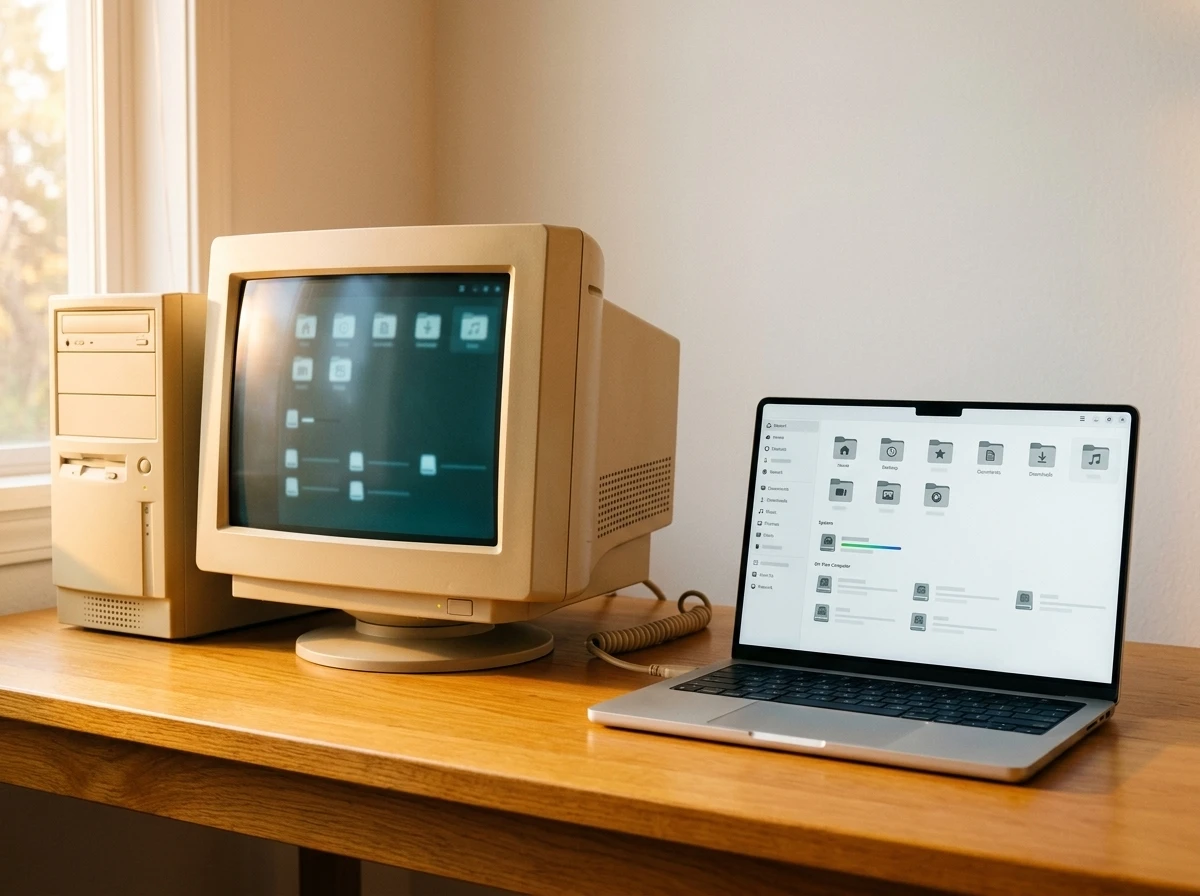
My Computer is a Nautilus extension, not a GNOME Shell extension, meaning it installs as a system package rather than through the usual extensions manager. It puts a new Computer entry at the top of the sidebar; clicking it opens a single page listing every drive, partition, removable device and network mount the system can see.
GNOME dropped the Other Locations view and left nothing in its place. I built what should have always been there, and the GNOME community made it even better.
That’s how yannmasoch, the extension’s developer, describes the project in the tool’s own GitHub documentation. The repository had picked up 205 stars by July 21, 2026, growth that has come almost entirely through word of mouth on GitHub and social media rather than any GNOME channel.
What the Computer View Puts on One Screen
Then, Now, and With the Extension
| Aspect | Nautilus Before GNOME 47 | Nautilus Since GNOME 47 | With My Computer Installed |
|---|---|---|---|
| Drives and partitions | Listed inside Other Locations | Pinned directly in the sidebar | Gathered on a dedicated Computer page |
| Network shares | Mixed into Other Locations | Split into a separate Network folder | Folded back next to local drives |
| Folder browsing style | Single pane only | Single pane only | Optional Miller columns in macOS Finder style |
| Sidebar entries like Recents | Fixed, cannot be hidden | Fixed, cannot be hidden | Toggle switches to hide or show |
| Storage usage bars | Single fixed color | Single fixed color | Custom two-color gradients |
Every section on the Computer page can also be switched off individually. Hide Preferred Folders and Network, for instance, and the page becomes a bare list of drives, nothing else.
Miller Columns and the Rest of the Toolkit
- Miller columns – folders expand sideways into a new column instead of replacing the current view, the layout macOS Finder and elementary OS’s Files app popularized.
- Preview pane – selecting a photo or video shows a thumbnail and basic file details without opening it.
- Sidebar toggles – Recents, Starred and Network can now be hidden, entries Nautilus normally locks in place.
- Section visibility controls – Preferred Folders, Network and Removable Media can each be switched off the Computer page independently.
- Custom gradient storage bars – the usage bar beside each drive can take a two-color gradient instead of the default single tone.
None of this ships in stock Nautilus. Every item on that list is something the extension adds on top of, not instead of, GNOME’s own design.
This Is Not GNOME’s First Vanishing Act
GNOME has run this play before. Years earlier, the project dropped the ability to place icons directly on the desktop. A volunteer developer built an extension called Desktop Icons NG, a fork of an earlier project with several enhancements added, and it now ships packaged directly through Ubuntu’s, Debian’s and Gentoo’s own repositories.
Before that, it was tray icons for background apps. GNOME dropped native support for the old-style system tray, and outside extensions still compete today to bring tray icons back to the top panel.
The mechanism repeats each time. GNOME removes a feature a meaningful slice of users relied on, and someone outside the project spends unpaid time rebuilding it, usually better than before, until the next redesign starts the cycle over.
The Developer’s Own Warning Label
The project’s README doesn’t hide the risk. It states plainly that My Computer works by injecting itself directly into the Nautilus widget tree at runtime, something no other extension currently does. That unconventional approach is what makes it feel native. It also means the tool depends on internal structures GNOME never promised to keep stable.
That dependency has already cost something. Integration points broke on Zorin OS 18 when Nautilus’s internal layout shifted underneath the extension, exactly the kind of failure the documentation warns about. By the time Fedora 44 shipped GNOME 50 in April 2026, the desktop environment had moved through three more major versions since it dropped Other Locations in the first place.
- What we know: My Computer injects itself directly into Nautilus’s live widget tree because GNOME Files no longer exposes a public API for adding custom views.
- What we know: The approach has already broken once, on Zorin OS 18, when Nautilus’s internal layout shifted underneath it.
- What’s unconfirmed: Whether GNOME’s design team has any plan to bring a built-in Computer or Other Locations view back.
- What’s unconfirmed: How the extension holds up against GNOME 51 and whatever version follows it.
The developer frames each release as consolidating those weak points further toward stability. Whether that holds depends on how much GNOME’s internal layout keeps shifting underneath it.
Getting My Computer Running on Your System
Installation depends entirely on which distribution is running, and the project maintains dedicated packages for the largest ones directly rather than leaving everyone to a single script.
| System | Source | Method |
|---|---|---|
| Ubuntu 26.04 LTS and 26.10 | Official PPA | add-apt-repository, then apt install |
| Fedora | COPR repository | dnf copr enable, then dnf install |
| openSUSE Tumbleweed | Zypper repository | zypper addrepo, then zypper install |
| Arch and other distributions | Universal script | curl the install script from GitHub and run it |
Ubuntu users on anything older than 26.04 LTS or 26.10 are out of luck for now. Non-LTS Ubuntu releases only get about nine months of official support, so the supported list keeps moving forward as older versions reach end of life. Everyone else, Arch users included, can fall back on the universal script instead, which the project says writes nothing outside the home directory.
Frequently Asked Questions
Is My Computer a GNOME Shell Extension?
No. It’s a Nautilus extension, which is a different system entirely. That means it installs as a system package through a PPA, COPR repository or install script rather than through GNOME’s usual Extensions app, and it needs a Nautilus restart rather than a GNOME Shell reload to take effect.
Which Linux Distributions Support My Computer Out of the Box?
Ubuntu 26.04 LTS and 26.10 get an official PPA, Fedora gets a COPR repository, and openSUSE Tumbleweed gets its own Zypper repository maintained by the developer. Arch Linux and everything else fall back on a universal install script hosted on the project’s GitHub page.
Why Does the Developer Call the Extension Fragile?
Because GNOME Files no longer publishes an API for adding custom views like this one. My Computer works around that by injecting itself into Nautilus’s internal widget structure, an approach that already broke once on Zorin OS 18 when that internal layout changed.
What Are Miller Columns?
A navigation layout where opening a folder expands it into a new column beside the current one instead of replacing the view. macOS Finder uses it by default, and elementary OS’s Files app has offered a version of it for years; My Computer brings the same style to Nautilus.
How Many People Use My Computer?
There’s no download counter, but the project’s GitHub repository had picked up 205 stars as of July 21, 2026, growth the developer credits to word of mouth on GitHub and social media rather than any promotion from GNOME itself.
Will GNOME Bring Other Locations Back Itself?
There’s no public roadmap item for it. The Discourse thread that proposed replacing Other Locations with the Network view was eventually locked, and a GitLab bug report asking for the missing panel back remains open years later. For now, restoring the old view is work the community does on its own.


Sony’s 10 Percent Disc Drop Leaves the 2028 Cutoff Intact

Chip Allocation Sidelines the Base iPhone 18 This Fall

Miami-Dade Fights the Vice City Brand It Already Wears

IFA 2026 Awards Put Tecno Ahead of Flagship Phones

USB-C Gadgets Made the Junk Drawer Rechargeable

Pixel 11 Pro Asks $1,099 for a Light Google Locked

The iPhone Ultra Sells Two Retired Minis as One Foldable

Google Opens Gmail to Voice and Gates Docs Live

Lenovo Prices the IdeaPad Vibe Against Apple’s $699 Neo

Xbox Caps Game Pass Cloud Gaming at 15 Hours

Oracle Cuts 21,000 Jobs in a Year, Cites AI in 10-K Filing

Fable 5 and Mythos 5 Return as US Lifts Anthropic Export Controls

SpaceX’s Google Deal Turns a Rocket Company Into a Cloud Landlord

CD Projekt Red Co-CEO: Redemption Arc Isn’t Done, Witcher 4 in 2027

XPL Rallies 30% Ahead of Plasma One Card Tier Launch

Google Search Profiles Build a Follow Graph Inside Discover

DGO App Brings Rs 549 Mobile Pass for FIFA World Cup 2026 in Nepal

Moonshot AI Targets $30 Billion in China’s Fastest AI Funding Sprint

Oppo’s ColorOS 17 Eligibility List Leaves A-Series Buyers Behind

Microsoft Xbox Layoffs Start in July as Sharma Slams 3% Margin
-
 AI2 months ago
Oracle Cuts 21,000 Jobs in a Year, Cites AI in 10-K Filing
-
 AI2 months ago
Fable 5 and Mythos 5 Return as US Lifts Anthropic Export Controls
-
 AI3 months ago
SpaceX’s Google Deal Turns a Rocket Company Into a Cloud Landlord
-
 GAMING3 months ago
CD Projekt Red Co-CEO: Redemption Arc Isn’t Done, Witcher 4 in 2027
-
 CRYPTO3 months ago
XPL Rallies 30% Ahead of Plasma One Card Tier Launch
-
 NEWS3 months ago
Google Search Profiles Build a Follow Graph Inside Discover
-
 APPS3 months ago
DGO App Brings Rs 549 Mobile Pass for FIFA World Cup 2026 in Nepal
-
 AI3 months ago
Moonshot AI Targets $30 Billion in China’s Fastest AI Funding Sprint