
AI
Hi3D’s AI 3D Printing Workflow Turns Prompts Into Print Files
Hi3D promises five-minute prompt-to-print via a new AI workflow. Independent reviewers confirmed the pipeline; the 90% time-savings figure is still a vendor claim.

Hi3D’s first-anniversary release turns a text prompt into a print-ready 3MF file in about five minutes, the company says, bundling AI image generation, 3D reconstruction, automatic part splitting, connector generation, and slicer-aware build-plate orientation into one browser-based end-to-end AI manufacturing workflow. The release lands at a moment when AI 3D model generators have already solved the easy half of the problem, and the harder half is what Hi3D now wants to own. Independent reviewers confirmed the pipeline exists and matches the company’s claims, but the headline efficiency numbers are still Hi3D’s own figures on a not-yet-released product the wider maker ecosystem has not yet tested at scale.
From Prompt to Printable 3MF in About Five Minutes
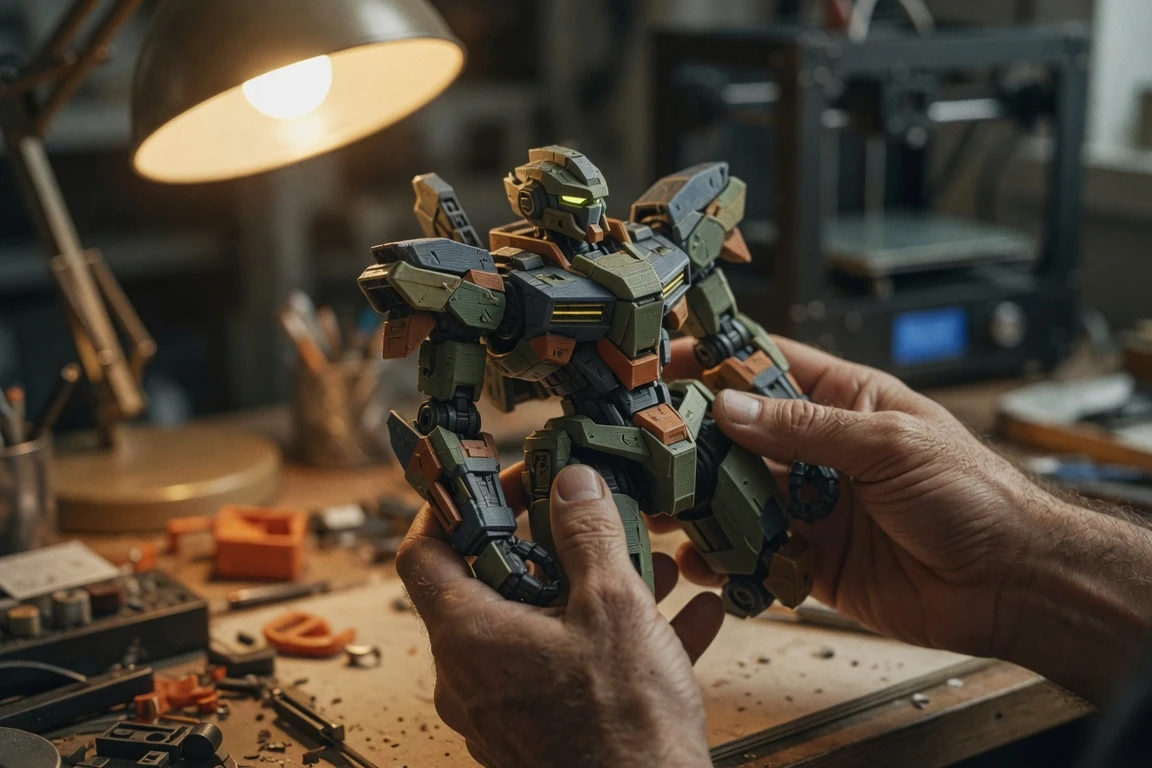
Hi3D launched the workflow with its first-anniversary update, positioning it as a continuous pipeline rather than a standalone model generator, per the company’s Hi3D’s first-anniversary press release. Using a Blokees-style mecha as the worked example, the company describes turning a text concept into a printable file in around five minutes. The release frames this as collapsing the work that previously sat across Blender, CAD tools, mesh repair software, and a slicer into a single path.
Inside Hi3D, a text concept enters the Nano-Banana 2 image engine, which generates consistent multi-view concept artwork for the head, torso, limbs, armor, and weapon systems. From that approved artwork, the Sparc3D high-precision generation engine reconstructs a complete 3D model in approximately two minutes. The platform outputs watertight meshes optimized for physical manufacturing, with structural integrity, topology continuity, and printability handled automatically, reducing cleanup work the press release says previously ran from hours to minutes.
From there, the model moves through intelligent segmentation, connector generation, tolerance calculation, and slicer-aware build-plate orientation, finishing as an enhanced 3MF file. Each step is automated; the user does not open Blender or a CAD package in the standard workflow. The full sequence as Hi3D describes it:
| Step | Hi3D’s Tool | What It Does |
|---|---|---|
| Concept artwork | Nano-Banana 2 image engine | Generates consistent multi-view concept art from a text description |
| 3D reconstruction | Sparc3D engine | Builds a watertight mesh in approximately two minutes |
| Part splitting | Intelligent segmentation | Breaks the model into printable components (head, torso, arms, legs, weapons) |
| Connectors | Auto-generated joints | Builds mortise-and-tenon and ball-joint assemblies into split geometry |
| Tolerance | Press-Fit Tolerance system | Adjusts clearances for printer, nozzle, and material |
| Slicer export | Enhanced 3MF | Hands off to Bambu Studio, OrcaSlicer, Creality Print, or Elegoo Slicer |
The ‘Last Mile’ the AI 3D Hype Cycle Left Behind
AI 3D model generation is no longer the hard part. Getting the result onto a build plate without a human detour is. This stretch between mesh and printable object is what one independent San Diego print shop, Dreaming3D, calls the “last mile.” Hi3D is one of several platforms now trying to own it.
What the old workflow looked like, per the press release: a figure comes off the AI generator too tall for the build plate, so the maker cuts it by hand in a slicer. The pieces do not line up, so connectors get designed in a separate program. Holes and non-manifold edges get fixed in Meshmixer or Microsoft 3D Builder. Multi-color regions get painted face by face. Then comes orientation, supports, and a slicer setup that takes longer than the original generation step did.
Hi3D’s positioning here is unusually aggressive. The platform runs entirely in the browser, with no local installation required, per independent reporting. Maker Templates extend accessibility further: preset starting points for figurines, pets, gifts, avatars, and magnets let users work from photos, illustrations, or logos rather than CAD files. The stated target audience spans hobby makers, Etsy sellers, and product designers who need a short path from reference image to slicer-ready file.
Why this matters competitively: Hi3D’s deliberate push to own more of the production pipeline reflects a segment-wide turn. The Manufactur3D review frames it as Hi3D going beyond model generation to focus on the harder part of the Maker workflow. When independent outlets describe the same feature set using the same names, it suggests the platform is substantive rather than slideware.
What Independent Outlets Caught in the Announcement
3D Printing Industry names the segmentation feature Print by Parts in its coverage of the update, calling it “an automated segmentation tool that breaks character models into discrete, orientation-ready components.” The same outlet reports the platform’s 3D Printing Industry’s breakdown of the Print by Parts feature includes algorithmically placed Auto Connectors at each split point, eliminating a step that previously required users to manually design pegs, sockets, or interlocking geometry in a dedicated modeling tool. The mesh output is described as cleaner and watertight, reducing the file-repair work that typically precedes slicing. A multi-color optimization layer applies AI-driven color assignment logic for multi-material hardware.
Manufactur3D’s hands-on take, in Manufactur3D’s hands-on look at the workflow, names the same stages as a single continuous path: AI generation, mesh repair, auto character splitting, connector generation, tolerance control, multi-color planning, smart build-plate layout, 3MF export, and slicer handoff. The reviewer emphasizes that because these features sit in one pipeline, users are less likely to generate a model and then spend the rest of the project fixing it manually in Blender, Meshmixer, or the slicer itself. Hi3D also runs on hardware readers already own, including printers supported by Elegoo Slicer (the same brand behind Elegoo’s 16K resin printer reviewed at $949).
The slicer and partner ecosystem, per the press release and Manufactur3D’s review:
- Bambu Studio (slicer) – opens the enhanced 3MF directly
- OrcaSlicer (slicer) – same direct handoff
- Creality Print (slicer) – same direct handoff
- Elegoo Slicer (slicer) – same direct handoff
- Bambu Lab MakerWorld (partner platform) – ecosystem integration
- Creality (partner) – digital manufacturing brand
- xTool (partner) – digital fabrication brand
The Numbers to Verify Before You Trust Them
The flagship claim is the biggest one to pressure-test. Hi3D’s release positions the platform as cutting 90% less time on orientation and slicer setup, but Dreaming3D’s analysis labels that figure as Hi3D’s own number and “the one most worth verifying yourself.” Per Dreaming3D’s vendor-claim-by-vendor-claim analysis, the underlying features (auto-split, auto-connectors, auto-orientation) are corroborated by independent coverage, but the exact time savings will vary by model and printer. Treat the headline as a claim to test on a user’s own files, not a guarantee.
Other vendor numbers worth flagging: the two-minute 3D reconstruction step, the 16-color multi-color support, and the Blokees-style mecha example finished in five minutes are all Hi3D-stated. Independent outlets describe the same features but do not publish their own timing benchmarks. New users can receive 300 free Hi3D credits to test the workflow. Hi3D 3.0, which the company says will feature the industry’s first 2048³ ultra-high-resolution AI 3D generation, had not launched at the time of independent coverage and remains forthcoming.
The catch is the free tier. Per both 3D Printing Industry and Dreaming3D, free-tier generations are released under a CC BY 4.0 license, which generally requires attribution and may not suit commercial sale. Paid plans unlock commercial rights and private asset storage. The 80% anniversary discount on select annual plans ran Jun 24 through Jun 27, 2026, so any pricing in third-party articles written before that window is already stale. Current terms are best confirmed on Hi3D’s own site.
Key figures from Hi3D’s release and the independent reviews:
- 90% – Hi3D’s claimed reduction in orientation and slicer setup time (vendor figure)
- ~2 min – Hi3D’s claimed time to reconstruct a complete 3D model (vendor figure)
- 16 – colors supported by the multi-color partition engine
- 2048³ – Hi3D 3.0’s claimed ultra-high-resolution AI 3D generation (vendor figure, forthcoming)
- 300 – free credits for new users to test the workflow
Where This Pushes the Competitors
Hi3D is not alone in chasing this gap. The race to compress generation plus print prep is reshaping how platforms in this space compete, per 3D Printing Industry’s market reporting. Each of the three main competitors has taken a different path to the same problem.
Meshy integrated with Bambu Lab’s MakerWorld platform, enabling users to convert photos directly into print-ready models without any design software. The same company updated its multi-color printing feature to handle texture-to-filament assignment automatically. Separately, Meshy’s partnership with Formlabs is described by both companies as the first time an AI generation pipeline has been fully linked to professional-grade physical manufacturing end to end.
Tripo AI secured $50 million in funding and unveiled new models capable of generating production-ready polygon meshes in as little as two seconds, a claimed improvement of up to 100 times over earlier mesh-generation workflows. Tripo is leaning into raw mesh speed and quality rather than print prep. Hi3D, by contrast, is leaning into the post-generation layer where most AI generators currently stop. All three are chasing the same maker; none has fully owned the workflow yet.
Who Gets to Skip Blender Now
The audience Hi3D is courting is wider than the existing AI 3D user base. Hobbyists, figure makers, Bambu AMS users, print services, and small studios are the groups who stand to gain the most from a continuous mesh-to-print pipeline, per Manufactur3D’s review. Maker Templates specifically target users with no modeling background, working from photos, illustrations, or logos rather than CAD files. Pet figurines, keychains, chibi-style portraits, and simple collectibles are positioned as the first-project use cases. The appeal is finishing a personal first project without learning modeling software.
The licensing and IP question sits on top of that. Per 3D Printing Industry, Hi3D’s free tier releases models under a CC BY 4.0 license, which generally requires attribution and may not suit commercial sale. Paid plans unlock commercial rights and private asset storage. Separately, “upload any image” includes images the user does not own; printing fan figures for a personal shelf is one thing, but generating and selling prints of a copyrighted character or another creator’s original sculpt is an IP issue no AI workflow resolves on its own.
Frequently Asked Questions
What does Hi3D’s new AI workflow actually do?
It packages image generation, 3D reconstruction, automatic part splitting, connector generation, tolerance calculation, and slicer-aware orientation into one browser-based pipeline, finishing with an enhanced 3MF file that opens in Bambu Studio, OrcaSlicer, Creality Print, or Elegoo Slicer.
Is Hi3D 3.0 available yet?
Not at the time of independent reporting; Hi3D 3.0 is described as forthcoming with the company’s first 2048³ ultra-high-resolution AI 3D generation. The current anniversary release covers the new Maker features on the existing platform.
Can I sell prints made with Hi3D?
It depends on the plan tier. Per independent reporting, the free tier releases models under a CC BY 4.0 license, which generally requires attribution; paid plans unlock commercial rights and private storage. Selling prints of copyrighted characters or other creators’ original designs is an IP issue no AI workflow resolves on its own.
How does Hi3D compare to Meshy or Tripo AI?
All three generate 3D models from images. Hi3D leans hard into print prep, Meshy is pushing ecosystem partnerships with Bambu Lab MakerWorld and Formlabs, and Tripo AI is investing in raw mesh speed after a $50 million funding round. The right pick depends on whether the user values end-to-end print automation, ecosystem fit, or raw generation speed.
How long does the workflow take?
Hi3D claims about five minutes for a text prompt to a printable 3MF, roughly two minutes for the 3D reconstruction step, and 90% less time on orientation and slicer setup. Independent reviewers confirmed the features behind those figures but flagged the numbers as vendor claims worth verifying on a user’s own models.


Sony’s 10 Percent Disc Drop Leaves the 2028 Cutoff Intact

Chip Allocation Sidelines the Base iPhone 18 This Fall

Miami-Dade Fights the Vice City Brand It Already Wears

IFA 2026 Awards Put Tecno Ahead of Flagship Phones

USB-C Gadgets Made the Junk Drawer Rechargeable

Pixel 11 Pro Asks $1,099 for a Light Google Locked

The iPhone Ultra Sells Two Retired Minis as One Foldable

Google Opens Gmail to Voice and Gates Docs Live

Lenovo Prices the IdeaPad Vibe Against Apple’s $699 Neo

Xbox Caps Game Pass Cloud Gaming at 15 Hours

Oracle Cuts 21,000 Jobs in a Year, Cites AI in 10-K Filing

Fable 5 and Mythos 5 Return as US Lifts Anthropic Export Controls

SpaceX’s Google Deal Turns a Rocket Company Into a Cloud Landlord

CD Projekt Red Co-CEO: Redemption Arc Isn’t Done, Witcher 4 in 2027

XPL Rallies 30% Ahead of Plasma One Card Tier Launch

Google Search Profiles Build a Follow Graph Inside Discover

DGO App Brings Rs 549 Mobile Pass for FIFA World Cup 2026 in Nepal

Moonshot AI Targets $30 Billion in China’s Fastest AI Funding Sprint

Oppo’s ColorOS 17 Eligibility List Leaves A-Series Buyers Behind

Microsoft Xbox Layoffs Start in July as Sharma Slams 3% Margin
-
 AI3 months ago
Oracle Cuts 21,000 Jobs in a Year, Cites AI in 10-K Filing
-
 AI2 months ago
Fable 5 and Mythos 5 Return as US Lifts Anthropic Export Controls
-
 AI3 months ago
SpaceX’s Google Deal Turns a Rocket Company Into a Cloud Landlord
-
 GAMING3 months ago
CD Projekt Red Co-CEO: Redemption Arc Isn’t Done, Witcher 4 in 2027
-
 CRYPTO3 months ago
XPL Rallies 30% Ahead of Plasma One Card Tier Launch
-
 NEWS3 months ago
Google Search Profiles Build a Follow Graph Inside Discover
-
 APPS3 months ago
DGO App Brings Rs 549 Mobile Pass for FIFA World Cup 2026 in Nepal
-
 AI3 months ago
Moonshot AI Targets $30 Billion in China’s Fastest AI Funding Sprint