
NEWS
Pixel Launcher Search Bar Toggle Signals Bigger Google Shift

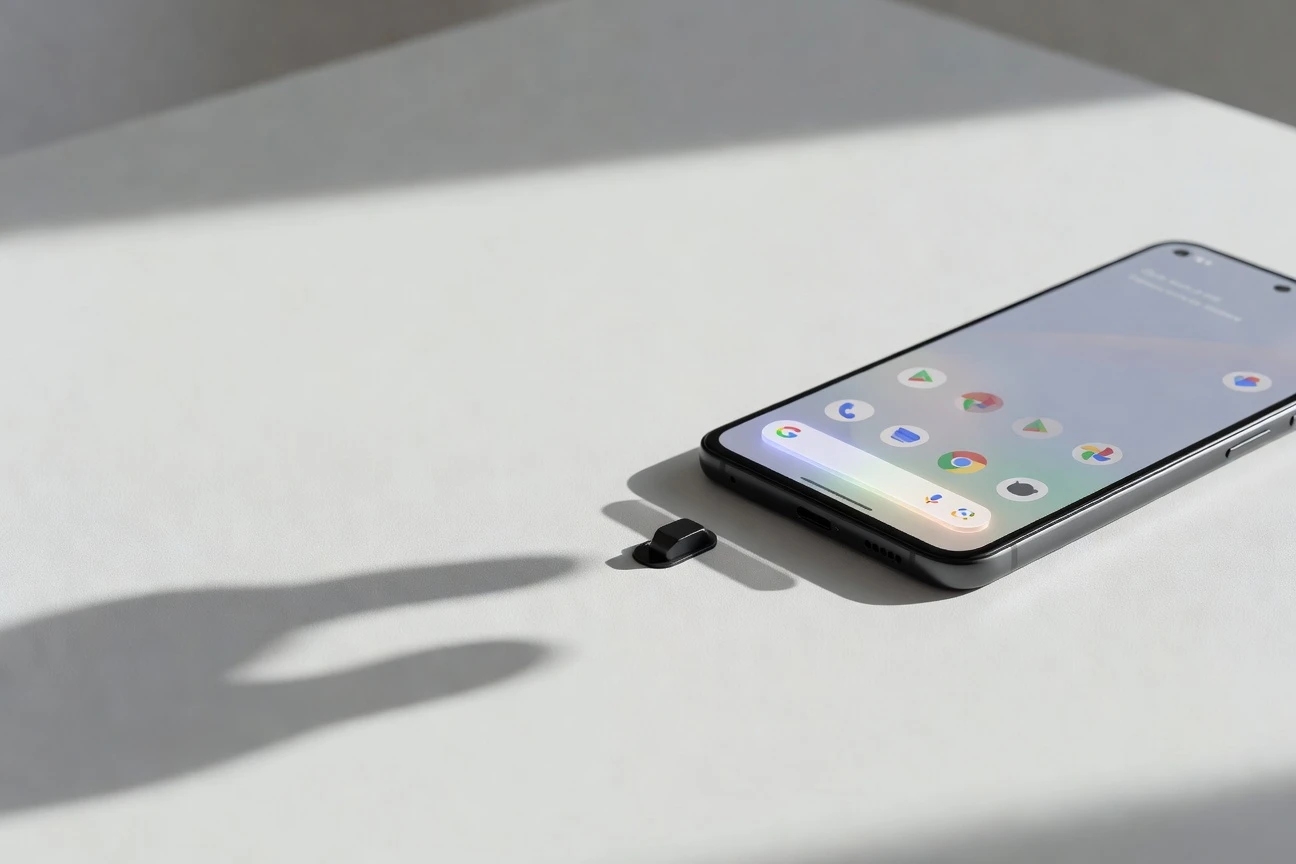
The Pixel Launcher search bar may finally become optional on Google Pixel phones, according to a leaked Android 17 QPR1 screen recording showing a new Show search bar switch under Pixel Launcher settings. If it ships, the fixed bottom pill can disappear and the dock shifts closer to the display edge.
That would be a small setting with a long shadow. Google, the company behind Pixel phones and Android, has spent years treating the launcher as a place where Search should always be one tap away. A hide switch suggests the company now sees home-screen choice as worth more than one guaranteed surface.
The Switch Hides a Fixed Google Surface
The screen recording attributed to leaker Mystic Leaks shows the control in Pixel Launcher settings, then Search bar settings, then Show search bar. Turning it off removes the search pill at the bottom of the home screen. The docked apps slide lower, so the change is visual and spatial, not only a disabled tap target.
Google has not announced the setting, and the latest official Android 17 QPR1 release notes do not list it. That matters because Pixel Launcher features often move behind flags, server-side switches, or regional gates before a public release. A leaked stable build is a strong clue, not a shipping promise.
The best reading is narrow for now: this is a Pixel Launcher change, not a general Android launcher rule. Samsung One UI, Nothing OS, Motorola My UX, and other Android skins already make different choices about search placement. Pixel owners are the audience because Pixel Launcher is where Google keeps its cleanest version of Android branding.
The reported toggle also comes after years of Pixel complaints about two immovable home-screen fixtures: At a Glance at the top and the search bar at the bottom. One gave Google a glanceable information slot. The other gave Google a search slot. Losing the second slot by choice would mark a sharper change than another color tweak.
Pixel Search Has Become a Phone Index
Google’s own help page says Pixel search can look across the web, apps, contacts, Settings, Google Play Store, screenshots, Google Assistant actions, and Pixel phone tips. In other words, the bottom pill is no longer just a shortcut to web results. It has become a local index for the phone plus a front door to Google Search.
That is why the toggle is more interesting than the usual launcher customization story. Hiding the pill does not remove search from the device. Pixel owners can still swipe up to open the app drawer search, use Circle to Search, ask Google Assistant or Gemini, place a Google widget manually, or use browser search. What changes is the default claim on the home screen.
- Web and phone results: Pixel search blends online results with app and device content, according to Google’s Pixel phone search guide.
- Swipe-up search: Google lets users manage whether swiping up from the home screen starts search.
- Home-screen animations: Google also documents search bar effects that can be turned off separately from the bar itself.
- Assistant actions: Search can surface actions from Google’s assistant layer, not only links.
For people who never tap the pill, the change is simple: more room and less visual noise. For Google, the risk is lower than it once was because search entry points now surround the phone. The pill is valuable, but it is no longer the only path.
QPR1 Beta 3 Changes the Timing
The timing has already moved past the original leak cycle. Google released Android 17 QPR1 Beta 3 on May 19, 2026, with build CP31.260508.005 and the May 5 security patch level. That means the public beta track is now newer than the Beta 2 window that first put this search-bar setting into wider conversation.
- May 19, 2026: latest official QPR1 Beta 3 release date listed by Android Developers.
- CP31.260508.005: the build number Google attaches to that beta.
- April 22, 2026: the first QPR1 beta date, showing a fast test cadence.
- 18 Pixel models: the Android 17 beta device list runs from Pixel 6 through Pixel 10 Pro Fold.
Quarterly Platform Release (QPR, Google’s post-launch feature and fix channel for Pixel and Android Open Source Project builds) updates matter because they often carry Pixel Feature Drop work. Google says QPR builds are delivered to AOSP and Pixel devices as Feature Drops, and that they are suitable for general use compared with earlier developer previews.
Supported Pixel owners can enroll through the Android Beta Program for Pixel, but that is still pre-release software. Google warns that beta builds may contain errors and defects, and opting out to return to stable software can require wiping local data. A launcher toggle is not worth a full phone reset for most people.
Home Screen Control Is Now a Product Signal
The Pixel home screen used to say something very clear: Google services live at both ends. At a Glance sat above the icons. The search bar sat below them. Android still allowed third-party launchers, but the stock Pixel experience kept Google’s preferred shape.
| Home Surface | Current User Control | Reported QPR1 Change | Reader Impact |
|---|---|---|---|
| Bottom search bar | Custom colors and effects, but fixed placement on stable Pixel Launcher | Show search bar switch hides the pill | More dock space and less Google branding on the first screen |
| At a Glance | Google documents an off switch for cards, while the date can remain | No new change tied to this leak | Less forced information, but not a blank top row for everyone |
| Swipe-up app search | Can be managed in Home settings | Expected to remain as a search path | Search stays available without a permanent widget |
| Third-party launcher | Available through Android settings | No direct change | Power users still have the deeper customization route |
Google’s At a Glance help page is useful here because it shows how the company already thinks about partial control. Users can turn off cards and personalization categories, but the surface itself has not always vanished in the way critics wanted. The search-bar toggle, if shipped as shown, looks cleaner: on or off.
That simplicity is the win. Pixel does not need to become Nova Launcher to feel less rigid. One switch gives casual users a benefit power users have been asking for, without forcing them to replace the launcher or learn a new gesture system.
Search Choice Pressure Reaches the Dock
Regulation is not the only reason for the change, but the wider direction is hard to ignore. Google already runs Android search and browser choice screens in the European Economic Area. The company says its Android choice screen changes under the Digital Markets Act began in March 2024 after Alphabet, Google’s parent company, was designated a gatekeeper by the European Commission, the European Union’s executive arm.
A Pixel Launcher hide switch would not be the same as a mandated search-choice screen. It does not pick DuckDuckGo, Ecosia, Bing, Brave Search, or another provider. It simply removes a fixed Google entry point. Still, the product signal points in the same direction: the default is becoming negotiable.
The other pressure comes from Google’s own artificial intelligence push. Mindy Brooks, Google’s vice president of product management, wrote that Gemini Intelligence on Android will roll out in waves starting with the latest Samsung Galaxy and Google Pixel phones this summer. That effort puts task automation, autofill, voice cleanup, and custom widgets closer to the center of Android.
If Gemini becomes the proactive layer Google wants, a static search pill matters less. The phone can answer from the power button, the browser, the keyboard, the screen, a widget, or a notification. Oton Technology has already tracked the same drift in Android contextual suggestions on Pixel 10 and in Google Keep’s lock screen notes experiments: the useful surface keeps moving to wherever the user is.
Beta Users Get the Risk First
Pixel owners should split this news into two buckets. The first is the feature itself, which looks practical, overdue, and easy to understand. The second is the path to getting it early, which is riskier than the setting deserves.
Anyone on a daily phone should wait for the stable QPR1 release unless they already live on beta builds. The latest QPR notes include fixes for Wi-Fi disconnects, distorted audio, off-screen UI elements, disappearing home screen widgets, and gesture problems. Those fixes are welcome, but their presence is a reminder that beta software still breaks ordinary phone behavior.
- Wait if your Pixel is your work phone, travel phone, or banking device.
- Try the beta only if you have a recent backup and can tolerate app or battery problems.
- Check the setting after any QPR1 update under Home settings, then Search bar settings, rather than assuming it appears on every model or region.
- Use a manual Google Search widget if you hide the built-in pill and later miss one-tap web search.
The likely winner is the average Pixel owner who wants Google’s clean launcher without Google’s fixed search slot. If the toggle survives to the public build, Android 17 QPR1 will make Pixel feel less like a Google showcase and more like a phone the owner can finish arranging.


South Korea Retail Investors Face Reckoning After KOSPI AI Rally Collapses

Surrey AI Maps Three Heart Attack Paths and Their Molecular Roots

Germany Locks Neutral Apple ATT Prompts Across Most of Europe

Apple’s 5% EU Fee Quietly Rewrites Alternative App Store Math

Apple’s EU Fee Truce Cuts Complexity but Leaves Rivals Fuming

Pixel 11 Pro Fold Trades Thinness for Durability and Seven-Year Stay

Mayo AI Flags HCM Obstruction From Everyday Ultrasound Videos

Indian Brands Quietly Scale Landmark Screens and Home Tech

Navin Vatsa Turns Grief Into a Lifetime of Quiet Seeing

Google Bets Pixel 11 Agentic AI Will Redefine Phones

Oracle Cuts 21,000 Jobs in a Year, Cites AI in 10-K Filing

Fable 5 and Mythos 5 Return as US Lifts Anthropic Export Controls

SpaceX’s Google Deal Turns a Rocket Company Into a Cloud Landlord

CD Projekt Red Co-CEO: Redemption Arc Isn’t Done, Witcher 4 in 2027

XPL Rallies 30% Ahead of Plasma One Card Tier Launch

Google Search Profiles Build a Follow Graph Inside Discover

DGO App Brings Rs 549 Mobile Pass for FIFA World Cup 2026 in Nepal

Moonshot AI Targets $30 Billion in China’s Fastest AI Funding Sprint

Oppo’s ColorOS 17 Eligibility List Leaves A-Series Buyers Behind

Microsoft Xbox Layoffs Start in July as Sharma Slams 3% Margin
-
 AI2 months ago
Oracle Cuts 21,000 Jobs in a Year, Cites AI in 10-K Filing
-
 AI2 months ago
Fable 5 and Mythos 5 Return as US Lifts Anthropic Export Controls
-
 AI2 months ago
SpaceX’s Google Deal Turns a Rocket Company Into a Cloud Landlord
-
 GAMING2 months ago
CD Projekt Red Co-CEO: Redemption Arc Isn’t Done, Witcher 4 in 2027
-
 CRYPTO2 months ago
XPL Rallies 30% Ahead of Plasma One Card Tier Launch
-
 NEWS2 months ago
Google Search Profiles Build a Follow Graph Inside Discover
-
 APPS2 months ago
DGO App Brings Rs 549 Mobile Pass for FIFA World Cup 2026 in Nepal
-
 AI2 months ago
Moonshot AI Targets $30 Billion in China’s Fastest AI Funding Sprint