
APPS
EPFO Moves UAN Activation to UMANG With Face Authentication
EPFO’s upgraded Member Portal drops UAN activation. Subscribers must use the UMANG app with Aadhaar Face Authentication to enroll or generate a UAN.

EPFO has brought its Unified Member Portal back online after a scheduled upgrade and quietly moved UAN activation off the site. The Universal Account Number can no longer be activated through the web portal; subscribers must now use the UMANG app, with Aadhaar Face Authentication as the new gatekeeper. The portal itself still handles death claims, UAN retrieval and most member services.
The change took effect after a maintenance window that began June 26 and ended when EPFO restored services on July 2. EPFO had framed the upgrade as a move toward faster, more reliable and more secure services for its 7 crore active subscribers. The cost is procedural: members must complete an Aadhaar Face Authentication step that requires an Aadhaar-linked mobile number and a working smartphone camera. Existing PF members who do not yet have a UAN can still get one through the portal, by mobile verification.
What the Upgraded Portal Actually Does
The new Unified Member Portal arrived with a redesigned interface and a tighter split between what the web portal does and what the UMANG app does. EPFO said the upgrade was aimed at providing faster, reliable and more secured services to its stakeholders, and the new layout reflects that split. Three of the most-used services tied to enrollment have moved over to the app.
UAN activation, new UAN generation, and the underlying identity check that ties them to Aadhaar now sit on UMANG. The portal still handles what members do after they are enrolled: checking their passbook, raising claims, filing nominations and managing KYC. The first message on the live EPFO Unified Member Portal now reads that “UAN activation for existing UANs and generation of new UANs can be done through the UMANG app.” Members who land on the portal looking for those two services are pointed to the app.
How to Activate UAN on UMANG Now
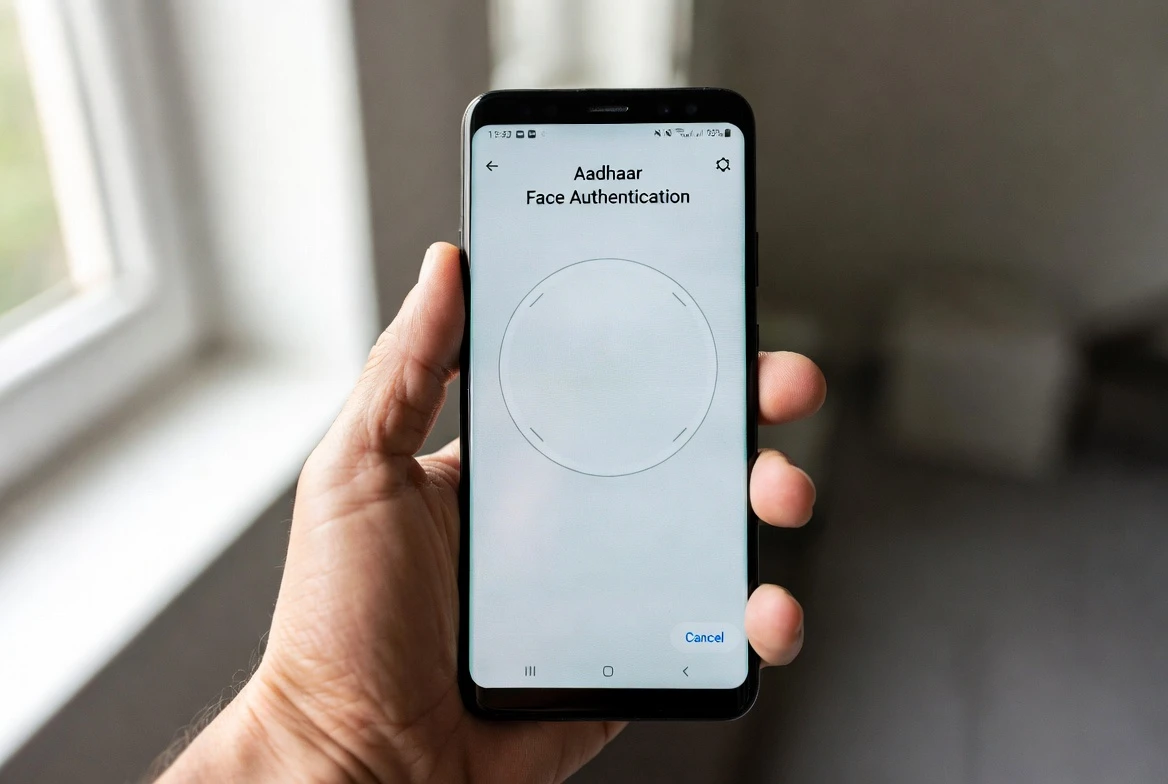
The activation flow that used to live on the EPFO portal now sits on the official EPFO services page, under a section called UAN Services Through Face Auth. To get an existing UAN active, members walk through five screens on their phone.
- Download the UMANG app from Google Play or the Apple App Store.
- Open the app and select EPFO Services.
- Choose “UAN Activation” under “UAN Services Through Face Auth.”
- Enter the UAN, Aadhaar number and registered mobile number, then verify the OTP.
- Complete the Aadhaar-based Face Authentication step and submit.
The first screen confirms consent for face authentication. The second asks for the UAN, Aadhaar number and registered mobile, then sends an OTP to verify the mobile. The third and fourth screens handle the face scan setup and execution. The fifth submits the activation request to EPFO.
EPFO confirms activation once the biometric match against Aadhaar is recorded. If the Aadhaar-registered mobile does not match the EPFO database, the OTP step fails before the face scan runs. New UAN generation follows a near-identical path, with one extra field for member details before the face scan. The Member Home page now leads with this note: “UAN activation for existing UANs and generation of new UANs can be done through the UMANG app.” The Universal Account Number stays a permanent identifier across jobs under the new EPF Scheme, 2026.
The New Gatekeeper: Aadhaar Face Authentication
The change is more than a routing tweak. Aadhaar Face Authentication is now the verification step for both UAN activation and new UAN generation, layering a biometric check on top of the Aadhaar-OTP step. EPFO introduced the face-based identity check earlier to reduce inaccuracies in fields like name, date of birth and gender. The portal upgrade cements that approach as the default.
For most subscribers who already have an Aadhaar-linked mobile and a smartphone that can run UMANG, the change is one extra app and one face scan. The procedural weight lands on two smaller groups.
First, the OTP that precedes the face scan requires the mobile number on the Aadhaar record to match. Members whose Aadhaar-registered mobile number has changed, or who have never linked a mobile to Aadhaar, cannot complete the OTP step. Second, the face scan itself requires the phone’s camera and a successful biometric match against Aadhaar.
EPFO has framed the Face Authentication layer as a security and accuracy upgrade. The new flow combines three requirements into one path: the UMANG app, an Aadhaar-linked mobile for the OTP, and a biometric match for the face scan. Members without one of those three pieces have no fallback path on the portal for enrollment. The trade-off is sharper identity verification against more hoops for first-time subscribers.
First-Time UAN Generation After the Shift
People joining the workforce for the first time, and employees who never received a UAN, have to take a parallel path on UMANG. New UAN generation is no longer available on the EPFO portal either; it now sits under “UAN Allotment and Activation” within “UAN Services Through Face Auth.” The same five-screen flow applies, with one extra field for member details before the face scan.
There is one carve-out. Existing PF members who already have a provident fund account but have not been allotted a UAN can still get one through the portal. They verify their registered mobile number, submit the required member details, and link the newly generated UAN to the existing PF account. This path stays on the EPFO portal and does not run the UMANG Face Authentication step.
What the Portal Still Handles
For members already enrolled, the Unified Member Portal remains the main workspace. Death claims, including pension-related claims, continue to be filed through the portal.
UAN retrieval, which used to require a call to the EPFO call centre or a visit to an office, has been simplified into a three-step online form. The table below maps the service split as it stands after the upgrade. UAN activation and new UAN generation sit on UMANG with Face Auth. Everything else an enrolled member needs stays on the portal.
| Service | Was on | Now on |
|---|---|---|
| UAN activation | EPFO portal | UMANG (Face Auth) |
| New UAN generation | EPFO portal | UMANG (Face Auth) |
| UAN allotment for existing PF | EPFO portal | EPFO portal |
| UAN retrieval | EPFO portal | EPFO portal (simplified) |
| Death claim filing | EPFO portal | EPFO portal |
Death claims keep their existing document list and the same PDF upload rules. Beneficiaries need to keep these ready before filing. The list includes the death certificate, the beneficiary’s bank proof, and the date of birth proof where applicable.
- Death certificate of the EPF member
- Bank account proof of the beneficiary (cancelled cheque or passbook)
- Date of birth proof of the beneficiary, where applicable
- An Aadhaar-linked mobile number active on the beneficiary’s record
Uploads must be PDF files only, each not exceeding 2 MB, and the file names must not contain any spaces. These restrictions apply to death claims on the upgraded portal.
Where EPF Subscribers Fit in 2026
The portal upgrade landed in the same week that the Centre notified the EPF Scheme, 2026, replacing the EPF Scheme, 1952 under the Code on Social Security, 2020. The new framework came into force on June 29, 2026, the day it was published in the Gazette. It tightens the legal framework, formalises digital services and imposes stricter governance on exempted EPF trusts. Core subscriber benefits stay the same.
The mandatory 12% EPF contribution from both employer and employee is unchanged. So is the Universal Account Number itself, the Voluntary Provident Fund option, the withdrawal rules, the interest rate, nominations and the tax treatment. The scheme also gives the Centre the power to temporarily reduce or defer EPF contributions for up to three months during pandemics or national disasters.
For most subscribers, the practical takeaway from this week is narrow: the enrollment flow now runs through UMANG, the identity check is now Face Authentication, and the portal still handles everything an enrolled member needs. Members who need to enroll should start by confirming that their Aadhaar-linked mobile number matches what is on file with EPFO, or they will not clear the OTP step before the face scan.
Frequently Asked Questions
How do I activate my UAN now that the option is gone from the EPFO portal?
Download the UMANG app, open EPFO Services, and choose “UAN Activation” under “UAN Services Through Face Auth.” Enter your UAN, Aadhaar number and registered mobile, verify the OTP, and complete the Aadhaar Face Authentication step. EPFO confirms activation once the biometric match against Aadhaar is recorded.
Is Aadhaar Face Authentication mandatory?
Yes. UMANG uses Aadhaar Face Authentication as the identity check for both UAN activation and new UAN generation. Members run the face scan as part of the enrollment flow.
Can I get a UAN without a smartphone?
New UAN generation requires the UMANG app, which is a smartphone application. Members without a smartphone can still use the EPFO portal path for existing PF accounts that already have a provident fund number but no UAN.
What services stay on the EPFO Unified Member Portal?
Death claims including pension-related claims, UAN retrieval, KYC updates, nominations, passbook downloads and login-based member services remain on the portal. The change is limited to UAN activation and new UAN generation.
When did the change take effect?
The portal was offline for a scheduled migration from June 26 and was restored on July 2, 2026, with the UAN-activation shift in place. EPFO had extended the shutdown by a day to finish the migration. The new EPF Scheme, 2026 was notified on June 29, 2026, the day it was published in the Gazette, replacing the EPF Scheme, 1952 under the Code on Social Security, 2020.


Pixel 11 Trails Galaxy Phones That Last as Long

OpenAI’s Research Intern Arrives With a Warning Attached

Robinhood Prices XRP Into a Two-Cent 9 a.m. Bet

Sony’s 10 Percent Disc Drop Leaves the 2028 Cutoff Intact

Chip Allocation Sidelines the Base iPhone 18 This Fall

Miami-Dade Fights the Vice City Brand It Already Wears

IFA 2026 Awards Put Tecno Ahead of Flagship Phones

USB-C Gadgets Made the Junk Drawer Rechargeable

Pixel 11 Pro Asks $1,099 for a Light Google Locked

The iPhone Ultra Sells Two Retired Minis as One Foldable

Oracle Cuts 21,000 Jobs in a Year, Cites AI in 10-K Filing

Fable 5 and Mythos 5 Return as US Lifts Anthropic Export Controls

SpaceX’s Google Deal Turns a Rocket Company Into a Cloud Landlord

CD Projekt Red Co-CEO: Redemption Arc Isn’t Done, Witcher 4 in 2027

XPL Rallies 30% Ahead of Plasma One Card Tier Launch

Google Search Profiles Build a Follow Graph Inside Discover

DGO App Brings Rs 549 Mobile Pass for FIFA World Cup 2026 in Nepal

Moonshot AI Targets $30 Billion in China’s Fastest AI Funding Sprint

Oppo’s ColorOS 17 Eligibility List Leaves A-Series Buyers Behind

Microsoft Xbox Layoffs Start in July as Sharma Slams 3% Margin
-
 AI3 months ago
Oracle Cuts 21,000 Jobs in a Year, Cites AI in 10-K Filing
-
 AI2 months ago
Fable 5 and Mythos 5 Return as US Lifts Anthropic Export Controls
-
 AI3 months ago
SpaceX’s Google Deal Turns a Rocket Company Into a Cloud Landlord
-
 GAMING3 months ago
CD Projekt Red Co-CEO: Redemption Arc Isn’t Done, Witcher 4 in 2027
-
 CRYPTO3 months ago
XPL Rallies 30% Ahead of Plasma One Card Tier Launch
-
 NEWS3 months ago
Google Search Profiles Build a Follow Graph Inside Discover
-
 APPS3 months ago
DGO App Brings Rs 549 Mobile Pass for FIFA World Cup 2026 in Nepal
-
 AI3 months ago
Moonshot AI Targets $30 Billion in China’s Fastest AI Funding Sprint