
NEWS
Nouveau Closes The Gap But NVIDIA R595 Still Owns The Workstation

The open-source Nouveau driver is still losing to NVIDIA’s proprietary R595 stack on workstation graphics, but the margin no longer reads like 2019. Fresh benchmarks on an HP Z6 G5 A workstation fitted with the RTX PRO 6000 Blackwell Max-Q put the two driver paths against each other on Ubuntu 26.04 LTS, and the gap, while real, has narrowed enough to matter for a specific category of Linux user.
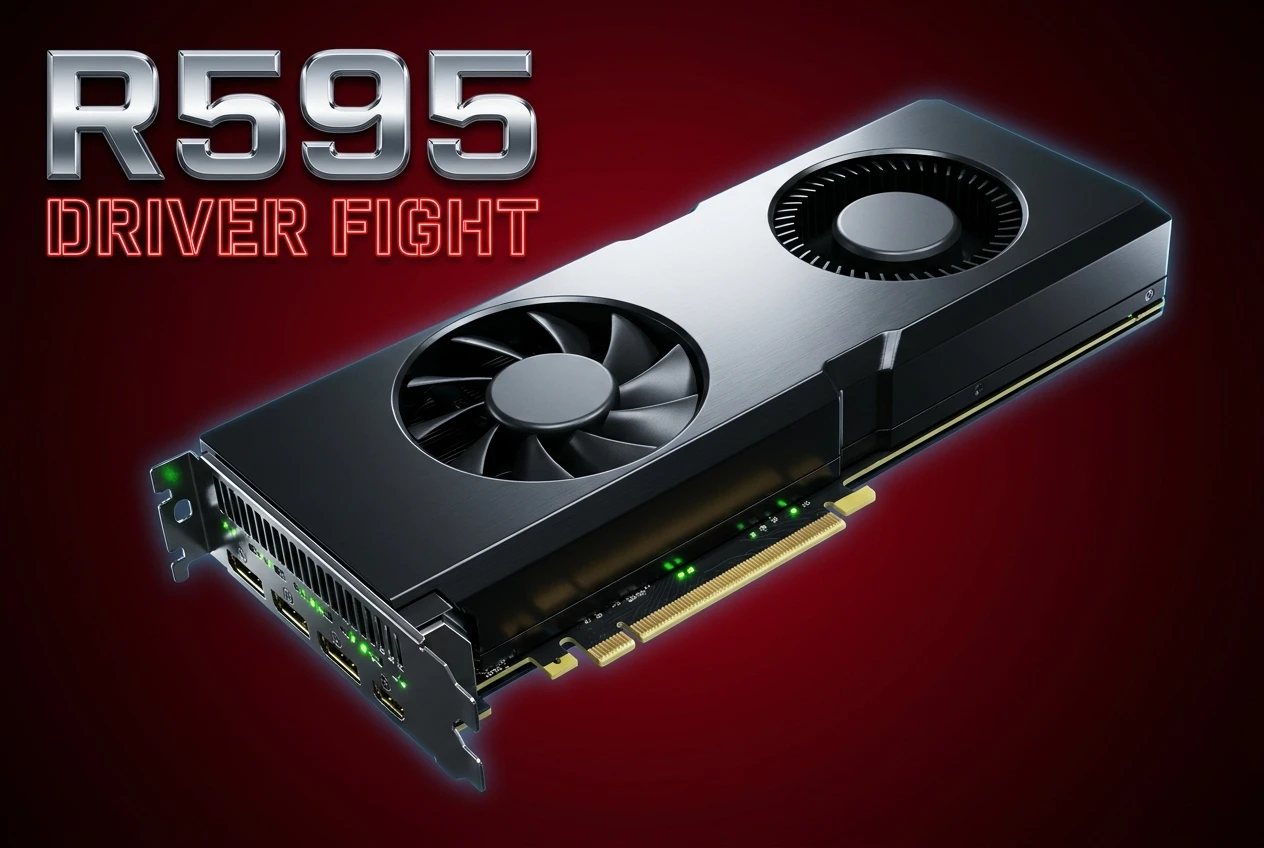
Phoronix tester Michael Larabel ran the comparison in late April 2026 using Linux 7.0 as Ubuntu 26.04’s mainline kernel, Mesa 26.2-devel from the ACO PPA, and NVIDIA’s 595.58.03 driver as the latest production build. The card sits at the top of the Blackwell workstation stack: 96GB of GDDR7, 24,064 CUDA cores, and 1.8 TB/s of memory bandwidth, with the Max-Q variant pulled into a 300W board envelope.
For 99% of workstation users, the verdict has not changed. Run NVIDIA’s official Linux driver. For developers, distribution maintainers, and Linux purists, what’s quietly shifted is the floor, not the ceiling.
The Test Bench Behind The Numbers
The hardware was pulled straight from HP’s current Z6 G5 A configuration. Intel Xeon W class processor, ECC memory, and the new NVIDIA RTX PRO 6000 Blackwell Max-Q product specifications for the GPU. The Max-Q variant trades the 600W envelope of the server card for a 300W density-optimized design while keeping the full 96GB GDDR7 frame buffer and PCIe Gen 5 connectivity.
The software stack was deliberately bleeding-edge. Ubuntu 26.04 LTS shipped Linux 7.0 as its kernel, Mesa 26.2-devel came from the ACO PPA so the build was reproducible, and the proprietary side ran NVIDIA’s 595.58.03 production driver.
- 96GB GDDR7 ECC frame buffer
- 24,064 CUDA cores on Blackwell
- 1.8 TB/s memory bandwidth
- 300W Max-Q thermal envelope
Where The Open Driver Holds Up And Where It Cracks
Nouveau plus NVK now runs the basic OpenGL and Vulkan paths cleanly on Blackwell. That alone would have read as fiction two years ago. Out-of-the-box compositor acceleration, a working Vulkan 1.4 surface, and a usable OpenCL stack via Mesa’s Rusticl driver are all live on a fresh install of Ubuntu 26.04 with no proprietary blob involved.
Then the gap appears. Vulkan ray tracing isn’t supported on Nouveau. DLSS isn’t supported. The deeper compute features that justify a workstation GPU purchase, including FP4 and FP8 acceleration on Blackwell tensor cores, aren’t exposed through the open stack. CUDA stays closed-source and only works against the proprietary driver.
For OpenGL workloads handled by Zink atop NVK, performance bands run respectably close to native NVIDIA OpenGL on lighter scenes and fall apart on heavier ones, particularly anything that leans on driver-level shader optimization. On the things Nouveau supports, it’s no longer embarrassing. On the things only NVIDIA’s stack supports, the difference is binary.
| Feature | Nouveau + NVK | NVIDIA R595 |
|---|---|---|
| OpenGL | Yes (via Zink) | Yes (native) |
| Vulkan 1.4 | Yes | Yes |
| Vulkan ray tracing | No | Yes |
| DLSS | No | Yes |
| CUDA | No | Yes |
| OpenCL | Yes (Rusticl) | Yes |
| GSP re-clocking | Yes | Yes |
Why GSP Firmware Reset The Conversation
For most of Nouveau’s history, performance was throttled by the driver’s inability to re-clock the GPU. Memory and core ran at conservative speeds because the open driver couldn’t safely talk to the power management firmware. Then Nouveau pivoted to using NVIDIA’s GPU System Processor (GSP) firmware for Turing and later cards, letting the GPU’s onboard chip handle power management.
That shift is why this benchmark comparison is interesting in 2026 instead of farcical. Re-clocking now happens. Memory runs at full speed. The card behaves like a card.
NVK Quietly Reached Vulkan 1.4 Conformance
The native Mesa Vulkan driver for NVIDIA hardware, NVK in the Mesa 3D documentation, is now a fully conformant Vulkan 1.4 implementation across Kepler through Ada and consumer Blackwell. Compression support landed in Mesa 26.0 along with optimizations targeting Turing GPUs. Mesa 25.1 retired the old Nouveau OpenGL path entirely, with Zink-on-NVK taking over.
The driver is led by Faith Ekstrand at Collabora, whose team formally announced NVK’s mainline Mesa landing in the Collabora engineering blog and have shipped incremental hardware support and conformance work since.
“NVK is a conformant Vulkan 1.4 implementation for all officially supported GPUs,” reads the Mesa NVK documentation maintained by Faith Ekstrand and the Collabora team, with current support covering Kepler through consumer Blackwell.
Two years on, the production-ready claim has aged well. The driver runs Vulkan-native games, professional 3D applications, and OpenGL-via-Zink with stable frame pacing on hardware as new as the RTX 50 series. Ray tracing extensions, NVIDIA-specific shader intrinsics, and the CUDA stack remain off-limits, which keeps most professional users on the proprietary path.
Nova Is The Kernel Driver Coming Behind It
NVK is the userspace half. The kernel-side replacement for Nouveau’s aging C codebase is Nova, a Rust-written driver that landed initial core code in Linux 6.15. Linux 6.19 brings Boot42 support for next-generation NVIDIA GPUs and full GSP boot and initialization for Ampere cards. The architecture is incremental and deliberately public.
Nouveau in its current form was always a reverse-engineered scaffold. Nova is being co-developed with knowledge of NVIDIA’s GSP-driven design and a clearer path toward feature parity that doesn’t require fighting the hardware. When Nova matures enough to deprecate Nouveau, the comparison will look different again.
The Rust foundation was chosen specifically to avoid the memory safety landmines that accumulated in Nouveau’s C codebase across two decades of reverse engineering. Each kernel cycle ships another piece of the puzzle.
What Linux Workstation Buyers Should Actually Install
“The official NVIDIA Linux driver stack remains the best positioned software solution for RTX (PRO) hardware,” Phoronix benchmarker Michael Larabel concluded after running the Z6 G5 A test, and that single sentence governs buyer behavior in May 2026. Install the proprietary driver from the official NVIDIA R595 Linux driver download page. Use CUDA, OptiX, DLSS, and ray tracing where the application demands them.
Treat Nouveau as a fallback that gets you to a desktop on first boot, not as a competing stack for billable production work. Fresh installs of Ubuntu 26.04 LTS arrive at a working accelerated Wayland desktop without VESA-fallback obstacles, even before you click through the proprietary installer.
For developers and distribution maintainers who want a real open path, Nouveau plus NVK plus Rusticl plus Zink genuinely works on Blackwell. The headline benchmark gap stays real, but the experience floor has been raised so far above the VESA era that the comparison is finally about performance, not basic function.
Nova lands more pieces every kernel release, which puts the open path on a multi-year improvement curve rather than a static fallback. Distribution maintainers planning long-term support cycles will care about that trajectory more than any single benchmark today.
Frequently Asked Questions
Can I Run CUDA With The Open-Source Driver Stack?
No. CUDA only runs against NVIDIA’s proprietary driver, which means installing the R595 stack from NVIDIA’s official Linux page or your distribution’s NVIDIA repository. Mesa’s Rusticl exposes OpenCL on Nouveau, covering a subset of compute workloads, but PyTorch, TensorFlow, and most ML toolchains still expect CUDA libraries Nouveau cannot provide. If your workflow needs CUDA, run the proprietary driver.
Does Nouveau Support DLSS Or Ray Tracing On Blackwell?
No. Vulkan ray tracing extensions and DLSS upscaling aren’t implemented in NVK as of May 2026. Both rely on NVIDIA-specific hardware paths exposed only through the proprietary R595 driver. If you need either feature in production, install the official NVIDIA Linux driver. Testing Nouveau on a Blackwell card gets you Vulkan 1.4 functionality without these advanced features and without CUDA-accelerated tensor compute.
When Will Nova Replace Nouveau In The Linux Kernel?
Not in 2026. Nova landed core code in Linux 6.15 and continues incremental development, with Linux 6.19 adding Boot42 support for next-generation NVIDIA hardware and full GSP initialization for Ampere. A full Nouveau deprecation requires Nova to reach feature parity across all supported generations, which kernel maintainers haven’t given a deadline for. Watch the dri-devel mailing list for actual milestone dates.
Should I Use Nouveau On A Production Workstation?
No, not for billable work. The proprietary R595 driver outperforms Nouveau on workstation graphics workloads and uniquely supports CUDA, OptiX, DLSS, and Vulkan ray tracing. Use Nouveau when you boot a fresh Linux install, then switch to the official NVIDIA driver from your distribution’s package manager or NVIDIA’s downloads. Reserve Nouveau testing for a secondary machine or virtual environment.
The Nouveau project has done the unthinkable: it built an open-source NVIDIA driver good enough to argue about. That argument now lives on its merits, not on the absence of a working alternative.


South Korea Retail Investors Face Reckoning After KOSPI AI Rally Collapses

Surrey AI Maps Three Heart Attack Paths and Their Molecular Roots

Germany Locks Neutral Apple ATT Prompts Across Most of Europe

Apple’s 5% EU Fee Quietly Rewrites Alternative App Store Math

Apple’s EU Fee Truce Cuts Complexity but Leaves Rivals Fuming

Pixel 11 Pro Fold Trades Thinness for Durability and Seven-Year Stay

Mayo AI Flags HCM Obstruction From Everyday Ultrasound Videos

Indian Brands Quietly Scale Landmark Screens and Home Tech

Navin Vatsa Turns Grief Into a Lifetime of Quiet Seeing

Google Bets Pixel 11 Agentic AI Will Redefine Phones

Oracle Cuts 21,000 Jobs in a Year, Cites AI in 10-K Filing

Fable 5 and Mythos 5 Return as US Lifts Anthropic Export Controls

SpaceX’s Google Deal Turns a Rocket Company Into a Cloud Landlord

CD Projekt Red Co-CEO: Redemption Arc Isn’t Done, Witcher 4 in 2027

XPL Rallies 30% Ahead of Plasma One Card Tier Launch

Google Search Profiles Build a Follow Graph Inside Discover

DGO App Brings Rs 549 Mobile Pass for FIFA World Cup 2026 in Nepal

Moonshot AI Targets $30 Billion in China’s Fastest AI Funding Sprint

Oppo’s ColorOS 17 Eligibility List Leaves A-Series Buyers Behind

Microsoft Xbox Layoffs Start in July as Sharma Slams 3% Margin
-
 AI2 months ago
Oracle Cuts 21,000 Jobs in a Year, Cites AI in 10-K Filing
-
 AI2 months ago
Fable 5 and Mythos 5 Return as US Lifts Anthropic Export Controls
-
 AI2 months ago
SpaceX’s Google Deal Turns a Rocket Company Into a Cloud Landlord
-
 GAMING2 months ago
CD Projekt Red Co-CEO: Redemption Arc Isn’t Done, Witcher 4 in 2027
-
 CRYPTO2 months ago
XPL Rallies 30% Ahead of Plasma One Card Tier Launch
-
 NEWS2 months ago
Google Search Profiles Build a Follow Graph Inside Discover
-
 APPS2 months ago
DGO App Brings Rs 549 Mobile Pass for FIFA World Cup 2026 in Nepal
-
 AI2 months ago
Moonshot AI Targets $30 Billion in China’s Fastest AI Funding Sprint