
GADGETS
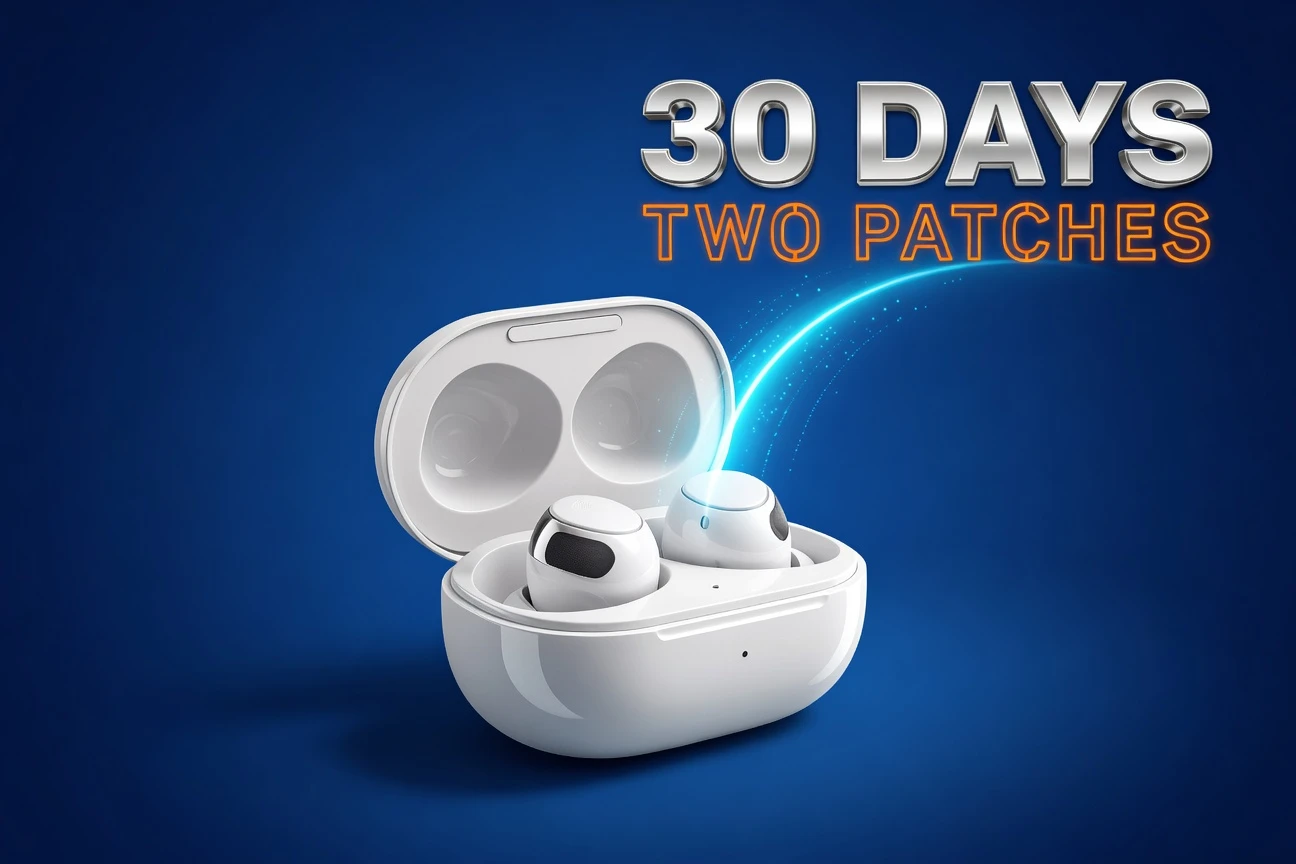
Samsung Drops Second Galaxy Buds 3 Stability Patch in 30 Days
Samsung pushed firmware build R530XXU0AZD2 to the Galaxy Buds 3 and R630XXU0AZD2 to the Galaxy Buds 3 Pro on Thursday, the second sub-10 megabyte stability patch the earbuds have received in 30 days. The rollout started in South Korea. Each file weighs roughly 7 to 8 megabytes per pair.
The Korean changelog, translated, reads: “Stabilization code related to terminal operation has been applied.” Nothing else changed in the build notes. No new feature, no codec bump, no Galaxy AI tweak. Just background bug-squash work that keeps wireless earbuds connecting cleanly to whatever phone, tablet, or laptop the owner picked this morning.
Inside the AZD2 Build
Both models picked up the same letter-for-letter changelog and the same micro-file size, which signals a shared platform fix rather than a model-specific issue. Owners spotted the build first on the Samsung Community wearables firmware thread, where Korean version listings appeared before any external coverage.
Build numbers follow a tight pattern. The previous patch, AZD1, dropped last month. AZD2 follows the same incremental scheme Samsung uses to ship narrow stability fixes between bigger feature drops. There is no public CVE attached, no security severity rating, and no Galaxy AI feature toggle.
Release specs match what you’d expect from a maintenance ticket Samsung’s earbuds team closed quietly:
- R530XXU0AZD2: Galaxy Buds 3 (the standard pair, model SM-R530)
- R630XXU0AZD2: Galaxy Buds 3 Pro (the flagship pair, model SM-R630)
- Size: 7 to 8 MB per pair
- Region: South Korea at launch, global rollout pending
- Changelog: Stabilization code applied to terminal operation
South Korea Always Goes First
Samsung’s home-market staging pattern is consistent across phones, watches, and earbuds. Korean units typically receive firmware between three days and four weeks before the same build reaches Europe, North America, and the rest of Asia. The lag exists because Samsung uses Korean rollouts as a final-mile telemetry filter before broader push.
For Buds 3 owners outside Korea, that means watching the Galaxy Wearable app’s update screen in the coming days. The faster a stability build appears in your country code, the more confident Samsung is that AZD2 isn’t going to brick a regional carrier variant.
One UI 8 Changed How You Install
Samsung quietly added a second install path with One UI 8, and it’s worth knowing because the Galaxy Wearable app route still works but is no longer the only option. Owners running One UI 8 or later can reach earbud firmware directly through the phone’s Settings app, with the buds connected.
The new path is shorter on tap count and skips the Wearable app entirely. The older path remains available for users who haven’t updated to One UI 8 yet, or who run their Buds 3 with a non-Samsung phone.
To install AZD2 on a One UI 8 phone:
- Connect the Galaxy Buds 3 or Buds 3 Pro
- Open Settings on the phone
- Tap the Galaxy Buds 3 or Buds 3 Pro entry
- Choose Earbuds settings, then Earbuds software update
- Tap Download and install, then Install now once the file lands
On older One UI builds, the Galaxy Wearable app still hosts the same flow under Earbuds settings. Either way, the earbuds need to be in the case with the lid open and the phone within Bluetooth range while the patch installs.
Two Patches in 30 Days Tells Its Own Pattern
Samsung shipping AZD1 in April and AZD2 in May means something specific. The earbuds firmware team is treating the Buds 3 lineup as a live product still pulling regression telemetry, not a frozen 2024 SKU running out its sales tail.
That cadence matters because the Buds 3 launched in July 2024 alongside the Galaxy Z Flip 6 and Z Fold 6. A 22-month-old product getting two stability patches inside 30 days reads as Samsung defending its installed base, not coasting on it.
What the Hardware Is Actually Doing
The Buds 3 Pro carry a hardware load that benefits from constant tuning. The flagship pair runs Bluetooth 5.4, supports 24-bit/96kHz hi-res audio over Samsung’s SSC HiFi codec, and ships with IPX7 water resistance per Samsung’s Galaxy Buds 3 Pro product specifications. Battery life lands at roughly 8 hours with active noise cancellation on, stretching to 18 hours with the case.
The standard Buds 3 trims hi-res audio and IPX7 to a more modest IP54 rating, but keeps the same Bluetooth 5.4 backbone and Galaxy AI hooks. Both pairs feed Samsung’s Interpreter app, which streams real-time translation through the buds when paired with a Galaxy phone.
Galaxy AI features require a Samsung Galaxy device for full functionality.
That line, repeated across Samsung’s Galaxy AI Buds 3 support documentation, is doing real work. The translation, the conversation mode, the personalized sound profile, the head-tracking spatial audio: all of it depends on signal handoff between the earbuds and the host device. Stability code that keeps that handoff clean is the unsexy but load-bearing portion of the Buds 3 software stack.
TechRadar’s review of the Buds 3 Pro called them “great earbuds that took the wrong leaf from the AirPods playbook.” The criticism focused on fit and price, not firmware. Samsung’s design choice to clone Apple’s stem layout left the Pro pair sitting at the AirPods Pro 2’s price band while leaning on Galaxy AI to differentiate. Firmware reliability becomes a competitive lever.
Spatial audio that drifts, ANC that hiccups when switching between a Galaxy phone and a Windows laptop, an Interpreter session that drops mid-sentence: those are the specific failure modes a 7-megabyte stabilization patch is paid to fix.
Where Samsung Sits in Apple’s Market
Earbuds are bigger than most outside coverage admits. Global TWS shipments hit 331.6 million units in 2024, up from 294.4 million in 2023, with TWS now accounting for roughly 73% of all smart personal audio shipments per Mordor Intelligence’s 2026 earbuds market analysis.
Apple still leads with around 24% market share through 2025. Samsung sits inside the top five alongside Huawei, Xiaomi, and India’s boAt, with the five players collectively holding roughly half the market. The Galaxy Buds 3 lineup is Samsung’s volume answer at the high end, sold at $179 for the standard pair and $249 for the Pro.
That positioning is why a quiet 30-day patch cycle matters. The TWS market grew its installed base by 37 million units in a single year. Every retained Galaxy Buds 3 owner is a barrier against the AirPods upgrade path, and every flaky disconnect that doesn’t get patched is a nudge toward the other side.
Frequently Asked Questions
How Do I Check If AZD2 Has Reached My Country Yet?
Open the Galaxy Wearable app, connect your Buds 3 or Buds 3 Pro, then tap Earbuds settings followed by Earbuds software update. If a download is available, the build number listed will start with R530XXU0AZD2 or R630XXU0AZD2. On One UI 8, you can also reach the same screen through Settings, then your Buds 3 entry. Check every couple of days during a regional rollout window.
Will Skipping This Update Hurt My Earbuds?
No. AZD2 is a 7 to 8 MB stability patch with no security advisory attached, so skipping it won’t expose you to a known vulnerability. You may notice fewer disconnects or smoother handoff between Galaxy devices once it installs, but the previous AZD1 build remains stable on its own. Samsung does not currently force-install Buds 3 firmware, so the choice stays with you.
Can I Install AZD2 If My Buds Are Paired With An iPhone?
Not directly. The Galaxy Wearable app, which is the install path for any phone, has no iOS version. You’ll need to pair the Buds 3 with an Android phone running Galaxy Wearable to install the firmware, then re-pair with your iPhone afterward. Galaxy AI features such as live translation won’t work on iOS regardless of firmware version, since they require a Samsung Galaxy host device.
How Long Does The Install Actually Take?
Allow about 5 to 10 minutes from tap to finish on a stable Wi-Fi connection. The download itself runs in seconds at 7 MB, but the install requires both earbuds in the case, the lid open, and the phone within Bluetooth range throughout. Samsung recommends a battery level above 30% on the case before starting. Avoid closing the lid until the Wearable app reports completion.
Samsung’s pattern with the Buds 3 series in 2026 reads as steady maintenance, not feature theater. AZD2 is the second proof point in 30 days, and a third build before summer would not be a surprise.
The owners who notice will be the ones who use the buds across a Galaxy phone, a Windows laptop, and a Tab S9 in the same day. Stability code is invisible until it isn’t.
GADGETS
Apple AirPods With Cameras Hit Final Test Stage, Siri Holds Up Launch
Apple has pushed its camera-equipped AirPods into the final development stage before mass production, according to a Bloomberg report by Mark Gurman published May 7. Engineers inside Cupertino are now testing prototypes at the design validation testing phase, known internally as DVT. That’s the second-to-last gate before production validation, and it usually runs three to six months.
The earbuds carry low-resolution cameras in both stems. They aren’t built to shoot photos or video. They’re built to feed a visual stream to Siri so the assistant can see what the wearer sees, identify objects, read environments, and answer questions about them. Gurman’s sources say Apple may brand the device AirPods Ultra and price it above the $249 AirPods Pro 3.
And here’s the catch. The hardware is nearly done. The software isn’t. Apple wanted to ship these earbuds in the first half of 2026. That window is gone, and the reason has nothing to do with the cameras.
Why The Hardware Is Ready But The Launch Isn’t
DVT is a specific milestone. Apple’s prototypes at this stage carry near-final industrial design, near-final internal components, and near-final firmware. The next step is PVT, where contract manufacturers like Luxshare or Foxconn run small batches on the actual production line to expose tolerance issues. After that, mass production starts.
So the engineering side is on schedule. The blocker is Siri. 9to5Mac’s coverage of the Bloomberg scoop notes Apple’s overhauled, LLM-powered Siri is now slated for September alongside iOS 27, macOS 27, and iPadOS 27. Without that Siri, the cameras have nothing intelligent to talk to. A pair of earbuds that can see your kitchen counter is useless if the voice assistant attached to it can’t tell a tomato from a tangerine.
Gurman’s sources put it bluntly: concerns about the AI features could push the launch further if Apple isn’t satisfied with the visual intelligence layer. That phrasing matters. It’s the same phrasing Apple used internally before delaying the personalized Siri features announced at WWDC 2024.
The Four-Year Backstory
The project started inside Apple in 2022. Ming-Chi Kuo’s May 2025 supply chain note first laid out the production timeline, calling for mass production in 2026 with a possible slip to 2027 if battery life or thermal constraints proved harder than expected. Kuo also flagged a custom chip codenamed Glennie meant to handle the visual processing on-device.
Bloomberg first reported the camera AirPods existed in February 2024. Kuo confirmed the project four months later. Then Apple killed a parallel project: an Apple Watch with a built-in camera, scrapped quietly last year. The Watch camera died. The AirPods camera survived. That tells you where Apple thinks the AI wearable category lives.

What The Cameras Actually Do
The cameras feed Siri. That’s the entire pitch. Ask Siri what’s in your fridge while wearing the earbuds, and the visual stream goes to Apple’s servers, gets parsed, and comes back as a recipe suggestion. Walk past a building, ask what it is, and the camera handles the lookup. Get turn-by-turn directions that update based on what’s actually in front of you, not just GPS coordinates.
- Object recognition for groceries, books, packaging, signage, plants, and household items.
- Contextual reminders triggered by what the camera sees, like medication on a counter or keys on a hook.
- Enhanced navigation that supplements GPS with visual landmarks, pulled live from the user’s surroundings.
- Vision Pro pairing, where head-direction data sharpens spatial audio inside Apple’s headset.
An LED indicator lights up when the cameras are active. That’s Apple’s headline privacy feature. How visible the LED actually is on a stem-mounted earbud, and how many strangers will notice it, remains the open question. The Mac’s green webcam light works because you stare at the screen. An LED tucked under your earlobe is a different physics problem.
Apple Walks Into A Market Meta Already Owns
The competitive picture is brutal. Meta’s Ray-Ban smart glasses captured between 75 and 80 percent of the smart-eyewear market in 2025, with more than seven million units sold. The TechBuzz analysis of Meta’s wearables performance reports the company plans to double smart-glasses production capacity by the end of 2026 while cutting its VR budget. The glasses are working. The headsets aren’t.
OpenAI is pushing into the same lane. Sam Altman’s company paid $6.4 billion last year for Jony Ive’s design startup io and is now building a screenless, voice-first AI device targeting initial production of 40 to 50 million units through Foxconn. Court filings cited by Adweek’s review of the OpenAI hardware litigation indicate the first device won’t be wearable, but earbud-style and pen-style follow-ups are in development under codenames Sweetpea and Gumdrop.
The Three-Way Race In One Table
| Player | Form factor | AI assistant | Status |
|---|---|---|---|
| Meta | Ray-Ban and Oakley smart glasses | Meta AI | Shipping, 7M+ units sold |
| Apple | AirPods with stem cameras | Next-gen Siri (Sept 2026) | Late testing (DVT) |
| OpenAI / Jony Ive | Screenless device, then earbuds | ChatGPT | H2 2026 target, delays reported |
| Motorola | AI pendant (concept) | Moto AI | CES 2026 reveal |
| Amazon | Bee wearable (acquired 2025) | Alexa+ | Wrist and lapel form factors |
The pendant category itself is a graveyard. Humane’s AI Pin launched to brutal reviews in 2024 and was discontinued within a year. Friend, the AI necklace startup, became the punchline of New York subway graffiti, with riders writing Go make some real friends across its ads. Apple is entering a category that has burned every company that came before it.
The Privacy Problem Apple Is About To Inherit
Camera-equipped wearables have already created legal exposure. TechCrunch reported in March on a class action filed against Meta after a Swedish newspaper investigation found that workers at a Kenya-based subcontractor were reviewing customer footage. The reviewed material included nudity, sex, and footage of people using the toilet. The U.K. Information Commissioner’s Office opened its own investigation. Meta said faces were blurred. Sources told reporters the blurring didn’t always work.
Consumer expectations regarding privacy haven’t gone away entirely, but they are shifting. We’re already being surveilled by billions of smartphones, city camera networks and smart devices that we willingly placed in our homes.
That’s Avi Greengart, lead analyst at Techsponential, on why Meta keeps selling glasses despite the lawsuits. Greengart told reporters he doesn’t expect AI wearables to replace smartphones soon, but does expect them to land alongside watches, rings, and glasses as standard kit. His framing matters because it’s the bull case. The bear case is the Kenyan subcontractor.
Apple’s privacy track record is genuinely better than Meta’s. The company processes most Siri requests on-device, encrypts the rest, and runs cloud workloads through Private Cloud Compute. But the moment cameras enter the picture, the data profile changes. Visual data is harder to anonymize than text. A blurred face is still a body, a tattoo, a uniform, a setting. Apple will have to explain, in detail, what gets sent to the cloud, what stays on the device, what gets deleted, and who reviews edge cases.
Why Google Glass Still Matters
The 2013 backlash against Google Glass set the template. Bars banned wearers. The word Glasshole entered the dictionary. The product died. Meta’s Ray-Bans survived where Glass didn’t because they look like sunglasses, not goggles, and because Meta marketed them as a Ray-Ban product first and a camera second.
Apple’s bet is similar. AirPods are already in the wild on hundreds of millions of ears. Adding cameras to a familiar object is less alien than strapping a screen to someone’s face. Whether that’s enough cover when the cameras are pointed at strangers in coffee shops is the question every reviewer will ask in the first week.
Pricing And Branding Signal Where Apple Is Aiming
Gurman’s sources say the device will sit above $249. The AppleInsider read of Bloomberg’s pricing intelligence notes that AirPods Ultra branding would let Apple introduce a new tier without disrupting the AirPods Pro 3 lineup. Apple last spun out an Ultra brand for the Apple Watch Ultra in 2022, where the Ultra commands a roughly two-times premium over the standard Watch.
Applied to AirPods, that math suggests a price band somewhere between $349 and $449. Bloomberg hasn’t confirmed a specific figure. But the Ultra naming convention and the cost of adding cameras, IR sensors, and a custom processing chip make a $249 price untenable.
Stats That Frame The Bet
- 4 years of internal development before reaching DVT.
- $249 floor price for current AirPods Pro 3, the launchpad for Ultra pricing.
- 75-80% of the smart-glasses market currently held by Meta.
- 40-50 million units targeted by OpenAI for its first AI device.
- September 2026 earliest realistic launch window if Siri ships on time.
- 7 million+ Meta smart glasses sold in 2025, the comparison set Apple has to beat.
The Timeline From Here
- May 2026: DVT prototypes confirmed in Bloomberg report.
- Summer 2026: PVT batches expected at contract manufacturers.
- September 2026: iOS 27 launch with new Siri, the earliest plausible AirPods Ultra debut.
- Late 2026 or H1 2027: Realistic ship date if Siri features pass internal review.
- 2027: Lighter AirPods Max refresh, separately, per Kuo’s roadmap for Apple’s audio lineup through 2027.
One detail worth flagging for Apple Vision Pro owners: Kuo previously reported that the camera AirPods would integrate with Vision Pro to enhance spatial audio. Turn your head toward a sound source in a video, and the audio profile shifts to emphasize that direction. That’s a feature pair, not a coincidence. Apple is building hardware that compounds across its product line, the same way the H2 chip ties the Watch and AirPods together for hearing-aid features.
For broader context on how on-device biometric sensing is migrating across product categories, see our coverage of Samsung’s Sensor OLED panel that reads pulse and blood pressure through the display. The thread is the same: sensors disappear into devices people already own.
Frequently Asked Questions
When will AirPods with cameras actually go on sale?
The earliest realistic window is September 2026, alongside iOS 27 and the new Siri. Bloomberg reports the hardware is in design validation testing, which typically runs three to six months before production. But Apple has tied the launch to its overhauled Siri, and any delay to that software project pushes the AirPods Ultra into late 2026 or the first half of 2027.
How much will AirPods Ultra cost?
Above $249. Apple hasn’t confirmed a price, but Gurman reports Ultra branding and a premium positioning over the AirPods Pro 3. Based on how Apple priced the Apple Watch Ultra at roughly two times the standard Watch, a $349 to $449 range is the most credible estimate. Final pricing won’t be public until Apple’s official launch event.
Can the cameras take photos or record video?
No. The cameras are low-resolution modules that feed visual data to Siri for object recognition, contextual reminders, and navigation. They cannot capture or store photos or video for the user. An LED indicator on each earbud lights up when the cameras are active, similar to the green light on a Mac webcam.
Will AirPods Ultra work with non-Apple phones?
The visual features are tied to Siri and Apple Intelligence, which only run on iPhones, iPads, and Macs. Standard Bluetooth audio playback should work with Android phones, as it does with current AirPods, but the camera features and AI integrations will not. If you’re on Android, you’re getting expensive earbuds without the headline feature.
Are camera-equipped earbuds a privacy risk for people around me?
The cameras don’t record video, but they do capture environment data and send it to Apple’s servers for processing. Apple’s privacy stance is stronger than Meta’s, and the LED indicator signals when cameras are active. Still, anyone uncomfortable being scanned by a stranger’s earbuds has a legitimate concern. Local laws on consent recording vary, and Apple has not yet detailed its data retention policies for visual data.
What happens if Apple’s new Siri isn’t ready?
The launch slips. Bloomberg’s sources explicitly tied the AirPods Ultra release to the AI Siri rebuild, and Apple has already pushed personalized Siri features once. If Siri 2.0 misses September 2026, expect AirPods Ultra to follow it into 2027. The earbuds without the assistant are just expensive AirPods with extra hardware nobody can use.
The story to watch over the next six months isn’t the earbuds. It’s Siri. Apple has built the body. The brain has to ship for any of this to matter, and Cupertino has missed that deadline before.
GADGETS
India’s TARA Glide Bomb Flies Off Jaguar In Maiden Odisha Test
India dropped a 500 kg bomb off the Odisha coast on 7 May 2026 and watched it glide. That single sortie, flown by a Sepecat Jaguar of the Indian Air Force over the Integrated Test Range, marked the maiden flight-trial of the Tactical Advanced Range Augmentation weapon announced by the Press Information Bureau the next morning.
TARA is a bolt-on kit. It clamps onto a dumb iron bomb already sitting in IAF magazines, sprouts wings, and turns it into a precision-guided munition that can hit a target up to 100 km away. The Defence Research and Development Organisation calls it India’s first indigenous modular glide weapon. The number that matters most is buried in a corporate brochure, not the press release. The kit itself weighs only 98 kg, and that detail rewrites how cheaply the IAF can now strike.
What Just Flew Off The Odisha Coast
The maiden trial was conducted from a Jaguar over the Integrated Test Range on 7 May, the same day that marks the first anniversary of Operation Sindoor. A Press Information Bureau photograph confirmed the launch platform. The 500 kg warhead carried the modular guidance and wing kit, separated cleanly, and tracked toward the assigned point on Abdul Kalam Island.
DRDO’s Hyderabad-based Research Centre Imarat lab profile and history led the design, with Development-cum-Production Partners already running serial production lines before the first test fly-off. Adani Defence and Aerospace publicly displayed a TARA mock-up at Aero India 2025, the earliest signal that the kit was approaching flight readiness. Bharat Forge is the other named industrial partner from the parallel Gaurav programme.
The official from the Ministry of Defence framed the trial narrowly. The first test validated the winged glide configuration, the inertial navigation, and the guidance and control architecture. Terminal seeker accuracy, the spec that decides whether TARA can rival imported kits, will be proven in later trials.

The Numbers TARA Quietly Brings To The Table
- 98 kg kit weight, including wings, control fins, and guidance package, per Adani Defence material at Aero India 2025.
- Less than 3 m circular error probable for the Uncooled Imaging Infrared seeker variant.
- Less than 20 m CEP for the cheaper Satellite Aided Terminal variant.
- 80 to 100 km stand-off range when released at 42,000 feet and Mach 0.9.
- 10,000 to 45,000 feet launch envelope, covering low-level Jaguar tactics and high-altitude Su-30 MKI deliveries.
- Mach 0.8 minimum release speed, well within Tejas, Mirage 2000, and Jaguar performance bands.
Two facts deserve a closer read. The 3 m CEP figure on the UC-IIR variant matches the published accuracy band of Israel’s SPICE family and edges past France’s Safran AASM Hammer release-trial reference in standard configuration. The 98 kg kit mass means the Jaguar can hang a TARA bomb on a station that already takes a 500 kg munition without a structural carriage redesign. That is the engineering call that turns a paper concept into a fielded capability fast.
Why The Math Hurts The Imports
India bought a fresh batch of Israeli SPICE-1000 kits on 29 December 2025 in a deal valued at 8.7 billion dollars by the Defence Acquisition Council. Industry estimates peg a single SPICE-1000 kit at roughly 480,000 dollars, and Safran has spent years trying to push the Hammer below 80,000 euros per piece without much public progress.
TARA’s promised cost has not been disclosed. But the press release explicitly markets the kit as built around “low-cost systems,” the bureaucratic phrase that signals an order-of-magnitude difference from the SPICE bill. Indian defence analysts have been running the comparison since Aero India 2025.
| System | Origin | Range | CEP (best variant) | Indicative kit cost |
|---|---|---|---|---|
| TARA UC-IIR | India (DRDO/RCI) | 80 to 100 km | Under 3 m | Low-cost, undisclosed |
| TARA SAT | India (DRDO/RCI) | 80 to 100 km | Under 20 m | Low-cost, undisclosed |
| SPICE-1000 | Israel (Rafael) | Up to 125 km | Under 3 m | About 480,000 dollars |
| AASM Hammer | France (Safran) | 20 to 70 km | About 1 m terminal | About 80,000 to 120,000 euros |
The Hammer column is the one to watch. Hammer was the lead weapon when Rafale jets struck Pakistani targets during Operation Sindoor in May 2025, paired with SCALP cruise missiles. A domestic alternative that puts a 500 kg warhead on a fixed coordinate from 80 km out, fired off the IAF’s existing iron-bomb stockpile, eats into a procurement line item that sits in foreign currency.
“This is a significant development in advancing India’s indigenous defence capabilities.” Defence Minister Rajnath Singh said so in his official congratulatory note on 8 May 2026, after personally tracking the trial outcome with DRDO chairman Samir V Kamat.
The Two Variants And What They Are Built For
The SAT Kit For Volume Strikes
The Satellite Aided Terminal variant uses inertial navigation paired with multi-constellation GNSS, including India’s own NavIC, to guide the warhead into a sub-20 m circle. That accuracy is enough for hardened bunkers, supply dumps, vehicle parks, and runway interdiction with a 500 kg warhead.
The SAT kit is the cheap, high-volume sibling. It is also the more vulnerable one in a contested electronic environment, which is why the press release flags anti-jamming and anti-spoofing features but does not promise immunity. Anti-jamming on satellite-only guidance buys minutes against a serious adversary, not hours.
The UC-IIR Kit For Pinpoint Targets
The Uncooled Imaging Infrared variant adds a terminal seeker that compares the bomb’s view of the world with a pre-loaded reference image. The CEP drops to under 3 m, roughly 6 to 7 times tighter than SAT.
Uncooled IIR is the workhorse choice. A cooled seeker performs better in cold weather and at longer detection ranges but adds cryogenic plumbing, weight, and cost. RCI’s bet is that the uncooled chip, made viable by the past decade of commercial automotive thermal imaging, is good enough for Indian theatres at a fraction of the price.
Both variants share the same airframe, the same wing deployment, and the same control logic. The difference is the seeker module, and a squadron armourer can swap the nose section in the field. That modularity is the point.
Where TARA Sits In The Indian Glide-Weapon Stack
- 14 August 2024. DRDO’s Gaurav 1,000 kg-class glide bomb maiden trial from Su-30 MKI documented by PIB.
- April 2025. Gaurav release trials confirm a near 100 km range with the Su-30 MKI carrying multiple stations.
- February 2025. Adani Defence shows the TARA mock-up at Aero India 2025 industry release covering its DRDO collaborations.
- 29 December 2025. Defence Acquisition Council clears 8.7 billion dollars for additional SPICE-1000 procurement, partly to bridge to indigenous kits.
- 7 May 2026. TARA maiden flight from a Jaguar off Odisha, exactly one year after Operation Sindoor’s opening hours.
Gaurav is the heavy. TARA is the modular. Reading them together, the IAF gets a 1,000 kg-class deep-strike weapon for fortified targets and a 250 to 500 kg-class kit for everything else, both running on Indian guidance stacks and Indian production lines.
The Jaguar Question Nobody Wants To Ask Out Loud
The aircraft that fired the first TARA on Wednesday is also the aircraft the IAF is preparing to retire. Indian defence sources confirmed in early 2026 that the oldest 60 DARIN-I and DARIN-II Jaguars start phased withdrawal from 2028, replaced by Tejas Mk1A. India is now the only Jaguar operator on earth and bought 20 retired airframes from Oman in December 2025 just to keep the rest flying.
That timing matters for TARA. The kit is being integrated with Mirage 2000, Su-30 MKI, and Tejas as well, but the deep-strike Jaguar squadrons at Ambala, Gorakhpur, and Jamnagar were the platforms most starved of a modern stand-off precision option. TARA gives the Jaguar fleet something useful to do in the years before the Tejas Mk1A line catches up.
The DARIN-III Jaguars, fitted with the EL/M-2052 AESA radar and ASRAAM missiles, will fly into the mid-2030s. Pair an AESA-equipped Jaguar with a TARA UC-IIR kit and the IAF has a deep-penetration shooter that can drop a sub-3 m munition from beyond Pakistan’s frontline air defence belts. That is a meaningful capability uplift for a 1970s airframe.
The Operation Sindoor Echo
Senior IAF and DRDO officials picked 7 May for the maiden trial. That date is not an accident. Operation Sindoor began at 1:05 am on 7 May 2025, and Indian Rafales that night carried French Hammer kits and SCALP cruise missiles to nine targets across Pakistan and Pakistan-occupied Kashmir.
One year on, the message embedded in the test schedule reads as policy. India is willing to keep buying foreign kits when capability gaps are urgent, but the long arc points to indigenous replacements as soon as they are flight-proven.
Air-power analyst Angad Singh, writing on his independent defence Substack ahead of the test, argued that TARA’s strategic value lies less in what a single bomb can do and more in the production economics. “A glide kit you can manufacture by the thousand changes the calculus of an air campaign,” he wrote in late April. The Defence Acquisition Council’s December 2025 SPICE-1000 order, sized to refill stocks burned through during Sindoor, is the sort of bill an indigenous TARA line is built to retire.
DRDO Chairman Samir V Kamat called the trial “an important technological milestone for India’s precision weapon systems programme,” the kind of phrase that usually precedes a series of follow-on tests against more demanding target sets. The next round, expected through the second half of 2026, will validate the UC-IIR seeker against moving and offset targets and check the SAT kit against active GNSS jamming.
Frequently Asked Questions
How Far Can The TARA Bomb Actually Strike?
Up to 80 to 100 km when released from 42,000 feet at Mach 0.9, per the manufacturer’s published envelope. Range collapses sharply at lower altitudes, dropping to roughly 30 to 40 km from a 10,000 foot release. The 7 May trial used a Jaguar profile, which sits in the middle of that envelope, so the maiden shot likely demonstrated 60 to 80 km of stand-off rather than the maximum advertised reach.
Will TARA Replace The Israeli SPICE-1000 In IAF Service?
Not immediately. The IAF cleared an 8.7 billion dollar SPICE-1000 procurement in December 2025 because the operational requirement was urgent and TARA had not yet flown. Indian defence planners are signalling a tiered approach: SPICE-1000 for missions needing proven jam-resistance now, TARA in growing volumes once production scales through 2027 and 2028, with imported kits gradually shifting to a top-shelf reserve role.
Which Indian Aircraft Will Carry The Weapon?
Four platforms. The Sepecat Jaguar fired the first round on 7 May. The Mirage 2000, the Sukhoi Su-30 MKI, and the HAL Tejas are the other three integration platforms named by defence sources. Tejas Mk1A integration is the strategic priority because the Mk1A line is replacing the older Jaguar squadrons starting 2028 and the IAF wants TARA on the new airframe from day one of squadron service.
How Accurate Is The 3 m CEP Claim?
The 3 m figure comes from Adani Defence brochure material at Aero India 2025 and matches DRDO’s own Ministry of Defence release for the UC-IIR variant. It is a manufacturer claim, not a verified operational result. The 7 May test validated airframe and guidance, not seeker terminal accuracy. Expect the seeker-specific CEP to be confirmed or revised after follow-on trials scheduled through late 2026.
What Bombs Can The TARA Kit Be Fitted To?
Three weight classes, all already in IAF inventory: 250 kg, 450 kg, and 500 kg conventional unguided bombs. The TARA-250 variant carries a total weight of about 308 kg, and the TARA-450 and TARA-500 variants weigh around 546 kg fully assembled. The 98 kg modular kit clamps onto existing warheads without structural changes to the bomb body, which is why the IAF can convert legacy stockpiles rather than ordering new munitions.
The 7 May shot was a single bomb, a single sortie, a single airframe. What it announces is bigger. India now has a domestic kit that can hang on four different fighters, sit on top of three different bomb classes already in stock, and put a 500 kg warhead within three metres of a target from a stand-off line that keeps the launch aircraft outside frontline air defence. The trial in Odisha was the cheapest part. The volume order that follows is the part Pakistan and the Israeli kit-makers will be reading carefully.
GADGETS
Samsung 2026 Mini LED TVs Launch In India From Rs 42,990
Samsung pulled the floor out from under India’s premium TV pricing on Friday. The company put its 2026 Mini LED lineup on shelves starting at Rs 42,990, with screen sizes running from a tiny 43-inch all the way to a wall-eating 100-inch panel. The starting price undercuts Xiaomi’s TV S Mini LED Series, which begins at Rs 51,999, and lands almost in line with TCL’s cheapest Mini LED set.
The new range runs on Samsung’s NQ4 AI Gen2 processor, a 144Hz panel, and a metal-body design Samsung calls MetalStream. Every set carries Vision AI features, seven years of Tizen updates, and access to more than 150 Samsung TV Plus FAST channels in 14 Indian languages.
Here is the part that deserves a closer look. Samsung says the family starts at 43 inches. No other major brand in India sells a Mini LED TV at 43 inches. Xiaomi caps its smallest Mini LED at 55. So does TCL. Hisense too. The size question, and what “Mini LED” actually means at the bottom of this lineup, is the real story behind the launch headline.
What Samsung Actually Launched
The lineup spans seven sizes: 43, 50, 55, 65, 75, 85, and 100 inches. Samsung is positioning the family as a price-laddered Mini LED range rather than a single flagship. The starting price of Rs 42,990 sits in the segment that Mordor Intelligence’s India smart TV market report identifies as the country’s busiest revenue band, the Rs 20,000 to Rs 40,000 tier that held 41.6% of value share in 2025.
Each set carries a 4K panel, a DLG 120Hz refresh rate that pushes to Motion Xcelerator 144Hz for gaming, HDR10+, and Pure Spectrum Color. Samsung claims over 90% wide colour gamut. The audio caps at 30W with Object Tracking Sound Lite and Q-Symphony for pairing with Samsung soundbars.
Connectivity is light by 2026 standards. Three HDMI ports, one USB-A, eARC, Ethernet, Wi-Fi, and Bluetooth. There is no fourth HDMI, which matters for households that already juggle a console, a set-top box, and a soundbar. Samsung’s higher-tier QN80H Neo QLED page on Samsung India lists four HDMI ports, so the cut here is deliberate.
The MetalStream Body
Samsung borrowed the language of aerospace marketing for the new chassis. MetalStream is a single-sheet metal body with bezels Samsung describes as ultra-slim. The look is closer to a high-end monitor than a 2024-era TV, and the company is selling it as part of the premium-feel pitch even on the entry sizes.
Whether the metal body extends to the cheapest 43-inch unit is not spelled out in Samsung’s India release. Globally, the M70H, which corresponds to the lower tier of this family, ships with what DisplaySpecifications’ M80H and M70H breakdown describes as a basic version of MetalStream with metal feet for the stand. Buyers should not assume parity across every screen size.

The 43-Inch Problem
Mini LED panels in India almost never come at 43 inches. The technology rewards larger screens because the LEDs sit behind the LCD layer in dense local-dimming zones, and the cost-per-zone math gets ugly on small panels. Xiaomi launched its TV S Mini LED Series in India on 15 April 2026 in three sizes only: 55, 65, and 75. TCL’s Mini LED price list at Smartprix starts at the 55-inch Q6CS at Rs 43,990. Hisense follows the same floor.
So when Samsung claims a Mini LED experience at 43 inches for Rs 42,990, the obvious question is how many dimming zones the smallest panel actually carries. Samsung’s release does not say. Globally, the equivalent M70H Mini LED tier reviewed by Tom’s Guide drops AMD FreeSync, sticks with three HDMI ports, and trims Mini LED zone counts heavily on smaller sizes. The brand decision here matters. Samsung dropped the Neo QLED label from the entry Mini LED tier this year, which means buyers cannot use the Neo QLED badge as a quality shortcut.
What That Means at the Checkout
If you are shopping the 43-inch slot for a bedroom or a small living room, the comparison is not between two Mini LED sets. It is between Samsung’s Mini LED claim and a stack of QLED sets at lower prices. Hisense sells its 43-inch Q6N QLED for Rs 23,599. Xiaomi’s Mi X Pro 43-inch QLED runs Rs 24,999. Smartprix’s Mini LED price list for India reflects this gap.
The 55-inch tier is where Samsung’s family meets real Mini LED competition. TCL’s Q6CS at Rs 43,990 is the cheapest Mini LED in the country at that size. If Samsung’s 55-inch is priced anywhere near that floor, it becomes a serious volume play. If it is well above, the Korean brand is leaning on its software stack and warranty rather than panel-on-panel value.
The NQ4 AI Gen2 Processor
The chip inside is doing more work than the marketing suggests. The NQ4 AI Gen2 runs a 20-neural-network architecture for picture and sound. Real-time tasks include 4K AI upscaling, scene-aware contrast adjustment, and audio rebalancing based on what is on screen. The Gen2 sits one step below the NQ4 AI Gen3 silicon Samsung uses in its QN90F Neo QLED reviewed by RTINGS, so the AI ceiling here is lower than the Korean brand’s true flagship.
Vision AI is the umbrella term Samsung uses for the new generative features. Live Translate covers 12 languages on the global lineup. Generative Wallpaper now responds to voice prompts. Bixby handles multi-step commands and chains with Microsoft Copilot and Perplexity for conversational search. Whether all of these features arrive on day one in India or roll out via firmware is one of the unanswered questions in Samsung’s release.
Gaming and Motion
The 144Hz refresh rate is the headline gaming spec, and it pairs with Auto Low Latency Mode and Variable Refresh Rate. HGiG support is in. AMD FreeSync, the feature most console gamers actually look for, is missing from Samsung’s India release for the entry tier. The omission tracks with the global M70H spec sheet.
For PS5 and Xbox Series X owners, the practical upshot is that fast-paced shooters and racing titles will run smoothly, but tearing-free play depends on the title supporting Samsung’s HGiG implementation rather than the broader FreeSync ecosystem. The 65-inch and above sizes are the ones to watch for the full gaming feature set.
Where Samsung Sits in the Indian Market
The launch lands in a market where Samsung has held the top slot for nine years. Omdia’s TV Sets Market Tracker data showed Samsung at 23.8% share in India for the January to June 2025 window, with LG second at 16.5% and Xiaomi third at 7.9%. Globally Samsung held 29.1% of the TV market in 2025, which the company says marks 20 consecutive years at number one.
The premium tier is even more skewed. Counterpoint Research data shared via FlatpanelsHD’s premium TV market analysis put Samsung at 45% of high-end TV sales globally, with LG at 20%, TCL at 11%, Hisense at 11%, and Sony at 5%. India follows the global pattern but with one twist: TCL and Hisense are punching harder in the mid-premium Mini LED segment than they are in the West.
That competitive context shapes the launch pricing. Samsung is not chasing OLED-style margins on this lineup. It is defending mid-premium share against Chinese rivals who have been undercutting Korean brands at 55 inches and above for two years.
Stats That Define the Launch
- Rs 42,990 starting price across seven screen sizes.
- 20 neural networks running inside the NQ4 AI Gen2 processor.
- 144Hz refresh with Motion Xcelerator and VRR support.
- Seven years of One UI Tizen updates committed by Samsung.
- 180-plus FAST channels on Samsung TV Plus India in 14 languages.
- 30% growth projected for Mini LED adoption in India through 2026.
The Samsung TV Plus Hook
Hardware sells the box, but software is what keeps Samsung in the home. Samsung TV Plus crossed five years in India this year, and the company reports a 42% jump in monthly active users along with viewing hours that more than doubled. Kunal Mehta, General Manager and Head of Business Development at Samsung TV Plus India, told Indian Television’s coverage of the Kings of Comedy launch that the strategy is to take content people already know and remove every friction point. “No subscription, no login, just television,” Mehta said.
The platform now carries five Zee5 FAST channels including Zee Comedy Nation and Zee South Flix, plus Warner Bros. Television channels covering crime, food, and wildlife in Hindi. The new Mini LED range arrives with all of this preloaded. For a buyer who has cut the cable connection, the FAST stack is a real reason to pay the Samsung premium over a cheaper TCL or Hisense panel.
Samsung has been the Global No. 1 TV Brand for 20 consecutive years. We are taking a significant step towards democratising premium home entertainment with our latest Mini LED TVs, and this launch reflects our commitment to making advanced display technologies more accessible.
Those words came from Viplesh Dang, Vice-President of Samsung India’s Visual Display Business, in the company’s launch statement.
How the Lineup Stacks Against Rivals
The 55-inch slot is where this launch will be won or lost. Three brands now contest it directly with Mini LED.
| Brand and Model | Starting Price (55-inch) | Refresh Rate | HDR Support |
|---|---|---|---|
| TCL Q6CS Mini LED | Rs 43,990 | 120Hz | Dolby Vision, HDR10+ |
| Xiaomi TV S Mini LED 2026 | Rs 51,999 | 120Hz DLG | Dolby Vision, HDR10+ |
| Samsung 2026 Mini LED | To be confirmed | 144Hz | HDR10+ only |
Samsung’s 144Hz panel is the spec advantage. The lack of Dolby Vision is the spec disadvantage. Indian streaming services are mixed on Dolby Vision support, but Netflix, Apple TV, and Disney+ Hotstar all carry Dolby Vision titles, and that absence is the single most-quoted complaint in Tom’s Guide’s QN90F review from earlier this year.
The Warranty Pitch
Samsung is offering a two-year warranty: one year standard plus one year on the panel. That matches Xiaomi’s TV S Mini LED warranty and edges out the standard one-year cover most TCL and Hisense Mini LED sets carry in India. For a buyer at the Rs 50,000 to Rs 80,000 spending tier, the second year of panel cover is a genuine differentiator, especially given that backlight failures on Mini LED arrays are the most expensive thing that can go wrong outside warranty.
Samsung Knox is bundled for IoT security across SmartThings devices. That extends to the connected refrigerator, the connected washing machine, and any Matter-compatible accessory in the home. The integration is the strongest argument for staying inside the Samsung ecosystem if you already own the appliances.
The Wider Picture
Mini LED is the technology that finally cracks the price barrier for premium picture quality in India. Expert Market Research’s India television market analysis projects the above Rs 60,000 segment to grow at a 23.7% CAGR through 2031, while sets larger than 55 inches will rise at a 25.6% CAGR. Both figures suggest the appetite for Mini LED, where the contrast and brightness gains are most visible on bigger screens, is set to accelerate.
OLED still wins on absolute black levels and viewing angles. But OLED at 65 inches starts above Rs 1,50,000 in India for the major brands. Mini LED gets you most of the way there for half the money. That gap is what Samsung, Xiaomi, TCL, and Hisense are all racing to capture in 2026.
Frequently Asked Questions
Is the 43-inch Samsung Mini LED actually Mini LED?
Samsung lists it as Mini LED in the India release, but the company has not disclosed the dimming zone count for the 43-inch unit. No other brand in India sells Mini LED at 43 inches because the technology favours larger panels. Before buying, ask the retailer for the exact zone count and compare it against Samsung’s own 55-inch and 65-inch zone numbers. If the gap is large, the Mini LED label is technically accurate but the practical contrast benefit will be modest.
Can I get Dolby Vision on these Samsung TVs?
No. Samsung does not support Dolby Vision on any of its TVs and the 2026 Mini LED lineup follows the same policy. The sets support HDR10+ instead. If you watch a lot of Apple TV+ or Netflix Dolby Vision titles, your content will play back in HDR10 fallback rather than Dolby Vision. Buyers who want Dolby Vision specifically should look at Sony Bravia or LG OLED ranges, or at TCL and Hisense Mini LED sets.
Where can I buy the 2026 Samsung Mini LED TVs in India?
Samsung is selling the lineup through Samsung.com India, Flipkart, and authorised retail partners across the country. Pricing starts at Rs 42,990 for the entry size. Larger sizes have not been individually price-listed in the launch release, so contact the Samsung Exclusive Store or check Samsung.com for the size you want. Bank offers and exchange bonuses on Flipkart typically push effective prices down by 5% to 10% in the first launch month.
How long will the Tizen software get updates?
Samsung has committed to seven years of One UI Tizen updates for TVs released in 2026. That covers feature updates, security patches, and the Vision AI rollouts. The seven-year window matches what Samsung offers on its premium Galaxy phones and is the longest commitment from any major TV brand in India right now. Buyers should still confirm at purchase that their specific size is included in the update programme.
Is the gaming experience worth the upgrade for PS5 or Xbox Series X owners?
Mostly yes. The 144Hz panel, ALLM, and VRR cover the main bases for current-gen consoles. The miss is AMD FreeSync, which is more useful on PC than on console. PS5 and Xbox Series X owners will see smooth 120Hz gameplay in supported titles. PC gamers running an AMD GPU should look at the higher QN80H or Neo QLED tiers, which include FreeSync Premium Pro support. The 65-inch and 75-inch sizes are the sweet spot for serious gaming use.
The deeper question this launch raises is whether “Mini LED” is becoming a marketing term as much as a technical one. Samsung is betting that brand trust, the seven-year update window, and the FAST channel stack will carry the day in a market where TCL and Xiaomi are pricing harder. The first volume numbers from the festive quarter will tell us if Indian buyers agree.
-
CRYPTO4 days agoAndreessen Horowitz Bets $2.2B on Crypto’s Quiet Cycle
-
APPS4 days agoGoogle’s Buried Page Reveals 500 Niche Websites Still Making Cash
-
GAMING4 days agoAsha Sharma Reshuffles Xbox Leadership In Race To Project Helix
-
COMPUTERS3 days agoPCB Shortage Hits China After Saudi Strike Sends Prices Up 40%
-
NEWS3 days agoSEBI Names Claude Mythos, Sets Up cyber-suraksha.ai Task Force
-
AI4 days agoSubquadratic Launches A 12-Million-Token AI Model And Says The Wall Is Gone
-
NEWS3 days agoSamsung’s 500 PPI Sensor OLED Reads Pulse And Blocks Snoopers
-
CRYPTO4 days agoWells Fargo Says Circle Is Crypto’s Underappreciated Winner





