
NEWS
Samsung One UI 8.5 Lands With AirDrop, AI, And A Liquid Glass Look

Samsung pushed One UI 8.5 to its first wave of Galaxy phones on May 6, 2026, opening the door to a redesigned interface, deeper Galaxy AI, and the most awaited feature of all: file transfers that work directly with iPhones over AirDrop. The Korean rollout is live now. The wider global wave starts May 11 across Europe, India, North America, Latin America, Southeast Asia, and Hong Kong, and Nigerian flagships should land in the back half of May.
This is not a new Android version. It is a mid-cycle feature update built on Android 16, sitting between One UI 8.0 and the One UI 9 release expected later this year alongside the Galaxy Z Fold 8. But the feature load reads more like a full version. Samsung Mobile chief TM Roh told Korean media in February that One UI 8.5 marks Galaxy AI’s transition into what he called an “AI OS,” and the changelog backs the framing.
Read the Samsung Newsroom rollout announcement for One UI 8.5 for the official confirmation.
What Galaxy Owners Get On Day One
The first stable build covers the Galaxy S25 series, S25 FE, S25 Edge, Z Fold 7, Z Flip 7, Z Fold 6, Z Flip 6, Tab S11, and Tab S10. Older flagships and recent A-series phones follow in waves through May and June. Samsung’s Samsung Newsroom feature breakdown for One UI 8.5 calls the release the largest mid-cycle drop in five years.
The download weighs 4 to 4.5 GB on stock devices. Beta testers moving to stable will pull a much smaller bridge, between 480 and 580 MB. Wi-Fi is the only sane way to install on Nigerian data plans, where 5 GB of mobile data on MTN or Airtel still burns through a meaningful chunk of a monthly subscription.
Three pillars define the release:
- A new visual identity built on transparent blur, floating navigation, and rounded surfaces.
- Galaxy AI features that previously shipped only on the Galaxy S26 series, now backported to older phones.
- Cross-device sharing that finally bridges Android and iPhone over Quick Share.
The Liquid Glass Redesign Borrows From Apple, Openly
The visual layer is the change you see first. Samsung calls it a transparent design language. Everyone else is calling it Liquid Glass, and the resemblance to Apple’s iOS 26 overhaul is not subtle. Settings, Dialer, Calculator, Notes, Messages, and the Quick Panel all gain semi-transparent panels, blur layering, soft shadow depth, and floating back buttons that hover over content instead of sitting in a flat header.
The Quick Panel is the most useful change inside that aesthetic shift. Tiles can now be moved, resized, and reoriented in any layout. Brightness and volume sliders flip between horizontal and vertical without a settings dive. 9to5Google’s gallery of the One UI 8.5 redesign shows the side-by-side against iOS 26 if you want to see how close the visual cousins really are.
The implementation is heavier on Samsung’s first-party apps and lighter on third-party surfaces. WhatsApp, Chrome, and most banking apps render unchanged. The system UI carries the full glass treatment.
Camera And Notes Pick Up Real Upgrades
Beyond the gloss, the Camera app gains automatic document scanning that produces a PDF on the spot, dual recording from front and rear lenses simultaneously, and a real-time preview for Log video that pro shooters have been asking for since the S22 era. Samsung Notes adds full table support with adjustable widths, colors, and borders, finally putting it on par with Google Keep and OneNote for structured note-taking.
Partial screen recording is a quiet win. You can now drag a box, capture only what is inside, and skip the post-edit crop step. DeX remembers app window sizes between sessions, which matters more on the Tab S11 than the phone.
Galaxy AI Reaches Older Phones, With A Catch
The headline AI move is backporting. Features that debuted on the Galaxy S26 series are now available on devices going back to the S22, the Z Fold 4, and recent A-series phones. Bixby Call Screening picks up unknown numbers, asks the caller why they are calling, and shows a live transcript on screen so you decide whether to answer or send to voicemail. Multi-step Bixby commands now span multiple apps, so a request like “send the last photo from the kids’ birthday to Amara” works without app switching.
Creative Studio bundles AI wallpapers, stickers, and image generation into a single hub. Audio Eraser now scrubs wind, traffic, and background chatter from videos in real time, including videos shot inside TikTok, Instagram, and YouTube. The Now Brief dashboard surfaces a personalised morning summary on the lock screen, pulling in calendar, weather, and traffic.
Galaxy AI is gradually transitioning to AI OS, starting with the S26 series, said TM Roh, President of Samsung’s Mobile Experience business, in a February briefing with Korean reporters covered by Sammy Fans’s report on the One UI 8.5 strategy.
The catch is the A-series tier. Galaxy A56, A55, A54, A36, A35, and A34 owners get a stripped subset Samsung is branding “Awesome Intelligence,” not full Galaxy AI. The split keeps Call Screening, Audio Eraser, and Creative Studio as flagship-tier features. M and F series equivalents follow the same split.
Quick Share And AirDrop, Finally Talking
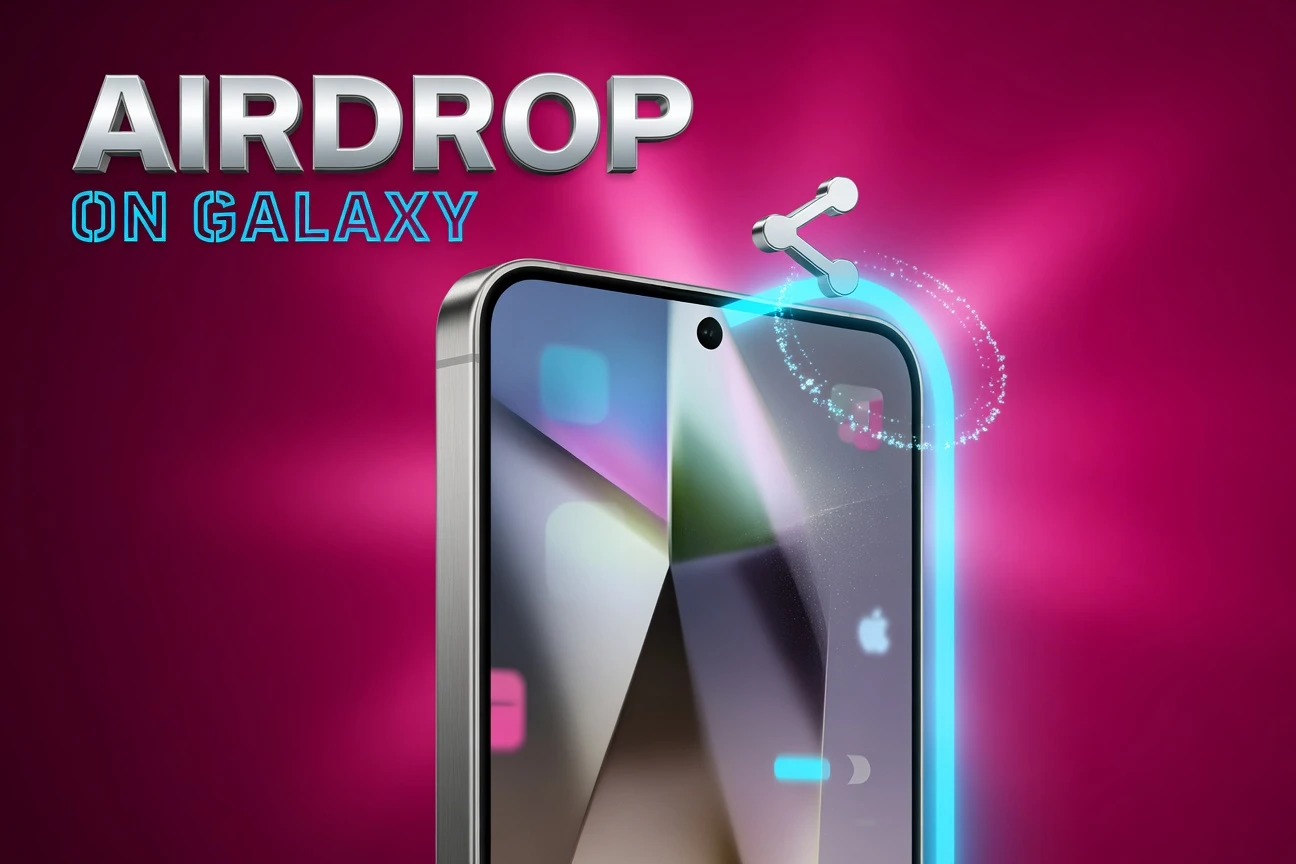
The most consequential addition for anyone who works across both ecosystems is cross-platform sharing. After updating, Galaxy users find a new toggle in Settings under Connected Devices and Quick Share labelled “Share with Apple devices.” Flip it on, ask the iPhone user to set AirDrop to “Everyone for 10 Minutes,” and files move directly between the two phones over Wi-Fi Direct.
The plumbing is a Google-built component called Quick Share Extension that bolts AirDrop’s underlying Wi-Fi Direct protocol onto Samsung’s existing Quick Share. Apple did not officially open AirDrop. Google reverse-engineered the connection inside the constraints of how AirDrop already works. SamMobile’s compatibility list for Quick Share AirDrop covers every supported device.
Two limits matter. Cross-platform transfers run slower than native AirDrop or native Quick Share because the protocol bridge adds overhead. And while “Share with Apple devices” is on, your Galaxy phone may briefly drop its Wi-Fi connection while it scans for nearby iPhones, so streaming users will want to toggle it off when not in use. Samsung is the first major Android maker to ship the feature stable, with Oppo and Vivo following on the Find X9 Ultra and X300 Ultra.
Security Tightens, Especially For Banking Users
The security layer is where Nigerian users with mobile-money apps will feel the upgrade most. Privacy Display lets you mask specific apps so the screen stays hidden when someone glances over your shoulder, an obvious fit for Opay, PalmPay, Kuda, and GTWorld sessions in public. Privacy Alerts now warn you when an app’s permissions could expose personal data, with a one-tap path to revoke.
Theft Protection adds three concrete defences. Failed Authentication Lock automatically secures the phone after repeated failed PIN, pattern, or biometric attempts. Theft Detection Lock uses on-device motion sensing to lock and start tracking if the phone is snatched and the motion pattern looks like a grab. Remote Lock now works using only your phone number, no Google account access required, useful when a stolen device is offline.
Identity Check has been broadened to block a Samsung account from being added to another device, prevent Auto Blocker bypasses, keep Secure Folder contents safe even if a thief knows the PIN, and stop unauthorised data transfer over USB.
Knox Matrix Now Watches Your Other Galaxy Devices
Knox Matrix gains a useful trust-chain feature. The phone alerts you if any other device on your Samsung account, a Galaxy Watch, a Tab, or a Buds case, falls behind on security patches. The alert lands on the phone you actually use, not buried on a tablet you check once a week.
This works only across devices already enrolled in Knox Matrix. Imported phones running region-locked firmware sometimes ship with Knox features partially gated, a known issue for grey-market Galaxy units that flow into Lagos’s Computer Village from the UAE and US.
Who Gets It, And Roughly When
Samsung published the schedule inside the Samsung Members app rather than as a press release, so the dates below come from SamMobile’s reporting on the wider rollout window and from device-by-device confirmations.
- May 6, 2026: Galaxy S25, S25+, S25 Ultra, S25 Edge, S25 FE, Z Fold 7, Z Flip 7, Z TriFold ship in South Korea.
- May 11, 2026: Global wave one expands to Europe, India, North America, Latin America, Southeast Asia, Hong Kong, and Taiwan.
- Late May to early June 2026: Galaxy S24 series, S24 FE, Z Fold 6, Z Flip 6 follow.
- June 2026: Galaxy S23 series, S23 FE, Z Fold 5, Z Flip 5, Tab S10 and S11 series.
- June through July 2026: Galaxy S22, S22+, S22 Ultra, plus Galaxy A56, A55, A54, A36, A35, A34 with the Awesome Intelligence subset.
Galaxy S21 series, Galaxy Note 20 series, and older A and M devices fall outside the eligibility window. They stay on One UI 7 or earlier with security patches only.
The S22 Series Hits Its Final Stop
One UI 8.5 is the last major OS update for the Galaxy S22 lineup. The S22, S22+, and S22 Ultra launched in February 2022 under Samsung’s old four-year update policy, which capped them at four major Android upgrades, Android 13 through Android 16. The seven-year promise that gets quoted today only started with the S24 series in 2024.
S22 owners keep security patches until the first quarter of 2027. After that, the line is end of support. Samsung downgraded the series to quarterly security updates earlier this year. The strategy lesson, useful for anyone shopping a new Galaxy in 2026, is that Samsung’s seven-year window now ranks among the longest in the Android market, but only on devices launched from S24 onward.
The Nigerian Reality Check
Samsung holds about 12.4 percent of Nigeria’s mobile vendor share, well behind Tecno at 23.6 percent and Infinix at 21.7 percent according to Statcounter’s mobile vendor share data for Nigeria. That makes Samsung the leading non-Chinese brand in the country and the dominant flagship choice. Most Galaxy units in circulation are unlocked open-market phones, not carrier-branded firmware, which means Nigerian users are not waiting on MTN, Airtel, or Glo certification cycles. The OTA hits direct from Samsung’s regional servers.
The practical timeline for Nigerian flagship owners breaks down as follows.
- Galaxy S25 and Z Fold 7 / Z Flip 7 owners: Update should arrive between May 11 and May 25.
- Galaxy S24 and S24 FE: Late May into early June.
- Galaxy S23 and S22 series: June through early July.
- Galaxy A56, A55, A36, A35: Mid-June onwards, with the slimmed Awesome Intelligence feature set.
Grey-market imports flowing through Computer Village or Alaba carry a quirk. Phones with firmware locked to a different region, the UAE, India, or the US, sometimes pull updates from that region’s servers. The build still installs cleanly. Timing simply tracks whichever country’s window is open. Users on Korean or Indian firmware have already started seeing the OTA prompt this week.
Battery, Heat, And The Beta Warning Signs
Beta testing surfaced two concerns the marketing copy ignores. Galaxy S25 users on Beta 7 reported high idle drain, roughly 5 percent over three to four hours with Always On Display switched off, and active drain near 10 percent per 30-minute browsing session. Samsung’s own community forum thread on the Beta 7 drain issue ran for hundreds of replies before Samsung acknowledged it.
The stable May 6 build appears to have addressed most of the worst regressions, with S25 Ultra users on the final build reporting screen-on times comparable to One UI 8.0. But the AI background processes are not free. Call Screening, Now Brief, and the on-device personalisation engine all run inferences locally, and that load shows up in heat under sustained use. In Lagos and Abuja, where ambient temperatures push 35 degrees Celsius regularly, expect throttling on extended camera or video editing sessions, especially on plastic-back A-series phones with less thermal headroom.
Samsung’s standing recommendation remains the same it has been since One UI 7’s drain saga: wait three to seven days after your update lands, let the system finish reindexing media and rebuilding caches, and reassess battery before assuming the worst.
Banking Apps, Compatibility, And The Quiet Risk
The new privacy and security stack reaches into the layer where mobile money lives. Most major Nigerian banking and fintech apps already pass Samsung Knox attestation. Opay, PalmPay, Kuda, and GTWorld run inside the standard Knox container with biometric prompts and screen-recording blocks. One UI 8.5 does not change that contract. It adds optional layers, Privacy Display masking and Privacy Alerts, that the user enables themselves.
The risk to watch is not feature breakage but a known pattern: when Samsung tightens accessibility-service permissions, fintech apps that lean on accessibility for fraud detection sometimes warn users to re-enable a permission. Expect one or two apps to throw a setup prompt the first time you open them after the update. Read the prompt before approving. Real fraud campaigns push fake versions of exactly this kind of dialog.
For deeper coverage of the under-display sensor work powering Samsung’s next-generation security hardware, our earlier piece on Samsung’s 500 PPI sensor OLED display tracks where the fingerprint-and-pulse layer goes after One UI 8.5.
Frequently Asked Questions
How Do I Check If My Galaxy Phone Has The Update Yet?
Open Settings, scroll to Software Update, and tap Download and Install. If your device is in the current wave, the OTA will appear. If it does not, check again every 48 hours through the rest of May. Samsung pushes in batches of roughly 10 to 20 percent of eligible devices at a time. The Samsung Members app also publishes a market-by-market schedule under the Notices tab.
Will The Update Work Over Mobile Data On MTN Or Airtel?
Technically yes, but the install file weighs 4 to 4.5 GB on stock devices, which would burn through most Nigerian mobile bundles in a single download. Use Wi-Fi. If Wi-Fi is unavailable, schedule the update overnight on a night-only data plan or visit a public hotspot. The phone resumes interrupted downloads, so a partial pull will not corrupt the install.
Will My Banking And Fintech Apps Still Work?
Yes. Opay, PalmPay, Kuda, GTWorld, and Moniepoint all pass Knox attestation and run unchanged after the update. Expect one possible setup prompt asking you to re-enable accessibility or notification permissions. Read the prompt carefully and approve only if it comes from the genuine app. Never install a banking app from a link sent over WhatsApp or SMS, especially in the days right after a major OS update.
Can I Send Files To An iPhone Now?
Yes, on supported devices. Open Settings, tap Connected Devices, then Quick Share, and turn on “Share with Apple devices.” Ask the iPhone owner to set AirDrop to “Everyone for 10 Minutes” in Control Center. Then use the standard share sheet on your Galaxy phone and pick the iPhone from the list. Transfers run slower than native AirDrop, so plan a few extra seconds for large videos.
Is My Galaxy S22 Done After This Update?
For major Android upgrades, yes. The S22, S22+, and S22 Ultra hit their four-year update cap with One UI 8.5. Quarterly security patches continue until early 2027, then support ends. If you want to stay on a long support window, the Galaxy S24 series and newer carry Samsung’s seven-year promise, which runs through 2031 on the S24 line.
Why Are Galaxy A-Series Phones Getting A Smaller AI Set?
Samsung calls it Awesome Intelligence and reserves the full Galaxy AI stack for flagships. The split is partly hardware, the A-series uses lower-tier chipsets that struggle with on-device large-model inference, and partly product positioning. Call Screening, Audio Eraser, and Creative Studio stay flagship-only. A-series phones still get the Liquid Glass redesign, the new Quick Panel, Privacy Display, and Quick Share AirDrop support.
One UI 8.5 lands as a genuine inflection point for Samsung, the moment where a mid-cycle update carries more change than most full versions did three years ago. The cross-platform Quick Share alone reshapes how Android and iPhone users hand each other files, a friction that has lasted more than a decade. For Galaxy owners in Nigeria, the next four to six weeks decide whether the AI features actually justify the heat and battery overhead under real local conditions, or whether the smarter move is to install, hold the update for a week, and let Samsung’s first patch round catch the rough edges.


South Korea Retail Investors Face Reckoning After KOSPI AI Rally Collapses

Surrey AI Maps Three Heart Attack Paths and Their Molecular Roots

Germany Locks Neutral Apple ATT Prompts Across Most of Europe

Apple’s 5% EU Fee Quietly Rewrites Alternative App Store Math

Apple’s EU Fee Truce Cuts Complexity but Leaves Rivals Fuming

Pixel 11 Pro Fold Trades Thinness for Durability and Seven-Year Stay

Mayo AI Flags HCM Obstruction From Everyday Ultrasound Videos

Indian Brands Quietly Scale Landmark Screens and Home Tech

Navin Vatsa Turns Grief Into a Lifetime of Quiet Seeing

Google Bets Pixel 11 Agentic AI Will Redefine Phones

Oracle Cuts 21,000 Jobs in a Year, Cites AI in 10-K Filing

Fable 5 and Mythos 5 Return as US Lifts Anthropic Export Controls

SpaceX’s Google Deal Turns a Rocket Company Into a Cloud Landlord

CD Projekt Red Co-CEO: Redemption Arc Isn’t Done, Witcher 4 in 2027

XPL Rallies 30% Ahead of Plasma One Card Tier Launch

Google Search Profiles Build a Follow Graph Inside Discover

DGO App Brings Rs 549 Mobile Pass for FIFA World Cup 2026 in Nepal

Moonshot AI Targets $30 Billion in China’s Fastest AI Funding Sprint

Oppo’s ColorOS 17 Eligibility List Leaves A-Series Buyers Behind

Microsoft Xbox Layoffs Start in July as Sharma Slams 3% Margin
-
 AI2 months ago
Oracle Cuts 21,000 Jobs in a Year, Cites AI in 10-K Filing
-
 AI2 months ago
Fable 5 and Mythos 5 Return as US Lifts Anthropic Export Controls
-
 AI3 months ago
SpaceX’s Google Deal Turns a Rocket Company Into a Cloud Landlord
-
 GAMING2 months ago
CD Projekt Red Co-CEO: Redemption Arc Isn’t Done, Witcher 4 in 2027
-
 CRYPTO2 months ago
XPL Rallies 30% Ahead of Plasma One Card Tier Launch
-
 NEWS3 months ago
Google Search Profiles Build a Follow Graph Inside Discover
-
 APPS2 months ago
DGO App Brings Rs 549 Mobile Pass for FIFA World Cup 2026 in Nepal
-
 AI3 months ago
Moonshot AI Targets $30 Billion in China’s Fastest AI Funding Sprint