
NEWS
Your Phone Is Already a Health Dashboard. Most Skip the Best Part.
Your phone already runs a personal health dashboard. Set up the lock-screen Medical ID first; then sync patient portal records and start logging.

Your phone already runs a personal health dashboard, the same one that comes preinstalled on every iPhone, every Galaxy, and every Android that downloads the new Google Health app. Most owners only ever open it to check a step count, and the deeper tools sit untouched. The most consequential of those tools is the Medical ID on the lock screen, the part that can speak for the user when they cannot speak for themselves.
Step counts and workout logs are the visible part. The hidden part is that the same three apps will pull lab results from a hospital patient portal, log medications, and display a Medical ID on the lock screen that a first responder can read without unlocking the phone. Each piece of the setup is short, and the lock-screen portion is the shortest of the three.
The Three Apps Already on Your Home Screen
Open the app drawer and one of three apps is already there. On iPhone and iPad, Apple’s Health app ships preinstalled and pulls data from a paired Apple Watch into a single dashboard. On Galaxy phones, Samsung Health is the default, and it also runs on other Android phones and iPhones, particularly for owners of Samsung’s fitness trackers. Google spent the spring of 2026 turning the old Fitbit app into the new Google Health app, which began rolling out on May 19, 2026, with a four-tab layout (Today, Fitness, Sleep, Health), a Gemini-powered Health Coach, and medical record sync built in, per Google’s the Google Health app redesign and rollout plans.
All three apps offer the same baseline. Each one logs steps using the phone’s motion sensors, accepts manual entries for workouts, food, mood, and sleep, supports medication reminders, and pulls in data from third-party workout and diet apps so the same information does not have to be entered twice. The differences live in the devices that pair with each app. Apple’s app leans on the Apple Watch, Samsung’s leans on the Galaxy Watch and Galaxy Ring, and Google’s app pairs with Pixel Watch, Fitbit trackers, and the new Fitbit Air.
A quick map of the three apps, side by side:
| App | Preinstalled on | Watches it works with | Medical records sync |
|---|---|---|---|
| Apple Health | iPhone, iPad | Apple Watch | Yes (US) |
| Samsung Health | Galaxy phones; also Android, iOS | Galaxy Watch, Galaxy Ring | Yes (US) |
| Google Health | Android, iOS (download) | Pixel Watch, Fitbit, Fitbit Air | Yes (US) |
The differences matter less for the casual user than the consistency of the underused medical record sync, which all three support in the US. That feature is the one worth setting up first.
What Your Phone Tracks Without a Second Gadget
The big three health apps can do a surprising amount without a paired watch. Each one logs steps using the phone’s motion sensors, which is less precise than a wrist sensor but close enough to give a rough daily distance. They let users manually record workouts, food intake, mood, and sleep, and they will sync with most third-party workout and diet apps through Health Connect on Android or Apple’s HealthKit on iOS so the same data does not have to be entered twice. Medication reminders are built into each app.
The manual side is where the value concentrates for a phone-only user, because manual logging is what turns the screen into a usable wellness diary. A few habits help:
- Log every workout, even a 15-minute walk, with the type, duration, and perceived effort
- Track meals in the food log, even loosely, to spot patterns rather than count calories
- Use the mood or mindfulness check-in if the app offers one
- Set medication reminders for any daily prescription
- Check the sleep window each morning if the phone is on the bed
None of this replaces a watch’s continuous heart rate or a dedicated ring’s sleep staging, but it gives the user a baseline. Once the baseline is in place, the apps can show trends across weeks, which is the level at which a doctor starts to find the data useful. The phone on its own is the entry-level tracker, not the ceiling, and most users do not need a watch on day one.
The same applies to the data the user does not enter themselves. The apps will pick up screen-time, ambient noise through the microphone (with permission), and the steps the phone already counts from the pocket, then plot the result next to the manual entries. The result is messier than a watch’s data, but the rough shape of a week, a month, a quarter is visible without any extra hardware.
Syncing Your Medical Records Into the App
The next step up from step counts is pulling in actual medical history. Most US healthcare providers run patient portal sites such as MyChart, and the three big health apps will sync with those portals if the provider is on the supported list. The login is the same one used for the provider’s website, and the records stay in the app until the user deletes them.
The setup is similar across platforms, with the path differing by app:
- On Google Health: open the app, tap the Connections icon in the upper-left, tap Medical Records (iOS users tap Apps and Services first), select Manage Connections, then Add More Providers to search and sync
- On Samsung Health: open the app, tap the Home tab at the bottom, scroll down, and tap Health Records to get started
- On Apple Health: from the Summary screen, tap the profile icon in the upper-right, tap Health Records, and follow the prompts to view files, test results, and other data
The synced records cover lab results, vitals, medications, and visit summaries, the same fields a user would otherwise have to dig out of a portal one report at a time.
Federal privacy laws, including HIPAA, do not generally apply once the data leaves the provider’s portal and lands in a phone app, which is the part that gives privacy-conscious users pause. Google, Samsung, and Apple each publish a privacy policy on their site that explains what the data is used for, and reading that page is worth ten minutes before connecting a record. Each app also gives the user a way to delete synced data later, which is the lever to use if a user changes their mind about leaving the data on a personal account.
The Medical ID Most People Skip
Step counts and lab results are the visible part of the phone’s health story. The most consequential feature is the one most owners never touch, the Medical ID on the lock screen, designed to be read by a stranger in an emergency. A 2021 study led by the University of Rochester found that the smartphone emergency medical identification tool, called SEMID, was useful and relevant to patient care in 75% of cases when it was actually used, per the SEMID study results and setup walkthrough. In the same study, only 8 of 30 patients who arrived at the trauma center with a smartphone had filled one out.
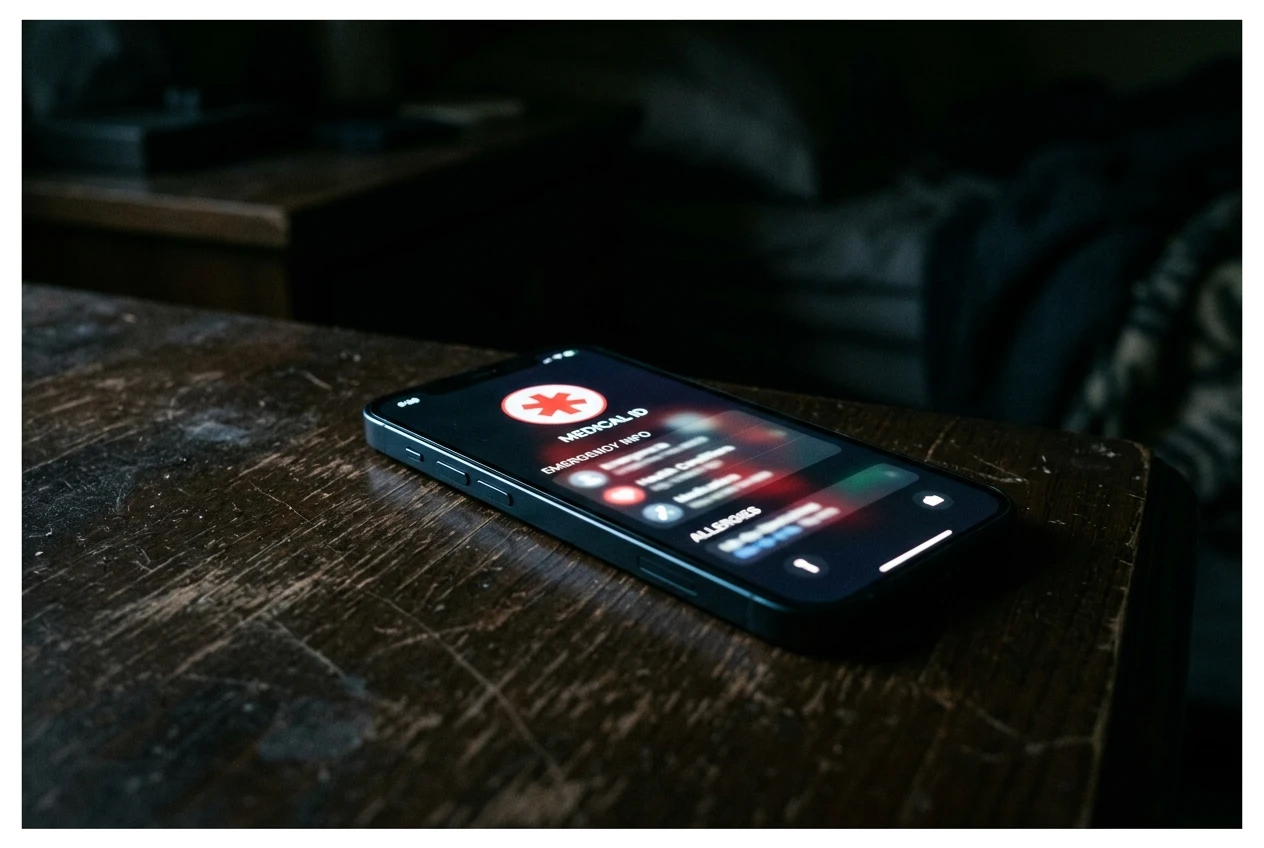
The setup takes a few minutes on each platform. On iPhone, open the Health app, tap the profile picture in the upper-right, tap Medical ID, and fill in conditions, allergies, medications, blood type, and emergency contacts. Toggle on Show When Locked so a first responder can see the ID without unlocking the phone, and turn on Share During Emergency Call so the ID is sent automatically to emergency services, per Apple’s Medical ID setup and emergency sharing on iPhone.
We found it beneficial for us to access medical information on patients’ smartphones in real-time. We got some useful information from it that helped improve care.
Adam Oplinger, the Injury Prevention and Outreach Coordinator for the Kessler Trauma Center, made that comment in the University of Rochester write-up of the SEMID study. His team has since launched a public awareness campaign around medical IDs, citing the 8-of-30 result as the underuse gap the campaign is meant to close.
On a Samsung Galaxy, open Settings, tap Safety and Emergency, then Medical info, enter the same details, and toggle Show on Lock Screen. On many other Android phones, the equivalent lives in the Personal Safety app under the Your Info tab, with similar fields. The medical ID is also where the phone quietly overlaps with the rest of the health stack. Apple Health in the US, for example, lets the user sign up to be an organ donor through Donate Life from the same Medical ID screen, a one-time form that does not require a separate app.
What Your Phone Still Cannot Tell You
A phone-based dashboard has limits worth knowing before relying on it. Step counts from a phone in a pocket or bag are noisier than step counts from a wrist sensor, which each app’s own help pages describe as not as precise as a dedicated sensor. Sleep tracking on a phone alone is rough, because the phone is not on the body. Heart rate, blood oxygen, and skin temperature, the signals Samsung’s Vitals feature reads from a paired watch, are not on the table without a watch or ring, per Samsung’s the Vitals and Heart Health Score feature details. The features that promise deeper insight, including Samsung’s Vitals and Heart Health Score, are flagged in the company’s own announcement as ‘for wellness only, not for the diagnosis or treatment of any medical condition.’
Privacy is its own concern. Pulling medical records into a phone app is convenient, but the records sit in a personal account that is not covered by HIPAA once they leave the provider’s portal. Each of the three apps handles the data under its own privacy policy, and each gives the user a way to delete it, which is the lever to use if the user changes their mind. The medical ID itself lives on the phone’s lock screen, where it can be read without unlocking the phone.
Frequently Asked Questions
Do I need a smartwatch to use my phone as a health dashboard?
No. The free apps from Google, Samsung, and Apple all work with a phone alone, with manual logging for workouts, food, mood, and sleep, and automatic step counts using the phone’s motion sensors. The data is less precise than what a wrist sensor produces, but the apps give a usable trend over weeks. A smartwatch adds continuous heart rate, on-wrist sleep staging, and signals like blood oxygen, which is the upgrade path most users eventually take.
Which health app is best for Android in 2026?
Google Health is the default for most Android users, after the Fitbit app transitioned into the Google Health app starting May 19, 2026. Samsung Health is the alternative for Galaxy owners and works on other Android phones too. All three apps support the same core features, so the choice is usually about which device the user pairs the app with.
Can my phone pull in records from my doctor?
Yes, if the provider’s patient portal is on the supported list for the user’s chosen app. The setup uses the same login the user uses for the provider’s website, and the records sync into the app under the Medical Records or Health Records section. Federal privacy laws, including HIPAA, do not generally apply to the data once it is in the phone app, so reading the app’s privacy policy first is the safer move.
How does a Medical ID work in an emergency?
A first responder can open the lock screen on most modern phones and see a Medical ID button without unlocking the device. Tapping it shows conditions, allergies, medications, blood type, and emergency contacts, the exact information a paramedic would need when the patient cannot speak. The 2021 University of Rochester study found the information was useful in 75% of trauma cases where it was actually used.
Is the Google Health app free?
Yes. The Google Health app is free in the App Store and Google Play, and existing Fitbit users had their accounts transition automatically on May 19, 2026. Some advanced features, including the deeper Google Health Coach experience, sit behind a separate Google Health Premium subscription. The premium tier is not required for step counts, manual logging, or medical record sync.


South Korea Retail Investors Face Reckoning After KOSPI AI Rally Collapses

Surrey AI Maps Three Heart Attack Paths and Their Molecular Roots

Germany Locks Neutral Apple ATT Prompts Across Most of Europe

Apple’s 5% EU Fee Quietly Rewrites Alternative App Store Math

Apple’s EU Fee Truce Cuts Complexity but Leaves Rivals Fuming

Pixel 11 Pro Fold Trades Thinness for Durability and Seven-Year Stay

Mayo AI Flags HCM Obstruction From Everyday Ultrasound Videos

Indian Brands Quietly Scale Landmark Screens and Home Tech

Navin Vatsa Turns Grief Into a Lifetime of Quiet Seeing

Google Bets Pixel 11 Agentic AI Will Redefine Phones

Oracle Cuts 21,000 Jobs in a Year, Cites AI in 10-K Filing

Fable 5 and Mythos 5 Return as US Lifts Anthropic Export Controls

SpaceX’s Google Deal Turns a Rocket Company Into a Cloud Landlord

CD Projekt Red Co-CEO: Redemption Arc Isn’t Done, Witcher 4 in 2027

XPL Rallies 30% Ahead of Plasma One Card Tier Launch

Google Search Profiles Build a Follow Graph Inside Discover

DGO App Brings Rs 549 Mobile Pass for FIFA World Cup 2026 in Nepal

Moonshot AI Targets $30 Billion in China’s Fastest AI Funding Sprint

Oppo’s ColorOS 17 Eligibility List Leaves A-Series Buyers Behind

Microsoft Xbox Layoffs Start in July as Sharma Slams 3% Margin
-
 AI2 months ago
Oracle Cuts 21,000 Jobs in a Year, Cites AI in 10-K Filing
-
 AI2 months ago
Fable 5 and Mythos 5 Return as US Lifts Anthropic Export Controls
-
 AI3 months ago
SpaceX’s Google Deal Turns a Rocket Company Into a Cloud Landlord
-
 GAMING2 months ago
CD Projekt Red Co-CEO: Redemption Arc Isn’t Done, Witcher 4 in 2027
-
 CRYPTO2 months ago
XPL Rallies 30% Ahead of Plasma One Card Tier Launch
-
 NEWS3 months ago
Google Search Profiles Build a Follow Graph Inside Discover
-
 APPS2 months ago
DGO App Brings Rs 549 Mobile Pass for FIFA World Cup 2026 in Nepal
-
 AI3 months ago
Moonshot AI Targets $30 Billion in China’s Fastest AI Funding Sprint